
 Script Planner Assistant▸
 AI Apps
 AI News

KBHgames: A Classic Free Online Gaming Website
KBHgames: A Classic Free Online Gaming WebsiteIntroduction
KBHGames is a well-established free online gaming website where anyone can find a game they want to play. It covers a wide range of genres including action, puzzle, sports, and music. No registration or downloads are required — just click and play.
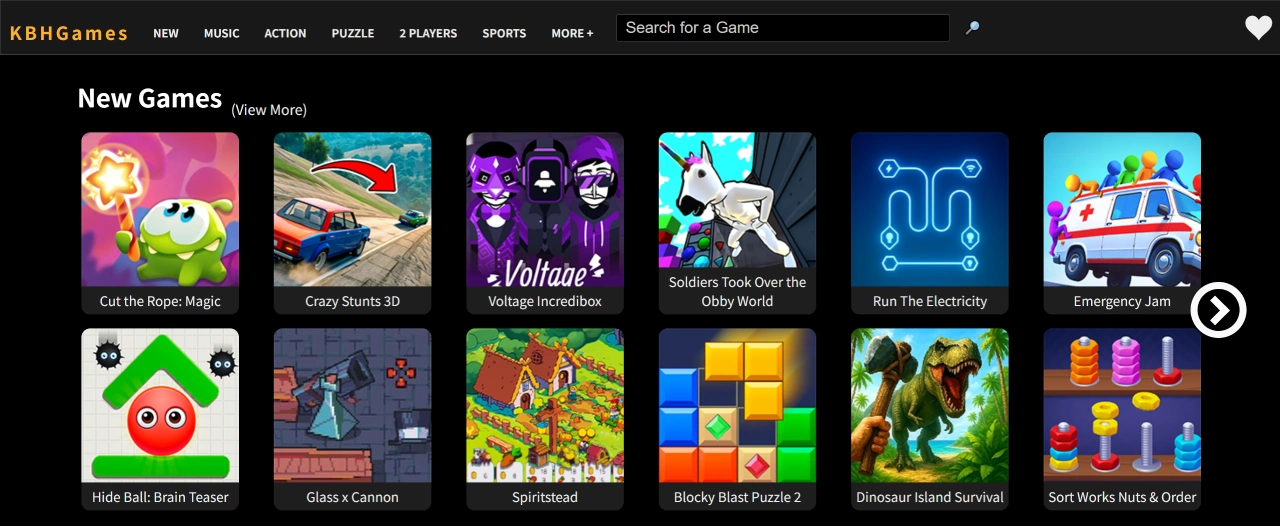
Features of the KBHgames Website
No payment or registration required: All games can be played directly, with no need to even create an account.
Play instantly in your browser: No downloads or installations needed — just open the webpage and start playing right away.
Wide variety of games: Offers action, puzzle, sports, music, shooting, and many other genres.
New games every day: Fresh games are added daily.
Works on all devices: Runs smoothly on both desktop and mobile browsers.
Minimal ads: The site shows relatively few ads, most of which are static and barely interfere with gameplay.
KBHgames Game Categories
Action games: Fast-paced, testing your reflexes and skills.
Adventure games: Mainly focused on exploration, puzzles, and story-driven gameplay.
Music & rhythm games: Popular titles like the Friday Night Funkin' series fall into this category.
Puzzle games: Includes sudoku, jigsaw puzzles, and more — great for exercising your brain.
Emulator games: Play arcade or handheld console emulators right in your browser and relive classic games from the past.
Racing / driving games: All about speed and control.
Sports games: Features basketball, soccer, and more — easy to pick up.
Educational games: Great for kids, such as math practice titles.
Shooting games: Classic online shooting mini-games.
Funny games: Over-the-top style with absurd storylines — quite entertaining.
How to Play on KBHgames
First, open the KBHgames website homepage.
You can browse the featured games on the homepage or use the menu at the top of the page to pick a game category.
When you spot a game you want to play, click its cover image to enter the game page.
Once the game finishes loading, click the "Play" button to start.
Follow the in-game instructions and use your keyboard, mouse, or touchscreen to play.
If a game supports multiplayer, the page will explain how to join and play.
If you find a game you enjoy, bookmark the page so you can jump straight back into it next time.
Who Is KBHgames For?
Students and young people: Great for relaxing with casual puzzle games during breaks or downtime.
Office workers: Sneak in a quick mini-game during work to relieve stress.
Fans of niche games: Discover interesting indie games you won't easily find elsewhere.
Retro gaming enthusiasts: Use the classic game emulators to revisit beloved childhood games.
Players who love trying new things: The site updates with new games and play styles frequently, so there's always something fresh.















