
 Script Planner Assistant▸
 AI Apps
 AI News

iMini AI: Your All-in-One Super AI Creation Agent
iMini AI: Your All-in-One Super AI Creation AgentIntroduction
What is iMini ai
iMini AI is a one-stop super AI creative agent that integrates over twenty major large language models including GPT-5, Claude, Gemini, and DeepSeek. Users can complete image processing, image generation, and video generation all within a single chat interface, without having to switch back and forth between tools.
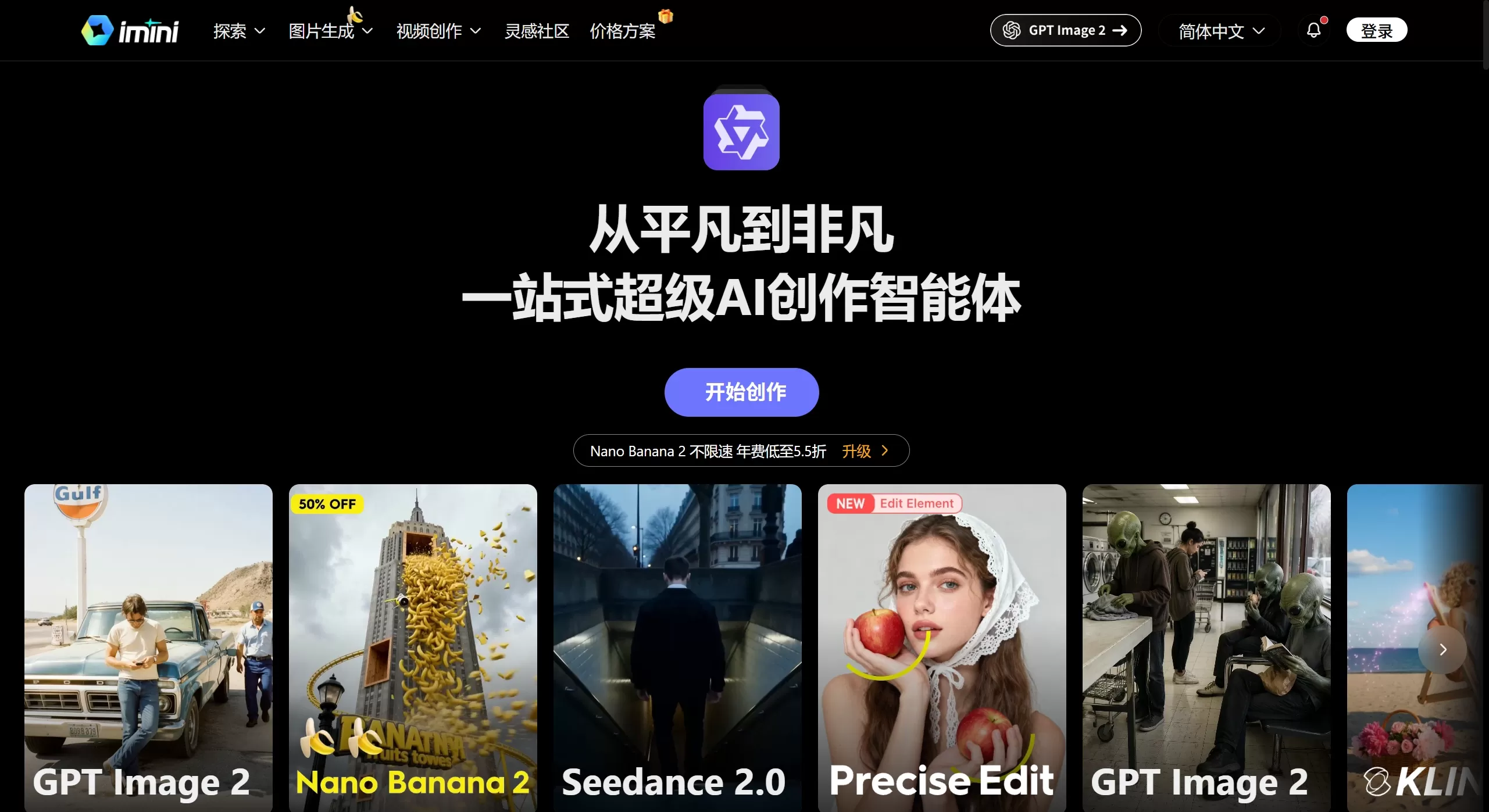
iMini AI official website screenshot
Core Features
Multi-model intelligent conversation: Built-in with GPT-4/5, Claude Opus/Sonnet, Gemini Pro, DeepSeek R1, etc. The system automatically selects and combines the most suitable models based on the task.
AI-generated slides / documents: Enter a sentence, such as "create a ppt on the new energy industry using market data", and it will automatically retrieve data, build the framework, fill in content, and handle layout — producing a usable presentation in about ten minutes.
Deep research: For academic or business analysis, it can crawl industry reports, papers, and corporate financial statements within three to five minutes, generating research reports with analytical frameworks and citing data sources.
AI image and video generation: Integrates image models such as Nano Banana Pro, Midjourney, Seedream, as well as some video generation models, supporting text-to-image, image-to-video, and more.
Precise editing: A feature launched at the end of 2025. Circle the area in the image you want to change and describe it in natural language, such as "change the hat to red," and the AI will modify that specific area without redrawing the entire image. It also supports layer editing, background extension, subject separation, smart erasing, and upscaling from 1K to 4K.
PDF analysis & legal documents: Quickly extracts key information from lengthy contracts or generates basic legal contract texts.
Multilingual translation and code assistance: Supports cross-language communication and can also help write Python scripts.
Use Cases
Workplace productivity: Quickly create market analysis reports, business plans, and presentation PPTs.
Self-media & content creation: Generate illustrations, video素材, social media copy, and visual posters.
E-commerce operations: Create product display images, change backgrounds, retouch photos, and improve clarity.
Academic & business research: Automatically collect information,整合 data, and write reports.
Daily photo editing: Zero-barrier AI photo retouching, image expansion, and cutout.
iMini AI Pros and Cons
Pros
All-in-one integration: Conversation, documents, images, video, and research are all on one platform, saving the hassle of switching between multiple tools.
Intent-driven: Instead of writing prompts, you simply express your needs in natural language, making the learning curve very low.
Precise editing: Solves the pain point of AI image generation where "you can only regenerate the whole image but not do local retouching," making creation more controllable.
Multi-model dynamic scheduling: Automatically selects the most suitable model combination and reduces the risk of AI hallucinations through dual-model cross-verification.
Cons
As a relatively new Agent platform, the stability of handling some complex tasks still needs time to verify.
For extremely high-precision commercial design needs, precise editing cannot yet fully replace professional design software.
Aggregating so many models comes with high service costs, and deep usage requires a paid subscription.
How to Use iMini AI
Sign up and log in: Visit imini.com and register a free account using your email or phone number.
Enter your command: Describe your needs clearly in natural language within the chat interface — the more specific, the better. For example, "generate a 2026 Southeast Asia e-commerce market analysis PPT, including competitive landscape and trend forecasts."
Wait for execution: iMini Agent will automatically decompose the task, call the appropriate models, retrieve data, and generate results.
Iterate and optimize: For image creation, use Precise Edit to circle local areas for refinement after generation; for documents or PPTs, simply provide feedback and let the AI make adjustments.
Export and use: Once completed, export as PPT, PDF, image, video, and other formats.
iMini AI Pricing
iMini AI adopts a tiered subscription model, roughly including:
Free plan: Access to basic models, basic creation tools, and free credits.
Pro / Max plan: Unlocks all premium models, super agents, priority processing, and commercial licensing. The official statement says a Max member's productivity is equivalent to nearly 4 regular employees, producing around 70 presentations per month.
Enterprise plan: Unlimited usage, custom integrations, dedicated support, and SLA guarantees.
Competitor Comparison
| Comparison Dimension | iMini AI | Manus | Genspark / MiniMax, etc. |
|---|---|---|---|
| Core Positioning | One-stop super AI Agent + creation platform | General-purpose AI Agent | Single-model / function-specific tools |
| Model Strategy | Aggregates 20+ models, dynamically schedules the optimal combination | Proprietary Agent architecture | Usually based on a single model output |
| Featured Functions | Precise Edit for accurate image editing, automatic PPT/document generation | Autonomous execution of complex tasks | Focused on conversation or single creation |
| Usage Barrier | Very low, natural language commands are sufficient | Medium | Relatively low |
| Coverage of Scenarios | Full scenarios: conversation, research, documents, images, video | General task execution | Leans toward conversation or creation |
| Target Users | Professionals, creators, e-commerce sellers, students | Technical / advanced users | General consumers |











