
 Script Planner Assistant▸
 AI Apps
 AI News

Hookshot: AI E-commerce Image Generator
Hookshot: AI E-commerce Image GeneratorIntroduction
What is Hookshot
Hookshot is an AI e-commerce image generation tool that helps sellers on 30+ mainstream platforms like Amazon, Taobao, and Temu handle "copywriting + images + video" all in one place. It uses its own model specifically trained on e-commerce scenarios and, having been launched for half a year, has already served tens of thousands of stores. Some people call it the "e-commerce version of Midjourney."
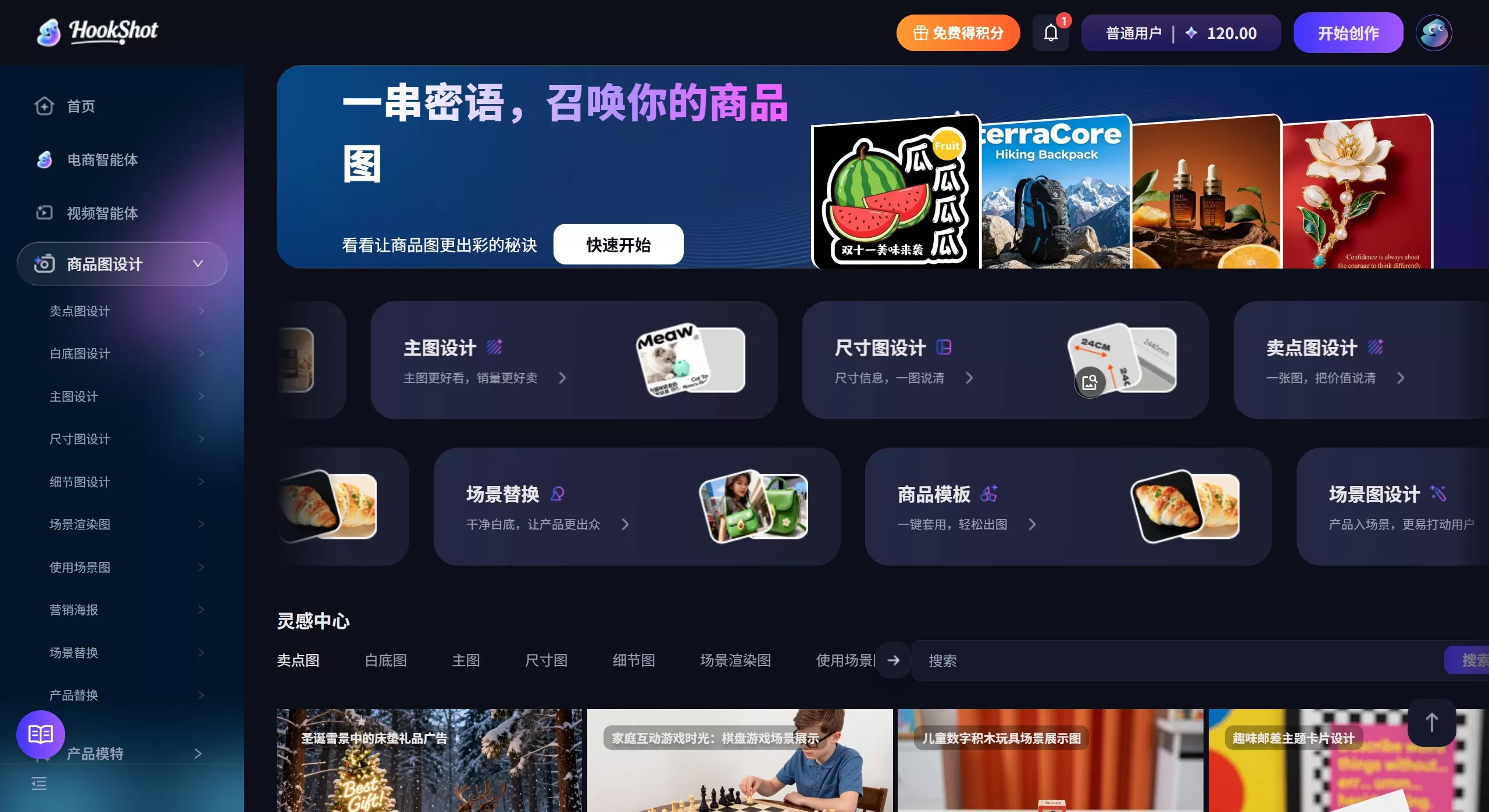
Features
AI Hit-Product Main Image Generation: Upload a white-background image, and it automatically matches scenes, lighting, and models, outputting high-CTR main images in platform-appropriate ratios like Amazon 1:1 or Taobao 3:4. It includes built-in competitor color analysis and CTR prediction models, and supports one-click replacement of holiday elements and promotional tags.
AI Multilingual Detail Pages: After reading the title and five bullet points, it automatically lays out a complete detail page with selling-point icons, comparison tables, and lifestyle scenario images. It supports one-click switching across nine languages including Chinese, English, and Japanese, while checking character count and sensitive words.
AI Anchor Frame Video Tool: Turn static product images into 15–60 second selling-point short videos. The algorithm automatically adds transitions, subtitles, and voiceover based on the "golden 3 seconds" principle, and also supports AI digital human narration and lip-sync replacement.
AI Model and Pose Variation: Supports product model replacement and realistic digital human generation, using lip-sync and pose control technology to produce real-person interactive marketing content at low cost.
Smart Video Processing Workflow: Integrates video translation, voice changing, AI cutout, and inpainting, covering the entire pipeline from generation to optimization to distribution.
Full-Chain E-Commerce Intelligent Agent: Built-in creation models tailored for different platforms, covering main images, detail pages, selling-point graphics, and size chart design.
Use Cases
Cross-Border Visual Localization: Use AI scene replacement and multilingual video translation to quickly customize visual content that matches local aesthetic styles for overseas platforms like Amazon and eBay.
Hit-Product Main Image A/B Testing: Through scene rendering and marketing poster design, quickly generate multiple sets of main images in different styles for A/B testing, using data to guide visual optimization.
Efficient Brand Asset Accumulation: Through unified asset management and a canvas editor, brands can batch-convert product original images into detail page materials that follow a unified visual standard.
How to Use Hookshot
Registration and Initialization
Visit the official site: Open https://www.hkshot.com/ in your browser and click "Register/Login" in the top right corner.
Claim credits: After registering as a new user, you can use an invitation code to claim initial credits and experience free generation quotas.
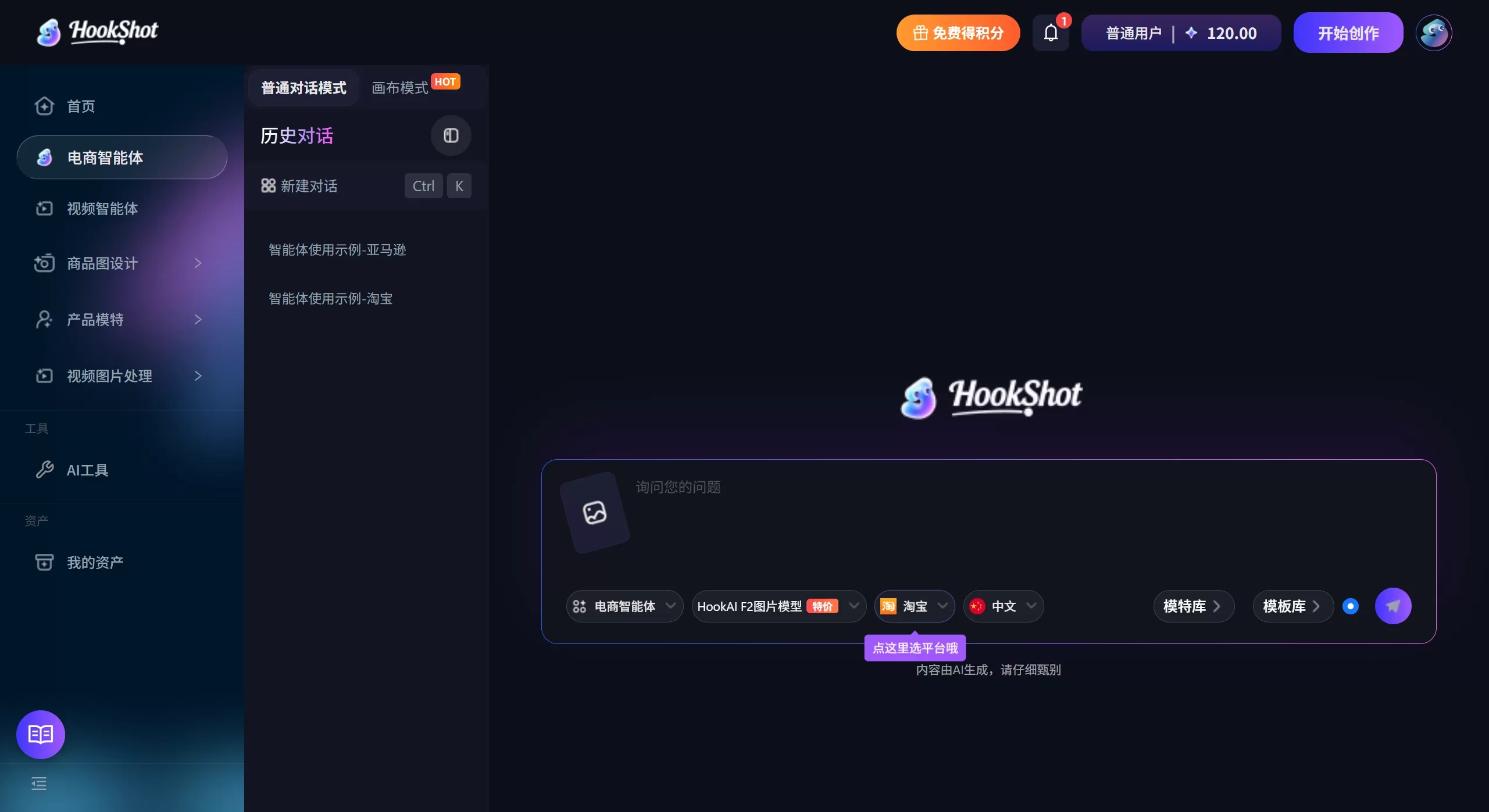
Select workspace: After logging in, enter the main console. The left navigation bar shows modules such as "AI Main Image," "AI Detail Page," "AI Video," and "AI Model."
AI Hit-Product Main Image Generation
Upload assets: Click "AI Main Image" → upload a product white-background image (JPG/PNG supported; a clean background with a clear subject works best).
Enter selling points: Fill in the SKU's core selling points in the text box (e.g., "304 stainless steel," "Quick Charge 3.0," "Waterproof IPX7"), and the system will automatically extract keywords.
Select platform and ratio: Choose the target platform (Amazon, Taobao, Temu, etc.) from the dropdown, and the system will automatically match the corresponding size (e.g., Amazon 1:1, Taobao 3:4).
Scene and style selection: The system automatically recommends scenes based on category (kitchen, outdoor, desktop, etc.), or you can manually switch style tags like "Holiday Marketing," "Minimalist White Background," or "Lifestyle Scene."
Generate and filter: Click "Generate," and in about 10–30 seconds you'll get 4 preview images. Hover your mouse over them to see the CTR prediction score, and pick the one with the highest score or that best matches your brand tone.
Refine and download: Enter the editor and use "Inpainting" to fix flaws, "AI Cutout" to adjust edges, and "Add Promotional Tag" to insert limited-time discount stickers. After confirming, download a high-definition watermark-free image.
AI Multilingual Detail Page Generation
Enter the "AI Detail Page" module and upload product original images or select previously generated assets.
Paste the title and five bullet points, and the system will automatically parse the selling-point logic.
Select the target language (Chinese/English/Japanese/German/French, etc.), and the system will automatically lay out and generate a complete long image with selling-point icons, comparison tables, and lifestyle scenario images.
In the right-side preview area, check the character count and sensitive-word compliance alerts, fine-tune the copy, then export a long image or slices sized for the platform.
AI Anchor Frame Video Generation
Enter the "AI Video" module and upload 3–5 static product images.
Select video duration (15s/30s/60s) and platform format (Amazon Video, Taobao Short Video, TikTok 9:16).
The system automatically inserts transitions, dynamic subtitles, and selling-point voiceover scripts based on the "golden 3 seconds" principle.
(Optional) Switch to "AI Digital Human" mode, upload a script or select system-generated narration, and generate a lip-sync narration video.
Preview to confirm, then export and use directly for ad distribution.
AI Model and Pose Variation
Enter the "AI Model" module and upload a white-background image of clothing or accessories.
Choose "Model Replacement" or "Digital Human Generation":
Model Replacement: Select skin tone, hairstyle, and body type from the model library to instantly generate outfit images.
Digital Human: Upload a real-person reference photo or select a virtual avatar, and set poses and expressions.
Advanced users can click "Train a Dedicated Model," upload 10–20 photos of brand-signed models, and after training generate a series of materials with a unified image.
Use the "Lip-Sync" feature to input narration copy and make static model images speak, generating short video materials.
Practical Tips
Batch processing: For the same SKU, you can generate a combo pack of "main image + detail page + video" at once with a unified visual style.
Non-focused window operation: In the canvas editor, you can directly perform AI image expansion or scene replacement on background layers without re-uploading.
Asset management: Frequently used product images, brand logos, and color schemes can be uploaded to "My Assets" for one-click reuse later, avoiding repeated uploads.
Compliance self-check: When creating detail pages, watch for "Sensitive Word Detection" alerts on the right side to avoid being taken down by the platform for absolute terms (e.g., "the best," "number one").
Review
The most impressive thing about Hookshot is how it combines "modular prompts + industry big data" into the e-commerce visual workflow. Users only need to input SKU selling points, and the system will automatically match platform rules, competitor hot zones, and consumer psychology, instantly producing visual materials that align with Amazon's algorithm or Taobao's "Guess What You Like" logic. For operations staff without a design background, it compresses what would normally require models, locations, and professional post-production into just a few minutes. It's a practical tool for e-commerce sellers to boost competitiveness and worth trying out.














