
 Script Planner Assistant▸
 AI Apps
 AI News

Daxia: An Online Chinese Typing Practice Platform
Daxia: An Online Chinese Typing Practice PlatformIntroduction
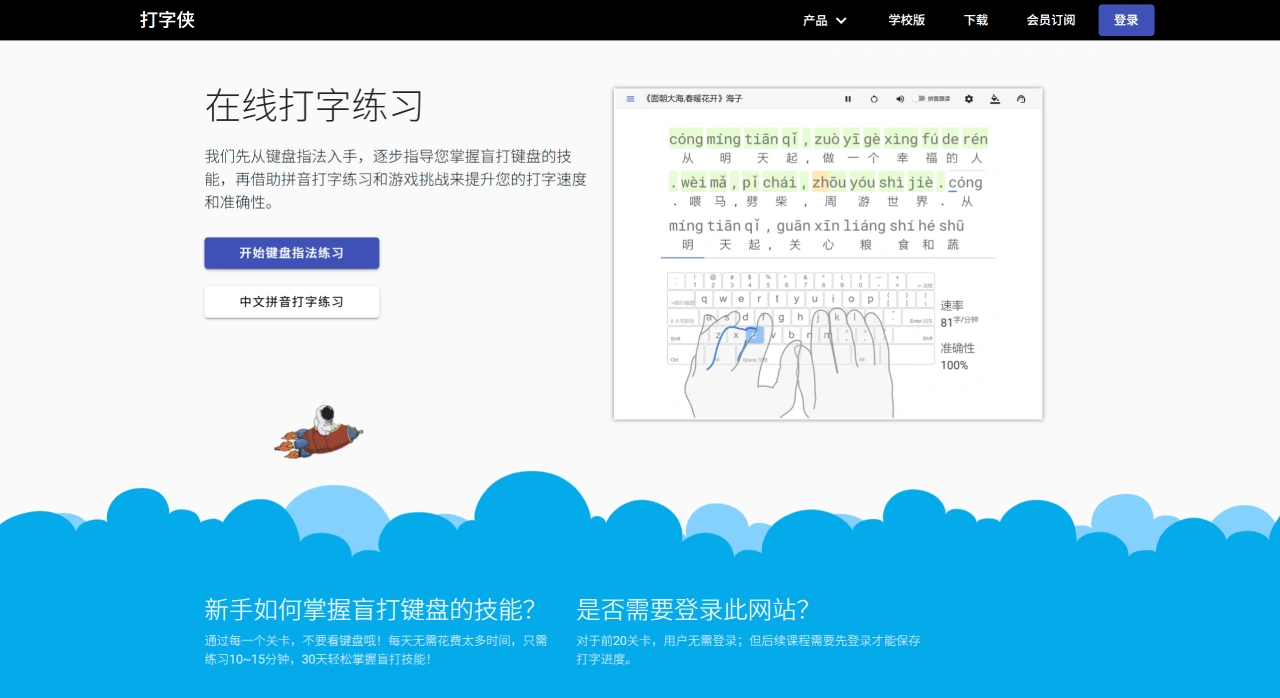
Typing Hero (hellotyping) is an online Chinese typing practice platform that mainly helps users improve typing speed and accuracy, covering all stages of learning from basic key positions to advanced input methods. The platform features modules such as keyboard fingering, Pinyin typing, double pinyin specialization, Wubi practice, speed tests, and typing games. It supports a school version and multi-device online use, making it suitable for students, professionals, and programming enthusiasts to systematically train touch typing and input efficiency.
Core Features and Highlights of Typing Hero
Curriculum System: Practice progresses from letters, words, to sentences and long articles, with courses covering zero-basis Pinyin, Chinese Pinyin typing, double pinyin introduction, and Wubi (86/98/New Century).
Intelligent Learning: Capable of planning learning paths based on individual situations, displaying real-time speed and accuracy during practice, and analyzing errors for targeted improvement.
Gamification and Competitions: Features level-based and competitive modes to add fun and motivation to practice.
Multi-Device Experience: Supports use on PC, Mac, tablet, and mobile browsers, offers a PWA app, syncs progress across multiple devices, with a clean interface focused on training.
Target Users and Scenarios for Typing Hero
K-12 Students: Includes textbook vocabulary, themed stories, and leaderboards for motivation, ideal for daily homework speed-up and information class training.
Professionals: Improves efficiency in roles requiring frequent text input and reduces error rates.
Programmers / Tech Users: Enables English and symbol touch-typing training to enhance keyboard proficiency.
Double Pinyin / Wubi Learners: Systematically masters efficient input methods, reduces keystrokes, and improves input rhythm.
How to Use Typing Hero
Visit the official website and register/log in with WeChat, phone number, or email. Beginners should start with basic Pinyin or fingering, while advanced users can choose the double pinyin introduction or high-speed challenge. During practice, you can customize duration and difficulty, and enable real-time error prompts. After each training session, WPM, accuracy, error distribution/heatmap, and historical comparison data are generated. For further improvement, users can participate in competition mode or use the school version to organize class training.
Typing Hero Pricing
Both free and premium subscription models are available. The free version includes core courses and basic statistics; the premium subscription unlocks more courses, competitions, and value-added features such as data analytics.
Frequently Asked Questions
What exclusive designs does Typing Hero offer for young users, and how can it help them improve typing skills?
Typing Hero has three exclusive designs for young users: First, the course content and interface design align with teenagers' cognition and learning habits, avoiding the tedium of traditional typing learning; second, it incorporates fun stories, mini-games, and level challenges to spark interest, allowing them to subtly improve typing skills in a relaxed atmosphere; third, parents can set account permissions to block inappropriate content, ensuring a safe practice environment. In addition, the platform creates personalized learning paths based on each teenager's typing level and progress, so every child advances at their own suitable pace. Parents can also stay informed of their child's performance in real time through learning reports, witnessing growth together and helping teenagers become "keyboard masters."
What are the core differences in features and experience between Typing Hero's free mode and subscription mode, and how should users choose based on their needs?
The core differences between free mode and subscription mode are: free mode only unlocks the first 20 levels of keyboard fingering practice, cannot save historical records, and contains a small amount of ads; subscription mode unlocks all fingering practice levels, supports cloud data sync (multi-device compatible) and data statistical analysis (viewing touch-typing mastery), contains no ads, and provides 24-hour technical support to resolve typing issues promptly. If users only need short-term basic practice















