
 Script Planner Assistant▸
 AI Apps
 AI News

DreamVid AI: All-in-One AI Video Generator
DreamVid AI: All-in-One AI Video GeneratorIntroduction
DreamVid ai is an all-in-one AI video generation tool that converts images, text, or existing video clips into short clips. It integrates image-to-video, text-to-video, video extension, and a variety of special effect templates. Targeted at social media content creators, e-commerce operators, and general users, its main selling point is the ability to quickly produce videos without any editing background.
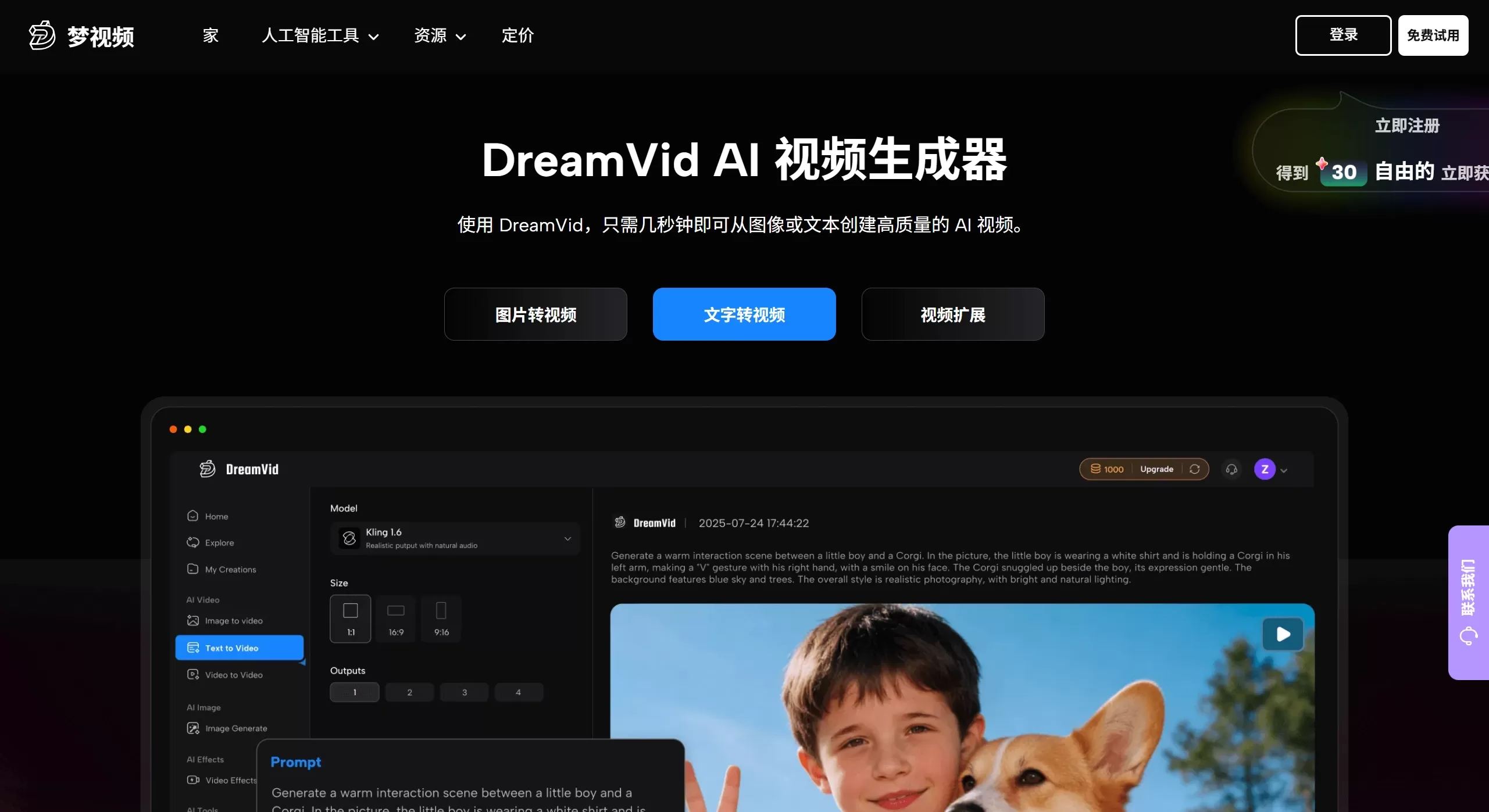
DreamVid AI official website screenshot
Features
Image-to-video: Upload one or more static photos, and the AI automatically analyzes people and backgrounds to generate dynamic videos with expressions, eye movements, and body actions (such as hugging, kissing, and dancing).
Text-to-video: Enter descriptions of scenes, characters, actions, and styles to directly generate 5 to 10 seconds of dynamic footage, without needing complex prompt techniques.
Video extension: Based on an existing short clip, add another text description to let the story continue, achieving seamless transitions between scenes.
AI special effects template library: Includes numerous ready-made templates, such as AI kiss, AI hug, AI dance, AI outfit change (bikini, wedding dress, cheongsam, etc.), AI face swap, gender swap, muscle effects, Ghibli-style animation, and more.
Old photo revival: With one click, make people in old photos smile, blink, sing, or move, suitable for memorial and nostalgic scenarios.
AI interactive video: Upload a video and a photo to make the person in the photo "appear" in the video, making natural interactions such as waving, walking side by side, and eye contact.
Multi-model integration: The underlying system integrates multiple models including Hailuo, Sora, Google Veo, Kling, PixVerse, Vidu, Wan AI, and others.
Use Cases
Social media content: Quickly create around 10-second short videos for TikTok, Instagram Reels, and YouTube Shorts that are more eye-catching.
E-commerce and advertising: Turn static product images into dynamic showcase videos, or batch-generate ad creatives for A/B testing.
Nostalgia and commemoration: Convert old photos, wedding portraits, or photos of deceased relatives into dynamic videos for family gatherings or anniversaries.
Creative entertainment: Create funny face-swap short films, interact with virtual characters, make videos of celebrities "telling stories," produce Ghibli-style animation, and more.
Marketing and promotion: Small businesses can quickly generate brand promotional clips without hiring a professional team.
DreamVid AI Pros and Cons
Pros
Simple operation, essentially "template-guided + one-click generation," requiring no editing background or complex prompts.
Full platform coverage: Web version (no installation), iOS and Android apps, with cloud computing that does not consume local performance.
Fast generation speed, with a single video taking about 20 seconds to complete.
Supports multi-character interaction and video face swapping, offering good entertainment value and playability.
Cons
Uses a paid subscription model. The monthly membership provides about 500 credits per month, with each video generation consuming 10–50 credits. The free version has limited functionality and may include watermarks.
Generation results may not always be stable, with possible body distortion, skin color changes, or unnatural expressions, requiring multiple retries.
When composing multiple characters, it is recommended to first use third-party tools to handle composition and merging, otherwise the results may not be ideal.
The platform periodically deletes files that were generated a long time ago, so timely download and saving are necessary.
Using celebrity photos or creating sensitive face-swap content carries portrait rights and copyright risks, and the platform explicitly restricts commercial use.
FAQ
Q: Is DreamVid free?
A: Core features are available for free trial, but HD export, watermark removal, and advanced templates require a paid subscription.
Q: Can the generated videos be used commercially?
A: The official statement indicates that generated content is limited to personal commemoration and community interaction, and may not be used for commercial purposes.
Q: Why do the generated kissing or hugging videos look unnatural?
A: It is recommended to use clear, front-facing photos with adequate lighting, and try to match the character sizes and keep them close together. If the result is not ideal, you can generate multiple times.
Q: What output formats are supported?
A: MP4 and GIF formats are supported, making it convenient to publish directly to various social platforms.
How to Use DreamVid AI
Visit the official website: Open dreamvid.com in your browser, or download the iOS/Android app.
Choose creation mode: Select "Image-to-video," "Text-to-video," "Video extension," or directly browse the special effects template library.
Upload materials: Upload photos (single or multiple), enter text, or import existing video clips.
Adjust and preview: Select template style, adjust character position or size, and add prompt descriptions for details.
Generate and download: Click generate, wait a few dozen seconds to preview, and download as MP4 or GIF if satisfied, or directly share to social platforms.
Competitor Comparison
| Dimension | DreamVid AI | Runway Gen-2 | Pika Labs | Kling AI |
|---|---|---|---|---|
| Core positioning | Lightweight template-based image-to-video, for general users and social media creators | Professional-grade AI video editing and generation, for creative professionals | Fast text/image-to-video, emphasizing simplicity and community sharing | High-quality image-to-video and character motion control, made in China |
| Learning curve | Very low, template-guided, no prompt background required | Medium, requires understanding of camera control and motion brush | Low, minimalist interface but fewer controllable parameters | Low, Chinese-friendly, supports physics simulation |
| Special features | AI kiss/hug/outfit change/face swap, old photo revival, video extension | Motion brush, video-to-video, infinite canvas | Video extension, partial repaint, sound effect generation | 3D face/body reconstruction, complex action generation |
| Model integration | Multi-model: Sora, Veo, Kling, PixVerse, Vidu, etc. | Self-developed Gen series models | Self-developed model | Self-developed Kling model |
| Platform support | Web, iOS, Android | Web-based | Web, Discord | Web, App |
| Pricing model | Subscription (credit consumption) | Subscription (credits-based) | Free quota + subscription | Free trial + membership |












