
 Script Planner Assistant▸
 AI Apps
 AI News

Digen AI: A Free AI Video Generator
Digen AI: A Free AI Video GeneratorIntroduction
What is Digen ai
Digen AI is a free online AI video generation tool. Its strongest features are "Image-to-Video" and "digital human lip sync". Whether you're a content creator, an operator, or just want to play around with short videos—even if you have zero editing skills, you can quickly produce videos with it. What's more, it bundles top-tier video models like Sora 2, Veo 3.1, and Kling 3.0 all in one place, so you don't need to jump between platforms—you can freely call on different engines within a single platform.
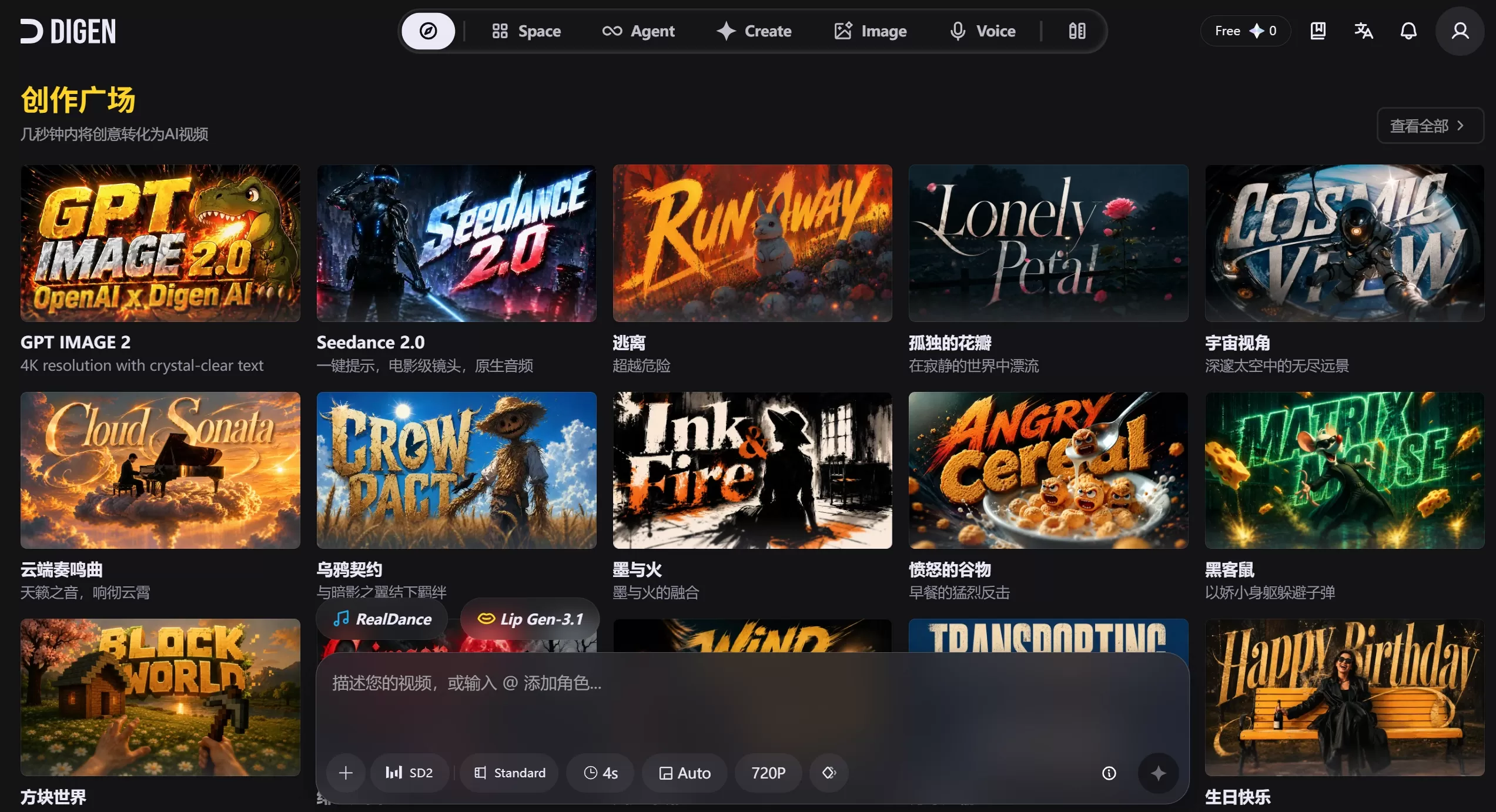
Main Features of Digen AI
Real Motion Series: This is their self-developed image-to-video engine. It supports resolutions from 720p to 2K, turning a single static photo into a short video with camera movements and natural dynamics, typically generating 5 to 10 seconds.
Lip Motion Lip Sync: The Gen-2 version supports voice-driven lip sync up to 2 minutes long; in Gen-3, although limited to under 10 seconds, the lip animations are incredibly realistic and work for both humans and animals.
Act-Motion Motion Transfer: This one is pretty fun—upload a reference video of someone dancing or exercising, then add a photo of your target person, and the AI will seamlessly "transfer" the motion onto your target person while keeping their face intact.
Effect Models: Add creative effects with one click, such as transforming into a Super Saiyan, turning objects into cakes, or pulling off body transformation tricks and other entertaining effects.
Multi-Model Aggregation: Beyond those mentioned earlier, there are also models like Seedance 2 included—switch between them whenever you want.
AI Image Generation and Editing: Text-to-image, image-to-image, background replacement, and intelligent retouching all work, reportedly with no watermarks and no daily usage limits.
One-Click Remix: See something cool in the community? Just click to replicate its style, camera work, and effects, and use it directly for secondary creation.
Multi-Language Support: Built-in AI voice synthesis and lip sync in over 20 languages.
Digen AI Applications
Posting social short videos like TikTok, Instagram Reels, or YouTube Shorts.
Creating marketing ads or product demos.
Producing educational and training course videos.
Running virtual streamers or live-stream shopping sessions.
Personal fun—making memes or joke videos.
Localizing translations for multilingual content.
How to Use Digen AI?
Go to digen.ai and sign up—you can use a Google account or your email.
Choose an entry point to start creating: upload an image, enter text, or apply a template directly.
Pick an engine (such as Real Motion, Lip Motion, or Act Motion).
Add audio: you can record directly into the microphone, upload an audio file, or have it convert text into speech.
Adjust parameters: set the resolution, duration, motion style, camera direction, and so on.
Click generate, and once the preview looks good, download the MP4 or share it directly.
How Is Digen AI Priced?
Free Plan: Sign up and get 300 credits (memes); basic features are available, but videos come with a watermark.
Ultra Plan: About $4.99/month when billed annually, unlocking more generation credits and quicker processing.
Ultra Max Plan: About $39.99/month, with unlimited generation credits plus access to premium models like Sora and Veo.
Pay-Per-Use: Special features like Effect Model and Act Motion cost 20 credits per use, while paying users get unlimited access.
Pros of Digen AI
The barrier to entry is very low—no editing skills required to get started.
The lip sync quality is top-notch for its price range.
Aggregates multiple models, giving you plenty of choices.
Fast generation speed, usually done in just one or two minutes.
Works on mobile too, with support for both iOS and Android.
How Does Digen AI Compare with Other Mainstream Tools?
| Dimension | Digen AI | HeyGen | Synthesia |
|---|---|---|---|
| Main Positioning | Image-to-video, entertainment-oriented | Marketing, creator digital humans | Enterprise training, internal communications |
| Digital Human Realism | Medium level | Extremely high (15-second instant cloning) | Good (more formal style) |
| Number of Supported Languages | 20+ | 175+ | 140+ |
| Maximum Video Duration | Mainly 5–10 seconds | Up to 30 minutes | Up to about 2.5 hours |
| Editing Depth | No timeline; only simple parameter adjustments | Scenario-based editor | Slideshow-style structured editing |
| Lowest Paid Tier | About $4.99/month | $24/month (annual) | $18/month (annual) |
| Enterprise Compliance Certifications | Not currently specified | SOC 2 Type II | SOC 2 Type II, GDPR |
| Best Suited For | Individual creators, short video enthusiasts | Marketing teams, social media operators | Learning & Development (L&D) teams, large enterprise training |












