Script Planner Assistant▸
 AI Apps
 AI News

ColorDrop: A Color Palette Tool Made for Designers
ColorDrop: A Color Palette Tool Made for DesignersIntroduction
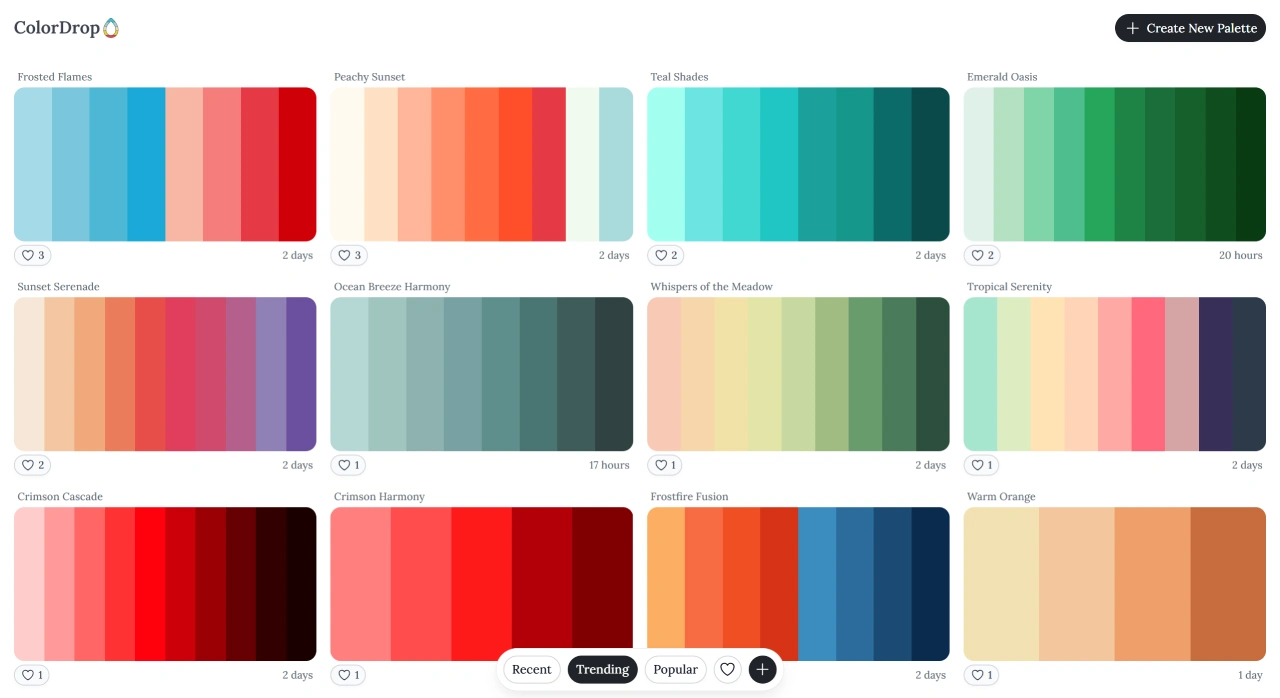
ColorDrop is an online palette tool built specifically for designers. The website automatically generates new color schemes every day at midnight, and users can bookmark their favorite schemes for later use. The tool was created by designer Tristan White in 2015 and was acquired by Tim B in 2024, who redeveloped it, with the code now open source.
Core Advantages of ColorDrop
Get inspiration without any manual work—just open the website each day to see quality color combinations curated by AI. It's perfect for finding inspiration when you're stuck, or when you need to quickly lock down the main color scheme for a project.
Main Features of ColorDrop
Ready-made color schemes: Offers a large collection of pre-made color combinations in various styles (bright, soft, high-contrast, etc.), contributed by professional designers and enthusiasts.
Custom palettes: Supports adjusting your own colors, providing a color editor, hue/saturation controls, complementary color selection, and other tools.
Background preview: Switch between different background colors to see how the palette looks on various bases.
Community interaction: Browse schemes shared by other users and exchange ideas with fellow designers.
Multi-format export: Supports exporting to CSS, SCSS, SVG, and other formats, making it easy to use across various design or development scenarios.
Image color extraction: Upload an image via the "Scan Image" feature to automatically extract the dominant colors from it.
Color code conversion: Supports conversion between commonly used formats such as HEX, RGB, HSV, HSL, and CMYK.
Gradient editor: Pick two colors to create a gradient and preview the effect directly.
How to Use ColorDrop
Visit the official site (colordrop.io)
Browse the color schemes and pick your favorites
Switch background colors to preview the effect
Select the best-fit scheme and use it directly
Who Is ColorDrop For
UI/UX designers: Adjust website theme colors, extract interface colors, and refine palettes.
Graphic designers / illustrators: Extract colors from images and build harmonious visual effects.
Front-end developers: Obtain the actual color values of web elements to faithfully recreate design mockups.
Brand / marketing professionals: Define brand standard colors and match coordinated colors for promotional images / PPTs.
Enthusiasts: Learn about color theory, find inspiration, and practice color matching.
About ColorDrop
It was originally a personal project created by designer Tristan White in 2015. After being acquired by Tim B in 2024, it received a comprehensive upgrade—optimizing the AI algorithm, interface, and experience to better fit modern designers' workflows.