
 Script Planner Assistant▸
 AI Apps
 AI News

ChatGPT Atlas Browser: AI Browser Built Around ChatGPT
ChatGPT Atlas Browser: AI Browser Built Around ChatGPTIntroduction
ChatGPT Atlas is a new browser launched by Openai, bringing ChatGPT's intelligent interaction features directly into web browsing scenarios. On any web page you can ask questions, request content summaries, have AI explain content, and even let it help you operate — without switching windows or manually copying and pasting.
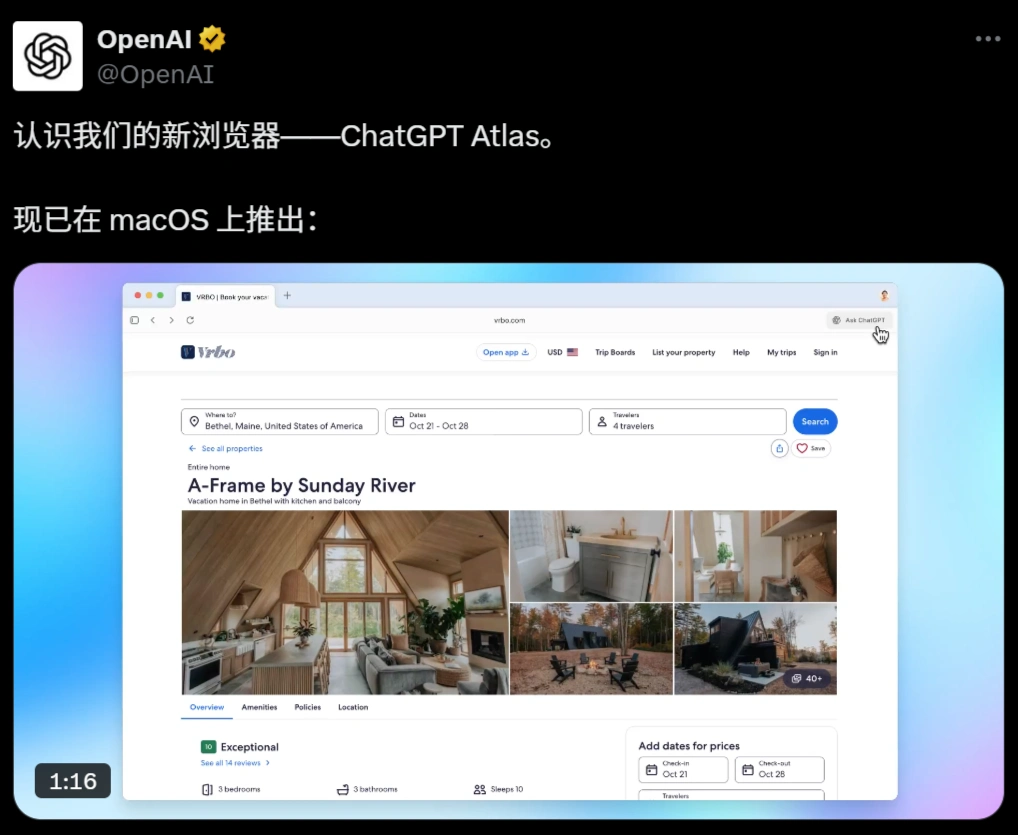
Atlas Browser Release and Support
Release date: October 21, 2025 (currently in beta).
First-available system: Mac computers (already released).
Coming later: Windows, iPhone, and Android versions will follow.
Basic features: Available to Free, Plus, Pro, and Go users.
Smart mode: Only Plus, Pro, and Business users can try it (the feature that lets AI help you operate web pages).
Atlas Browser Main Features
Ask AI While Browsing (Sidebar Conversation)
Click the "Ask ChatGPT" panel on the right side of the page to ask questions based on the current page:
Let AI summarize long articles, news, and papers;
Explain complex concepts, code, and academic content;
Compare different viewpoints, products, and news events.
You can also let AI help you write, edit, or translate directly in input boxes on the page (such as writing emails or filling in forms), without copying and pasting.
Smart Tab Management
Use voice or text to let AI open new tabs, close unnecessary pages, and bookmark important URLs — no need to manually manage them one by one.
AI helps you operate across websites (agent mode)
AI can complete some cross-website tasks on its own, such as:
Find the ingredients needed for a recipe from a food blog and add them directly to the shopping cart;
Sync to-do items from a document to a project management tool (like Notion, Trello).
During operation, the webpage and AI interface are displayed side by side, so you can watch at any time and take over the operation yourself.
Browser Remembers Your Habits (Optional)
Personalization: AI remembers the websites you frequently visit and what you're doing, providing more suitable suggestions.
Privacy protection: Separate from ChatGPT account memory, you can view, archive, or delete it independently; sensitive content like passwords and payment information is not stored.
Privacy and Security Controls
All AI-generated content has invisible watermarks to prevent misuse.
Screen recording is blocked to prevent content from being transmitted out.
When visiting banking or payment websites, AI automatically pauses and waits for your confirmation.
You can pause, interrupt, or take over AI's operations at any time.
How to Use Atlas Browser?
Download and install: Go to chatgpt.com/atlas to download the Mac version and install it.
Import data: The first time you open it, you can one-click import bookmarks, passwords, and browsing history, getting started quickly.
Basic settings:
You can turn the "browser memory" feature on or off in settings, and view or delete records at any time.
For sensitive operations on shopping or financial websites, it is recommended that you keep an eye on them yourself.
Early Reviews
Interface: Clean and attractive, adapts to Mac's full-screen mode, with very smooth animations.
Onboarding guide: Simple and easy to understand, lowering the barrier to using AI browsers.
Interaction experience: Sidebar conversations don't require copying and pasting, making searching more natural (answers first, then sources).
Core Differences Between ChatGPT Atlas and Traditional Browsers (such as Chrome)
| Comparison Dimension | ChatGPT Atlas | Traditional Browsers (such as Chrome) |
|---|---|---|
| Core Positioning | AI-driven browsing (direct conversational interaction, AI assistant embedded in web scenarios) | Link-first (URL navigation and page browsing at the core) |
| Interaction Method | Sidebar AI conversation, cursor chat, directly invoke AI writing in text boxes | Relies on manually entering search terms, switching tabs, copying and pasting content |
| Task Execution Capability | Agent Mode can automatically execute tasks across sites (e.g., organize shopping lists and place orders, sync tasks to project management tools) | Only provides search and web navigation; users must manually complete all operations |
| Ecosystem and Competitive Positioning | Emphasizes "AI execution," competing with AI browsers like Perplexity Comet and Opera Neon, but with a stronger focus on intelligent task processing | Focuses on browser speed, extension ecosystem, and web compatibility as main competitive points |
Notes:
Agent mode (AI helps you operate) is currently only available to paying users (Plus/Pro/Business).
For sensitive operations like banking and payments, it is recommended that you keep an eye on them yourself.
Windows system and mobile versions are not yet available — waiting for future updates.
Where to Download Atlas Browser? Who Is It For?
Download link:
chatgpt.com/atlas (currently only Mac version).
Suitable users:
People who frequently use AI to assist with reading materials, research, and writing (such as students, researchers, content creators);
Users who want less manual tab management;
Tech enthusiasts who want to try AI automatic cross-website operations (such as shopping and task management).















