
 Script Planner Assistant▸
 AI Apps
 AI News

ArticleRewriterTool: A Free Online Tool for Rewriting Articles, Sentences, and Paragraphs
ArticleRewriterTool: A Free Online Tool for Rewriting Articles, Sentences, and ParagraphsIntroduction
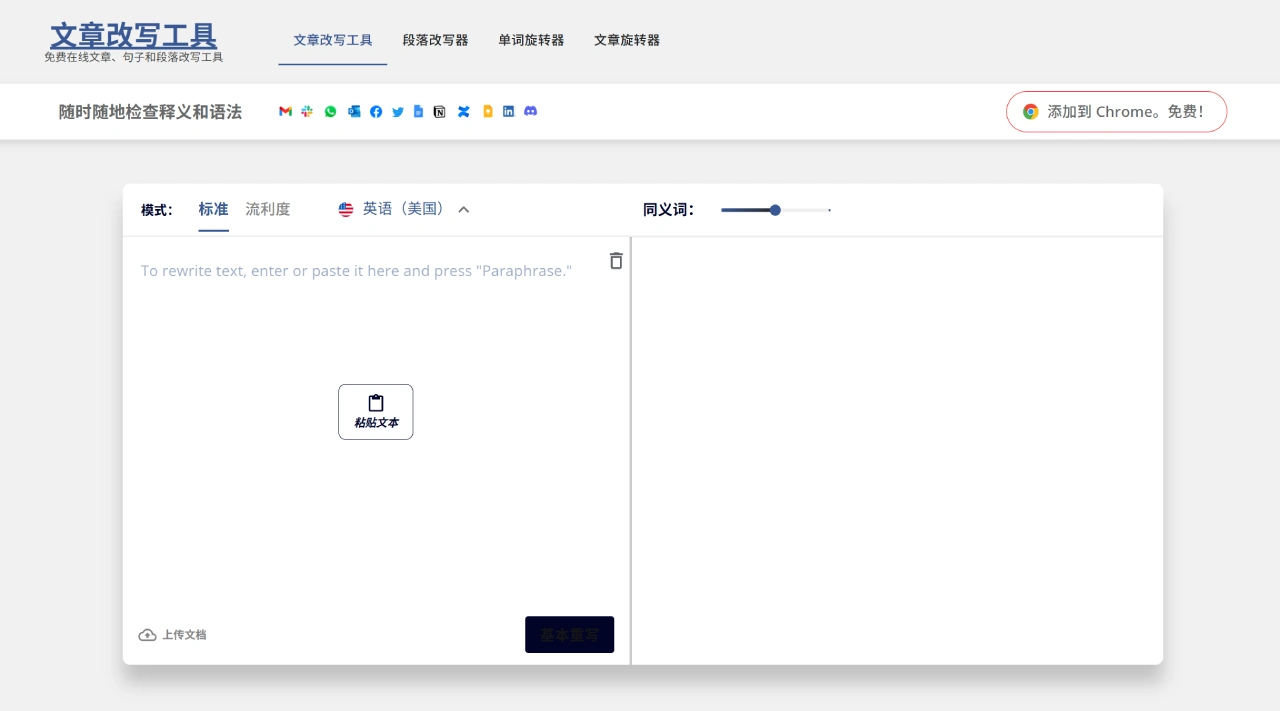
ArticleRewriterTool is a free online article, sentence, and paragraph rewriting tool that uses ai technology to optimize content, suitable for a variety of writing scenarios. It processes content mainly in three ways: changing word meanings, swapping synonyms, and adjusting sentence structure, ultimately generating new sentences based on the original information. It saves more time than manual rewriting. ArticleRewriterTool requires no login, costs nothing, and needs no verification, allowing unlimited content to be generated for free, and it is available 24 hours a day.
ArticleRewriterTool Features and Advantages
Saves time: Manually writing high-quality text can take hours or even days, but with this online tool, great text can be generated in just seconds.
Prevents plagiarism: Replace words in the original text with synonyms, or swap out entire sentences to avoid repeated sentences, articles, and phrases, preventing plagiarism.
Helps with SEO: AI-generated content can boost SEO performance.
Available anytime: Users can use this online AI sentence rewriter tool whenever they want to get large amounts of relevant content.
Free to use: Many article rewriting tools are free, allowing users to rewrite articles, sentences, and essays at no cost.
Improves writing skills: For users whose native language is not English or who are not very proficient in English, this AI tool can be very helpful.
How ArticleRewriterTool Works
Take this tool as an example. First, the user searches Google for a relevant topic and selects 5 to 6 different articles. Then, the user copies the needed content from each article and organizes it into a new draft. Next, the content is pasted into the input box of the AI article rewriting tool, and clicking the "Basic Rewrite" button generates a new article in seconds. For more advanced AI rewriting, click the "Advanced Rewrite" button.
How to Use ArticleRewriterTool
Upload the article: Paste the text into the tool, or upload a file from your device.
Choose a mode: Select different rewriting modes based on your needs.
Start rewriting: Click the "Rewrite Article" button, and the tool will automatically rewrite the content.
Features
AI rewriting: Uses advanced technology to rewrite every sentence, offering better options.
Perfect grammar: The output content has no grammatical or spelling errors, and even if the input has grammatical issues, these can be corrected after rewriting.
Multi-language support: Supports multiple languages including English, French, Russian, Spanish, and more.
Who ArticleRewriterTool Is For
Students: Can be used to rewrite homework, essays, and other academic content to avoid plagiarism.
Researchers: Can help rewrite research data to avoid duplication when presenting research.
Bloggers and content creators: Can quickly generate new blog content and refresh old articles.
SEO experts: Can create keyword-optimized content to improve search engine rankings.
Freelance writers and corporate marketers: Can save time and focus more on content quality and delivery.
Frequently Asked Questions
What are the core advantages and usage barriers of ArticleRewriterTool?
Answer: The core advantages of ArticleRewriterTool are its free use, fast generation (results in seconds), high content quality (deep rewriting using suitable synonyms in context), no plagiarism, and 24/7 availability. It meets the needs of different users such as article authors, SEO specialists, and students, and helps users save time, boost SEO, and improve writing skills. Compared with other similar tools, its unique usage barrier feature is that it requires no login, no payment, no provision of personal or banking details, and no verification—users can operate it directly. It also supports unlimited rewrites, greatly reducing the difficulty of use.
What is the process and key considerations for generating plagiarism-free content with ArticleRewriterTool?
Answer: The complete process is as follows: first, search Google for the target topic and pick 5-6 related articles; copy the needed content from each article and organize it into a new draft; go to the tool's official website and paste the organized content into the input box; click the "Basic Rewrite" button to receive a new article in seconds—for better results, click "Advanced Rewrite"; finally, modify the generated content as needed or use it directly. During the process, pay attention to modifying the generated content as needed to ensure it meets your own requirements and quality standards, so as to guarantee content quality and compliance.















