
 Script Planner Assistant▸
 AI Apps
 AI News

ArkClaw: SaaS Version of OpenClaw, Ready to Use
ArkClaw: SaaS Version of OpenClaw, Ready to UseIntroduction
What is ArkClaw
ArkClaw is a cloud-based AI agent SaaS service launched by Volcengine under ByteDance. Officially called the "out-of-the-box SaaS version of OpenClaw." It is deeply customized based on the open-source project OpenClaw, but is fully hosted in the cloud—no setup required, just open the webpage and start using it.
ArkClaw mainly helps you automatically handle repetitive tasks on your computer, documents, schedules, software operations, and more.
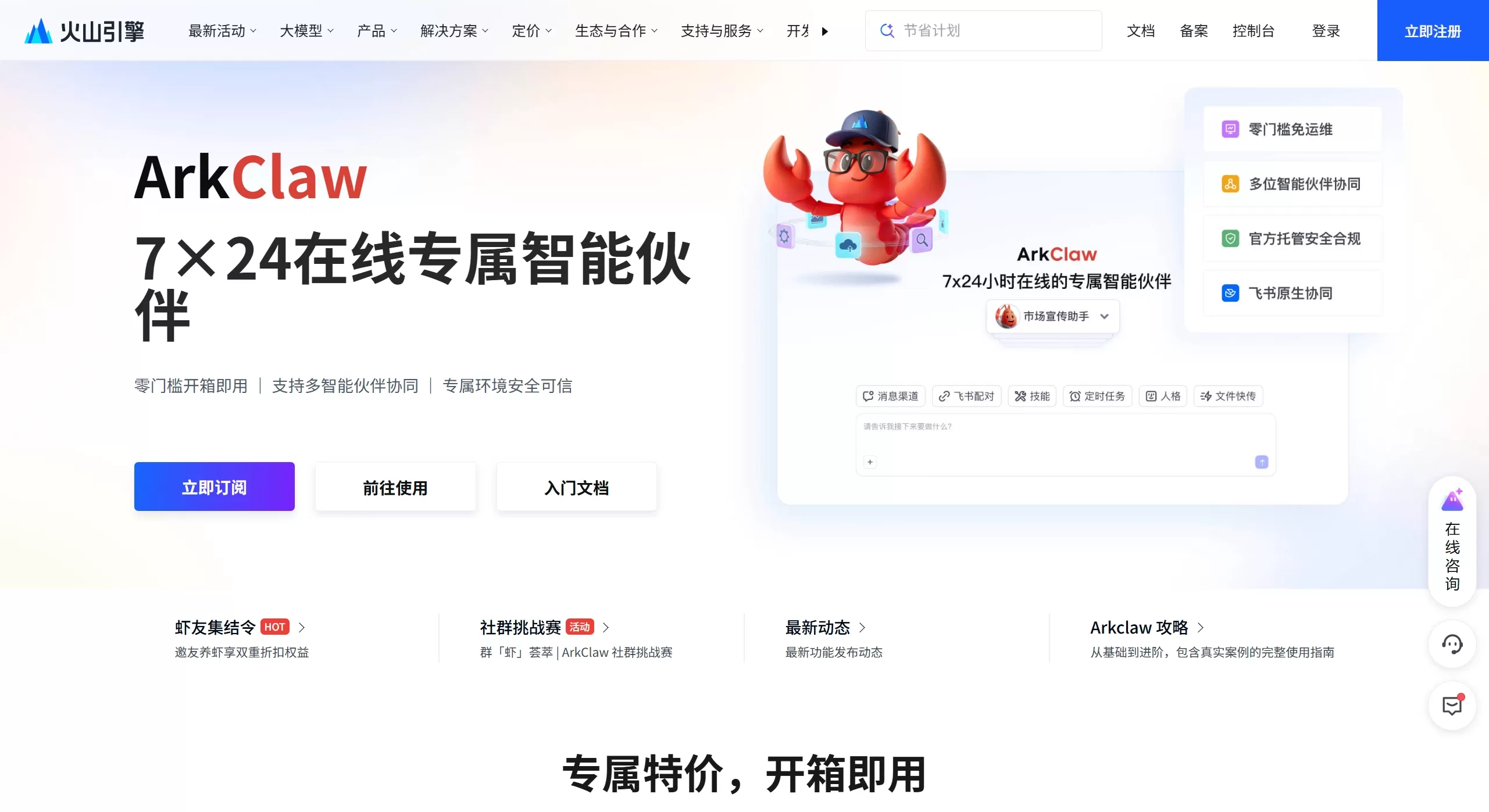
ArkClaw Features
Deployment: Zero configuration, ready-to-use on the web—no Node.js, server, or API key needed
Compute Support: 7×24 online with dedicated ECS cloud compute, keeps running even when your computer is off
Model Compatibility: Natively supports Doubao-Seed-2.0 Pro/Lite/Code, DeepSeek 3.2, GLM 5.0, MiniMax 2.5, Kimi 2.5, and other mainstream large models
Office Integration: Deeply integrated with Feishu (Lark); supports using Feishu bots, editing documents, processing multi-dimensional sheets, and managing schedules
Skills Ecosystem: Supports invoking Skills to auto-organize meeting notes, generate reports, perform data analysis, handle tables, and more
Security Mechanism: Built-in Skills security scanning, data leakage prevention, pre-event interception, in-process auditing, post-event traceability, and cloud sandbox isolation
Special Features: Scheduled tasks, persona settings (custom AI role style), fast file transfer (TOS cloud storage), auto-repair, and web search
Ops Management: Provides Terminal login, OpenClaw auto-repair, and GUI-based Skills Hub access—no professional ops skills required
What Can ArkClaw Do
Office Automation
Schedule Management: Automatically arrange meetings, send reminders, and book meeting rooms
Document Processing: Generate reports, organize meeting notes, handle complex documents/spreadsheets
Data Monitoring: Periodically fetch data, generate analysis reports, auto-update multi-dimensional sheets
Content Creation
Short video generation: Combined with text-to-video models, it automatically handles scripting, storyboarding, editing, and voiceover—one person can do the work of an entire team
Multi-platform Publishing: Automatically distribute content to ByteDance platforms such as Douyin and Toutiao
Physical Service Industry
Smart Scheduling: For example, the Canadian "Roofclaw" case—24/7 order taking, automatic dispatch, and real-time progress notifications (roof snow removal service)
Cross-border E-commerce
Automated video generation: Input product selling points and generate promotional short videos with one click, replacing a team of 6-7 people
Personal Productivity
Smart Assistant: Handle daily emails, file organization, information retrieval, scheduled reminders, and more
ArkClaw Pricing
ArkClaw is subscription-based and sold bundled with the "Volcengine Ark Coding Plan":
Bundle Purchase (Includes Coding Plan + ArkClaw)
| Plan | Included Resources | First Month Fee | Half-Year Fee | Use Case |
|---|---|---|---|---|
| Lite (Coding Plan Lite) | 1 ArkClaw Lite + Lite model package | 9.9 yuan (first purchase) / 40 yuan (original price) | 474 yuan | Personal basic use, beginner exploration |
| Lite (Coding Plan Pro) | 1 ArkClaw Lite + Pro model package | 49.9 yuan (first purchase) / 200 yuan (original price) | 1200 yuan | High-frequency use, 5x quota |
| Standard (Coding Plan Lite) | 1 ArkClaw Standard + Lite model package | 80 yuan | 756 yuan | Personal workflow integration |
| Standard (Coding Plan Pro) | 1 ArkClaw Standard + Pro model package | 230 yuan | 1524 yuan | Professional development scenarios |
| Premium (Coding Plan Pro) | 1 ArkClaw Premium + Pro model package | 270 yuan | 2094 yuan | One-person company (OPC), multi-concurrent inference |
Standalone Purchase (ArkClaw Only)
| Plan | First Month Fee | Half-Year Fee | 1-Year Fee |
|---|---|---|---|
| Lite | 29 yuan | 318 yuan | 425 yuan |
| Standard | 49 yuan | 636 yuan | 850 yuan |
| Premium | 99 yuan | 1272 yuan | 1700 yuan |
Billing Notes
Lite Plan: 1,200 requests per 5 hours, includes a 7-day free ArkClaw trial
Pro Plan: 6,000 requests per 5 hours, free ArkClaw access during the subscription period
Instances are deleted immediately upon plan expiration; data is retained for only 24 hours
First-purchase discounts open in limited quantities daily at 10:30
Pros and Cons Analysis
✅ Pros
Zero Barrier to Entry: No local deployment, no environment setup—activate in 5 minutes, very beginner-friendly
Low Cost: Starts at 9.9 yuan/month, much cheaper than self-hosting a server (100-500 yuan/month) or buying a Mac mini (3,000+ yuan)
Hassle-free Subscription: Monthly billing—no need to worry about token pay-as-you-go costs, even with high-frequency calls
7×24 Online: Cloud-hosted, keeps running even when your computer is off, and supports scheduled tasks
Deep Feishu Integration: Natively adapted to Feishu (Lark), making document, spreadsheet, and schedule handling very smooth
Multi-Model Collaboration: Freely switch between Doubao, Kimi, MiniMax, and other models to handle different tasks
Enterprise-grade Security: Volcengine's cloud security with built-in Skills scanning and data leakage prevention
Great Experience: User-friendly interface—persona settings, fast file transfer, and other features are just a few clicks away, no commands needed
❌ Cons
No Local Deployment: Pure cloud service—cannot operate local files; data must be uploaded, which privacy-sensitive users need to consider carefully
Ecosystem Lock-in: Deeply tied to ByteDance's ecosystem (Feishu/Lark, Douyin); experience is diminished if you don't use Feishu
It looks like you intended to paste an HTML snippet to translate, but the snippet itself is empty — there's nothing between the `>` markers. Could you please paste the actual HTML fragment you'd like translated into English (en-us)? Once you share it, I'll translate the human-readable text while preserving all HTML tags, attributes, URLs, code blocks, and brand/tool names as required.Feature limitations: Compared to native OpenClaw, customization options are limited and advanced features are restricted by the platform.
Questionable value for money: Some users feel that its features are similar to competitors while the price is on the high side, and configuration is complex — it's not quite a "must-buy" yet.
Poor data persistence: Instances are deleted immediately when the plan expires, and data is only retained for 24 hours, so timely backups are required.
Features still being iterated: As a new product, some features are still being polished, and the business model is not entirely clear yet.
How to Install and Use ArkClaw
Installation Steps
Register a Volcengine account and subscribe to the Volcengine Ark Coding Plan (Lite or Pro)
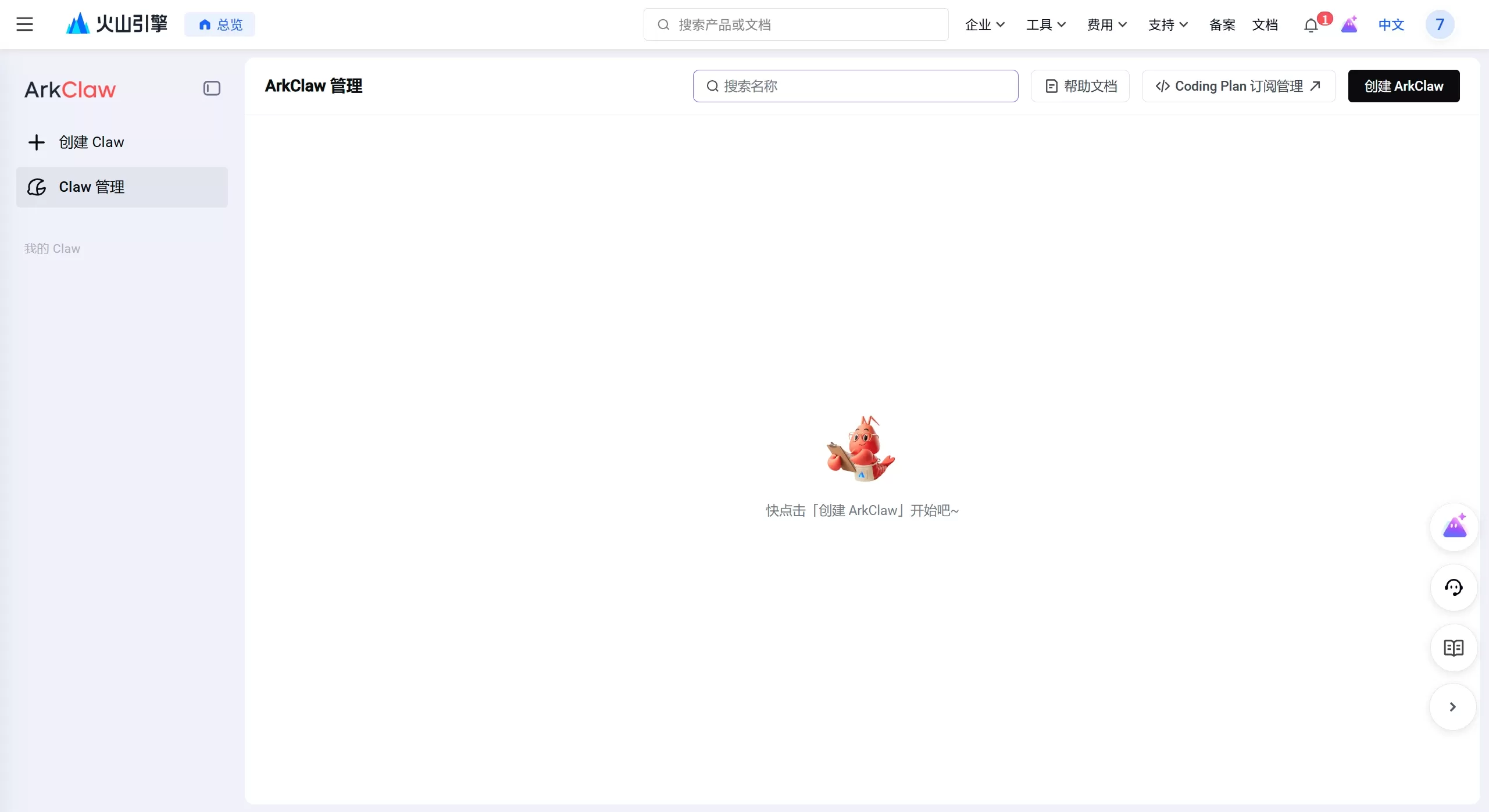
Create an instance (done in 5 minutes)
Access the ArkClaw console: https://console.volcengine.com/ark
Go to "Agent → ArkClaw" and click "Create Now"
Wait 1-2 minutes for the instance to be ready
Usage Methods
Web: Directly visit https://www.volcengine.com/product/arkclaw to chat. Supports quick file transfer, scheduled tasks, and persona settings.
Feishu (Lark) integration: Install the "Volcengine ArkClaw" plugin from the Feishu app marketplace. Once bound, you can invoke it within Feishu to handle schedules, documents, and multi-dimensional tables.
Mobile / IM: Can be connected to a variety of mainstream instant messaging apps.
Core configuration
Persona settings: Define the AI's role and style.
Scheduled tasks: Set up proactive reminders and automated workflows.
Model switching: Choose between Doubao-Seed-2.0 Pro (for complex tasks) or Lite (for lightweight tasks) based on task complexity.
FAQ
Q1: What's the difference between ArkClaw and OpenClaw?
A: ArkClaw is a cloud-based SaaS version that requires no deployment and is available 24/7, making it ideal for non-technical users. OpenClaw is an open-source, locally deployed version that requires you to configure your own environment and can operate local files, making it ideal for technical users.
Q2: Can ArkClaw access my local files?
A: No. As a cloud service, it cannot directly access your local file system. However, you can upload and download files via TOS cloud storage to enable local-to-cloud collaboration.
Q3: I already subscribe to the Coding Plan — do I need to pay extra?
A: Coding Plan Pro users can use ArkClaw for free directly. Coding Plan Lite users can try it free for 7 days, after which an upgrade is required.
Q4: Which large language models are supported?
A: Native support for the Doubao-Seed-2.0 series, Kimi 2.5, MiniMax 2.5, GLM 5.0, DeepSeek 3.2, and more.
Q5: Is my data secure?
A: It runs on the Volcengine cloud platform with enterprise-grade security protections, but you are advised to assess risks yourself for sensitive data. If you require full data control, you can set up OpenClaw yourself.
Q6: Can I use it without Feishu (Lark)?
A: Yes, you can, but Feishu offers the best experience. Non-Feishu users can use it via the web version, although some office integration features will be limited.
Q7: What happens to my data when the subscription expires?
A: Instances are deleted immediately, and data is only retained for 24 hours. Please back up important data in a timely manner.
Q8: Who is ArkClaw best suited for?
A: It's most suitable for: ① Heavy Feishu users ② Non-technical users who don't want to fuss with setup ③ Content creators who need 24/7 automation ④ Individual developers on a limited budget.















