Script Planner Assistant▸
 AI Apps
 AI News

AliPrice: Cross-border Seller Tool for Tracking and Comparing E-commerce Prices
AliPrice: Cross-border Seller Tool for Tracking and Comparing E-commerce PricesIntroduction
AliPrice is an assistant tool for cross-border sellers that can track and compare prices of products on cross-border e-commerce platforms. It supports e-commerce sites such as AliExpress, 1688, and Taobao. It offers features like price history records, price drop alerts, image-based product search, and multi-platform price comparison, as well as the ability to translate and edit images. Users can access basic features for free, while advanced features require a paid subscription. AliPrice is suitable for e-commerce sellers, procurement managers, dropshippers, and individual buyers, helping them reduce procurement costs and improve competitiveness.
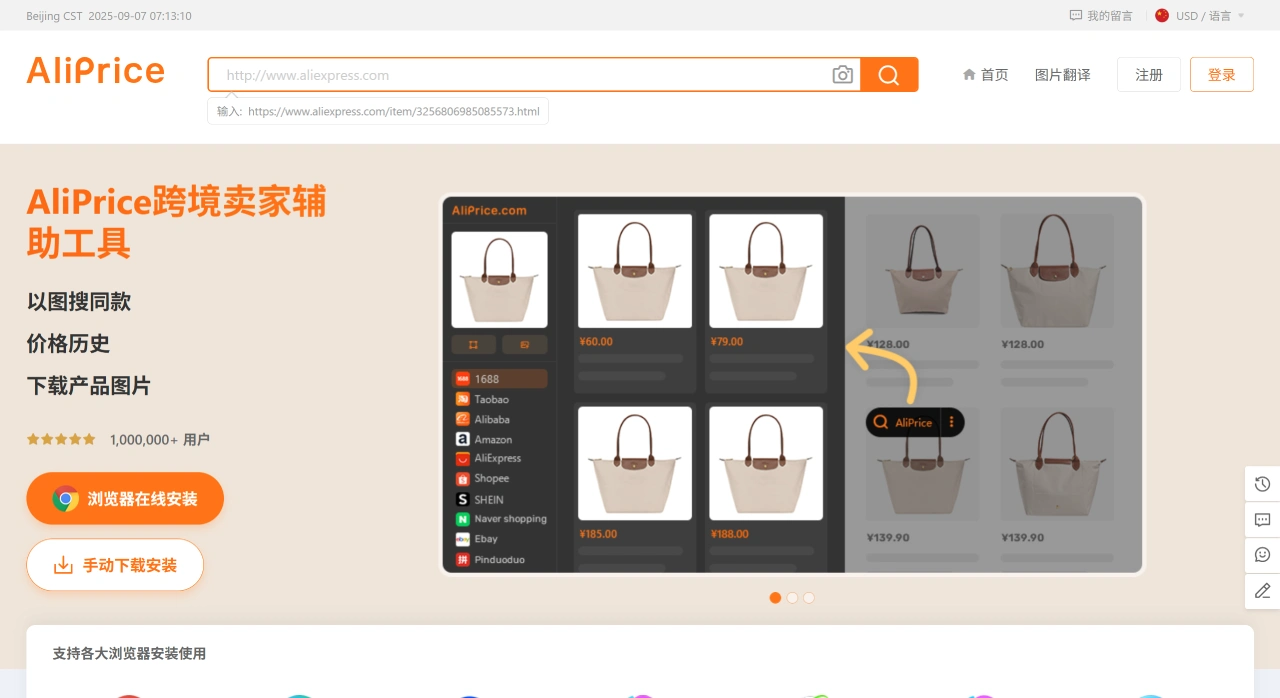
AliPrice Main Features
Image-based search for the same product: Click the search image button or right-click on an image to quickly find the same product on Alibaba, 1688, and Taobao, which is ideal for dropshipping and saves time.
Price history: AliPrice allows you to check the year-round price changes of products on 1688 and Amazon for free, helping you distinguish real discounts from fake ones.
Price drop alerts: Add products to your favorites, and you'll receive notifications when prices drop.
Advanced search: AliPrice can compare the same products, filter and sort them, and export data to Excel, helping you find products more accurately.
Screenshot translation: Capture screenshots and translate the text on them.
Review analysis: View the country distribution ratio of reviewers on AliExpress product detail pages.
Image download: AliPrice can download product images and videos from sites such as Taobao, 1688, and Pinduoduo with one click, and can also export image links for copying or translation.
Currency conversion: Once enabled, prices of products on 1688 and Taobao will be displayed converted into dozens of foreign currencies such as USD and KRW.
Google Lens: Use Google to search for products by image.
Download reviews and images: Download review images from AliExpress and Amazon, and export reviews to an Excel file.
Multi-site image search: Supports image-based product search on sites such as Shein, Naver, and Amazon.
Copy link: Easily copy product links from Alibaba, 1688, and Taobao. When copying long links, the selected product attributes (such as specifications) will be included, which is the SKU echo feature.
Copy title: Copy product titles and use the translated titles to search for the same product on 1688 and Taobao.
Copy suggested search terms: Copy the drop-down suggested terms and associated keywords from the search boxes on Amazon and other sites.
Export shopping cart: Export products from your 1688 and Taobao shopping carts to an Excel spreadsheet.
Display shipping information: View the logistics information of packages directly on the 1688 and Taobao order list pages, making everything clear at a glance.
AliWangwang translation: Translate chat messages with sellers, supporting bidirectional translation for easier communication.
View mobile details: Use your camera or an app to scan a code and view the product's mobile page.
Browsing history: New browsing history entries for sites such as 1688, AliExpress, and Taobao are added to the toolbar in the lower left corner.
Export all store products: On product detail pages and shop list pages, AliPrice can export all products from an entire store to an Excel spreadsheet.
AliPrice Use Cases
Cross-border e-commerce sellers: AliPrice is used for product selection, sourcing, price comparison, and optimizing product listings. With the image-based search feature, you can quickly find the same product or competitors, and after analysis and comparison, choose the best suppliers and products.
Dropshippers/Procurement agents: Monitor price trends, find the lowest prices and quality supply channels.
Personal consumers: Compare prices, check price history, and avoid overpaying. Use price history and trend analysis to make sensible purchasing plans.
How to Use AliPrice
Install the extension: Find the browser extension on the AliPrice official website, and install it on Chrome, Firefox, Edge, or other browsers.
Register an account: Visit the official website https://www.aliprice.com/ and register an account to use the basic features.
Select a feature: Once installed, open any product page, click the extension icon, and choose the feature you need, such as image-based product search or price history.
Upload information: Follow the on-screen prompts to upload an image or enter the relevant information.
Get results: Wait for the system to analyze and process, then receive the search results or relevant data.
Analyze and decide: Further analyze the results and make decisions accordingly.
Related Information: