
 Script Planner Assistant▸
 AI Apps
 AI News

AiPy: An Open-Source Agent Fusing LLMs with the Python Ecosystem
AiPy: An Open-Source Agent Fusing LLMs with the Python EcosystemIntroduction
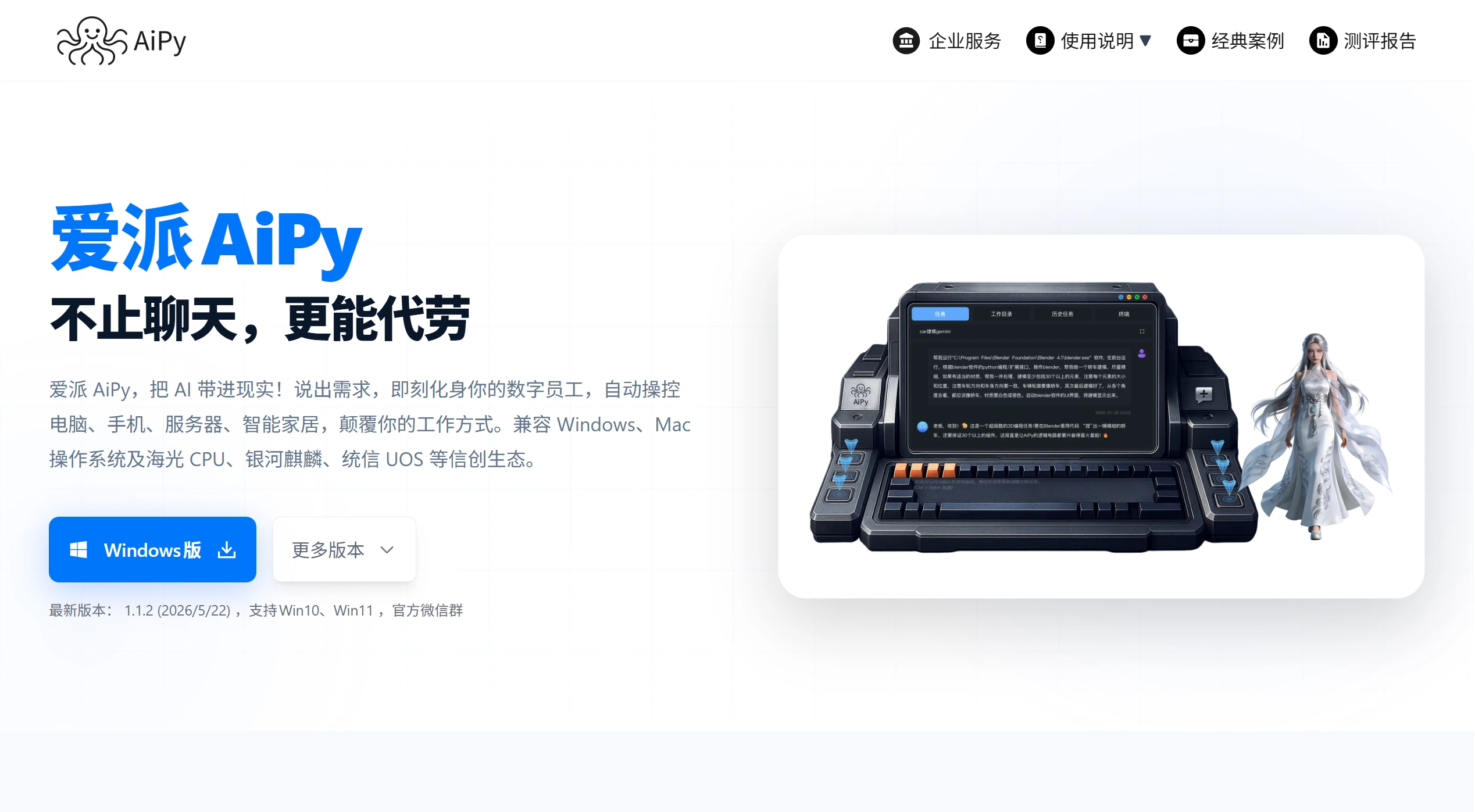
Aipy AIPy is a new artificial intelligence assistant built around Python. By combining large language models with Python and its ecosystem, it supports open-source and local deployment and runs on Windows, macOS, and Linux systems. Aipy AiPy helps users perform concrete tasks such as operating applications, controlling devices, analyzing data, and generating content — for example, writing games, reviewing contracts, and extracting video and audio. Unlike traditional AI that only answers questions, it achieves the unity of "knowing and doing." In addition, because data is processed locally, it is more secure; Token consumption is low; and no complex configuration is required. Users rate it highly for its efficiency gains, report quality, and ease of deployment.
Aipy AiPy Features
Powerful "boundary-breaking" capability: With a dynamic code generation mechanism, it does not rely on preset tools and can directly handle complex, changing scenarios. Whether processing uncommon data formats or completing personalized analysis tasks, it can generate the "tools" it needs on its own, then debug and execute them, easily breaking through the limits of fixed scenarios.
Open-source architecture: Developers can expand features based on their own needs, continuously enriching the ecosystem. By adopting the Python-Use paradigm, Token consumption is reduced and running costs are significantly lowered, making it affordable for both enterprises and individuals.
Supports local deployment and private operation: Ideal for industries with high data security demands like finance and healthcare. Data does not pass through external servers, keeping core information safer and more confidential, fully meeting intranet-use requirements. Supports Windows and Mac systems to meet the needs of different users.
Easy to operate: Although Python is at its core, it is very friendly to ordinary users — no Python programming knowledge is required. The code generation and execution process is hidden from the user, and what is delivered are clear, usable results rather than hard-to-understand code.
Multi-model adaptation and cross-platform deployment: Aipy AiPy supports mainstream large-model API access and is compatible with local model deployment solutions, balancing computing performance and cost. Installation packages for Windows and macOS are provided, lowering the barrier to use.
Open extension interface: It supports MCP, allowing third-party MCP servers to be added. Custom API calls (including local private interfaces) can also be configured, and through the API Calling function, it integrates seamlessly with existing enterprise business systems.
Aipy AiPy Use Cases
Data analysis: You don't need to know SQL — upload a data file, describe your requirements clearly, and AiPyApp will automatically analyze it and output the results.
Image generation: Even with no drawing skills, just enter detailed requirements and it can generate images in any style to meet your needs.
File processing: For example, quickly verifying invoices to boost efficiency.
Video editing: It can help with basic video editing tasks.
PPT generation: It can generate PPT intelligent agents to help users quickly create PPTs.
Enterprise information research and judgment: Provides intelligent services such as information research and judgment for enterprise users.
Controlling local applications: For example, controlling WeChat to send messages to friends.
How to Use Aipy AiPy
Download and install: Visit the official Aipy AiPy website at www.aipyaipy.com to download the latest client.
Register and log in: When registering and logging in, you can fill in an invitation code — for example, using the invitation code "mZH8" earns you 3,500,000 Tokens as a reward.
Enter requirements: Enter your requirements in the client, and Aipy AiPy will automatically generate code and execute the task.
Install intelligent agents: If you need specific functions (such as image generation), you can find the corresponding agent in the Agent Marketplace and click to install it.
How Does Aipy AiPy Compare to AutoGPT, Dify, and Manus?
Compared with AutoGPT: AutoGPT requires a large number of preset tools and complex configuration. Aipy AiPy uses dynamically generated code, making the workflow simpler and easier to get started with.
Compared with Dify: Dify is more of a low-code platform suitable for developing AI applications, but it is less friendly to ordinary users. Aipy AiPy's natural language interaction is more intuitive.
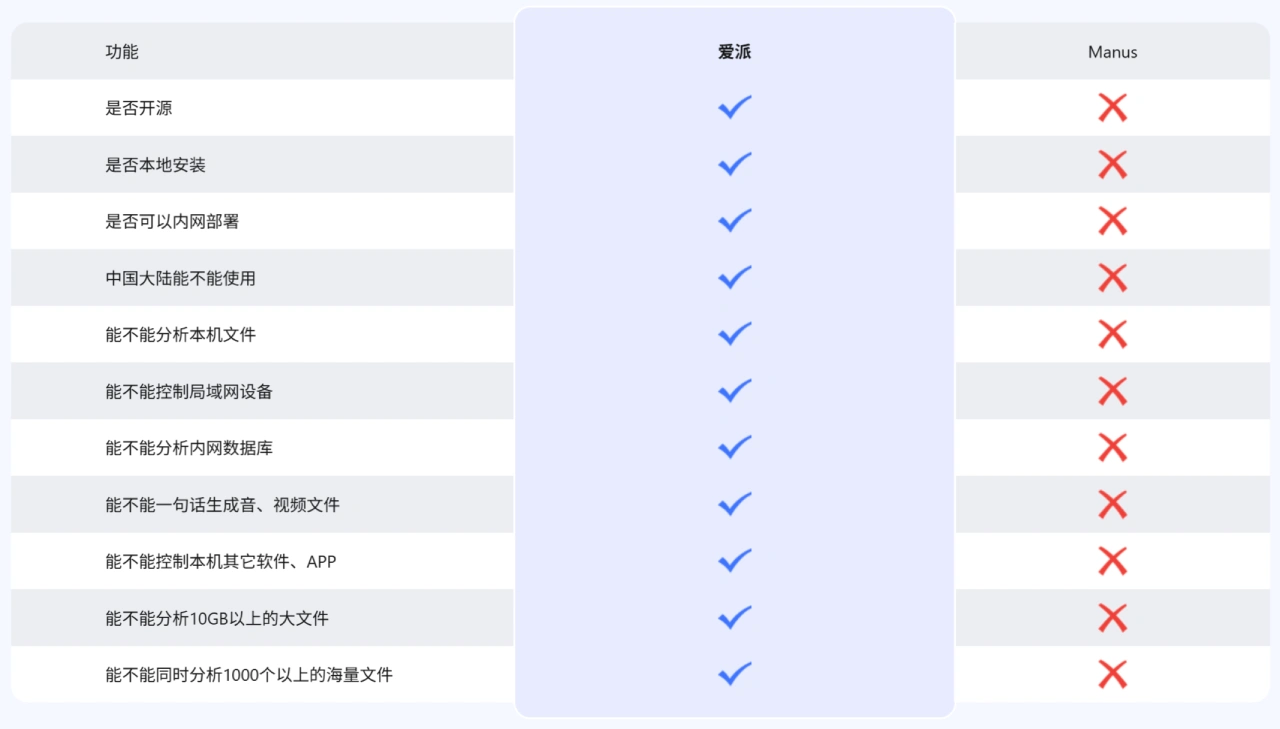
Compared with Manus: Manus is powerful but relies on the cloud and is closed-source. Aipy AiPy runs locally and is open-source, giving it an advantage in security and flexibility.
FAQ
Q: Is Aipy AiPy a new large language model?
A: No. It is an application product built on top of large language models. It uses large-model APIs to understand, plan, and execute tasks.
Q: Does Aipy AiPy support local large models?
A: Yes. It currently supports calling local large-model APIs from Ollama and LMStudio.
Q: Why was Python chosen as the development language?
A: Previous experiments included AiJava (too large and cumbersome) and AILua (weak ecosystem). Python has a strong ecosystem and broad applicability (it can handle data, computers, networks, IoT, and more), which is why it was selected.
Q: What is Aipy AiPy's "Python Use New Paradigm," and what advantages does it have over the traditional AI Agent paradigm?
A: The "Python Use New Paradigm" is the model of "let AI use Python, and let Python use AI." The large model first understands and breaks down the user's task, then automatically encodes and executes Python code through "API Calling + Packages Calling," while continuously refining through a feedback mechanism, ultimately achieving AI-environment interaction to complete tasks. The core advantage is breaking through the limitations of traditional AI Agents, which depend heavily on developing and deploying large numbers of agents. It proposes the idea that "the true general-purpose AI Agent is NO Agents (No Agents, Code is Agent)" — there is no need to additionally develop and deploy agents, which lowers the barrier to use, reduces Token consumption, and supports local deployment to ensure data security.
Q: When Aipy AiPy processes sensitive data — for example, enterprise procurement contracts or hospital examination reports — how is data security ensured?
A: The core safeguard is "local deployment + local data processing." Users can deploy Aipy AiPyExtraction, analysis, and result generation) are all performed locally, with no uploads to the cloud. It also supports local private API calls (fill in the API description and address in the configuration file) to prevent sensitive information from being leaked, providing dual-layer protection against third-party data access and addressing the leakage risks associated with traditional cloud-based AI processing of sensitive data.
Q: For ordinary users on different operating systems who are starting from scratch, what is the simplest workflow to use AiPy, and what version issues should be noted?
A: The workflow and version notes are as follows:
Windows users: ① Download the "Windows One-Click Runtime Version (v0.1.28)"; ② Extract the package and run it directly (it comes with its own runtime environment, no need to install Python); ③ To upgrade, run the update.bat file in the extracted package.
macOS users: ① The system version must be "macOS 12.7.6 or above"; ② Download the "macOS One-Click Installer Version (v0.1.27)"; ③ Use it directly after installation (it comes with its own runtime environment).
Linux users: ① The local Python version must be 3.9 or above; ② Open the command line and run pip install aipyapp to complete the installation; ③ After installation, call the command directly to launch.
Version notes: macOS users' system must be "macOS 12.7.6 or above", otherwise the one-click installer version will not work; Linux and command-line installation users must ensure Python 3.9 or above; versions lower than this will cause the installation to fail.
AiPy Github Project Address:https://github.com/knownsec/aipyapp
Last updated: June 02, 2026Related Information:
Recommended 20 Excellent AI Agent Platform Applications for You















