
 Script Planner Assistant▸
 AI Apps
 AI News

Framer AI
Framer AIIntroduction
Framer ai has launched a product that leverages artificial intelligence to design websites. You only need to enter a text description (Chinese is supported), and it will automatically design, lay out, generate, and publish the website. Framer AI also offers features such as animations, interactions, and a CMS. The Framer AI product allows users to save time and effort when designing websites, while also improving the design quality and aesthetics. The core features of this product are as follows:
Choose from unlimited color palettes and font combinations for your portfolio, startup homepage, or book club website design.
Personalize with AI-generated copy and color schemes.
Use AI technology to intelligently recommend design schemes that match your website's theme.
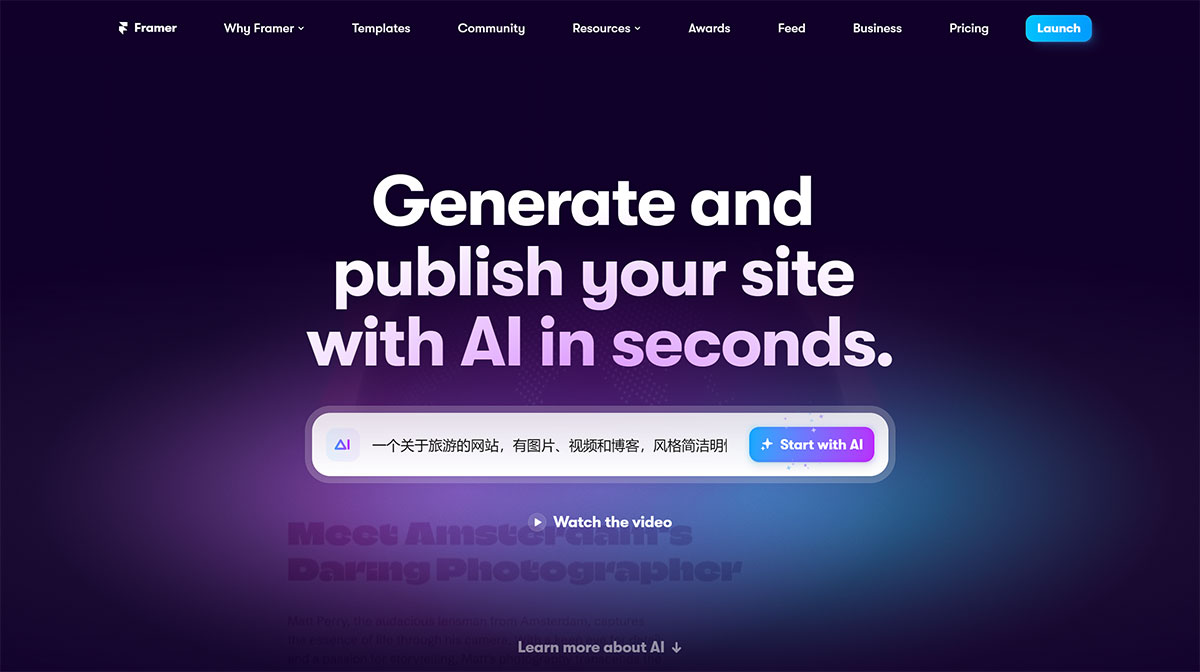
Framer AI Tutorial Steps:
1. Go to https://www.framer.com/ai to access the Framer AI homepage.
2. Enter the description of the website you want in the input box. If you're not sure what content to include, you can ask a large language model for help. For example, for a travel-related website, enter the style and theme requirements, and it will start generating. Chinese is supported here—if your prompt is in Chinese, the content it fills in will also be in Chinese. For example, "A travel website with images, videos, and a blog, with a clean and lively style."
3. Click the "Generate" button and wait for the AI to create your website.
4. On the generated website, you can click any element to edit it, or drag elements to change their position and size. You can also select different components from the tools panel on the left, such as buttons, icons, and forms, and add them to your website.
5. In the properties panel on the right, you can adjust the global settings of your website, such as colors, fonts, and backgrounds. You can also add animations, interactions, and CMS here.
6. Once you're satisfied with your website, you can click the "Publish" button in the top right corner, choose a subdomain or use your own domain, and publish your website to the internet.
7. You can always return to the Framer AI homepage to view and manage your published websites or create new ones.
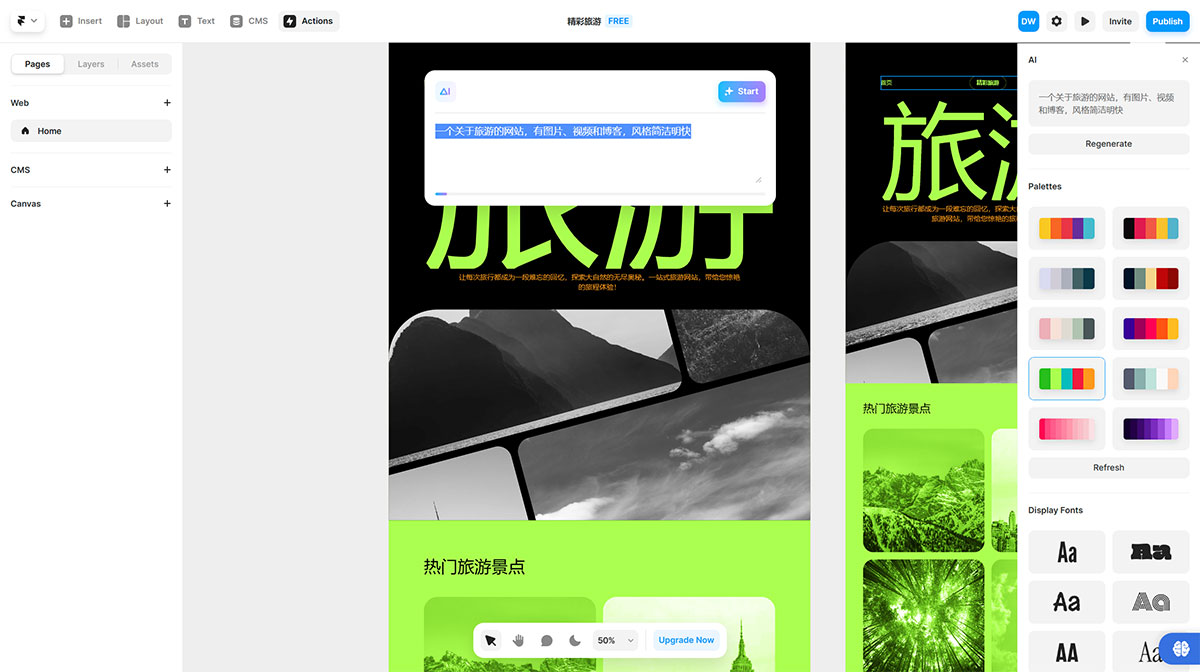
To use Framer, users can design their websites from scratch or use one of the existing templates. They can then customize the design by adding elements, animations, and interactions on the free canvas. Framer also provides users with AI-generated starting points for their designs. Once the design is complete, users can optimize it for different breakpoints and easily manage content through the integrated CMS. Finally, users can publish their websites for free, with no need to rebuild or write any code.












