
 Script Planner Assistant▸
 AI Apps
 AI News

ChatExcel
ChatExcelIntroduction
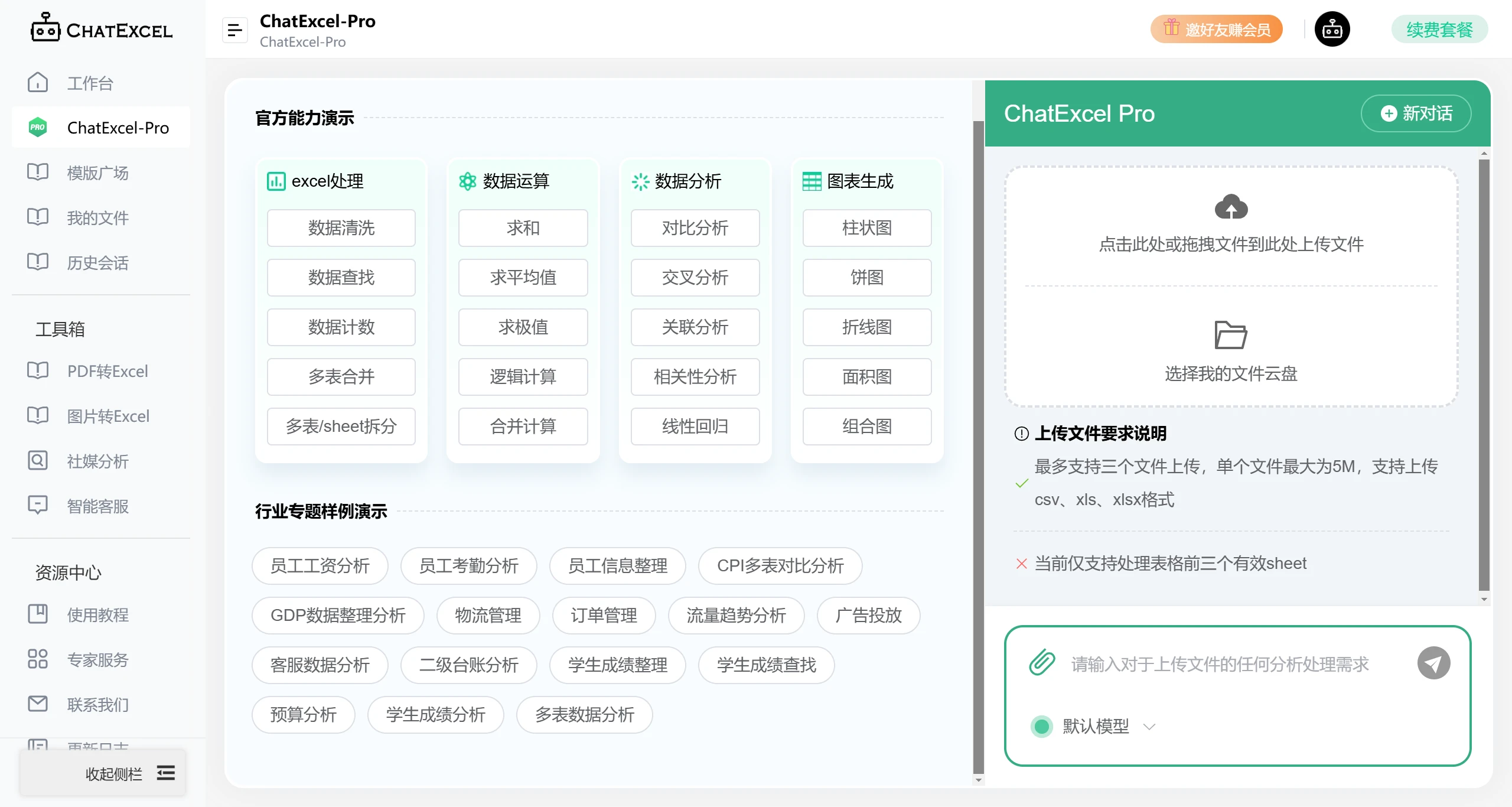
酷表ChatExcel is an AI tool developed by Peking University, which allows you to leverage AI to automatically process spreadsheets. You simply upload your Excel spreadsheet on the 酷表 website and chat with it, and you can handle complex Excel data. You can also query and modify data in the Excel spreadsheet directly through chatting with it.

Core Features of 酷表ChatExcel:
Automatic spreadsheet processing
AI automatically processes Excel data
Supports one-click export to standard Excel spreadsheets
No need to memorize functions or manually set formulas
Data analysis and management
Provides voice input, data analysis, chart generation, and other features
An online data analysis tool based on artificial intelligence technology
Real-time collaboration and communication
Supports real-time chat and collaboration with team members
Users can quickly search for and analyze data
Application Scenarios of 酷表ChatExcel:
Data visualization
Suitable for scenarios such as data processing, data visualization, and team collaboration
Education and research
Supports manipulation of multiple spreadsheets, such as case demonstrations like "QS Rankings of Universities Worldwide" and "Shanghai Rankings of Universities Worldwide", showcasing its powerful capabilities
How to Use ChatExcel?
Data Import
Create a new spreadsheet: After opening the 酷表ChatExcel application, you can directly create a new blank spreadsheet. It provides a worksheet interface similar to traditional Excel, with row and column layouts.
Import existing data: If you already have a local Excel file, you can usually load data through the "Import" function within the application. It supports common Excel formats such as .xlsx, .xls, etc. Follow the prompts to select the file you want to import, and the data will be loaded into the 酷表ChatExcel workspace.
Natural Language Interaction
Data query: You can use natural language to query data in the spreadsheet. For example, enter "Find records with sales greater than 1000", and 酷表ChatExcel will automatically filter out the rows that meet the conditions and display them. Or "Show all information for the employee named Zhang San", and it will locate the entire row of data where the name column is Zhang San.
Data calculation: For some basic calculation needs, there is no need to manually write formulas. For example, enter "Calculate the average price of all products", and it will quickly get the result. More complex calculations can also be performed, such as "Calculate the percentage of Q1 sales sum to annual sales", and 酷表ChatExcel will perform the corresponding calculation based on the data in the spreadsheet.
Data modification: Data can be modified through natural language instructions. For example, "Increase the price of Product A by 10%", and it will automatically find the corresponding row and price column of Product A, then make adjustments as required. Or "Add 'Marketing Department' to the department column of employee Li Si", and 酷表ChatExcel will update the data at the specified location.
Spreadsheet Editing and Formatting
Add/delete rows and columns: Enter "Insert a row below row 3" or "Delete column 5", and 酷表ChatExcel will perform the corresponding operation.
Format adjustment: For example, "Set the header row to bold with blue font color", and it will apply the corresponding format to the header row of the spreadsheet.
Data Export
Export as Excel file: After completing your operations in 酷表ChatExcel, if you need to use the data for other traditional Excel-related purposes, you can use the "Export" function, choose the save location, and save the spreadsheet as an .xlsx or .xls file.
酷表ChatExcel is an online spreadsheet processing tool that integrates AI features, enabling interactive control of Excel through chatting. It provides data analysis, chart generation, and other features, and is suitable for scenarios such as data processing, data visualization, and team collaboration.















