
 Script Planner Assistant▸
 AI Apps
 AI News

Quanmin Novel: Mobile Writing App Combining Creation and Reading
Quanmin Novel: Mobile Writing App Combining Creation and ReadingIntroduction
What is Quanmin Xie Xiaoshuo
Quanmin Xie Xiaoshuo is a mobile writing tool developed by Hangzhou Xiaomeng Entertainment Network Technology Co., Ltd. It also supports reading and community interaction. It works on both Android and iOS, and is currently available for download on App Store, Xiaomi App Store, and Tencent App Gem. The installation package is small, only around thirty megabytes.
This app focuses on mobile creation — no need to turn on a computer, just your phone and you can write. Genres like xianxia, wuxia, romance, campus, and suspense all have writers on the platform. The platform is beginner-friendly with a relatively low barrier to entry — once you register, you can start writing right away without waiting for any approval process. It also offers free novel reading, making it a community where creators and readers coexist.
Quanmin Xie Xiaoshuo Web Version:https://www.qmxxs.com/
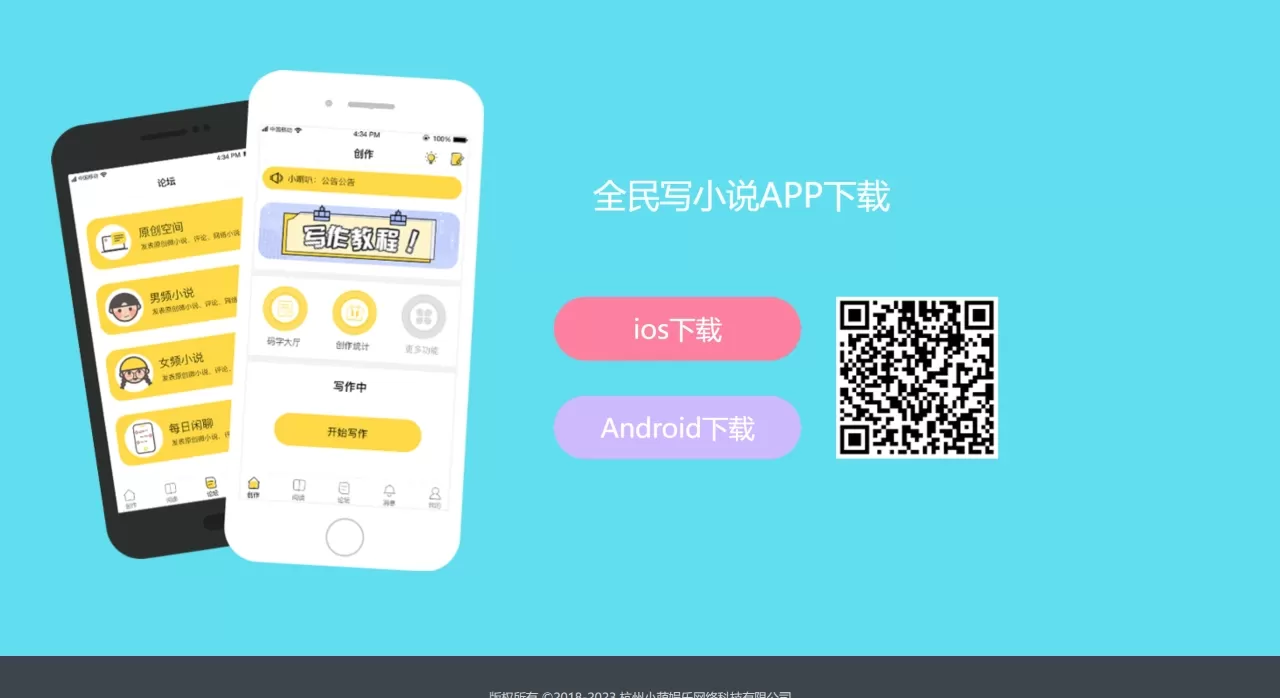
Core Features of Quanmin Xie Xiaoshuo
Outline and Character Profiles: You can build story outlines in the app and note down the main plot direction. Character settings can also be recorded separately — clearly writing out the personality traits of main and supporting characters helps prevent confusion later in the writing process.
Quick Inspiration Notes: When a sudden idea comes to mind, you can jot it down right away without having to wait until you're home at a computer. This feature looks simple, but many writers find it quite useful.
Voice Input: If you don't want to type, you can just speak — voice-to-text. Great for those feeling lazy or when your hands aren't free.
Quick Tools: Basic formatting features like quick name insertion, punctuation, and indentation are all available — enough to get by.
Auto Check: It can help check for sensitive words, auto-generate names, and auto-format. For beginners, this saves some hassle.
Word Sprints and Writing Together: You can invite friends to write together and watch each other's progress. Many people use this to overcome procrastination. If you want to update daily but can't control yourself, this feature is genuinely useful.
Offline Writing and Cloud Sync — You can write even without internet. After finishing, it automatically saves to the cloud, so you can retrieve your work when switching phones or reinstalling the app. With both local and cloud storage, the risk of losing drafts is reduced.
Free Reading: There are plenty of free novels to read inside, covering all kinds of genres. When you don't feel like writing, you can browse them too.
Community Interaction: There's a community for fellow enthusiasts where people discuss creation and share experiences. Readers also leave comments.
Who is Quanmin Xie Xiaoshuo For
Students or office workers who can pull out their phone and write a few paragraphs during commutes or lunch breaks
Complete beginners who've never written before, want to try it out but don't want anything too complicated
People who tend to procrastinate when writing alone — the word sprint feature lets you pair up with someone for mutual accountability
Those writing short pieces, campus romance, or other content with modest volume — mobile operation is convenient for these
Pure readers looking for free novels — this works as a channel for that too
Pros and Cons of Quanmin Xie Xiaoshuo
Pros
Has basically all the features you'd expect — outline, character profiles, inspiration notes, formatting check — more than enough for daily creation
The interface isn't complicated — you know how to use it the moment you open it, with virtually no learning curve
Writing on mobile is very convenient — you can jot down a few sentences while waiting for a bus, during lunch break, or before bed
Beginners can publish right after registering — the verification process isn't tedious
The word sprint feature is effective for procrastinators — having someone write alongside you provides more motivation
Cloud backup plus local storage means drafts are unlikely to be lost
The community atmosphere is pretty good — you can find people to chat with
The novels on the platform are free to read — no extra cost
Cons
Traffic is much smaller compared to platforms like Fanqie and Qimao — exposure and recommendations are limited
Backend data isn't detailed — you won't find much useful reading analytics
The AI novel-writing feature is rather underwhelming — the actual generated content is mediocre and doesn't quite match the hype
Occasional crashes occur, with some users reporting lost drafts, and uploads sometimes get stuck
Although the platform claims to offer royalty support, the revenue scale is small — making money from this isn't very realistic
How to Use Quanmin Xie Xiaoshuo
Downloading, installing, and registering are self-explanatory, so let's focus on how to start writing:
Open the app and find the "Creation" entry in the middle of the bottom menu bar — tapping it takes you to the writing backend. Tap "Start Writing" or "Create New Book," and you'll be asked to choose between regular novel or dialogue-style novel. Then fill in the book title, add a cover, and write a synopsis (optional). Tap save and you're set.
After creation, you can add an outline, create volumes, and divide chapters for your novel. The outline describes the general story direction, while volumes and chapters follow the normal content structure.
After finishing, tap publish. The system will ask you to fill in your pen name and link a QQ account. Once confirmed, your work will be published to the bookstore for everyone to see.
Other features like word sprints can be found in the community or tools page — just invite friends to start. Cloud sync is automatic, no extra operation needed. To interact with others, just post or comment in the community.
Quanmin Xie Xiaoshuo vs. Competitors
| Comparison Dimension | Quanmin Xie Xiaoshuo | Fanqie Writer Assistant | Qimao Writer Assistant |
|---|---|---|---|
| Developer | Hangzhou Xiaomeng Entertainment | ByteDance | Qimao Chinese Network |
| Platform Traffic | Relatively small | Large | Fairly large |
| Core Positioning | Mobile writing tool | Companion to Fanqie Novel ecosystem | Deep-focus writing app |
| Word Sprint Feature | Supported | Supported | Supported |
| Offline Writing | Supported | Supported | Supported |
| Cloud Sync | Supported | Supported | Supported |
| Free Reading | Has original book library | Fanqie book library | Qimao book library |
| Royalty Mechanism | Creative fund support | Ad revenue sharing + full attendance bonus | Full attendance bonus + subscription |
| Data Analytics | Relatively basic | Relatively complete | Relatively complete |
| Target Users | Beginners, students, fragmented-time creators | All types of web novel authors | All types of web novel authors |
FAQ
Q: I exited halfway through writing and came back to find my text gone?
The editing page requires you to manually tap save — the system won't keep saving for you continuously. If you switch to the background for too long or the app crashes, temporarily cached content may be lost. For important passages, it's best to copy and store them elsewhere yourself.
Q: I can't find chapters I previously saved in the drafts box?
Go to the creation page and find the drafts box entry at the bottom. Note that if you only wrote something temporarily without saving, it'll be cleared when the cache is cleaned. Saved drafts are stored in the cloud and generally won't be lost.
Q: My chapter won't publish — it keeps spinning?
First check your network and try switching WiFi. Chapters that are too long may also fail to upload — publishing in batches is more stable. Additionally, if the content contains prohibited words, the system will block it directly.
Q: What if my work gets taken down?
Check the in-site message notification — it usually tells you which rule was violated. Modify the offending content and contact customer service for review. Once the issue is resolved, your work can be restored. For serious violations, the account will be permanently banned, and there's nothing to be done about it.
Q: The formatting gets completely messed up when I paste text in?
You can first paste the text into your phone's built-in memo or notepad app to clean up the formatting, then copy and paste it into the editor. Pasting too much text at once can also cause issues — pasting in smaller chunks works better.
Q: How do I link WeChat?
p>Tap "Me" in the bottom-right corner → "Settings" → "Account Security" → "WeChat," then follow the prompts.Q: How much does membership cost?
7-day free trial, then 10 yuan per month with auto-renewal. If you don't want to continue, remember to cancel in advance.
Beginners who haven't written anything before can use this to practice. There are no barriers to registering and posting, so you don't have to worry about contracts and revenue sharing right from the start. Students and office workers who spend a lot of time on their phones can easily jot down a few sentences while commuting or eating—it's very convenient. For those who struggle to keep a consistent update schedule, the word count challenge feature can really help. Also, if you just want a place to read novels for free without paying for a membership, there's plenty to browse through.
On the other hand, if you make a living from writing and want to rely on royalties, or if you need detailed data analysis to adjust your writing style, this might not be enough for you.
Related Information:
2026 Must-Bookmark Novel Sites: 23 Recommendations for Avid Readers















