
 Script Planner Assistant▸
 AI Apps
 AI News
Like MV Web: AI Music Video Generator & MV Creation Tool
Like MV Web: AI Music Video Generator & MV Creation ToolIntroduction
What is LickMV
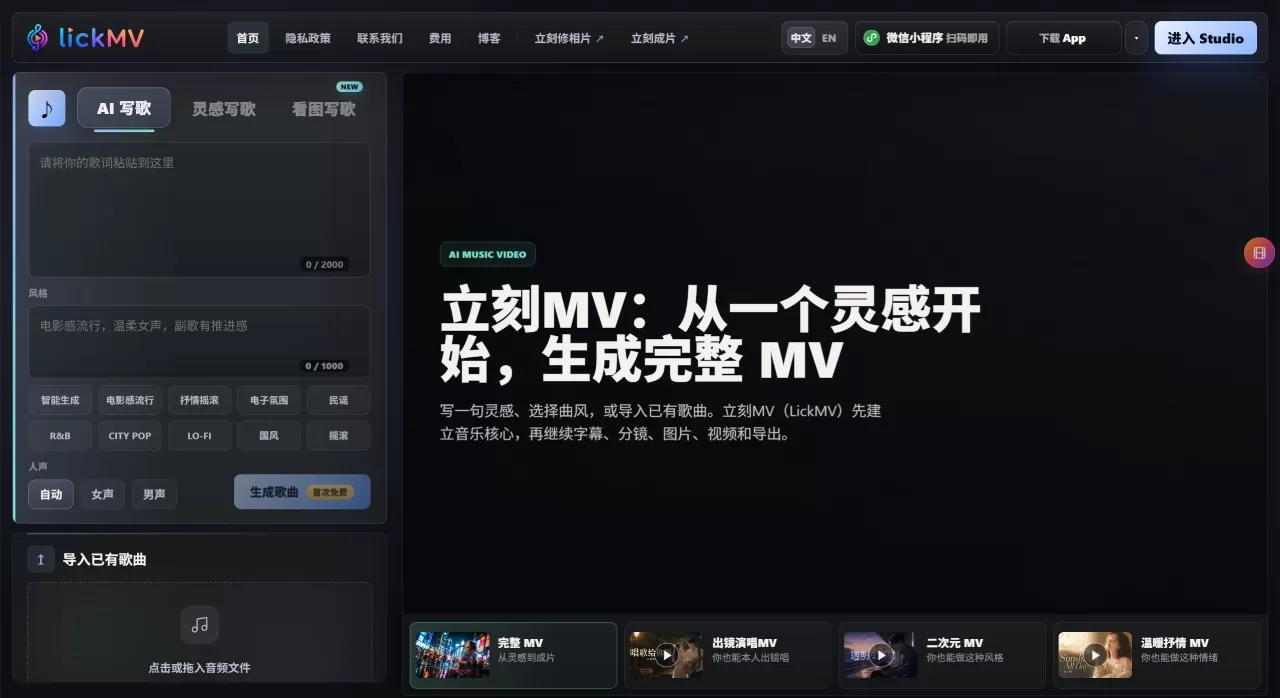
LickMV (立刻MV) is an AI music video creation tool that supports song import, intelligent storyboarding, AI image-to-video, and automatic subtitles. Its founder Lei Tao previously worked on Xiaokaxiu, Miaopai, and Yizhibo. You can upload a song—or have the AI write one—and it will automatically split the lyrics, write the storyboard, generate visuals, add subtitles, and finally assemble a complete MV. A traditional live-action MV takes about half a month to shoot, while this tool can produce a finished video in roughly 10 minutes. LickMV comes in both a web version and an app.
Core Features of LickMV
AI Songwriting: Paste your lyrics, choose a style (pop, rock, electronic, folk, R&B, Chinese style, etc.), and the AI generates a complete song. The first one is free.
Song Import: Upload local audio, and the AI recognizes it and generates a subtitle timeline.
Intelligent Subtitles: Automatically recognizes lyrics and aligns them to the timeline. LRC import is supported and free of charge.
AI Storyboarding: Automatically creates a storyboarding script based on the lyrics' content and mood, so you don't have to write prompts line by line. Free.
First-Frame Preview: Before spending video credits, preview a static image for each shot. Once the direction looks right, generate the video.
Image-to-Video: Approved static images are converted into dynamic clips using models like Seedance and Vidu, automatically synced to the beat.
Mix with Local Assets: Starting from version 1.1, you can import your own video clips and mix them with AI footage, as well as export a Jianying (CapCut) project file.
HD Export: One-click assembly and export of a complete MV.
Use Cases for LickMV
Independent Musicians/Bands: Quickly create lyric MVs for original singles and release them on Douyin, Bilibili, and YouTube at zero cost.
Cover Artists/AI Music Creators: Pair cover versions or AI-generated songs with visuals for better platform recommendation.
Short Video Creators: Turn travel photos, pet moments, or anniversary footage into atmospheric MV-style short videos.
Brand Marketing: Pair product images with background music to create promotional short videos for ad placement.
Education/Speaking: Turn key points or memorable quotes into lightweight MVs that are more engaging to watch.
Pros and Cons of LickMV
Pros:
One tool handles everything from start to finish—no need to switch between apps.
Subtitle recognition, storyboard generation, and the first AI song are free of charge.
You're told how many credits will be spent before generating—no forced monthly subscription, pay-as-you-go.
Preview the first frame before deciding to generate the video, so credits aren't easily wasted.
Relatively accurate Chinese lyrics recognition, suitable for domestic platforms.
The web version has full functionality, while the app is optimized for vertical short video formats.
Cons:
Currently around a dozen template styles are available, and advanced operations like manual camera movement adjustments are not yet supported.
Maximum 60 seconds per generation; longer videos need to be created in segments and then stitched together.
With complex lyrics or Chinese-style copy, the automatic storyboarding may occasionally produce visuals that don't match the text.
The product is still relatively new, with room for improvement in character consistency and visual coherence.
How to Use LickMV
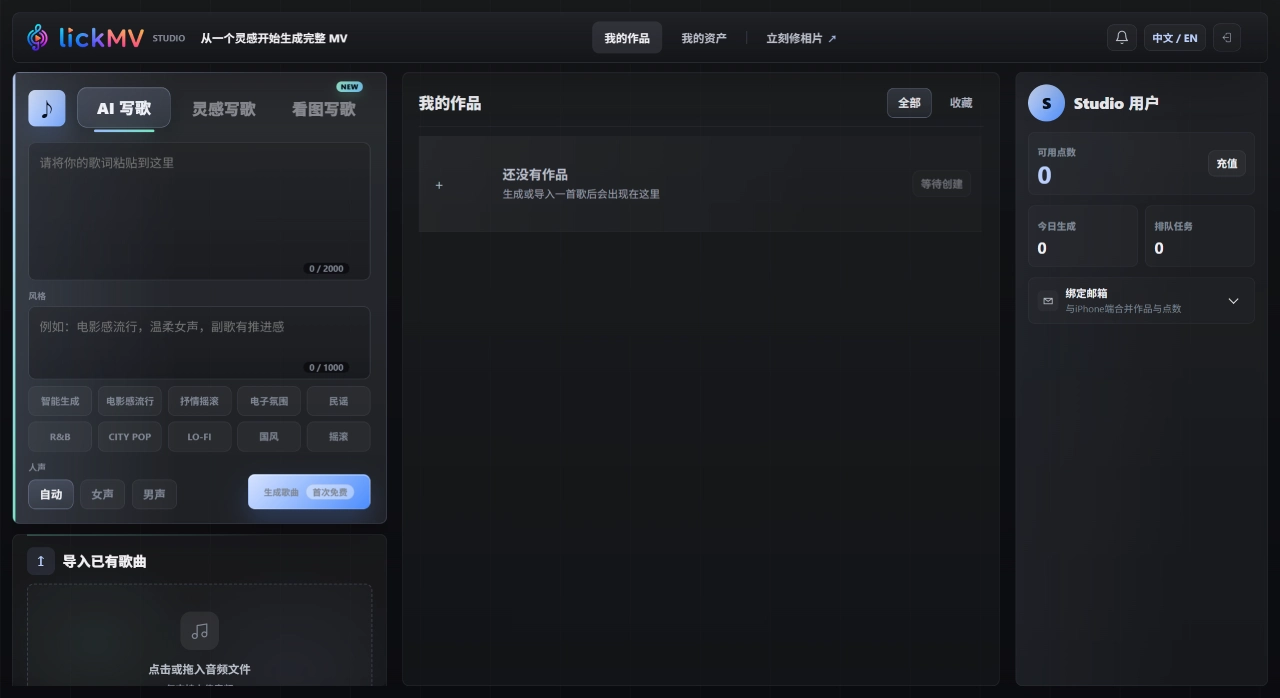
Prepare the music: Open the website or app, upload local audio, or click "AI Songwriting," paste your lyrics, choose a style and vocals, and generate an original song (the first one is free).
Generate subtitles and storyboard: The AI automatically recognizes the lyric timeline and generates subtitles, while creating a timestamped shot script based on the lyrics' content and mood. Both steps are free.
Confirm the first frames: The system generates a static preview image for each shot. Review the style, color tone, and composition. If you're not satisfied, you can adjust the prompt or change the reference image and regenerate.
Generate the video: Once the first frames are confirmed, click Generate Video. The system will display how many credits will be deducted. After confirmation, static images are turned into dynamic clips using the model.
Assemble and export: Once all clips are generated, the AI automatically stitches them into a complete MV along the timeline, adds subtitles, and exports an HD video with one click. You can also export a Jianying (CapCut) project file for further fine editing.
LickMV vs. Competitors
| Comparison | LickMV | MVLAND | OhYesAI | Weave (交织) |
|---|---|---|---|---|
| Positioning | AI music MV creation tool | AI music video free creation platform | AI music MV audio-visual integration | Script parsing + character-consistent video creation |
| Workflow | AI storyboard: understand the song first, then plan shots | Node-based canvas + multi-track editing | Audio-visual integrated intelligent agent | Script → Character → Storyboard → Video |
| Control | AI-driven narrative, with fine-tuning per shot | Creator-driven, free drag-and-drop | AI-assisted, audio-visual sync | Creator-driven, multi-model aggregation |
| Subtitles | Automatic lyric timeline recognition, free | Not specified | Supported | Supported |
| AI Composition | Built-in, first song free | Not specified | Not specified | Not specified |
| Pricing | Pay-per-credit, no subscription, key steps free | Not specified | Not specified | Not specified |
| First-Frame Preview | Supported, preview before spending credits | Not specified | Not specified | Not specified |
| Local Assets | Supports reference images and local video mixing | Supports reference images | Not specified | Supported |
| Export | HD MV, Jianying (CapCut) project | In-canvas assembly | Not specified | Not specified |
| Best For | Musicians, creators, people with no editing experience | People with some creative experience | Music creators | Film/short drama creators |
Why Choose LickMV
Got great music but can't afford to make a video? LickMV is currently the lowest-barrier option. No need to know editing—subtitles and storyboards are free, and you can preview the first frames before committing credits, so you only spend on visuals you're truly happy with. From song to finished video, there's no need to switch software. You can produce a professional MV ready for Douyin and Bilibili in about 10 minutes, with very low trial-and-error costs.














