
 Script Planner Assistant▸
 AI Apps
 AI News

Doubao Work: ByteDance's AI Office Task Execution Tool
Doubao Work: ByteDance's AI Office Task Execution ToolIntroduction
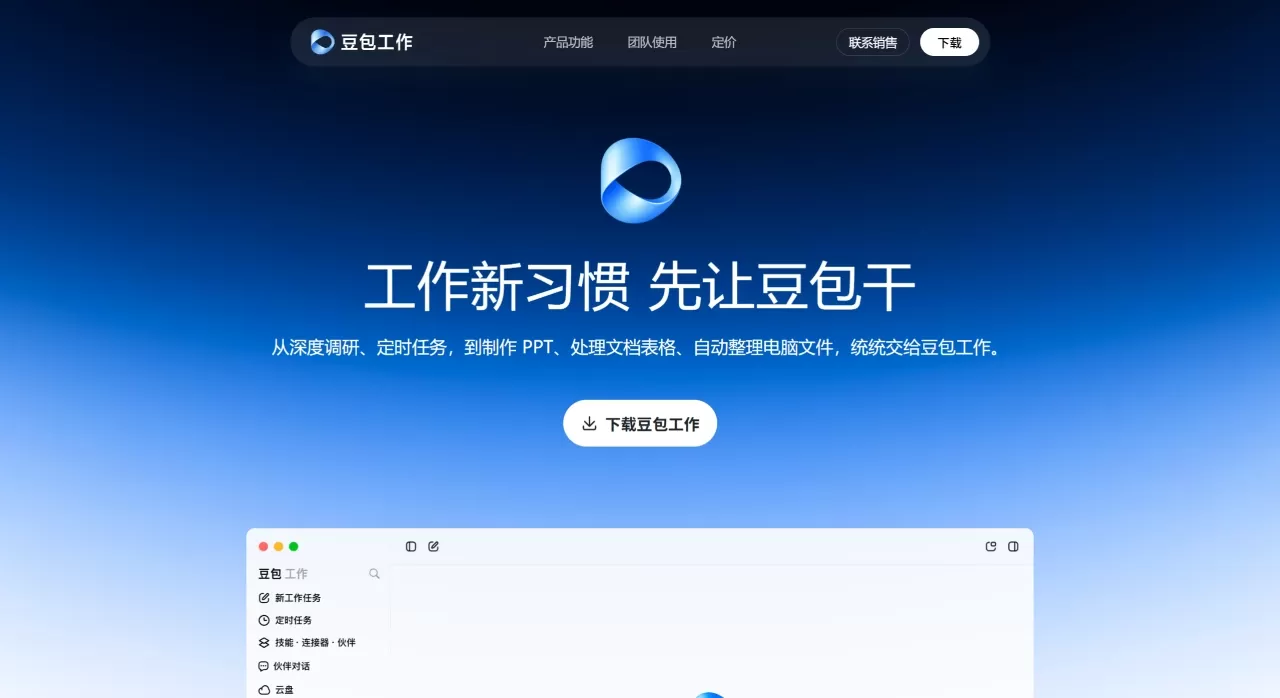
Doubao Work is an AI office task execution tool launched by ByteDance. Unlike earlier products that could only answer questions, Doubao Work can directly operate your computer, browser, and office software to complete an entire task from start to finish.
It uses the Doubao 2.1 series of large models and supports Agent task execution. For example, if you say "organize the desktop files by date," it will actually open the file manager, traverse each folder one by one, rename them, move them around, and let you know when it's done. This "speak instead of act" experience is currently the most thoroughly implemented among domestic AI office products.
In August 2026, it added mobile remote control of computers, virtual desktop, and more than 200 skill connectors, increasingly moving in the direction of becoming an "all-around digital employee."
Doubao Work Official Website:https://www.doubao.com/work
Doubao Work Core Features
Local computer operation: After authorization, it can directly control your Windows or Mac computer, batch renaming files, organizing the desktop, merging Excel files, converting document formats, and cleaning up duplicate files. No need to sit in front of the computer clicking the mouse — issue commands from your phone and the computer executes them automatically, with progress pushed back in real time.
Browser auto-retrieval: When writing a proposal and you need to look up industry reports, competitor data, or policy documents, Doubao will automatically open the browser for targeted searches, filter out ads and redundant content, and organize it into ready-to-use material following a logical structure.
Skills library: More than 200 standardized skills are built in, covering high-frequency scenarios such as document polishing, pivot table creation, PPT layout, contract proofreading, weekly report templates, and copywriting rewriting. You can also save your own fixed workflows as personal skills and invoke them with a single phrase next time. For example, set up "/weekly report generation" and it will automatically pull data, fill in the template, and produce a finished report every week.
Scheduled tasks: Supports automatic execution on a daily, weekly, or monthly basis. For example, grab industry news every morning at 8 to generate a briefing pushed to WeChat; automatically generate a project progress summary before getting off work every Friday; automatically back up a specified folder on the 1st of each month. Set it up once and let it run long-term.
Mobile remote control: Launched in August 2026. While commuting or on a business trip, use your phone to issue commands to your office computer. Doubao takes over the computer to complete the operation and syncs the results back to your phone. Perfect for temporarily modifying documents, sending files, or handling urgent matters.
Built-in Office suite: Comes with online document, spreadsheet, and PPT tools that can directly generate deliverable office files — no need to export to WPS or Office for further adjustments.
Virtual desktop: When enabled, Doubao can view the screen, move the mouse, click buttons, and type on the keyboard just like a real person, driving complex multi-step tasks forward with full visualization throughout the process.
Doubao Work Application Scenarios
HR and administration: Batch-organize employee files, automatically generate attendance summaries, create scheduling tables, write official notices, and convert meeting recordings into to-do lists.
New media operations: Automatically grab trending topics every day to generate topic briefings; collect competitor post data and organize it into Excel; one-click rewrite content for multiple platforms (WeChat Official Accounts/Xiaohongshu/WeChat Moments in different tones).
Marketing and planning: Competitor research reports — from retrieval to PPT output — fully automated; activity data automatically aggregated and reviewed; real-time monitoring and alerts for industry policy changes.
Finance and accounting: Cross-sheet matching across multiple Excel files, dirty data cleaning, pivot table generation, export of visualization charts; automatic information recognition from invoice screenshots and rule-based archiving.
Project management: Automatically organize project progress every week and generate weekly report drafts; reminders for upcoming to-dos; automatic follow-up on cross-department collaboration tasks.
Students/researchers: Batch-organize literature materials, format paper references, automatically track journal updates, plan exam preparation and review tasks.
Doubao Work Pricing
Doubao follows a "free version permanently retained + pro version tiered paid" model.
| Version | Price | Core Benefits |
|---|---|---|
| Free Version | $0 | Daily Q&A, basic writing, simple translation, ordinary image generation, short document processing — permanently free |
| Standard Plan | 68 CNY/month (38 CNY/month with student verification) | Access to the 2.1 Pro model, with office task and expert mode quotas more than 5x the free version |
| Enhanced Plan | 200 CNY/month | 4x the quota of the Standard Plan |
| Premium Plan | 500 CNY/month | 10x the quota of the Standard Plan |
Free users can also experience the office task mode powered by the 2.1 Turbo model, but with limited quotas. The pro version is mainly aimed at heavy office users who need large-volume file processing, data analysis, and automated workflows on a daily basis.
Doubao Work FAQ
Q: Will the free version be scaled down?
A: No. Doubao has officially stated that basic functions such as daily search, Q&A, content generation, and image creation will continue to be available for free, and models will be continuously updated. The pro version is an additional subscription option on top of the free service.
Q: Is it safe to operate the local computer?
A: Active user authorization is required. It is recommended to set up a separate working directory (for example, C:\DoubaoWork) to avoid accidentally touching system files. All operations are transparent and traceable, and authorization can be revoked at any time.
Q: Can I fully use office task mode on a mobile phone?
A: On mobile, you can create scheduled tasks, generate reports, and make PPTs, but direct operation of the local computer requires the PC client. The mobile remote control feature added in August 2026 allows you to send commands from your phone to a bound computer and view the execution results.
Q: Are there any computer configuration requirements?
A: Compatible with mainstream Windows devices; a regular office laptop is sufficient. Mac version is also supported.
Q: How long does a single task take to execute?
A: Simple tasks take a few minutes; complex tasks (such as in-depth data analysis + report + PPT) may take over ten minutes. Tasks run asynchronously in the background — you can close the page and do other things, and you'll be notified when they're done.
Q: What if I'm not satisfied with the generated content?
A: You can append modification instructions or upload reference documents to constrain the style. It's recommended to break down your requirements in detail the first time you use it: clearly state the goal, format, style, and output requirements all at once for more accurate results.
How to Use Doubao Work
Download and install: Go to doubao.com to download the PC client (Windows/Mac), then log in with your phone number/WeChat/Douyin account after installation.
Switch to office task mode: Open the client and click "办公任务" (Office Tasks) in the top mode bar (in some older versions it's under the "快速" (Quick) button in the lower-left corner). On first use, you'll be prompted to authorize the local computer — click "Allow".
Set a working directory: It's recommended to create a separate folder (for example, D:\DoubaoWork) and specify this directory during authorization to prevent the AI from touching other files.
Issue commands: Describe your needs in natural language, ideally including "goal + data source + output format". For example:
"Read all Excel files in the D:\Sales Data folder, merge them into one master sheet, aggregate quarterly sales, generate a line chart, and save as a PPT"
"Grab AI industry news every morning at 9 and organize it into a 300-word briefing for me"
"Convert all PDFs on the desktop to Word, sort them by filename, and save them in the Documents folder"
View results: After submission, the task runs in the background, with progress displayed in the chat window. When finished, you can directly download the finished file or check it in the specified local directory.
Pro tip: Save custom skills
Save your commonly used workflows as skills, then enter "/skill name" to invoke them with one command next time. For example, fix the complete prompt and template for "weekly report generation" and produce a weekly report with a single phrase each week.
How does Doubao Work compare to its competitors?
| Dimension | Doubao Work | Tongyi Office | Kimi | DeepSeek |
|---|---|---|---|---|
| Core positioning | Browser + office suite full-link execution | Deep integration with DingTalk ecosystem, organization-level collaboration | Long-text reading and summarization | Code and logical reasoning |
| Local Operations | Supported, can manipulate local files and software | Not supported | Not supported | Not supported |
| Agent Execution | Strong, can break down multi-step tasks and complete them automatically | Medium, focused on DingTalk workflows | Weak, mainly for reading and analysis | Weak, mainly for conversational reasoning |
| Chinese Writing | 9/10, colloquial and down-to-earth | 9/10, stable for official and business writing | 8/10, strong at organizing long-form content | 8.5/10, clear logic |
| Response Speed | 10/10, one of the fastest in China | 8/10 | 8/10 | 9/10 |
| Office Ecosystem | ByteDance suite (Douyin, Feishu, Jianying) | Alibaba suite (DingTalk, Alibaba Cloud, Taobao) | Standalone product | Standalone product |
| Video/Image | Supports AI image generation and video generation | Tongyi Wanxiang as a standalone tool | Not supported | Not supported |
| Pricing | Free + three tiers at ¥68/¥200/¥500 | Free + paid | Free + paid | Free + low-cost paid |
| Target Users | Professionals who need AI to directly complete work hands-on | DingTalk users and enterprise team collaboration | Researchers and literature readers | Programmers and tech enthusiasts |
Core Advantages
The biggest differentiator of Doubao Work is the "execution closed loop." Other AI tools give you a piece of text or an idea, and you still have to organize files, format exports, and verify data yourself. Doubao, after receiving instructions, plans its own steps, operates the computer, calls tools, and outputs finished deliverables, turning "semi-finished products" into "deliverable results."
Three additional hard advantages: first, the response speed is genuinely fast, ranking among the top in China for comparable products; second, it understands Chinese context accurately, automatically recognizing "users say it feels a bit confusing" as "unclear interaction path" rather than mechanically translating and then interpreting; third, it has strong ByteDance ecosystem integration—generated content can be shared with one click to Douyin and Toutiao, videos go directly into Jianying for editing, and search can integrate real-time ecosystem data.
Why Choose Doubao Work
If you spend a large amount of your day on repetitive tasks like organizing files, summarizing data, gathering materials, and writing weekly reports, Doubao Work is currently the only domestic AI office tool that can truly "take action for you." It doesn't just give suggestions—it directly operates your computer to complete tasks, evolving from a "Q&A assistant" into a "digital employee," handing mechanical labor to AI while leaving time for thinking and decision-making.















