
 Script Planner Assistant▸
 AI Apps
 AI News

Lanta AI: An Online Aggregator Platform for AI Video Generation
Lanta AI: An Online Aggregator Platform for AI Video GenerationIntroduction
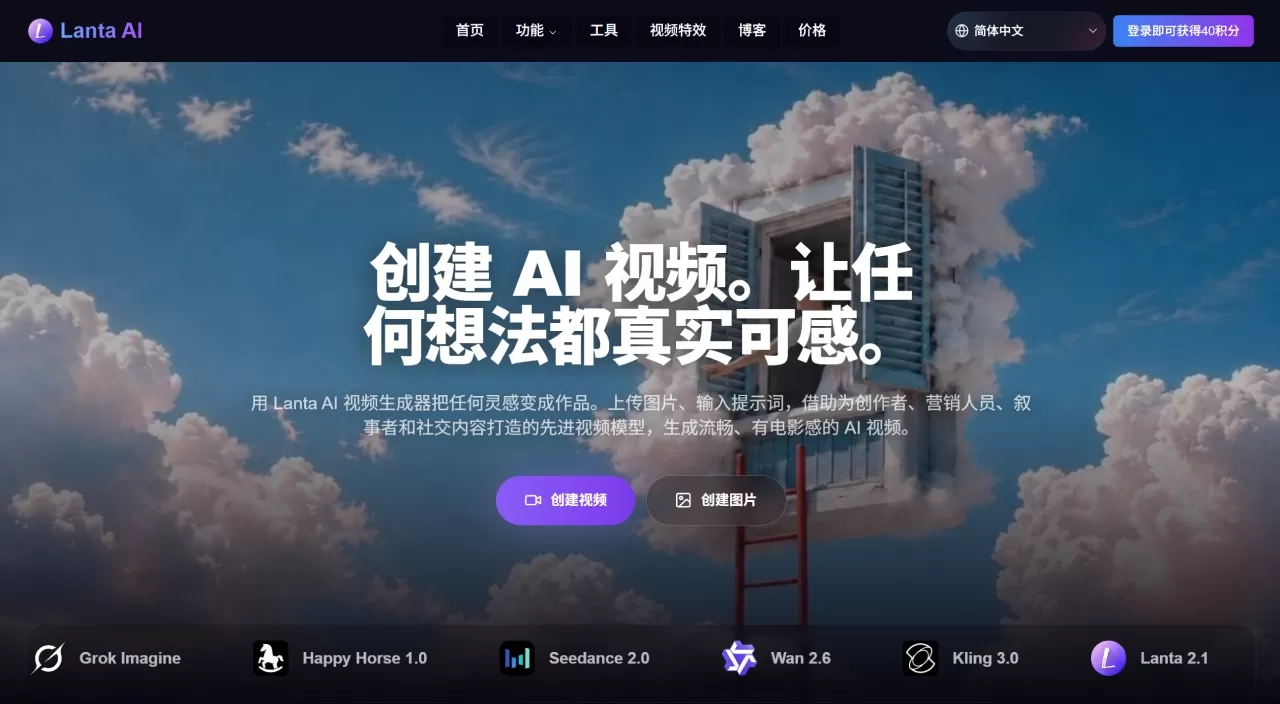
Lanta ai is an online AI video generation platform that integrates multiple video models such as Grok, Wan, Kling, and Sora. It supports text-to-video and image-to-video, allows control over camera shot sizes, maintains character consistency, and can synchronously generate multilingual sound effects. In addition, it offers AI image generation, music and video generation, character generation, and more. It is well suited for creating short-form social media videos, e-commerce product showcases, and advertising materials. New users receive 40 free credits to try it out, and no video editing skills are required.
Lanta AI Core Features
Camera control: Instead of just writing a prompt and waiting for the result, you can set shot size, angle, camera movement, and pacing. You can also create montages, long takes, slider zooms, seamless transitions, and more.
Character consistency: When switching shots, the character's face, hairstyle, clothing, and body type remain stable and don't change from one shot to the next.
Image + video integration: A built-in AI image generator lets you batch-generate and modify first frames, last frames, and storyboard reference images. It supports exporting 4K images that can then be fed directly into the video generator.
Physics realism: For actions like running, jumping, skating, and skateboarding, the generated footage is more stable and the motion logic is more believable.
Built-in sound effects: While generating video, you can synchronously add sound effects, ambient sound, dialogue, and background music. Chinese, English, Spanish, French, Japanese, and Korean are supported.
Multi-model switching: The platform integrates several models—Grok Imagine is great for quickly producing creative ideas, Happy Horse 1.0 leans toward cinematic quality, Seedance 2.0 is fast for multimodal generation, Wan 2.6 excels at storytelling and character continuity, Kling 3.0 offers strong control, and Lanta 2.1 focuses on value for money.
AI image generator: Supports text-to-image and image-to-image, with options including photorealistic, artistic, cartoon, and other styles. It integrates multiple models such as Nano Banana Pro, Flux 2, and Z Image. New users can generate 20 images for free.
Lanta AI Use Cases
Social media: Create short videos for TikTok, Reels, and Shorts without needing a separate editing tool.
Product showcase: Turn product images into videos for online stores, launch events, and demonstrations.
Advertising: Produce video assets for promotions, landing pages, and brand campaigns.
Story-driven content: For short films and story snippets, turn characters and scenes into cinematic visuals.
Instructional videos: Create supplementary videos for tutorials, explanations, and training courses.
Lanta AI Pros and Cons
Pros
One platform integrates multiple models including Grok, Happy Horse, Wan, Kling, and Sora, saving you the hassle of switching tools.
More camera control options than typical tools, with adjustable shot size and angle.
Strong character consistency—characters are less likely to fall apart between shots.
Image generation and video generation are connected, so you can directly use your own generated 4K images.
Sound effects and voiceover can be generated directly, with multilingual support.
New users get 40 free credits to try it out.
Cons
The official site does not specify the maximum video length or the default frame rate.
It's not yet sufficient for true frame-by-frame refinement or complex effects compositing.
It may not be well suited for long-form stories or projects requiring strong continuity.
How to Use Lanta AI
Sign up and claim credits: Go to lantaai.com/zh to register. New users automatically receive 40 credits.
Choose a generation mode: Under the "Create Video" entry, select Text-to-Video, Image-to-Video, or Video-to-Video.
Upload assets: Supports photos, character portraits, character designs, product images, or VFX reference images. The clearer the image, the better the result.
Write your prompt: Formula: [Shot Type] + [Subject] + [Action] + [Scene] + [Style] + [Camera Movement] + [Timing] + [Audio Cue]
Example: A medium follow shot of a young woman walking down a neon-lit city street at night, with rain reflecting on the sidewalk, cinematic cyberpunk style. The camera slowly pushes in to her face. 0–2 seconds she walks forward, 2–4 seconds she turns toward the camera. Audio: gentle rain, distant traffic, and footsteps on wet pavement.
Choose a model and settings: For speed, pick Lanta 2.1 or Seedance 2.0 Fast. For quality, pick Kling 3.0 or Veo 3. For character continuity, pick Wan 2.6. Then set duration, aspect ratio, and whether to enable audio.
Generate and download: A 5-second video typically takes 4–5 minutes. Paid users can export without a watermark.
New users get 40 free credits, and no video editing skills are required to get started.
Lanta AI vs. Competitors
| Dimension | Lanta AI | Runway Gen | Kling | Pika |
|---|---|---|---|---|
| Positioning | Multi-model aggregation platform | Professional film-grade creation | Domestic cinematic generation | Fast social content |
| Starting monthly price | $6/month | $15/month | ~$10/month | $10/month |
| Top-tier plan | $55.68/month | $95/month | ~$37/month | $30/month |
| In-house model | Lanta 2.1 | Gen-4 | Kling 3.0 | Pika 2.2 |
| Third-party models | 10+ (Kling/Veo/Sora, etc.) | None | None | None |
| Max resolution | Depends on chosen model, up to 4K | 4K | 4K 60fps | 1080p |
| Max single-clip length | Depends on model | ~16 seconds | 15 seconds (multi-shot) | 15 seconds (30 seconds on Pro) |
| Camera control | Strong (shot size/angle/movement) | Strongest (motion brush/keyframes) | Moderate | Weaker |
| Character consistency | Strong | Strongest | Strong | Weaker |
| Native audio | Model) | Supported | Supported | Supported |
| Lip sync | Supported | Supported | Supported | Supported |
| Chinese language support | Good (interface + voice) | Average | Best | Average |
| Commercial license | Fully supported in paid plan | Supported in paid plan | Supported in paid plan | Supported in paid plan |
| API | No public API | Yes | Yes | Yes |
Reasons to Choose Lanta AI
One platform that gives you access to several mainstream video models, no need to switch back and forth.
Offers greater control than typical tools, allowing you to adjust shot framing and camera movement.
Maintains strong consistency when working on projects that require the same character to carry across multiple shots.
Sound effects and voiceover are generated together with the video, saving an extra step.
Friendly to Chinese-speaking users, with both interface and voice supporting Chinese.
Low learning curve, no editing experience required, and you can try it out with 40 free credits first.
Lanta AI FAQ
Q: What is Lanta AI?
An online AI video generation tool that can turn images and text descriptions into videos.
Q: How do I use it?
Choose the image-to-video or text-to-video mode, upload an image or write a prompt, describe the scene, action, style, and camera movement, then select a model to generate.
Q: Which models are supported?
Grok Imagine, Happy Horse 1.0, Seedance 2.0, Wan 2.6, Kling 3.0, Lanta 2.1, Veo 3, Sora 2, and others.
Q: Do I need to know how to edit video?
No, the learning curve is not high.
Q: Is there a free trial?
Yes, new users get 40 free credits.
Q: What languages are supported?
The interface and audio support Chinese, English, Spanish, French, Japanese, and Korean.












