
 Script Planner Assistant▸
 AI Apps
 AI News

Xingtu: An AI Photo Editing App by ByteDance
Xingtu: An AI Photo Editing App by ByteDanceIntroduction
XingTu is an AI photo editing software launched by Lianmeng Technology under ByteDance, focusing on "AI auto + manual fine-tuning". It has web, desktop, and mobile versions. With around 300 million monthly active users and about 22 million daily active users, it ranks among the top two photo editing apps in China alongside Meitu Xiuxiu.
XingTu Download Link:https://dis.csqixiang.cn/retouchpics?channel=yjp
XingTu Core Features
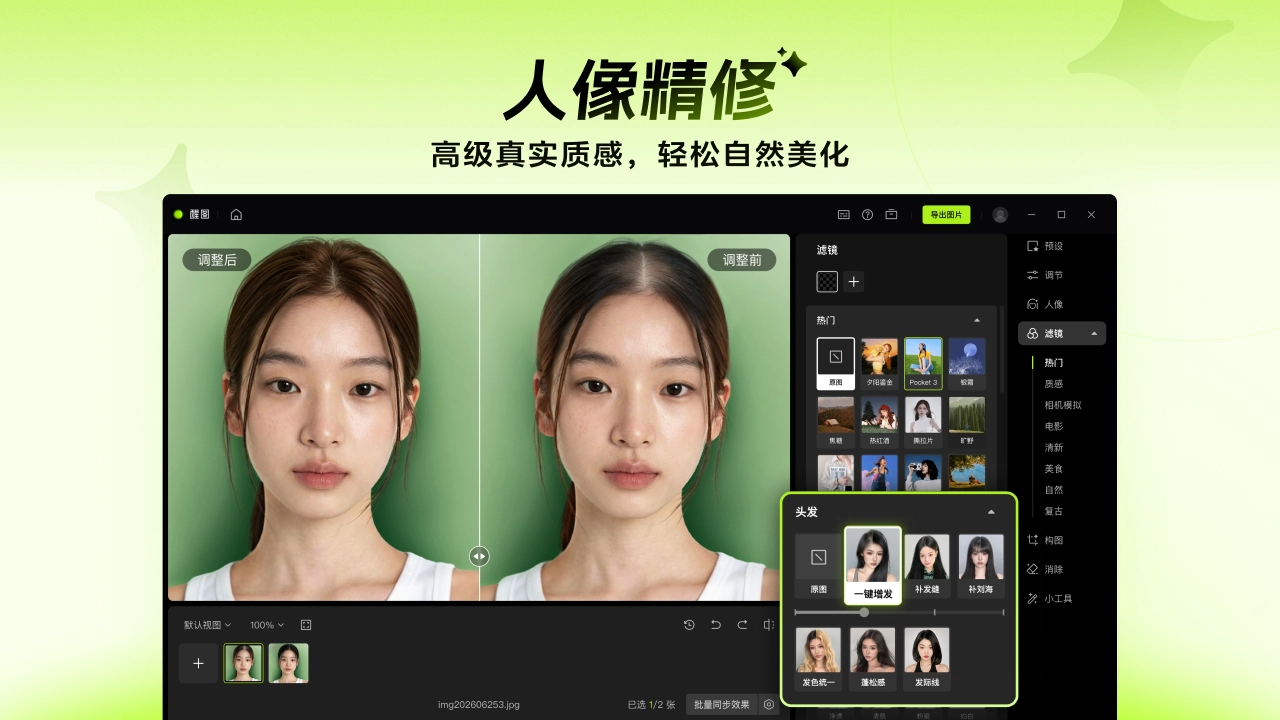
AI Portrait Retouching: Automatically recognizes faces, skin texture, gender, and age, and handles over 20 adjustments at once including skin smoothing, whitening, blemish removal, nasolabial fold removal, eye brightening, and eyebrow shaping. By default, it preserves skin texture and avoids the "wax figure" look, producing relatively natural results.
Face Reshaping & Makeup: Adjust facial fullness, lifting effects, and facial feature proportions, with multiple built-in makeup templates. Lipstick, eyeshadow, and eyelashes can be applied with one click, with intensity manually adjustable.
Smart Cutout & Background Processing: Hair-level cutout is XingTu's strength, with AI accurately identifying fine hair edges and separating complex backgrounds. It supports replacing with solid color or gradient backgrounds, includes over 300 scene templates, and allows uploading custom backgrounds. There's also a "Remove Strangers" feature to clean up background clutter with one click.
AI Enhancement: For blurry photos, low-resolution images, old photos, or video screenshots, it uses super-resolution and sharpening algorithms to improve clarity, with notable repair effects on compression-distorted images.
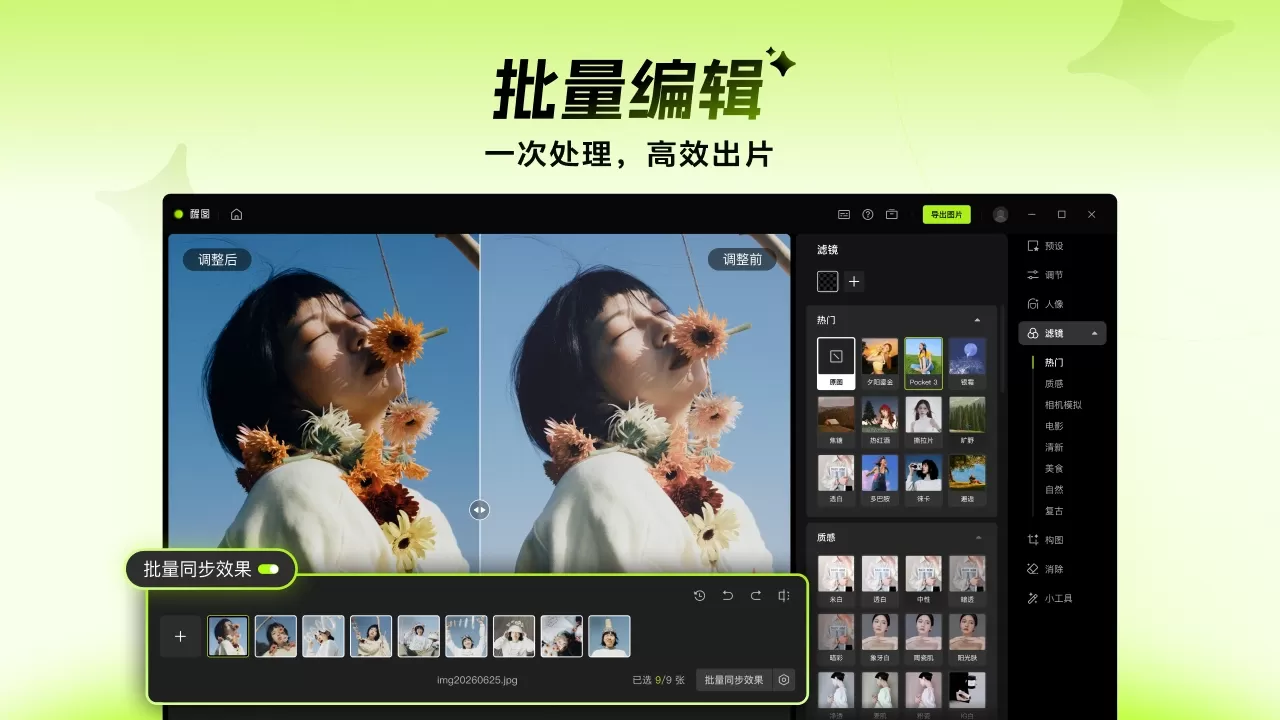
Batch Processing: Supports batch color adjustment and batch editing. After selecting multiple images in the album page, parameters can be uniformly applied, ideal for processing series photos or event coverage.
Smart Color Adjustment & Cast Correction: Automatically analyzes and enhances photo color, brightness, and contrast, and can correct color cast with one click.
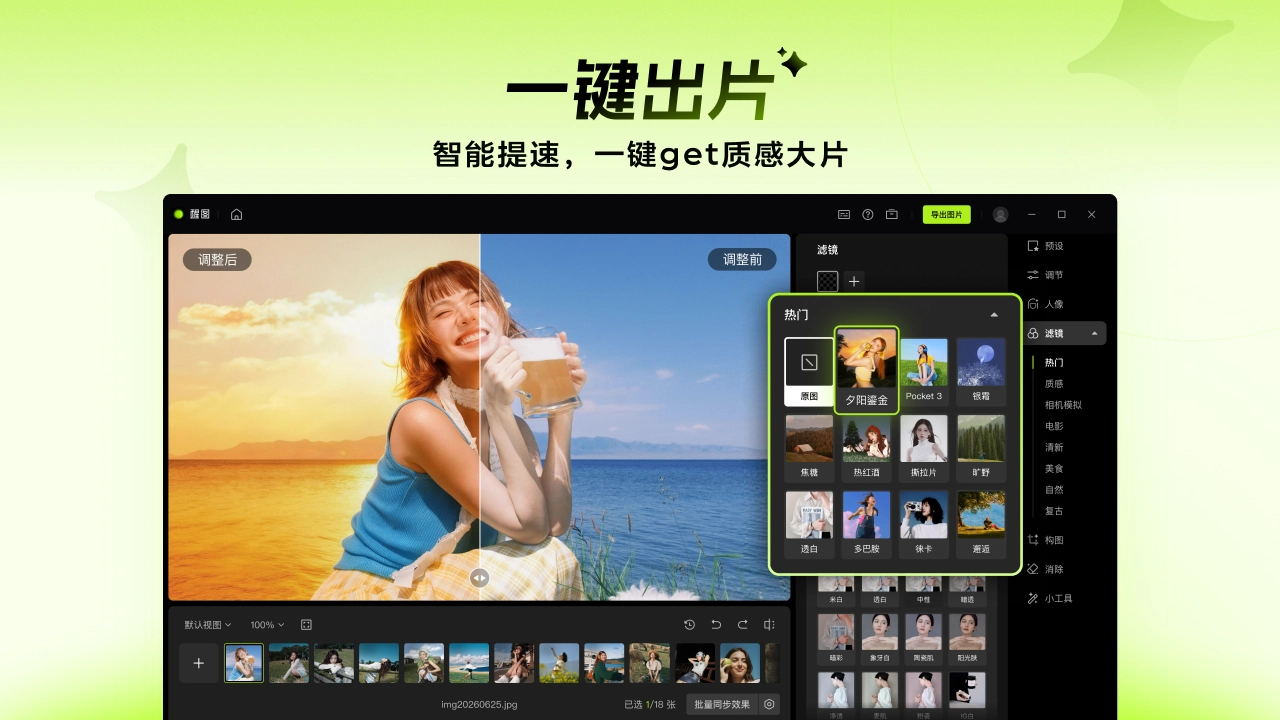
Templates & Filters: Includes a large number of templates covering retro, cinematic, Japanese, Korean variety show styles, with one-click application. A wide and frequently updated filter library.
XingTu Use Cases
Daily selfies shared on social media;
Short video creators editing covers and materials;
E-commerce operations replacing product image backgrounds or batch-optimizing model photos;
ID photo cutout and background color change;
Old photo restoration;
Event/wedding photography batch color grading for unified style;
Portrait photography neutral gray skin smoothing and facial feature retouching.
XingTu Pros and Cons
Pros:
Clean interface with no splash ads or bottom banners—refreshing to use
One-click beautification leans natural, avoids over-smoothing, preserves skin texture well
Practical batch editing, efficient for series photo processing
High-precision smart cutout, especially on hair edges
Templates update quickly, often following Douyin trending topics
Rich portrait beautification features, some advanced features available to free users
Integrated with Douyin, can publish directly after editing
Cons:
No native camera function, must shoot with other cameras first then import
Weak community and social features, little UGC content accumulation
Some basic features (like background blur, collage) were missing in early versions and, although added later, are not as comprehensive as competitors
Lacks magnifier assistance during manual editing, inconvenient for detailed work
Some popular filters and templates require VIP
How to Use XingTu
Basic Portrait Editing:
Open the app, tap Import on the home page, select photos from album
Tap "Smart Enhance" for AI auto overall adjustment
Enter the "Portrait" menu, use skin smoothing, face slimming, makeup features as needed, each with slider controls
Adjust color temperature, tone, HSL in the "Adjust" menu, or apply one-click filters directly
For background change or removing strangers, use "Cutout" or "Eraser"
Tap save in the top right, select quality (free version HD, VIP supports 4K uncompressed)
Batch Editing:
Select multiple images on the import page
Tap "Batch Color Adjustment" in the top right to enter batch mode
Adjust parameters on the first image
Sync to all selected images
Export uniformly
XingTu vs Competitors
| Dimension | XingTu | Meitu Xiuxiu | QingYan Camera | Pixel Cake |
|---|---|---|---|---|
| Positioning | Professional editing tool | Comprehensive imaging platform | Shooting + light editing | Photographer batch editing |
| Core Advantage | Natural AI retouching, batch processing, precise cutout | Full features, community ecosystem, AI painting | Real-time beautification, great shooting experience | Professional batch retouching, RAW support |
| Portrait Beautification | ★★★★☆ Natural with texture preservation | ★★★★★ Mature algorithm, rich details | ★★★★☆ Great real-time effect | ★★★★★ Commercial-grade retouching |
| Feature Richness | ★★★☆☆ Editing-focused | ★★★★★ Photo + edit + clip + community | ★★★☆☆ Shooting-leaning | ★★★★☆ Complete professional editing features |
| Batch Processing | ★★★★☆ Batch color adjustment supported | ★★☆☆☆ Batch editing not supported | ★☆☆☆☆ None | ★★★★★ Batch retouching core capability |
| Ad Experience | ★★★★★ Almost no ads | ★★☆☆☆ Many ads | ★★★★★ No ads | ★★★★★ No ads |
| Pricing Model | VIP/SVIP subscription | VIP subscription + one-time payment | VIP subscription | Per-image / package pricing |
| Price Reference | Continuous yearly ~98 yuan | Continuous yearly ~98-118 yuan | Continuous yearly ~98 yuan | ~0.3-0.5 yuan/image |
| Target Users | Daily editing, short video creators | All-round users, social sharing | Selfie lovers seeking real-time beautification | Studios, photographers, commercial shoots |
| Platform Coverage | Mobile + Desktop + Web | Mobile + Desktop + Web | Mobile | Desktop |
Why Choose XingTu
的话,批处理能省不少时间。界面清爽没广告,学习成本低,不想被复杂功能淹没的普通用户用着舒服。背靠字节生态,模板更新紧跟抖音热点,社交出片效率也高。
Frequently Asked Questions
Q: Is XingTu free?
A: Basic features are free. Some premium filters, templates, and 4K export require VIP or SVIP.
Q: How much is VIP?
A: Continuous annual subscription is about 98 RMB (first-year discount), regular annual card about 118 RMB, monthly card about 15 RMB, continuous monthly subscription about 12 RMB. Please refer to the in-app display for exact pricing.
Q: Is there a desktop version?
A: Yes, it supports Windows and Mac, and there is also a web version available for download on the official website.
Q: Which is better, XingTu or Meitu Xiuxiu?
A: It depends on your needs. Meitu Xiuxiu has more comprehensive features, including shooting, video editing, and a community; XingTu focuses more on photo editing, with a clean interface and advantages in batch processing and image cutout precision. Choose Meitu if you want an all-in-one solution; choose XingTu if you focus on photo editing.
Q: Can it edit videos?
A: XingTu only handles image editing. For videos, we recommend its sister app JianYing (CapCut).
Q: Does batch editing affect image quality?
A: No, it supports lossless processing, but the export quality depends on the output settings and membership level.
Q: Can't find some features?
A: XingTu iterates quickly, and the location of some features may change with version updates. Additionally, some advanced features are only available to VIP members.
9. SEO Description















