
 Script Planner Assistant▸
 AI Apps
 AI News

Xiaoyunque Seedance 2.5: 1080p HD Version Officially Launched — Try It First!
Xiaoyunque Seedance 2.5: 1080p HD Version Officially Launched — Try It First!Introduction
Xiao Yunque AI debuts with the Seedance 2.5 video generation model, bringing you the official-grade "full power" experience—no downgrades, no compromises, full creative force unleashed.
Seedance 2.5 Core Upgrades
Generate up to 30 seconds in a single pass—say goodbye to stitching short clips together;
Multi-modal reference + precise timestamp control + local editing put every frame at your command;
White-model control, green-screen editing, and video extension stability are comprehensively enhanced, so even complex scenes come together in one go.
2.5 isn't just about "generating longer videos"—it's about letting you truly direct, controlling pacing, details, and the whole picture.
Xiao Yunque Exclusive Enhancements
For the 2.5 model, we simultaneously launch nine exclusive capabilities, from prompt optimization to final-cut refinement, fully unleashing the model's potential.
Lock in Xiao Yunque from day one—on August 14, come to Xiao Yunque and experience the true "next-generation video creation."
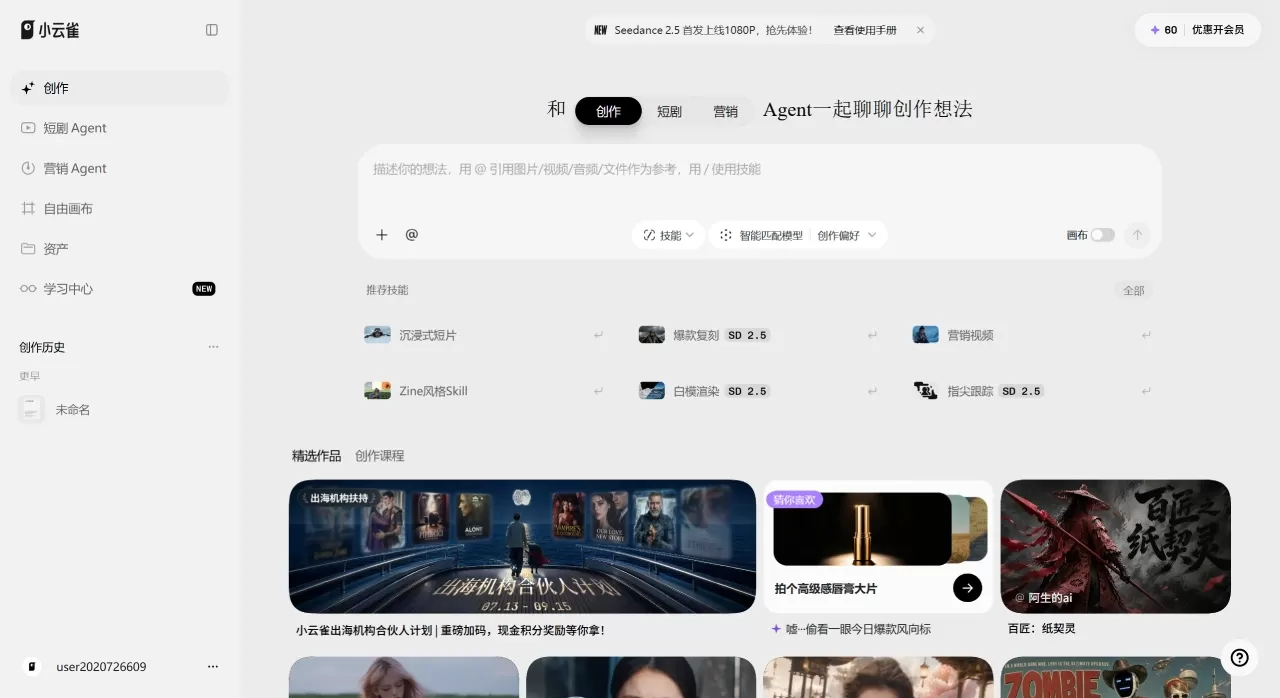
🎬 Xiao Yunque AI Seedance 2.5 Key Updates
| Dimension | Content |
|---|---|
| Core Positioning | A comprehensive upgrade targeting [long video, strong reference, editable, controllable storyboard], better suited for short dramas, ads, product videos, viral replication, and multi-character scenes |
| Five Capability Upgrades | 30s Direct Output: Single-segment output increased from 15s to 30s, reducing the stitching feel 50 Reference Materials: Up to 30 images + 10 videos + 10 audio inputs combined, simultaneously controlling character, scene, action, camera, style, props, and rhythm Enhanced Realism: Lighting, camera movement, expression, and emotional appeal closer to live-action filming, with AI feel significantly reduced Second-level Timestamp Control: Write storyboards by time segments, and the model executes the specified frame at the specified second Multi-grid Storyboard: Storyboard reference—one image directs the flow of multiple plot segments |
| Xiao Yunque Nine Exclusive Scenarios | White-model Control: Use 3D previsualization to control action and camera movement; the 3D Director's Console is upgraded to dynamic previsualization Segment Reshoot: Only redo the unsatisfying segment, billed by extracted clip—professional-grade controllable editing Viral Replication: Paste a Douyin link to one-click replicate, supporting over 30s content Marketing Video: Influencer talking-head / narrative ads / brand spectacle 30s direct output and replication Extra-long Video: Native direct output up to 5 minutes Canvas: Chat on one side while fine-editing on the canvas, with full-pipeline asset sync Creative Assistant: Trending topic insight + inspiration spark + plan generation, lowering the creation barrier from the source Thousand-character Library: Brand-new upgrade, more realistic and more distinctive 480p+ Upscaling: Help reduce your iteration cost, supporting upscaling up to 4K |
| Material Input | Images ≤30 (4K), Videos ≤10 clips (total 30s), Audio ≤10 clips (total 30s) |
| Prompt Writing Method | Clearly state [who references whom, what to reference, what not to reference], split the plot along a continuous timeline, assign dedicated roles to camera, action, and sound, and use negative prompts to safeguard the baseline |
| Access Entry | Immersive Short Film: On Web/App input box, select [Seedance 2.5], supporting reference generation, video editing, video extension, first/last frame Short Drama Agent: Web immersive short film → Short Drama Agent; App homepage → Short Drama |
✨ Xiao Yunque Seedance 2.5 Core Capability Upgrades
| Upgrade Point | Seedance 2.5 Capability | Problem Solved |
|---|---|---|
| Longer | Supports 4–30 seconds of generation in a single pass; videos can be further extended | Reduces stitching feel, making plot, ads, talking-heads, and action segments more complete |
| Better at Referencing | Up to 30 images, 10 videos, and 10 audio clips—up to 50 reference materials combined | Simultaneously controls character, scene, action, camera, style, props, and rhythm |
| More Controllable | Supports second-level timestamp descriptions | Write storyboards by time segment so the model renders the specified frame at the specified second |
| Easier to Edit | Supports selecting video segments for localized modifications | Only modify the unsatisfying segment—no need to rerun the entire video |
| More Professional | Supports professional workflow materials such as white-model video and green-screen video | Use white models to control action/positioning/camera movement, and green screens for post-compositing and background replacement |
| More Stable | Improvements in base image quality, realism, action continuity, and adherence to negative prompts | Reduces issues like random subtitle intrusion, unintended BGM generation, extension jumps, and repeated characters in multi-reference inputs |
🎯 Xiao Yunque Seedance 2.5 Usage Tips
1. 30-Second Direct Output—Narrative Complete and Uninterrupted
Generate up to 30 seconds in a single pass, saying goodbye to the disjointed feel of "15 seconds + stitching." Characters, scenes, lighting, and storyline flow in one go—ideal for short dramas, AI actor performances, plot-driven product videos, cinematic long-take recreations, and other continuous narrative needs.
Applicable Scenarios: Short drama segments, product ads, narrative talking-heads, travel mementos, anthropomorphic pets, action scenes, micro-film shots.
2. Enhanced Realism—Goodbye to "Cheap AI Feel"
Targeting common AI video issues like "greasy skin," "wax-figure face," "excessive smoothing," "plastic texture," and "robotic TTS tone," Seedance 2.5 has undergone deep optimization, making realistic characters, animals, talking-heads, and documentary-style footage closer to actual photography with natural, transparent texture.
Applicable Scenarios: Character close-ups, lifestyle documentaries, authentic talking-heads, pet/animal close-ups, hand details, food/handcraft/product live-action texture.
3. Multi-modal Reference—Clear Roles, More Efficient Input
2.5 supports simultaneous input of images, videos, and audio, with each type of material playing a distinct role:
Images: Define characters and props
Videos: Define action and camera movement
Audio: Define rhythm or atmosphere
Don't pile materials together—first clarify the role of each. If extensive referencing is needed, you can combine multiple images into a grid and specify in the Prompt what each image is used for by region.
4. Timestamp Control—Write Storyboards by the Second, Execute Precisely
Issue time instructions directly in natural language, e.g., "0–5 seconds: do A; 5–10 seconds: do B," and the model will respond stably. This is one of 2.5's core controllability capabilities, making storyboard execution better aligned with your creative script.
5. Multi-grid Storyboard & Reference—Clearer Planning
We recommend using simple line-art storyboard images paired with detailed Prompt control:
Three-Step Operation:
Clearly state the reference relationships of each material in the Prompt;
Briefly outline the overall storyline;
Fully describe each scene in storyboard order, filling in missing information from the image (such as scene, texture, camera movement, action, style, etc.), and you can strengthen plot logic by combining with timestamps.
Notes:
Keep storyboard count within 15—too many (e.g., 18-grid) tends to cause static frames or sequence errors;
Avoid using over-sharpened, cluttered, or text-heavy AI-generated storyboard images;
The Prompt must be logically self-consistent—avoid contradictions or unreasonable camera designs;
Grid images retain some autonomy; if strict alignment is required, consider using the "track completion" method instead.











