
 Script Planner Assistant▸
 AI Apps
 AI News

DeepSeek Harness: Open-Source AI Agent Engineering Framework by DeepSeek
DeepSeek Harness: Open-Source AI Agent Engineering Framework by DeepSeekIntroduction
What is DeepSeek Harness
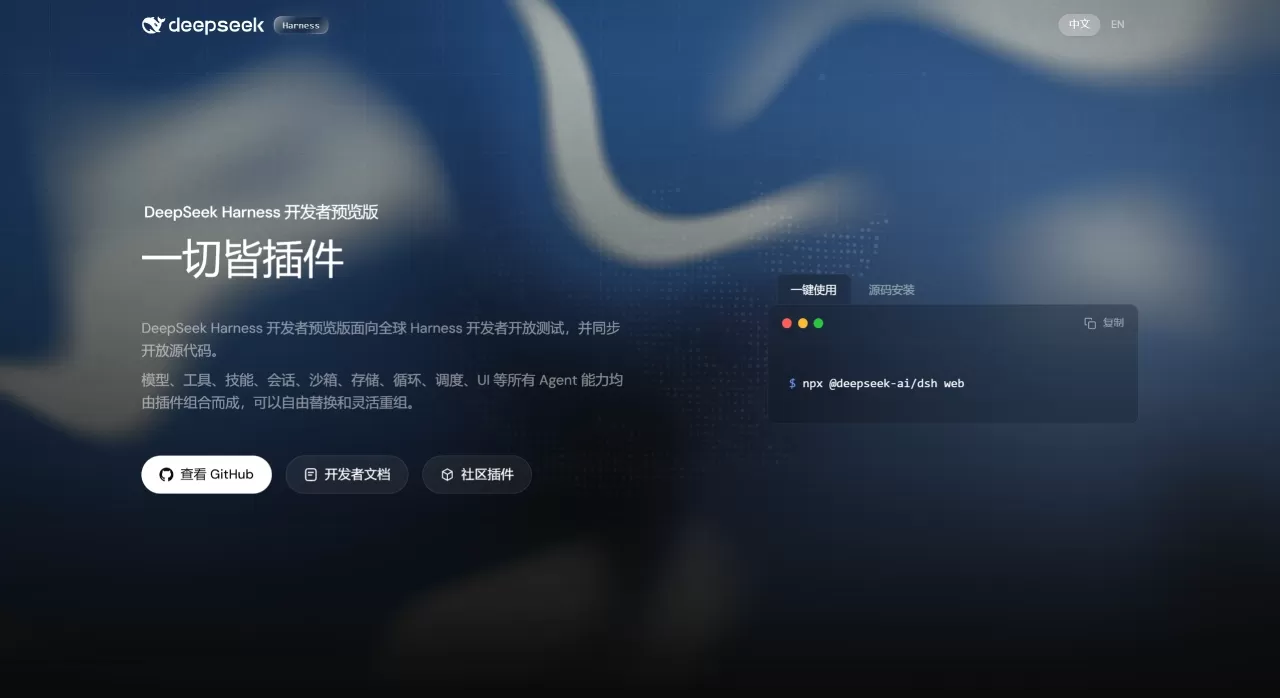
DeepSeek Harness is an open-source ai Agent framework recently released by DeepSeek. It is currently in the developer preview stage, and the source code is already available on GitHub.
The core idea of DeepSeek Harness can be summed up in one sentence: Agent = Model + Harness. The model handles reasoning, while the Harness connects that reasoning to the real environment—enabling the Agent to understand context, invoke tools, and keep working persistently in real-world scenarios.
Unlike closed products such as Claude Code, Harness takes an open-source approach. Models, tools, UI, and storage are all broken down into plugins. Developers can pick what they need and assemble them via configuration files—no source code modifications required.
Features of DeepSeek Harness
Cordis Kernel: Harness runs on top of Cordis. Cordis is responsible for plugin mounting, unmounting, and dependency management, and all Agent capabilities live inside plugins.
Everything is a Plugin: Models, tools, skills, sessions, sandboxes, storage, loops, scheduling, UI—all are plugins. Cordis uses a service and event mechanism to enable communication between plugins. Developers select the plugins they need and write a config file to compose their desired Agent, without touching source code.
Trajectory Full-Chain Logging: Everything the model sees—system prompts, reasoning processes, tool call parameters and return results, sub-Agent scheduling records, every context injection—is written into an append-only session log. In the Trajectory view you can browse entries one by one by source. When something goes wrong, you can pinpoint the exact step, fork a new session from any node to continue exploring, or replay the entire operation.
Four Operating Modes
Standard: A full-featured coding Agent with file editing, shell, file/web search, skills, planning, goals, sub-Agents, and workflows.
Code: All capabilities of Standard, but tools are exposed through the Code Mode SDK, allowing the model to orchestrate multi-step operations in a single TypeScript program.
Minimal: The simplest environment with only two tools—persistent bash and str_replace_editor—primarily used for benchmarking models.
Creator: Built on top of Standard with added runtime checks, plugin experimentation, and preset authoring guidance for creating custom Agent presets.
Suitable Scenarios for DeepSeek Harness
Complex Codebase Refactoring: Trajectory fully records every step and reasoning during the refactoring process. When issues arise, you can replay precisely to the failing node without starting over. In Code mode, the model writes TypeScript scripts on its own to orchestrate multi-round tool calls, much faster than waiting for model responses step by step.
Full-Stack Feature Development: Standard mode comes with file editing, shell, search, skills, planning, and sub-Agent scheduling built in. From PRD to frontend/backend code to deployment scripts, everything is chained in a single session. Session logs are fully preserved, so you can pick up right where you left off next time.
Model Benchmarking: Minimal mode retains only bash and a file editor, keeping the environment clean and controlled. Comparing different models on the same task yields results uncontaminated by extra tools.
Custom Agent Presets: Creator mode lets developers inspect runtime state in real time, test Cordis plugins in memory, and package composed capabilities into new presets. Teams can tailor configurations to specific business scenarios.
DeepSeek Harness Pricing
The Harness framework itself is open-source and free; the source code can be cloned directly on GitHub. However, running an Agent requires calling an underlying model, and the cost depends on the model used and usage volume. If you connect DeepSeek-V4, the API uses peak/off-peak pricing:
| Model | Period | Cache Hit Input | Cache Miss Input | Output |
|---|---|---|---|---|
| V4-Pro | Off-Peak | 0.025 / million tokens | 3 / million tokens | 6 / million tokens |
| V4-Pro | Peak | 0.05 / million tokens | 6 / million tokens | 12 / million tokens |
| V4-Flash | Off-Peak | 0.02 / million tokens | 1 / million tokens | 2 / million tokens |
| V4-Flash | Peak | 0.04 / million tokens | 2 / million tokens | 4 / million tokens |
Peak hours are 9:00-12:00 and 14:00-18:00 Beijing time.
DeepSeek Harness FAQ
Q: Can I use Harness right now?
Yes. The developer preview is already available, and the Web UI can be started with a single command.
Q: Can it only connect to DeepSeek models?
No. Model capabilities are also plugin-based, so in theory other models can be integrated—just be aware that DeepSeek's own models are best optimized.
Q: Is the plugin system hard to get started with?
The official approach is "configure to compose." Just select plugins and write a config file—no source code changes needed. Creator mode also includes runtime checks and plugin experimentation tools, lowering the customization barrier.
Q: What exactly can Trajectory do?
It's essentially a black box for the Agent. System prompts, model reasoning, every tool call detail, sub-Agent scheduling records—all arranged on a timeline. When something goes wrong, you can check the log to locate the issue, or fork a new session from any intermediate step.
Q: How do I choose among the four modes?
Use Standard for everyday development; use Code when the model needs to write scripts for complex workflows; use Minimal for model comparison testing; use Creator when building your own Agent preset.
How to Use DeepSeek Harness
Quick Start Web UI
Requires Node.js. Run:
npx @deepseek-ai/dsh web
Source Code Installation
git clone https://github.com/deepseek-ai/deepseek-harness
Then follow the setup instructions in the repository.
How Does DeepSeek Harness Compare to Competitors
| Dimension | DeepSeek Harness | Claude Code | OpenAI Codex | OpenClaw |
|---|---|---|---|---|
| Open-Source | Open-source, code public | Closed-source | Closed-source | Open-source |
| Plugin-Based | All capabilities pluginized | Fixed capability set | Fixed capability set | /td> |
| Model Support | Plugin-based, no restrictions | Claude exclusive | GPT exclusive | Multi-model compatible |
| Operation Mode | 4 preset modes | Single mode | Cloud/CLI | Configuration dependent |
| Traceability | Full Trajectory logs | Limited | Limited | Implementation dependent |
| Session Operations | Resume, fork, replay | Basic sessions | Basic sessions | Implementation dependent |
| Product Form | Self-hosted framework | In-terminal Agent | Cloud + local CLI | Open-source framework |
| Pricing | Framework free, model usage-based | Subscription | Usage-based billing | Open-source free |
| Ecosystem | Open plugin ecosystem | MCP ecosystem | Function Call | Community-driven |
Where DeepSeek Harness Stands Out Compared to Similar Products
Open-source + Plugin-based: Not a closed product, but a framework you can disassemble and assemble. Teams can take only the parts they need and customize deeply. The code is public, with no black box, and no vendor lock-in.
Full Trajectory Recording: Debugging and auditing are backed by evidence. Resume, fork, and replay are directly based on the same event stream, with no extra state management required.
Four Modes Covering Different Scenarios: From the full Standard mode to the simplest Minimal mode, and the Creator mode aimed at developers, there's no need to install multiple tools for different scenarios.
Configuration-driven: Switch models, tools, or storage solutions by simply editing config files. For teams that need to iterate Agent capabilities quickly, this saves a lot of effort.
Why Choose DeepSeek Harness
If you need an Agent framework you can control yourself and tailor on demand, Harness is more flexible than closed products. Open-source means no vendor lock-in, and plugin-based means capabilities can be progressively extended. Full Trajectory recording is also very useful for enterprise scenarios that require auditing and debugging. When connecting to DeepSeek-V4, API costs are extremely low, so running large-scale Agent tasks won't become a burden.
Related News:
DeepSeek Releases Harness v0.1 Developer Preview
What is Harness? Complete Analysis of the Code Agent Engineering System












