
 Script Planner Assistant▸
 AI Apps
 AI News

Genra AI: Conversational AI Video Generator & Intelligent Agent
Genra AI: Conversational AI Video Generator & Intelligent AgentIntroduction
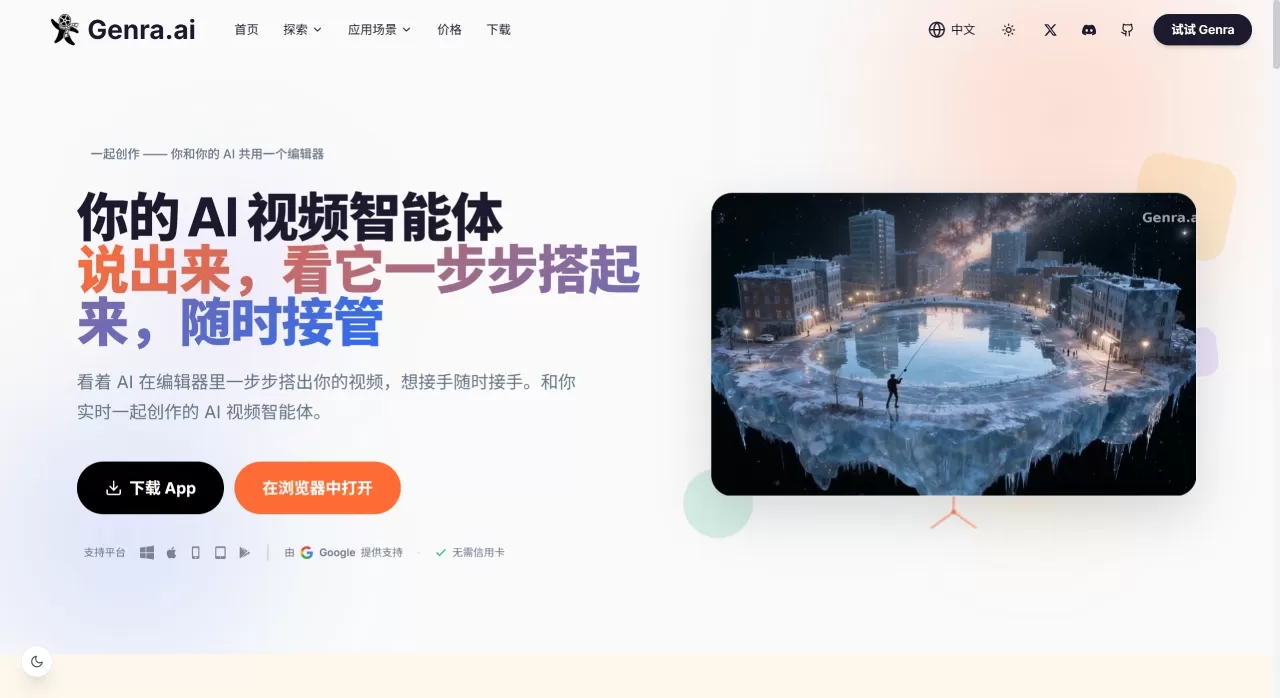
Genra ai is a platform that drives video creation through conversation. It can generate complete vertical-format short dramas directly from a one-sentence synopsis, including script, characters, storyboards, visuals, voiceover, and background music. It can also be used to produce commercial videos such as e-commerce ads and brand TVCs.
Founder Zhang Guo (CEO of Llama Alpaca) calls it "a video intelligence agent born for you and your AI." It blends the efficiency of the command line with the intuitiveness of a graphical interface—you can see what the AI is doing at any moment, and take over to make changes whenever something feels off.
Genra AI Core Features
Built-in AI Agent operating the editor: After opening a project, type your requirements into the chat panel. The AI Agent operates the video editor step by step to complete scripting, scene composition, voiceover, and more. The entire process is visible, and you can manually take over at any time.
Character consistency lock: Keeps characters' appearance, clothing, and lighting stable across scenes, solving the common "face-swap" problem in AI videos.
Narrative continuity engine: Not only generates visuals, but also maintains story logic, keeping the mood, environment, and lighting coherent between shots.
Multi-turn conversational iteration: Instead of generating everything in one shot, it lets you refine through ongoing conversation. Watch the AI build it, then adjust—avoiding wasted credits.
Open API and external Agent integration: Provides an HTTP API and Skill files. External Agents such as Claude Code, Codex, and Gemini CLI can all be connected to drive video production in batches.
Voiceover and background music generation: Built-in voice synthesis and background music produce a finished video directly.
Export specs: Supports 480p to 1080p, including vertical 9:16 format. All videos come with commercial usage rights.
Genra AI Use Cases
Short dramas / mini-series: Individual creators can produce vertical short dramas from scratch without assembling a production crew.
E-commerce UGC ads: Quickly produce product seeding and unboxing video assets.
Brand TVCs: 30-second high-definition ad spots for categories like furniture and automobiles.
Long-form narrative films: Advance long-story narrative videos through multi-turn conversation.
Batch content production: Build automated short-drama pipelines after connecting via API.
Genra AI Pros and Cons
Pros
Transparent creation process—every AI action is visible, so mistakes can be caught early.
Character and narrative consistency perform well compared to similar tools.
Low barrier to entry—purely conversational output, no editing software skills required.
Pay-as-you-go with credits—no monthly subscription required, low cost to experiment.
All outputs include commercial licensing and can be deployed directly.
Cons
Visual style tends toward uniformity, leaving limited room for personal expression.
The official site doesn't clearly explain the native 9:16 vertical workflow—it's recommended to confirm before actual use.
Compared with one-shot generation tools, it requires more interaction time and suits those willing to participate in the creation process.
How to Use Genra AI
Genra's logic is "open and chat"—no complex initialization required.
Basic Workflow
Register an account and enter the editor.
Describe the video you want to create in the chat panel, for example "make a workplace conflict short drama with a newly hired employee as the protagonist."
The AI Agent starts working: first it generates the script, then defines character appearances, then generates and composes visuals shot by shot.
At any point during the process, you can type to intervene—for example, "change the protagonist to a woman" or "make the emotion in the third shot more intense."
Once confirmed, export by selecting resolution and format.
Developer Integration
If you use external Agents like Claude Code, you can install the Genra plugin. After connecting via /genra:start, you can batch create and edit projects using natural language.
Genra AI vs. Competitors
| Dimension | Genra AI | MOKI | LTX Studio | Bairimeng AI | Hailuo AI |
|---|---|---|---|---|---|
| Core mode | Conversational Agent-driven | Storyboard image-to-video | Professional-grade AI filmmaking | Story to storyboard to video | Text/Image to video |
| Character consistency | Cross-scene lock | Character editing supported | Strong | Basic support | Weaker |
| Interaction | Real-time chat panel iteration | Generate after storyboard confirmation | Parameters panel | Storyboard selection | Prompts |
| Voiceover/Music | Built-in generation | Auto background music | Professional audio tracks | Optional voiceover | None |
| Commercial license | Fully included | Needs confirmation | Needs confirmation | Needs confirmation | Needs confirmation |
| Pricing | Credit-based, ~$0.5–$5 per clip | Not disclosed | Subscription | Free credits | Free / Subscription |
| Best for | Beginners/individuals who want to participate in creation | Creators with a script foundation | Professional film teams | Zero-experience quick tryouts | Those pursuing visual quality |
Why Choose Genra AI
If you don't want to spend a lot of time learning editing software, but still want characters who look the same from start to finish and a storyline that holds together, Genra's conversational workflow is relatively hassle-free. The credit-based payment means casual users aren't locked into monthly fees—try it whenever you want. For teams with batch production needs, the API and external Agent integration also enable automated pipelines.
FAQ
Q: Is Genra free?
There is a free tier—you get 40 credits when you sign up, plus 10 daily login credits. Beyond that, buy credit packs; no subscription needed.
Q: Does it support vertical short dramas?
Yes, 9:16 vertical is supported, as well as multiple resolutions from 480p to 1080p.
Q: Do I need to install any software?
No—just open it in your browser. Developers can integrate via API or plugin.
Q: How is it different from one-shot generation tools?
Genra's AI Agent builds the video step by step—you can see every step and correct things at any time, rather than only noticing issues after generation is complete.












