
 Script Planner Assistant▸
 AI Apps
 AI News

MeituHub: AI Imaging Production Platform by Meitu
MeituHub: AI Imaging Production Platform by MeituIntroduction
MeituHub is an AI imaging processing platform launched by Meitu. On its official website it is called an "AI Imaging Production Line". It packages the image and video AI capabilities Meitu has accumulated over the years (such as beautification, photo retouching, and automatic generation) into ready-to-use "workflows" that you can call directly, so you don't have to build algorithms from scratch, making it easy to integrate into your own business.
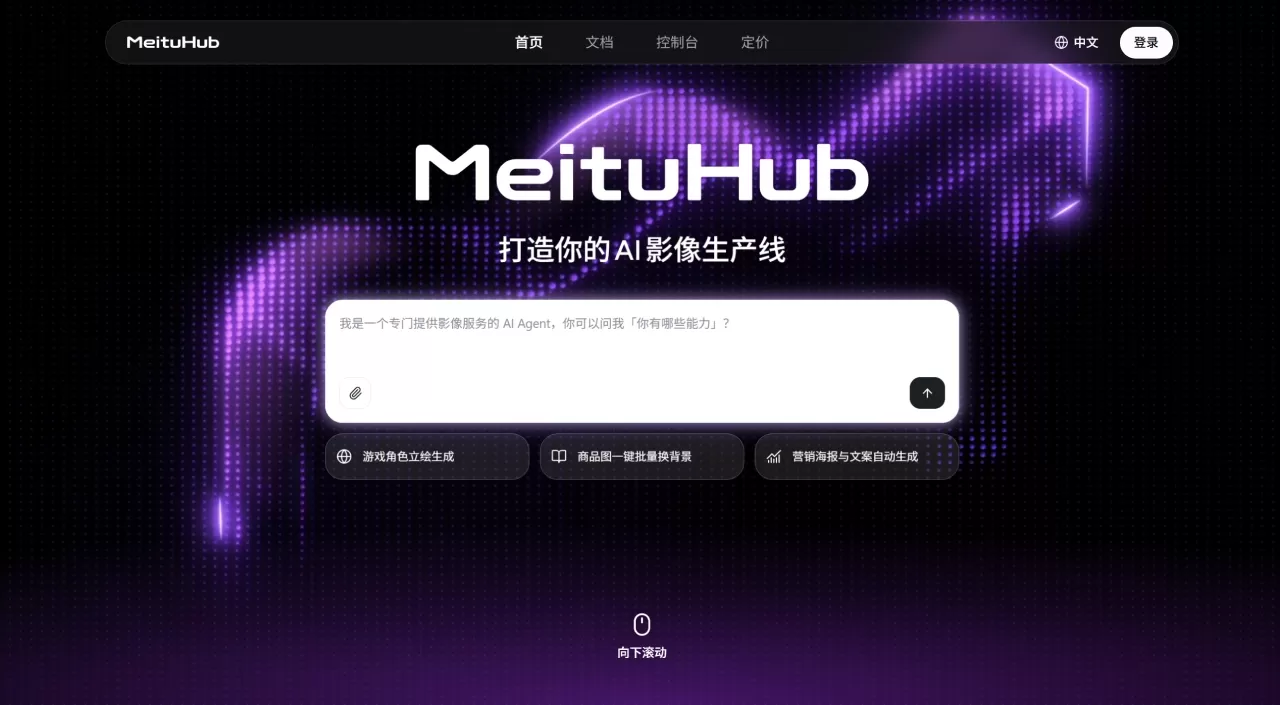
What can MeituHub do
Build workflows with AI Agent: The built-in AI intelligent body chats with you about your requirements, breaks complex tasks into steps, automatically matches models and APIs, and quickly assembles an imaging production line.
Nodes can be adjusted anytime: Once a workflow is built, it isn't fixed—you can add or remove nodes and tweak effects, so the workflow adapts as your needs change.
Three ways to use it: The web version lets you upload materials and get results directly, which is great for non-technical users; the CLI is suitable for developers; the API can be embedded into existing business systems.
Expert customization: For complex, large-scale imaging processing needs, Meitu has a team that provides end-to-end service, from requirements analysis to effect tuning.
Powered by Qixiang Large Model V6: Built on a MoE architecture, it supports multimodal text, image, video, and audio. From January to May 2026, 96.3% of generative AI feature calls within Meitu's imaging products came from it.
MeituHub Application Scenarios
| Scenario | What it's for | Starting price |
|---|---|---|
| AI course illustrations | Input course outline → AI generates knowledge-point illustrations → unified style → batch output of PPT materials | From ¥2,500 |
| AI micro-lesson videos | Input course script → AI generates instructional video → automatic voiceover and subtitles → batch output | From ¥8,000 |
| Game 2D art assets | Input style reference → AI generates character/scene/prop concept art → unified style → batch output | From ¥8,000 |
| Game promotional videos | Input game materials and selling points → AI writes script → automatic editing, effects, and voiceover → batch output | From ¥8,000 |
| E-commerce visual design | Input product info and selling points → AI generates main images/detail pages → unified brand visual → batch output | From ¥2,500 |
| Marketing videos | Input marketing copy and materials → AI generates creative videos → automatic adaptation to multiple platform sizes → batch output | From ¥8,000 |
Who is MeituHub for
Those who need to produce imaging content in bulk and in a standardized way (e-commerce materials, course illustrations, game art assets)—not just the occasional image
Those who don't want to keep switching between multiple AI tools, and want a single pipeline from requirement input to imaging output
Teams without a dedicated AI engineer, who need Agent assistance to break down tasks
Those already using Meitu's product lineup and want to connect data and capabilities
Those with high requirements for imaging quality who recognize Meitu's accumulated expertise in visuals
MeituHub Pros and Cons
What it does well
Meitu has been in the imaging field for many years, and its technical foundation is solid. Agent automatically breaks down tasks and matches models, making it friendly for business users who don't understand AI. With web, CLI, and API options, everyone from individual creators to enterprise technical teams can use it. Once a workflow is built, it can keep evolving with business needs—it's not a one-and-done deal. Plus, there's integration with the Zcool designer community, which offers some assurance for materials and creative resources.
Current issues
It just launched in August, so its third-party plugin ecosystem and community case studies are still in early stages. Pricing is centered on "custom workflows," with no standardized self-service plans, so small teams or individual users may find the barrier to entry somewhat high. Meitu's user base is mainly in China, so international market adaptation is limited. Companies already using other vendors' imaging toolchains would face migration costs.
How to use MeituHub — Tutorial
MeituHub provides a command-line tool, meitu-cli. Here's the basic workflow:
1. Installation
npm install -g meitu-cli
meitu --version
2. Configure credentials
Log in to the MeituHub console, copy the Access Key and Secret Key, then configure them locally:
meitu config set-ak --value <ACCESS_KEY>
meitu config set-sk --value <SECRET_KEY>
If using npx:
npx -y meitu-cli config set-ak --value <ACCESS_KEY>
npx -y meitu-cli config set-sk --value <SECRET_KEY>
For CI / Agent environments, it's recommended to use environment variables:
export MEITU_OPENAPI_ACCESS_KEY="<ACCESS_KEY>"
export MEITU_OPENAPI_SECRET_KEY="<SECRET_KEY>"
3. Verify
meitu auth verify --json
A return of code: 0 or ok: true indicates the credentials are valid.
4. Sync command metadata
meitu tools update
5. Run your first command (text-to-image example)
mkdir -p ./output
meitu text-to-image \
  --prompt "一只橘猫,简约插画" \
  --size 2K \
  --json \
  --download-dir ./output
Indication of success: an image file is generated in the output directory, and the JSON shows code as 0.
Common parameter cheat sheet
| Parameter/Command | Description |
|---|---|
--json | Output structured JSON for easy script integration |
--download-dir | Download result files to a specified directory |
meitu --help | View all commands |
meitu task wait <task_id> | Manually poll after an async task times out |
How does MeituHub compare with other platforms?
| Dimension | MeituHub | Runway | Jimeng AI | ComfyUI | Kling AI |
|---|---|---|---|---|---|
| Positioning | AI imaging production line | AI video creation | One-stop AI creation | Open-source workflow engine | |
| Core Capabilities | Workflow Orchestration + Agent Decomposition | Video Generation + Editing | Integrated Image-to-Video | Node-based Workflow | Video Generation |
| Learning Curve | Medium | Low | Low | High | Low |
| Customization | High | Medium | Medium | Very High | Medium |
| Access | Web + CLI + API | Web + API | Web/App | Local Deployment | Web/App + API |
| Underlying Model | Qixiang Large Model V6 | In-house Video Model | Seedream + Seedance | Compatible with Open-source Models | In-house Video Model |
| Pricing | Custom workflow from ¥2,500 | Subscription + Credits | Subscription/Credits | Free (self-paid compute) | Subscription/Credits |
| Best For | Enterprises, batch production teams | Video creators | Content creators | Technical creators | Short video creators |
Runway delivers strong cinematic video quality, but leans toward a single-point tool; Jimeng and Kling lean toward "creator tools," solving "how to make good content," not "how to set up a reusable production line"; ComfyUI is the most flexible, but enterprises must maintain their own servers and debug nodes, resulting in non-trivial operational costs. MeituHub's differentiation lies in "Agent + Workflow + Expert Services," targeting enterprises with batch, standardized image production needs.
MeituHub Frequently Asked Questions
Q: What's the difference between MeituHub, Meitu Xiuxiu, and Meitu Design Studio?
Meitu Xiuxiu and Design Studio are single-point tools aimed at specific scenarios; MeituHub extracts the capabilities behind them and recombines them into a production line tailored to your business needs. The former is a "ready-made dish," the latter is a "central kitchen."
Q: Can I use it without a technical background?
Yes. MeituHub has a web interface, and the AI Agent will help sort out your requirements. However, for deep customization or integration with your own systems, the CLI and API are better suited for teams with development capabilities.
Q: How is pricing calculated?
The official website currently shows a starting price for custom workflows, from ¥2,500 to ¥8,000, depending on scenario complexity and delivery scope. Pricing for standardized self-service packages has not been fully disclosed yet.
Q: What types of media are supported?
Based on the multimodal capabilities of the Qixiang Large Model V6, it supports text, image, video, and audio-related processing, depending on the nodes configured in the workflow.
Q: What's the relationship with ZCOOL?
ZCOOL is a designer community under Meitu. MeituHub and ZCOOL form a "platform + community/asset library" synergy, where designers find inspiration and materials on ZCOOL, then use MeituHub for batch production.












