Script Planner Assistant▸
 AI Apps
 AI News

PrompterHub: Free Chinese AI Prompt Management Tool
PrompterHub: Free Chinese AI Prompt Management ToolIntroduction
What is PrompterHub
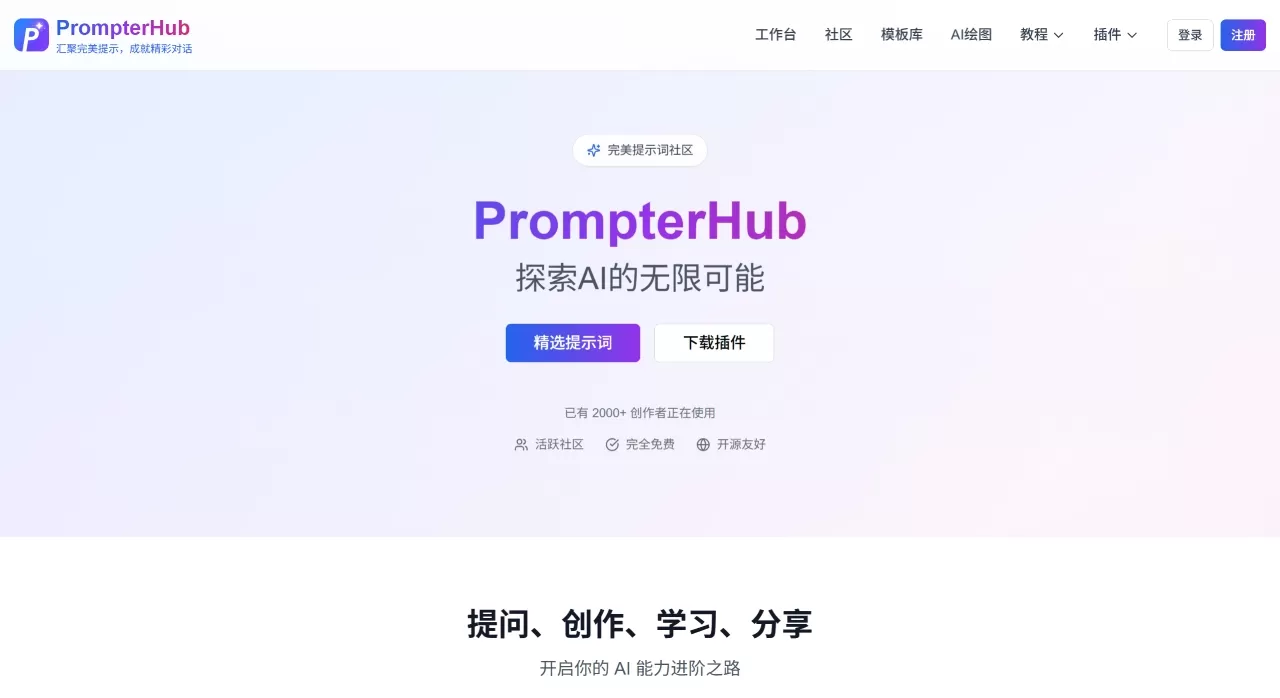
PrompterHub is an AI prompt creation and management platform. Its main features include prompt generation, community sharing, a template library, official tutorials, and AI news. It helps users turn scattered ideas or descriptions into ready-to-use prompts, making it easier for AI tools to understand their needs.
The platform currently has over 2,000 creators, is completely free, and is also open source. It serves both as a personal prompt management tool and as a public prompt community, suitable for both everyday personal use and finding inspiration.
PrompterHub Core Features
Prompt Generation: Enter a description or requirement, and it can be automatically converted into text, image, or code prompts. You can also call other large models for further optimization, with Token consumption and cost displayed during generation.
Community: The community already has thousands of public prompts, categorized by content creation, design, development, education, office work, and thinking analysis. You can favorite and like them.
Template Library: Offers hundreds of Chinese prompt templates covering common scenarios, ready to use out of the box.
Browser Extension: Provides a Chrome extension that supports quickly calling your own created or favorited prompts on any webpage and with any AI model. Supports sidebar and on-site quick access, with @ and # search methods supported.
Prompt Management: Supports creating, editing, importing, copying, and sharing prompts, divided into three types: text, image, and code. Also features structured interpretation and Remix (mixing) functionality.
Prompt Comparison: The same prompt can be tested across different models, or different prompts can be tested on the same model.
AI News: Aggregates AI industry developments in RSS feed format.
Official Tutorials: Includes official documentation and API usage guides from mainstream AI vendors.
PrompterHub Use Cases
Writing articles, copy, story ideas, and other text-based content
Image prompts needed for AI painting
Programming-related prompts for development
Beginners learning how to ask questions more effectively
Quickly calling commonly used prompts in daily office work
Sharing and managing prompts within a team
Who PrompterHub Is For
New to AI and not good at writing prompts, needing template references
Switching between multiple AI tools and don't want to retype prompts every time
Content creators who need to manage text, image, and code prompts
Those looking to boost efficiency and want to call up prompts on the fly
Those who want a free solution for prompt management
PrompterHub Pros and Cons
Pros:
Combines "quick access" with an "inspiration community," making it more convenient than just using bookmarks
Friendly to those who aren't great at writing prompts, helping organize expressions
Clearly distinguishes between text, image, and code prompts
Token and cost are visible during optimization, so you know what to expect
Supports prompt comparison across different models, quite practical
Free, usable upon registration
Supports hiding personal data, offering some privacy protection
Cons:
The prompt optimization approach is fairly fixed, basically following a structure of "output constraints, quality standards, example guidance," and sometimes the optimized version is worse than the original
Some model APIs (like Kimi) don't perform well, feeling like simple synonym replacement
Many prompts in the community are of average quality, with truly outstanding ones being relatively rare
If a prompt requires multiple rounds of context supplementation, it only provides a single round of output, lacking interaction depth
Chrome extension rated 3.7 out of 5, with 814 users, reviews aren't particularly outstanding
How to Use PrompterHub
Visit the official website at https://www.prompterhub.cn/ and register or log in to your account.
Go to the "Community" section to browse popular prompts, filter by category, and favorite or like the good ones.
Click "Create," select the prompt type (text/image/code), enter your requirement, and the system will automatically generate a structured prompt.
If it's not good enough, you can call a large model API to optimize it and compare the before/after effects and Token consumption.
Manage your prompt library in the workspace, supporting import, copy, and share.
After installing the Chrome extension, you can call your prompt library anytime on any webpage.
Prompts you find useful can also be published to the community to share with others.
FAQ
1. I don't know how to write prompts. Can I still use it?
Yes. The platform has ready-made templates and community-shared examples. You can use them directly or make minor adjustments.
2. How do I find good prompts?
Visit the community section and browse by category. Favorite the useful ones, or check those with high likes.
3. What types of prompts are supported?
Currently divided into three types: text, image, and code.
4. How do I use my own saved prompts?
You can import, copy, and share them in the workspace, or call them anytime after installing the extension.
5. Is my data secure?
Prompts are only displayed within the community. You can choose to hide personal data and delete any publicly posted content at any time.
6. Is it free?
It's free.
PrompterHub vs. Competitors
| Comparison Dimension | PrompterHub | AI Short / PromptHero | OpenPrompt | Notion/Obsidian |
|---|---|---|---|---|
| Product Positioning | Comprehensive Platform | Vertical Community | Vertical Tool (Open Source) | DIY Knowledge Management Solution |
| Quick-Access Extension | ✅ Core Feature | ❌ None | ❌ None | ❌ None |
| Inspiration Discovery Community | ✅ Core Feature | ✅ Core Feature | ❌ None | ❌ None |
| Multi-platform Compatibility | Website, Extension, Desktop | Website | Desktop | Website, Desktop |
| Activation Method | Floating Ball/Shortcut Key | Web Access (Copy) | Local App (Copy) | Web Access (Copy) |
| Quick Favorite | ✅ Add via Right-Click Menu | ❌ Copy & Paste | ❌ Manual Entry | ❌ Copy & Paste |
| Data Security | Platform Storage (Can Hide) | Platform Storage | Platform Storage | |
| Pricing | Completely free | Free | Free | Free/Paid |
How to choose?
PrompterHub: Ideal for users who want to call on prompts anytime and also see how others write them — an overall hassle-free experience.
AI Short / PromptHero: The top choice for finding inspiration, with plenty of community content, but less convenient for personal management and quick access.
OpenPrompt: For users who care about data security and are willing to go through the hassle of local deployment.
Notion/Obsidian: For users who enjoy managing their own knowledge and seek complete customization, but with higher calling costs.