Script Planner Assistant▸
 AI Apps
 AI News

TouShi: One-Click Web Image-to-AI-Prompt Browser Extension
TouShi: One-Click Web Image-to-AI-Prompt Browser ExtensionIntroduction
TouShi (偷师) is a Chrome browser extension that helps users one-click convert images on web pages into AI prompts. The name comes from "偷师学艺" (learning by stealth)—it's not about copying, but about understanding how others do it.When you see an image you like, it breaks it down into dimensions like subject, composition, lighting, materials, and style, turning inspiration into reusable prompts.
TouShi is developed by the PixPix team and is available on the Chrome Web Store.
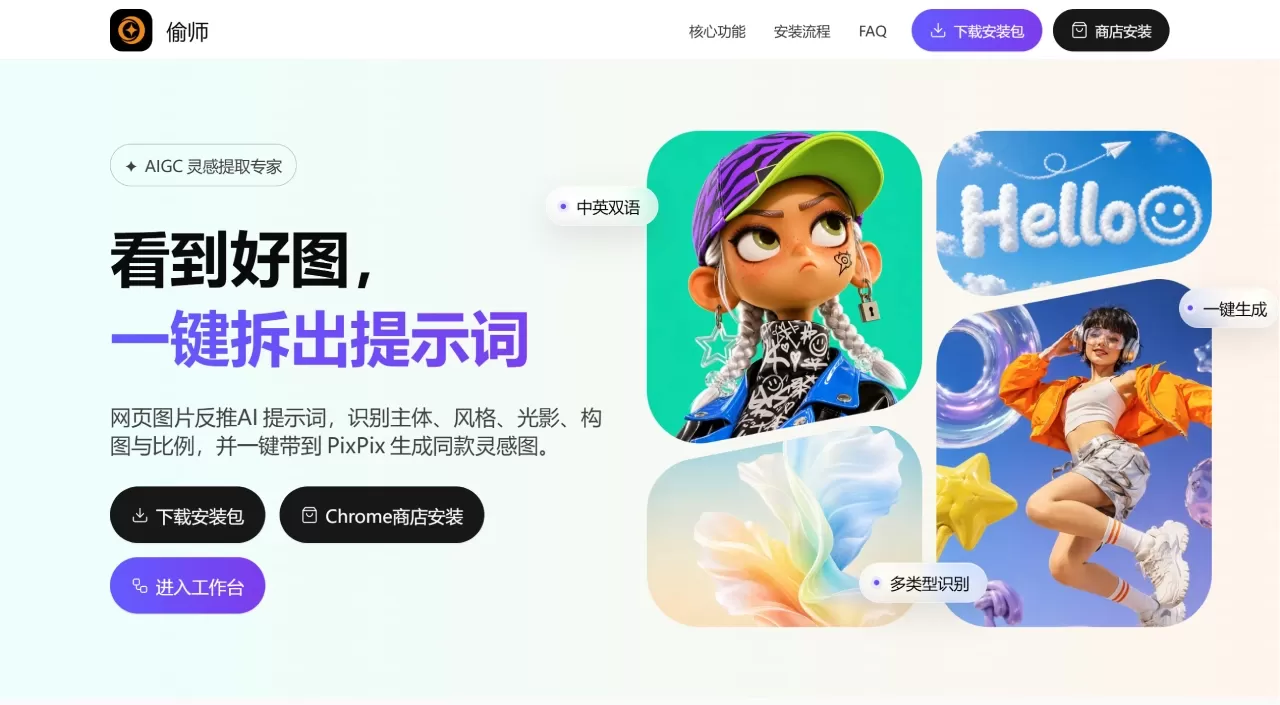
TouShi Features
One-click reverse-engineering of web images: After installing the extension, click the floating button or right-click menu on any web image to generate prompts in Chinese or English—no registration required.
Adjusts analysis priorities based on image type: Different types of images are broken down differently:
Portraits: Adds facial features, makeup, lighting, and focal length
Posters: Adds text, layout, count, and corner elements
Product images: Adds materials, arrangement, selling points, and commercial quality
Infographics/collages: Double-checks text, quantity, layout, materials, and corner details
Bilingual Chinese-English: Supports both Chinese and English output for use across different AI image generation tools.
One-click jump to PixPix generation: Click "一键生成同款" (Generate Similar) to jump straight to PixPix with the prompt and aspect ratio to continue creating.
Sidebar history storage: Reverse-engineering results are automatically saved to the sidebar, allowing you to browse history and manage by category. V2.1.0 added a local asset library where reverse-engineered images, prompts, and categories are preserved for easy retrieval later.
In-page floating window: Results are no longer confined to the sidebar—they now appear as draggable floating windows on the page, making it easier to compare against the original image.
Alt+Q screenshot reverse-engineering: Press Alt+Q and it automatically identifies image areas, or manually frame the region you want to analyze. This works around sites that restrict right-click saving.
Secondary refinement for complex images: Infographics, collages, posters, and product images undergo a second check to reduce errors in text, quantity, layout, materials, and corner details.
TouShi Use Cases
AI painting: Break down reference images and learn how to write prompts for platforms like Midjourney, Stable Diffusion, and PixPix. See an image you like and instantly extract it into a prompt without having to think it up yourself.
Xiaohongshu/social media content: Analyze the style and layout of cover images, posters, and recommendation cards to improve image creation efficiency. Spot a high-click-through cover and extract its layout, color scheme, and visual mood, then adapt it for your own content.
E-commerce operations: Analyze product main images, ad images, and scene images to extract keywords like setting, materials, and lighting—directly applicable when generating product images with AI.
Design learning and prompt accumulation: Through reverse-engineering, understand composition, lighting, materials, and camera language beyond surface-level effects. Long-term use helps you build your own prompt asset library.
Daily inspiration collection: Designers and operators browse massive amounts of material daily. TouShi embeds directly in the browser, so when you spot something good, there's no need to switch tools—just save it on the spot.
TouShi Pros and Cons
Pros
Easy to get started: 30-second install, right-click to use, no registration required.
More than just describing the image: Breaks it down from six angles—subject, composition, color, lighting, materials, and lens—for structured descriptive prompts.
Type-specific processing: Portraits, posters, and product images each have different analytical emphases.
Works directly in the browser: No need to switch back and forth between tools while browsing material.
Free.
Continuously evolving features: V2.1.0 added floating window, screenshot reverse-engineering, and local asset library.
Cons
You need to configure your own Zhipu API Key: There's a configuration barrier, which isn't friendly to users unfamiliar with APIs.
Reverse-engineering quality depends on the original image: The higher the source image quality, the more accurate the result.
Results need manual review: Aspect ratio, style tags, and core elements still require a human pass.
Chrome-kernel browsers only: Quark and other Chrome-based browsers work, but Firefox and Safari are not supported.
How to Use TouShi
Installation
Search for "偷师" on the Chrome Web Store, or visit directly:
https://chromewebstore.google.com/detail/celklkngidcjhegbknpgekiofobogagm
Click "Add to Chrome."
If installation fails, you can also download the installation package from the official website and load it manually.
Configure API Key
Open the extension settings and follow the instructions to obtain a Zhipu API Key and enter it.
Reverse-engineer an image: Go back to any web page, right-click an image and select "Image Prompt Reverse-Engineering," or click the floating button on the image. The sidebar or floating window will automatically pop up to start parsing.
Review results: Check whether the Chinese or English results are correct, and whether key elements like subject, style, composition, lighting, and color deviate.
Generate or copy: Click "一键生成同款" (Generate Similar) to jump to PixPix to continue creating, or copy the prompt directly for use in Midjourney, Stable Diffusion, Jimeng, Kling, Doubao, and other tools.
Screenshot reverse-engineering: On sites that don't allow right-click saving, press Alt+Q to manually frame the area you want to analyze.
TouShi vs. Similar Tools
| Comparison Item | TouShi | ImgPromptLens | CLIP Interrogator |
|---|---|---|---|
| Product Form | Chrome Extension | Chrome Extension | Web Tool |
| Core Function | Image to Prompt | Reverse-engineering + Scene Templates | Image to Prompt |
| Type-based Adjustment | ✅ | ❌ | ❌ |
| Screenshot Reverse-Engineering | ✅ | ❌ | ❌ |
| One-click Jump to Generation | ✅(PixPix) | ❌ | ❌ |
| Local Asset Library | ✅ | ❌ | ❌ |
| Bilingual | ✅ | ✅ | ✅ |
| Floating Window Display | ✅ | ❌ | ❌ |
| Free | Free | Free | Free |
| Compatible AI Platforms | PixPix/MJ/SD/Jimeng/Kling/Doubao, etc. | MJ/SD/DALL·E, etc. | Stable Diffusion |
Why Choose TouShi
Adaptive analysis by image type is more practical than the one-size-fits-all approach of other tools.
Embedded directly in the browser—right-click to reverse-engineer any good image you see while browsing, no uploading, downloading, or page switching needed.
V2.1.0's new features—floating window, screenshot reverse-engineering, and local asset library—solve real problems encountered in actual use.
The flow from "see a reference image" → "reverse-engineer the prompt" → "review and adjust" → "jump to PixPix to generate" is seamless, with no need to bounce between multiple tools.
TouShi FAQ
ong>
Free, no payment required.
Do I need to register to use TouShi?
No, it's ready to use right after installation.
Which browsers does TouShi support?
Chrome and Chromium-based browsers (such as Quark). Firefox and Safari are not supported.
Which AI tools can the generated prompts support using on?
All major AI image generation tools work, including PixPix, Midjourney, Stable Diffusion, Jimeng, Kling, and Doubao.
Why do I need to configure a Zhipu API Key?
TouShi uses Zhipu's large model for image analysis and prompt generation, so users need to provide their own API Key.
How accurate are the reverse-engineered results?
It depends on the quality of the original image. It's recommended to review key details such as subject, style, and ratio after generation.
What should I do with images that don't allow right-clicking?
Press Alt+Q to use screenshot-based reverse engineering, and manually frame the area you want to analyze.