
 Script Planner Assistant▸
 AI Apps
 AI News

Paopaociyuan AI: AIGC Platform for Game Art
Paopaociyuan AI: AIGC Platform for Game ArtIntroduction
泡泡次元ai is an online AI drawing platform focused on game art. It brings open-source tools like Stable Diffusion and ComfyUI to the cloud, with many optimizations for game development. From inspiration sketches to final exports, the entire process can be completed online.
泡泡次元AI is not a general-purpose drawing tool; it is designed specifically for game art and anime visuals. Its key strengths are "style consistency" and "high controllability," allowing indie developers and small teams to produce usable commercial assets without setting up a local GPU.
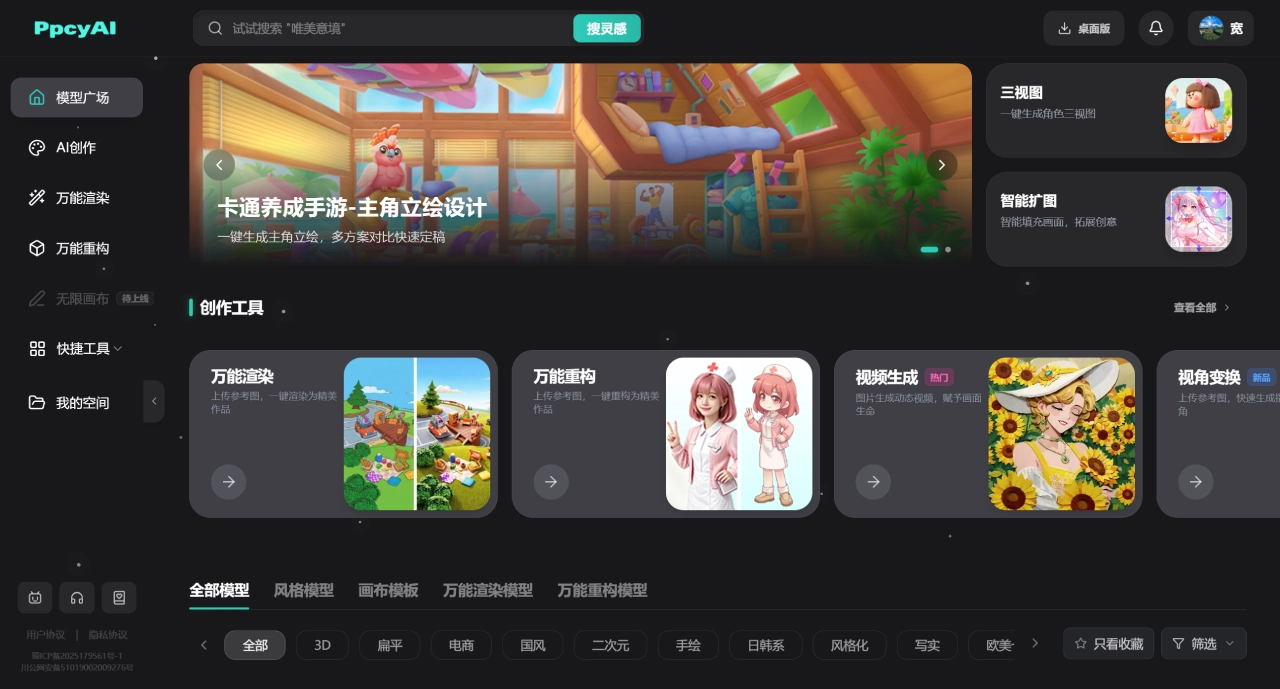
泡泡次元AI Core Features
Text-to-Image / Image-to-Image: Generate visuals from text descriptions or reference images for concept exploration or style iteration
Vertical Model Library: Game-style models including chibi, realistic, anime, Western cartoon, and Chinese styles, keeping series assets stylistically consistent
Three-View Generation: Enter a character description or reference image to generate front, side, and back views in one click, ready for 3D modeling
2D to 3D Rough Model: Convert flat concept art into a 3D base in one click, exporting OBJ and STL formats
Smart Outpainting and HD Upscaling: Extend image boundaries and losslessly upscale to 4K or print-grade quality
One-Click Cutout: Produce assets with transparent backgrounds, convenient for UI or asset library use
Dynamic Video: Add dynamic effects to static images
泡泡次元AI Suitable Use Cases
Indie Game Asset Creation: Character illustrations, NPCs, props, and scenes, saving outsourcing costs
Character Design Preview: Concept artists produce three-view drawings, convert to 3D rough models, and hand off directly to modelers
E-commerce / Marketing Graphics: Anime or game-style marketing posters
Batch UI Image Generation: Pop-ups, event panels, icons with unified style and batch iteration
Project Asset Library Building: Template reuse keeps team styles consistent
泡泡次元AI Pros and Cons
Pros:
Specialized for game art; features like three-view generation and 2D-to-3D conversion are rare elsewhere
Solid style consistency with precise ControlNet control
No local SD installation required; ComfyUI workflows run directly in the browser
A complete pipeline from concept to 3D base model
Cons:
Specific pricing requires login to view; limited public information
Easier than local SD, but you still need to learn model selection and prompt writing
Community and tutorials are not as rich as Midjourney or LibLibAI
Commercial licensing terms require checking the user agreement yourself
How to Use 泡泡次元AI
Basic Text-to-Image:
Register and log in on the official website
Select a model (e.g., "Anime Character," "Chibi Prop")
Write prompts: subject + details + style + quality keywords
Adjust aspect ratio, quantity, and sampling steps
Generate; if unsatisfied, use image-to-image to refine further
Three-View Generation:
Select "Three-View" in the creation tools
Enter character description or upload reference image
Wait for the system to generate front, side, and back views
Export for modeling use
2D to 3D:
Open the "3D Conversion" tool
Upload 2D concept art
Generate rough model in one click
Export OBJ or STL, then refine in Blender/Maya
Competitor Comparison
| Dimension | 泡泡AI | Midjourney | LibLibAI | 吐司TusiArt | 通义万相 |
|---|---|---|---|---|---|
| Positioning | Game Art Vertical | Universal Art Benchmark | Model Resource Community | Anime Specialization | Domestic General-Purpose |
| Core Advantage | Three-View, 2D-to-3D, Style Consistency | Artistic Quality, Light and Shadow | Many Models, Active Community | Pure Japanese Anime Style | Chinese Understanding, Chinese Style |
| Usage Barrier | Medium | Low | Relatively High | Medium | Low |
| Style Control | Strong | Medium | Strong | Strong | Medium |
| 3D Features | Native Support | None | Requires External Tools | None | None |
| Free Quota | Yes (Basic Features) | No | Yes (Daily Credits) | Yes (Daily Quota) | Yes (Basic Version) |
| Pricing Model | Free + Membership (tiers require login) | $10-120/month | Credits/Membership | Credit System | Subscription + Pay-as-you-go |
| Best For | Game Developers, Concept Artists, Modelers | Designers, Artists | SD Advanced Users | Anime Creators | General Users, E-commerce |
Why Choose 泡泡次元AI
If you work in game development, concept art, or 3D modeling, 泡泡AI's vertical features are highly practical. Three-view generation and 2D-to-3D conversion integrate directly into your workflow, saving significant outsourcing communication overhead; the model library maintains style consistency so characters and props don't look mismatched; cloud-based operation means no high-end graphics card purchase required. For indie game teams, it transforms AI generation from a "gacha" experience into a controllable production process.
泡泡次元AI FAQ
Q: Is 泡泡次元AI free?
A: Basic text-to-image and image-to-image can be tried for free. Professional creation and high-frequency exports require a membership; specific prices are visible after login.
Q: Is the image quality good enough for commercial use?
A: It includes HD upscaling and universal refinement, capable of lossless upscaling to print-grade or 4K game standards.
Q: What formats does the 3D export support?
A: Common formats like OBJ and STL are all supported.
Q: Does it require a local GPU?
A: No, it runs entirely in the cloud. Just open it in your browser.















