
 Script Planner Assistant▸
 AI Apps
 AI News

Ciaro Pro: End-to-End AI Film Production Platform
Ciaro Pro: End-to-End AI Film Production PlatformIntroduction
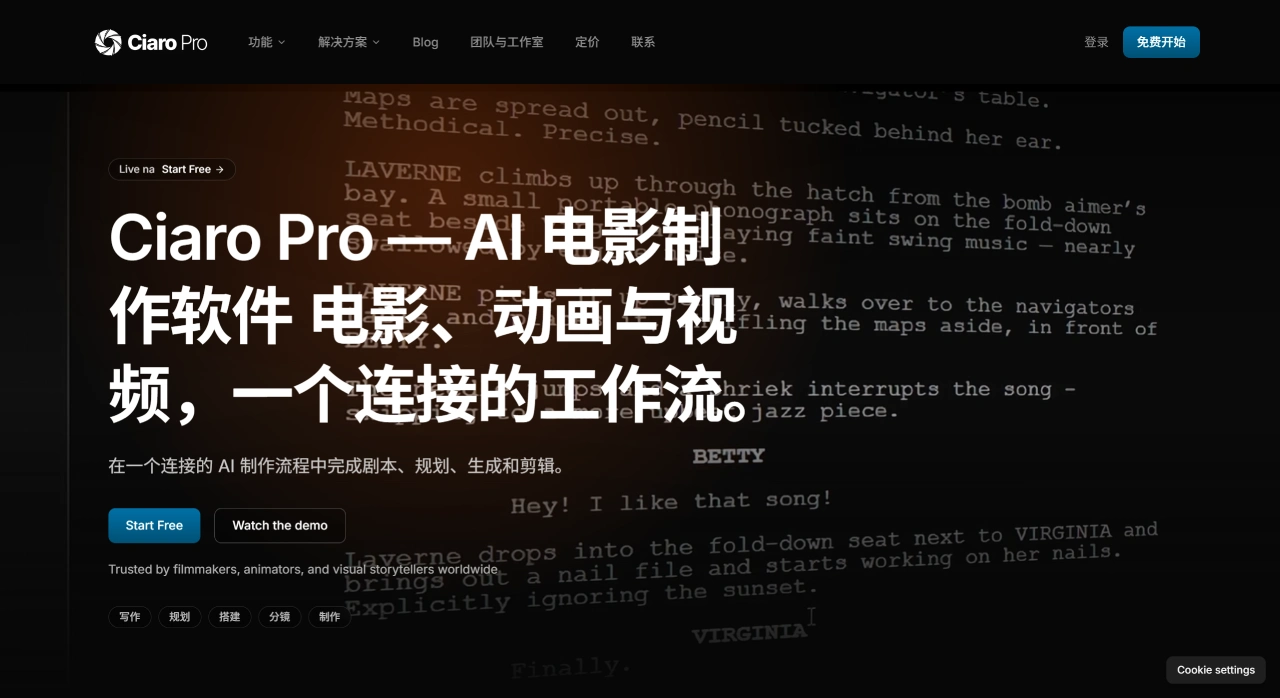
Ciaro Pro is an AI platform that covers the entire film and video production workflow, from scriptwriting to final export, all within a single tool. Its founder, Markus, has over twenty years of experience in filmmaking, and the motivation behind building this platform is straightforward: existing AI video tools can generate impressive visuals, but it's hard to string them together into a complete story. Ciaro Pro links scripts, scenes, characters, shots, generated assets, and the editing timeline together, so you don't have to shuttle back and forth between different software. Its primary users are independent filmmakers, animators, and production companies.
Ciaro Pro Core Features
Scriptwriting: You can write directly in the platform or import scripts in Final Draft (.fdx) or PDF format; the system automatically recognizes scenes and dialogue. The built-in AI assistant can offer plot suggestions and alternative dialogue options, and scene order can be rearranged via drag-and-drop.
Character & Asset Management: The character builder is used to design characters and keep their appearance consistent throughout the project. The concept workspace centrally manages assets like characters, props, and backgrounds, which is ideal for long-form projects and can maintain visual consistency across hundreds of frames.
Storyboarding: Converts scenes from the script into shot plans, making it easy to preview story progression across multiple scenes and sequences. Supports hand-drawn sketches or importing 3D files to assist with composition.
AI Video Generation: Integrates 12 AI models (6 image generation + 8 video generation) and 7 video engines, including Ray 3, Veo 3.1, Sora 2, Kling 3, and others. Output supports 4K, HDR, and EXR formats.
Built-in Editing Tools: The platform includes a non-linear editor, so you can generate video directly on the timeline without switching to external software, complete editing, and export.
Visual Control: You can hand-draw compositions or import Blender GLB files for 3D reference. The pose detection feature can extract actions from reference images and apply them to characters. It also supports editing operations such as inpainting, outpainting, scaling, and rotation.
Ciaro Pro Use Cases
Independent filmmakers making their own films, cutting out the middleman.
Animated short films, using the character builder to quickly unify character designs.
Series productions, where consistency of characters and scenes across episodes is guaranteed.
Brand advertisements and marketing videos, for quickly producing assets.
Educational institutions teaching film and video production.
Pre-visualization before actual shooting, to preview shot effects in advance.
Ciaro Pros and Cons
| Pros | Cons |
|---|---|
|
|
How to Use Ciaro Pro
Write the Script: Write directly in the platform, or import .fdx/PDF files, use the AI assistant to adjust dialogue and structure, and drag-and-drop to rearrange scene order.
Plan Concepts: Break scenes down into shot plans, and build a reference library of characters, props, and environments.
Build Characters: Use the character builder to design characters and save them to a reusable library.
Create Storyboards: Preview the visual narrative across scenes, with hand-drawn sketches or imported 3D files to assist with composition.
Generate and Edit: Invoke AI models on the timeline to generate video, use the built-in editing tools to assemble, adjust pacing, and finally export in 4K, HDR, or EXR formats.
Ciaro Pro vs. Competitors
| Comparison Item | Ciaro Pro | Runway | Pika | Sora |
|---|---|---|---|---|
| Positioning | Complete film production pipeline | Video generation and editing tool | Video generation tool | Video generation model |
| Built-in Scriptwriting | Yes | No | No | No |
| Built-in Storyboarding | Yes | No | No | No |
| Character Consistency Management | Yes, with built-in asset library | Limited support | Limited support | Limited support |
| Built-in Editing | Yes, professional-grade | Yes, basic editing | No | No |
| Number of Integrated Models | 12 (6 image + 8 video) | Multiple | Single | Single |
| Maximum Output | 4K/HDR/EXR | 4K | 1080p | 1080p |
| Workflow | Full-process integrated | Combination of point tools | Point tool | Point tool |
| Starting Price | $99/month | $15/month | $10/month | TBD |
The biggest difference between Ciaro Pro and other tools is that it's not designed to generate a single video clip, but to support the entire production process of a film from scratch.
Ciaro Pro FAQ
Q: Who is Ciaro Pro for?
Filmmakers, animators, independent creators, advertising teams, educational institutions, and production companies.
Q: Is there a free version?
Yes, the free version has quota limitations, so you can try the full workflow before deciding to pay.
Q: Which AI models are supported?
Integrates 12 models covering mainstream image and video generation, such as Ray 3, Veo 3.1, Sora 2, and Kling 3.
Q: Can I import external files?
Yes. Supports Final Draft (.fdx) and PDF scripts, as well as Blender GLB 3D files.
Q: What export formats are available?
Supports 4K, HDR, and EXR.
Q: How is it different from other AI video tools?
Other tools mainly address the "generate video" step. Ciaro Pro covers everything from scriptwriting to final editing, and all assets are linked within the project.











