
 Script Planner Assistant▸
 AI Apps
 AI News

Seedance 2.5: Native 4K Quality, Generate Coherent 30-Second Videos in One Go
Seedance 2.5: Native 4K Quality, Generate Coherent 30-Second Videos in One GoIntroduction
Seedance 2.5 is a new version of the Doubao video generation model released by ByteDance's Volcano Engine at the FORCE Power Conference on June 23, 2026. Compared with the previous generation 2.0, the main updates are: longer single-clip video duration, support for more reference materials, and more refined editing controls. In terms of positioning, it is not just a tool for short video creators—ByteDance is also pushing it into physical industry scenarios such as embodied intelligence, autonomous driving, and industrial manufacturing.
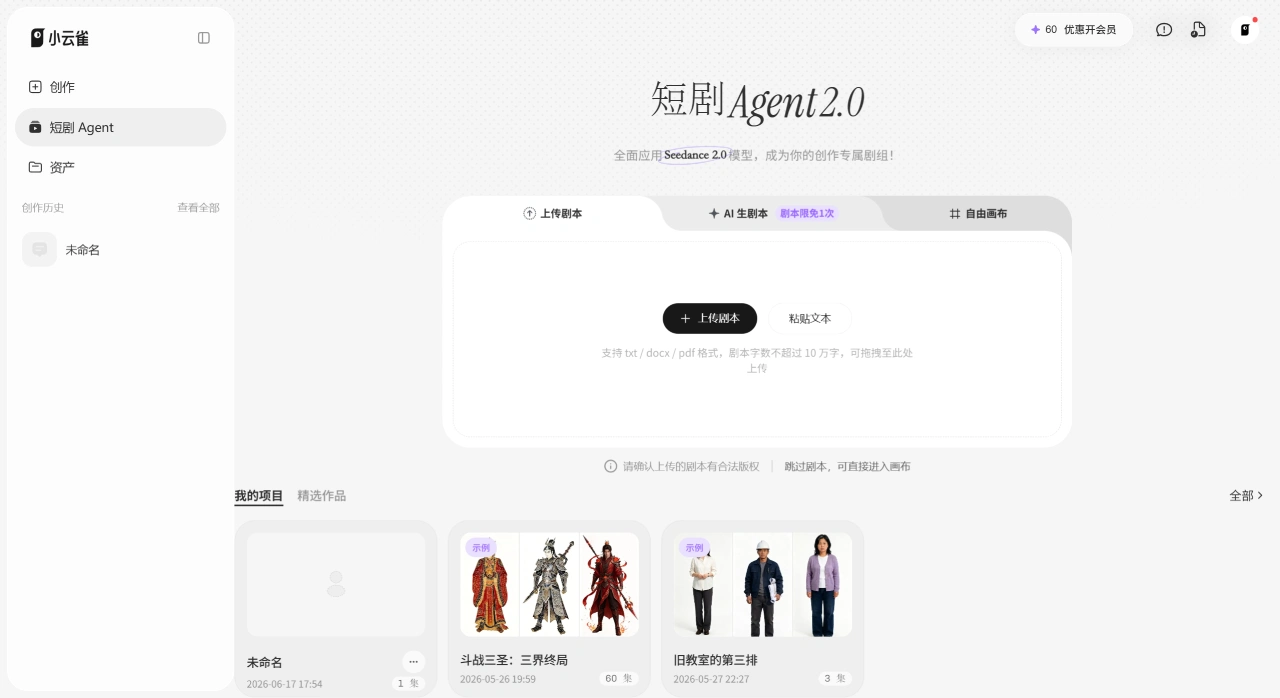
Seedance 2.5 Experience URL:Xiaoyunque AI Web Version
Seedance 2.5 Core Features
30-second single-clip direct output: No need to splice segments—generate a 30-second video in one go. Most models in the industry are still at the 15-20 second level; 30 seconds means you can create more coherent long shots and short stories.
50 reference materials input simultaneously: A single generation supports up to 50 full-modal materials (image, video, audio, text), compared to 12 in version 2.0. You can drop in product images, model shots, scene images, reference action videos, and music at the same time, letting the model handle character appearance and visual style in a unified way.
Local editing: No need to regenerate the entire video—replace only a specific person or element in the frame, while keeping motion, camera angle, and lighting unchanged. Editing feels more like communicating with a director, rather than pulling a slot machine from scratch every time.
3D clay preview: You can import a minimal gray model built in Blender before generation to simulate storyboard and camera movement first. The technical team says this can reduce trial-and-error costs by more than 60%.
4K native output: Version 2.5 natively supports 4K, and version 2.0 has also been upgraded with this capability. Color accuracy is improved by about 15% compared to the previous generation, skin tones look more natural, with less of that orange-teal filter feel.
Joint audio-video generation: Supports four input modes—text, image, audio, and video—and can generate visuals and sound (ambient sound, sound effects, rhythm) simultaneously.
Seedance 2.5 Application Scenarios
Content Creation
Advertising and marketing: 30 seconds is just right for a social ad or product teaser, and combined with multiple reference materials it can maintain consistent brand characters and style
Film and TV previsualization: Use 3D clay models to lock in camera angles and scene layouts early, compressing what used to take weeks of manual previsualization into instant output
Social media content: Batch-produce background loops, brand visuals, and product showcase short videos
Series short dramas: Multi-reference input keeps character appearances from drifting, ideal for batch production of serialized episodes
Physical Industries
Embodied intelligence: Provide robots with a foundation of visual and physical common sense, simulate scenarios based on real physical laws, so that humanoid robots can train in virtual environments before being transferred to the real world
Autonomous driving: Synthesize training data for extreme weather and rare road conditions, filling the gaps in real-world collection
Industrial manufacturing: Generate workflow and equipment operation demonstration videos for training and evaluation
Seedance 2.5 FAQ
Q: Is Seedance 2.5 available now?
A: It is still in closed beta, with an official launch expected in early July. General users can wait for integration announcements from platforms such as Xiaoyunque AI, Jimeng, Doubao, and Jianying.
Q: How is Seedance 2.5 better than 2.0?
A: Single-clip duration goes from 15 to 30 seconds, reference materials increase from 12 to 50, with new local editing and 3D clay preview features, and native 4K support. Overall, it has evolved from a short-clip tool into a platform for long narrative plus controllable editing.
Q: Which platforms does Seedance 2.5 support?
A: Xiaoyunque AI, Douyin, Jimeng, Jianying, and Doubao will all integrate it. Enterprise developers can call the API through Volcano Ark (ARK) and BytePlus.
Q: How is character consistency?
A: 50 reference materials help the model keep character look and lighting stable across long shots, but close-up faces and complex hand movements can still have issues, so it is recommended for mid- and long-shots and concept visualization.
Q: Do I need to know how to model to use the 3D clay preview?
A: Some basic Blender skills are required, but the clay model doesn't need fine materials—the focus is on spatial structure and camera paths. Pure 2D creators will indeed need to pick up some 3D knowledge.
Seedance 2.5 Usage Tutorial
Basic Four Steps
Step 1: Write the scene description
Treat the generator as a shot planner. In the prompt, clearly describe the subject, action, camera movement, and rhythm. For a 30-second clip, you need to spell out the story arc with a beginning, development, and ending.
Suggested structure:
[Subject] → [Action] → [Camera movement] → [Style] → [Lighting] → [Parameters] → [Constraints]
Step 2: Add reference materials
Upload images, videos, and audio, and reference them using tags like @Image1, @Video1, @Audio1. Adding timestamps [00:00] can differentiate shots for multi-shot coherent storytelling.
Step 3: Set output options
Choose the aspect ratio based on the publishing channel (16:9, 9:16, 1:1, 4:3, 3:4), with a maximum duration of 30 seconds and maximum resolution of 4K.
Step 4: Generate and refine
Check whether the motion, details, and timing are correct. If changes are needed, use local editing rather than regenerating the whole clip. Adjust only one variable at a time—for example, if the motion is right but the composition isn't, adjust the camera description first.
Advanced Tips
3D clay previsualization: Build a minimal gray model in Blender, lock in positions and perspective, and import it so the model generates content following this structure
Video continuation: Naturally extend an existing clip while keeping motion and style consistent
Add constraints: Phrases like "no distortion," "maintain face consistency," "stable motion" in the prompt can reduce visual breakdowns
Seedance 2.5 vs. Competitors
| Dimension | Seedance 2.5 | Veo 3.1 | Kling 3.0 |
|---|---|---|---|
| Native single-clip duration | 30 seconds | ~8 seconds, extendable via chaining | 15 seconds |
| Reference materials limit | 50 full-modal | Limited (~3 images) | Limited (Elements system) |
| Max resolution | 4K | 4K | 4K/60fps |
| Native audio | Supported | 48kHz synced dialogue | Supported (some require extra payment) |
| Local editing | Supported | Not supported | Not supported |
| 3D clay preview | Supported | Not supported | Not supported |
| API availability | Volcano Ark / BytePlus | Vertex AI (mature) | Kling API + free tier |
| Reference price | Estimated ~$0.06/second | ~$0.10-0.75/second | .168 USD/second |
| Best Use Case | Long-form narrative, brand consistency, industrial simulation | Audio quality, developer ecosystem | Resolution, character texture, free tier |
| Independent Ranking | Version 2.0 ranks #1 on Artificial Analysis | Overall ranking below the top three | #3 |
Why Choose Seedance 2.5
If you're tired of the "5-second gacha pull, 10-second collapse" experience, Seedance 2.5 is worth the wait. 30 seconds of single-shot output means a 90-second corporate promo video only needs 3-4 generations, instead of stitching together more than 9 segments like before; 50 reference assets keep brand characters from "shape-shifting" across multi-episode short dramas; the 3D white-model preview can cut trial-and-error costs by 60%. It's not here to replace the camera—it's here to make AI video truly a deliverable, scalable production tool. For ad teams, short-drama producers, and robotics/autonomous driving companies that need simulation data, this is the shift from "toy" to "tool."
Last updated: July 03, 2026Related Articles:
What's the difference between Seedance 2.0, 2.0 Mini, and 2.5? A clear guide
Seedance 2.5: 30-second native video, 4K quality—what's upgraded compared to 2.0?












