
 Script Planner Assistant▸
 AI Apps
 AI News

DocSmall_云技派,专注ai人工智能!
DocSmall_云技派,专注ai人工智能!Introduction
docsmall is a file processing tool suitable for all kinds of scenarios, offering online image compression, GIF compression, online PDF compression, PDF merging, and PDF splitting features.
docsmall helps users save time and space while improving work efficiency. Its interface is clean and clear, and the workflow is simple and easy to understand — users only need to follow the prompts to select files, set parameters, and click the button to complete file processing. The docsmall website is fast and responsive, delivering excellent processing results with positive user feedback.
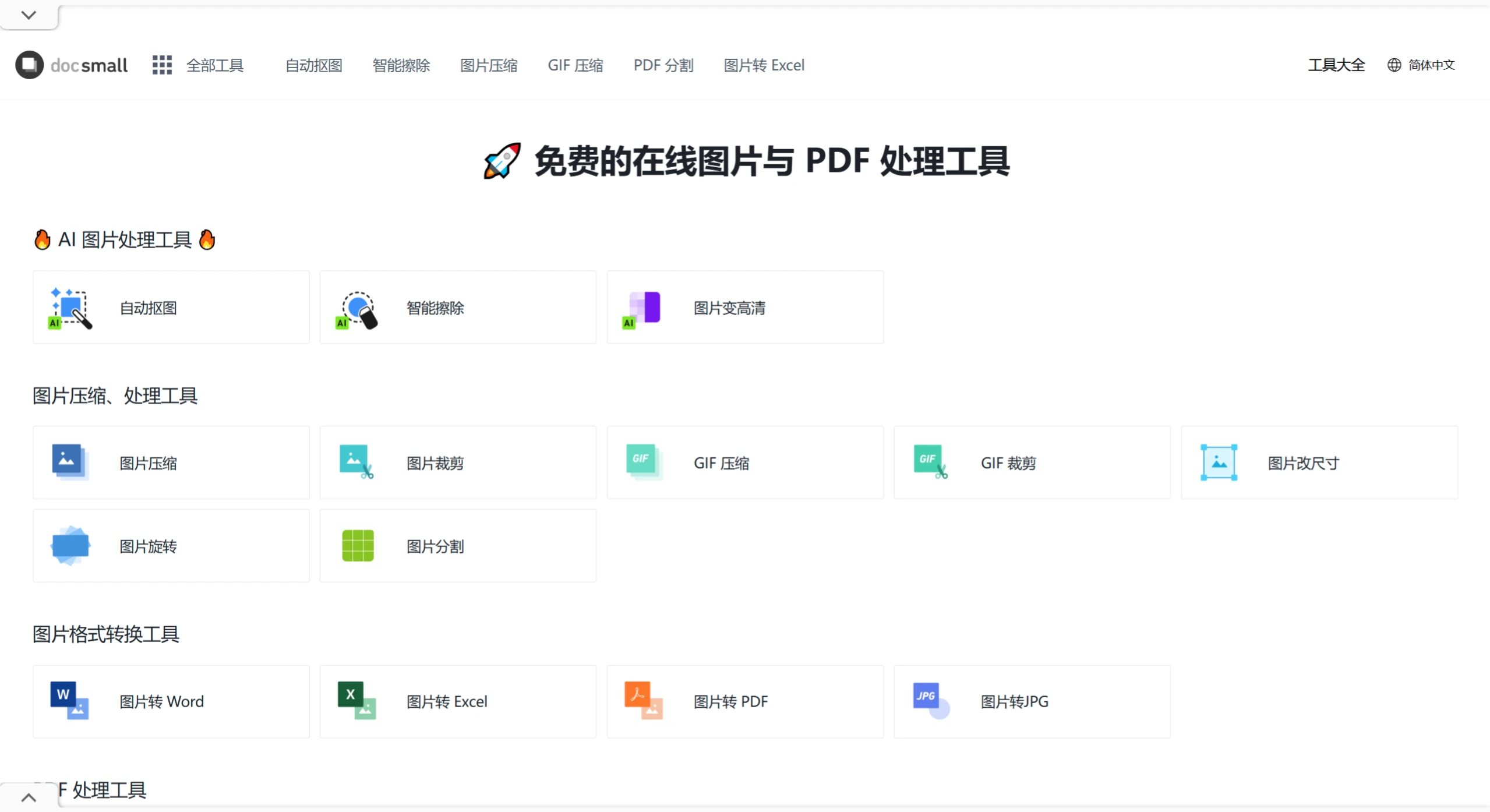
DocSmall Function Modules
Image Compression: Supports common formats such as JPG, PNG, and WebP, offering four compression intensity options — Light, Standard, Strong, and Extreme. Single files up to 25MB are supported, with a maximum of 30 images uploaded at once.
GIF Compression: Supports batch reduction of GIF animation file size, with adjustable compression intensity and scaling ratio, preserving the transparent channel and loop properties of the animation.
PDF Processing: Includes compression, merging, and splitting. PDF compression supports uploading large files (within 100MB) with three compression modes available; PDF merging supports uploading and combining multiple PDFs at the same time; PDF splitting allows custom page range segmentation.
AI Image Smart Eraser: Uses AI algorithms to identify and remove specified elements in an image. Users can easily erase watermarks, people, or background clutter through lasso or brush selection.
Image Lossless Enlargement: Based on an AI model, batch-upscales image resolution, enhancing images to 4x HD quality.
Automatic Background Removal: Based on an AI model, automatically removes image backgrounds while preserving the main subject.
DocSmall Features
Free to Use: All features are free, with no registration or login required.
Simple Operation: Upload, process, and download in three steps — very straightforward.
Batch Processing: Supports batch uploading and handling of files.
Data Security: File upload and processing use HTTPS encryption. Processed files are stored on the server for no more than 2 hours and are permanently deleted automatically.
Cross-Platform Support: No need to distinguish between Windows, Mac, or Linux systems — just open a browser, and it works on mobile devices too.
DocSmall Use Cases
Reducing file size for easier transmission (e.g., email attachments).
Merging multiple PDFs or splitting large files into smaller sections.
Adjusting image formats to meet the requirements of different platforms.













