
 Script Planner Assistant▸
 AI Apps
 AI News

Tencent Ardot: AI-Powered Collaborative Design Tool
Tencent Ardot: AI-Powered Collaborative Design ToolIntroduction
What is Ardot
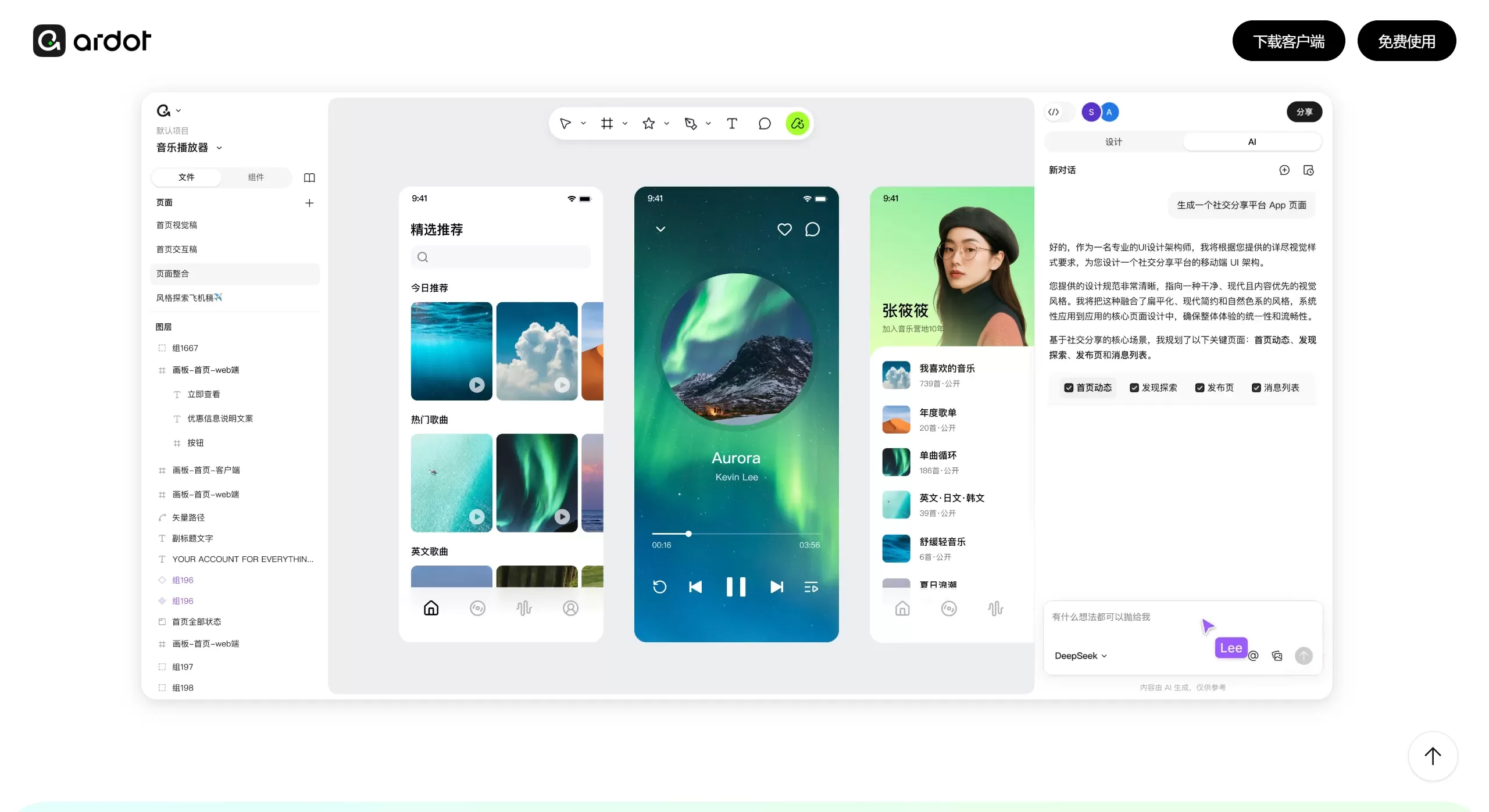
Ardot is an AI-powered collaborative design tool developed by Tencent's design team. In short, it's an automated design platform that "turns inspiration into reality fast." Some call it the "Figma + Lovart" combo, bundling AI generation, professional vector editing, team collaboration, and developer handoff all into one.
Features
🤖 AI-Native Capabilities
Text-to-UI: Type a description like "design an e-commerce app homepage" and AI automatically generates a fully editable interface prototype.
Image-to-Design: Upload screenshots, sketches, or reference images — AI separates the layers on its own and converts them into editable design files.
Link-to-UI: Paste a webpage URL and it automatically turns into an editable design file, great for competitive analysis.
AI Drawing: Generate illustrations and icons directly on the canvas, with separated layers you can keep tweaking afterward.
AI Assistant: Smart layer renaming, automatic layout, and intelligent component search.
🎨 Professional Design Capabilities
W3C-standard vector editing: Supports advanced transformation tools like skew, 3D rotation, and Boolean operations.
Dynamic layout system: Grid layouts + percentage positioning + true ratio locking make multi-platform responsive design a breeze.
Design system management: Global components, style libraries, and variables — change once and sync everywhere in the project.
Native icon management: An icon management system independent from the component library, making asset access faster.
👥 Team Collaboration & Handoff
Granular permission management: Owners, admins, editors, viewers — roles are broken down in detail.
Full operation logs: All edits, shares, and adjustments are traceable.
Automatic asset recovery when employees leave: Permissions are automatically revoked and data is handed over with one click.
Closed-loop developer handoff: Visual annotations, component variant previews, and one-click CSS/iOS/Android code copying.
Use Cases
Rapid prototyping and design reviews: Product managers describe requirements in text and generate interface frameworks directly, getting them in front of stakeholders for review faster.
Enterprise design system management: Mid-to-large teams maintain unified design specs with globally synced components, handling frequent revisions without headaches.
Multi-platform adaptation and responsive design: One design automatically adapts to PC, mobile, mini-programs, and other screen sizes.
Efficient design-to-dev collaboration: Auto-generates precise specs and multi-platform code, reducing back-and-forth between designers and front-end engineers.
Large-scale cross-team collaboration: Large product and R&D organizations rely on super-admin permissions and audit logs to manage design permissions for thousands of people.
Pros and Cons
✅ Pros
Deep AI integration: Not a simple AI plugin but a native AI workflow — generated results are directly editable.
Localization advantage: Fully Chinese interface, domestic servers, compliant with cybersecurity requirements — no worries about Figma access instability.
Professional-grade editing: Retains Figma-level vector editing depth, so senior designers can use it comfortably too.
Enterprise-grade security: Granular permission management, operation logs, and automatic asset recovery on employee departure — hits the pain points of enterprise asset management.
Free public beta: Apply now and you can use all core features for free.
❌ Cons
Ecosystem still incomplete: Plugins, community resources, and third-party integrations don't compare to Figma yet.
Small user base: Still in the early stage — collaborators outside may not have used Ardot.
Platform limitations: Currently only macOS client and web version available; Windows client is on the way.
Monetization not finalized: Pricing model is unclear — there may be feature limits or subscription fees later.
How to Use Ardot
Access and login: Go to the official site https://d.qq.com/, sign in with your Tencent account, fill out the beta application form, and wait for approval.
AI Design Generation
Text-to-UI: Describe your needs in natural language in the bottom input box, e.g., "design a minimalist music player homepage," pick the AI model, and send.
Image-to-Design: Upload a reference image directly, and AI will automatically convert it into an editable design file.
Manual refinement and editing: Drag and drop elements on the canvas to adjust positions; use the right-side panel to change colors, fonts, and spacing, or use vector tools for finer drawing.
Build a design system: Right-click frequently used elements and save them as "local styles" or "components" — update the master and everything syncs globally.
Collaboration and handoff: Click "Share" in the top right to generate a collaboration link. Developers can view annotations through the link and copy CSS or other code directly.
FAQ
Is Ardot free? It's currently in the free public beta phase — no cost.
Can it replace Figma? Not completely yet. The plugin ecosystem and stability are still being built up. Try it as an auxiliary tool for now.
Can generated designs be edited? Yes. Ardot generates layered, component-based editable design files — not static images.
Does it support Windows? Currently only macOS client and web version are available; Windows client will come later.
How is data security ensured? Domestic servers, support for private deployment, compliant with cybersecurity requirements, plus enterprise-grade permission management and operation logs.
Is it suitable for individual use? Features are more geared toward team collaboration, but individuals can use it too — though you'll need to apply for beta access.
Ardot is currently in its free public beta phase, with an official launch expected in Q3 2026. Apply via the official site d.qq.com using your Tencent account to try it out.
Related News:














