
 Script Planner Assistant▸
 AI Apps
 AI News

Stitch: An AI Design Tool from Google Labs
Stitch: An AI Design Tool from Google LabsIntroduction
🧵 What is Stitch
Google Stitch is an experimental AI design tool from Google Labs — an "AI-native software design canvas." Its workflow is quite different from traditional UI design processes: you can use plain language, images, and even voice to quickly turn the idea in your mind into a high-fidelity, clickable prototype.
The idea behind Google Stitch is to shorten the distance from "having an idea" to "seeing an interface" to "having usable front-end code." It's especially suited for early-stage product experimentation, quick validation of ideas, and bridging the handoff between design and development.
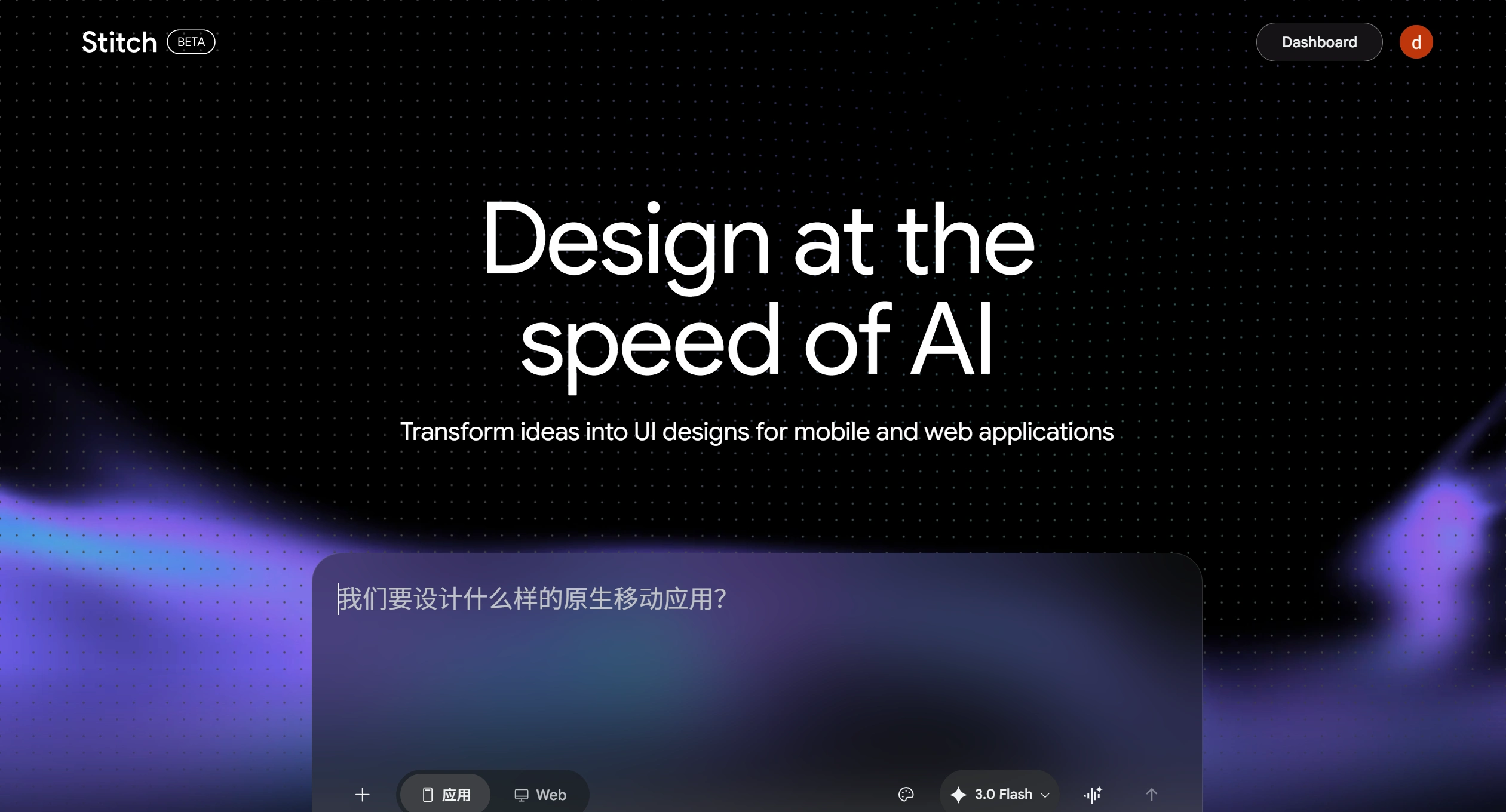
✨ Google Stitch Features
Stitch combines several AI capabilities into one, with these main features:
Multi-modal input: You can use natural language descriptions, upload hand-drawn sketches, screenshots, wireframes, or even send voice commands to modify the interface.
"Vibe design": You don't have to start from a blank wireframe. Just tell it the product's business goals, the feeling you want users to have, or throw in a few inspiration images, and Stitch will generate several design directions for you — like a creativity accelerator.
Infinite canvas + design agent: It features an AI-native infinite canvas where everything from brainstorming to complete prototypes can live. Inside, there's a "design agent" that understands the project context and helps you manage multiple design versions running in parallel without getting messy.
Interactive prototypes & instant preview: With one click, static designs can be "stitched" into dynamic prototypes. Hit "play" and you can see the entire app flow and user paths come to life.
Seamless developer handoff: Export to Figma files so designers can keep polishing; or directly generate front-end code for frameworks like React, Vue, Flutter, etc. It can also connect with development tools like AI Studio and Cursor through MCP servers.
Design system tool (DESIGN.md): Introduces a Markdown file called DESIGN.md for storing design rules (colors, fonts, spacing, etc.). This makes it easy to reuse across different projects and AI tools, keeping brand identity consistent.
🎯 Use Cases
Stitch works well for several roles and can save a lot of time:
Product managers / founders: Quickly turn your product vision into high-fidelity prototypes for internal demos or early user testing — no need to wait on a designer's schedule.
Professional designers: Let AI rapidly generate dozens of design variants and styles for A/B testing, or offload the repetitive groundwork to AI so you can focus on creative refinement.
Developers: Get usable front-end code directly from design prototypes, reduce back-and-forth with designers over requirements, and speed up the development rhythm significantly.
Operations / marketing people: Quickly generate multiple landing page or campaign page layouts to test which converts better.
✅ Pros & ❌ Cons
Pros
Very low barrier to entry: Supports voice and natural language, so even people without a design background can easily create UIs.
Highly efficient: Cuts the prototyping cycle from days down to minutes, with iteration speed skyrocketing.
Free to use: Still an experimental project from Google Labs, with a free monthly quota (e.g., 350 uses).
Good integration: Works seamlessly with mainstream tools like Figma and AI Studio, fitting into existing workflows without much trouble.
Cons
Average design distinctiveness: AI tends to generate "safe," generic-looking designs, so a brand's own personality may not come through strongly enough.
Code isn't production-ready out of the box: Exported code is better suited as a starting point or prototype for developers, not production-grade code ready to ship.
Weak support for complex interactions: Refined work like advanced animations and complex state management still requires human hands.
Ecosystem is still maturing: Compared to mature tools like Figma, the plugin and community resources are still limited.
🛠️ How to Use Google Stitch
Using Stitch is pretty simple — just these steps:
Visit the official site: Open the Stitch website in your browser and log in with a Google account. It's an online tool — no local software installation needed.
Enter your requirements: On the canvas, use text or voice to describe your app's goals, target audience, and the style or feel you want.
Provide references (optional): Upload images like sketches, screenshots, or wireframes as visual references to help the AI understand your intent more accurately.
Iterate and fine-tune: Chat with the AI to make changes — for example, "make the button a bit bigger" or "switch the main color to light blue." You can also generate several versions at once and compare them side by side.
Preview and export: Click the "play" button to preview the interaction flow. Once you're happy, export it as a Figma file or front-end code.
❓ FAQ
Is Stitch suitable for people without a design background?
Very much so. Stitch was designed to lower the barrier to software design — as long as you can articulate your idea, you can jump right in and create.
Can I export Stitch designs for developers to use?
Yes. Stitch supports exporting front-end code, and can sync design rules to development tools like AI Studio and Cursor via DESIGN.md files or MCP servers, making it easy for developers to understand.
What is DESIGN.md?
DESIGN.md is an AI-friendly Markdown file introduced by Stitch, specifically used to store design system rules (colors, fonts, spacing, etc.), making them easy to reuse across different projects and tools.
How do I use Stitch's voice feature?
Just speak directly to the canvas — for example, "give me three different menu options." The AI agent will respond in real time and update the design, or offer comments and suggestions.
Google Stitch shows it's unavailable
Google Stitch runs on Google's servers, so direct access may be restricted in mainland China. You'll need to make sure you have a working and stable VPN/proxy connection.
Related news:
Google Stitch vs Figma: In-Depth AI Design Tool Comparison Review for 2026














