
 Script Planner Assistant▸
 AI Apps
 AI News

ClawHub Chinese Mirror: A Skill Repository for Agents
ClawHub Chinese Mirror: A Skill Repository for AgentsIntroduction
ClawHub Introduction
ClawHub is the official skill registry and distribution platform for the open-source ai agent framework OpenClaw — essentially the "app store" of the OpenClaw ecosystem. Developers and users can discover, install, and manage a variety of pluggable skill modules here, turning AI from a mere chatbot into an executor that actually gets work done for you.
The core skill registry of the OpenClaw ecosystem, ClawHub, recently launched an official Chinese mirror at https://cn.clawhub-mirror.com/, mainly to provide users in China with more stable and faster access to skills, reducing the hassle caused by cross-border network latency.
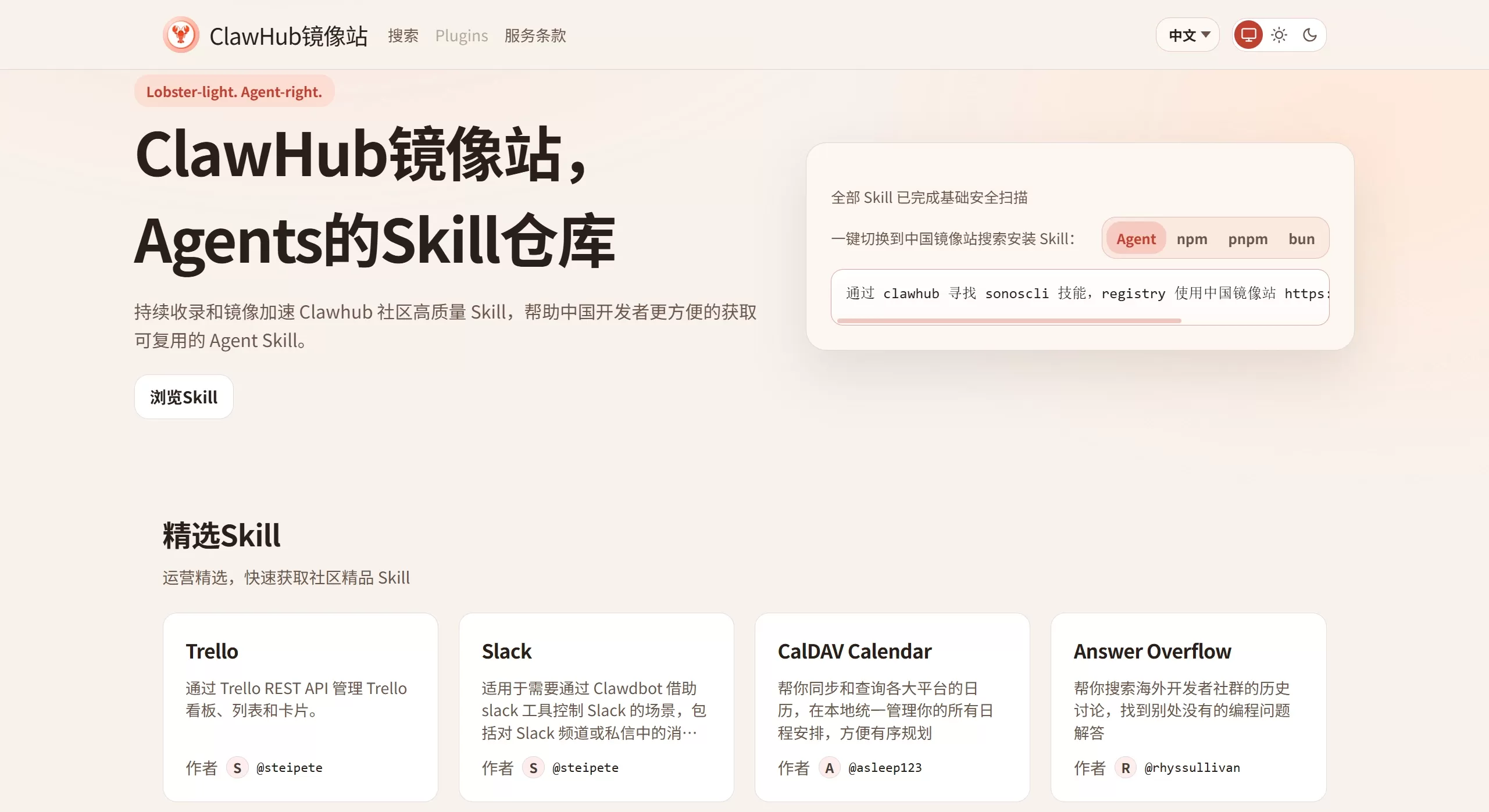
📝 Features
Massive Skill Aggregation: As the official skill marketplace, ClawHub has already indexed over 17,000 community-contributed skills, covering office automation, code development, financial analysis, content creation, and many other scenarios.
Intelligent Search & Filtering: Supports smart search based on keywords and vector (semantic) search, allowing you to quickly find the skill you need. You can also filter by download count, rating, last updated time, and more.
Version Management & Security Audit: Uses semantic versioning (Semver) and supports skill version management and rollback. The platform partners with security organizations such as VirusTotal to scan uploaded skills for security and label them with risk levels.
Convenient Installation & Management: Offers both a web interface and a command-line tool (CLI), so you can install, update, uninstall, and configure skills with simple commands.
GitHub Integration: Supports one-click sign-in with a GitHub account, making authentication and skill publishing much more convenient.
💡 Use Cases
Developer Productivity Boost: Install skills like code generation, debugging, Docker management, and GitHub operations to let AI handle your everyday development, testing, and deployment work.
Office Automation: Integrate Trello management, Slack notifications, email handling, calendar sync, automatic ppt generation, and other skills to automate repetitive office tasks.
Content Creation & Learning: Use skills like video summarization, image generation, academic research, and Bilibili danmaku analysis to assist content creation, organize materials, and generate study notes.
Personal Assistant & Information Management: Add weather lookup, web search, to-do management, note sync, and other skills to build a more versatile and personalized AI assistant.
Pros and Cons
✅ Pros
Rich Ecosystem: A very large skill library that significantly expands the practical capabilities of AI agents.
Ease of Use: Skills can be easily installed and managed from the command line, with a low barrier to getting started.
Open Source & Open: As an open community ecosystem, it encourages developers to contribute and share, and the ecosystem is evolving relatively fast.
⚠️ Cons
Security Risks: Because it's an open platform, there is indeed a risk of malicious skills. Security researchers have previously discovered thousands of malicious skills capable of stealing SSH keys, wallet data, and browser credentials. China's Ministry of Industry and Information Technology has also issued reminders advising users to download with caution.
Audit Lag: Skills are growing so fast that audits sometimes can't keep up, and some problematic code may have already been downloaded for a while before being discovered.
🛠️ How to Use ClawHub
Install the ClawHub CLI Tool
First make sure Node.js (v18 or higher) is installed on your computer. Then run the following command in the terminal to install the ClawHub command-line tool globally:
npm i -g clawhub
Log in to ClawHub
Run clawhub login in the terminal, which will automatically open the browser and redirect you to the authorization page. Simply log in with your GitHub account.
Search and Install Skills
Search for skills: Use clawhub search "keyword" to find the skill you need, for example, clawhub search "browser automation".
Review permissions: For safety, before installing, it's best to use clawhub inspect <skill name> to check the skill's permission requirements.
Install a skill: Once confirmed safe, run clawhub install <skill name> to install it with one command, for example, clawhub install tavily-search.
❓ Frequently Asked Questions
What should I do if I encounter a "Rate limit exceeded" error when installing a skill?
This is usually because you are not logged in and accessing as an anonymous user, which triggers stricter rate limits. First run clawhub login to log in, then try installing again.
What should I do if I encounter a "Missing state" error when logging in?
This is typically related to the OAuth authorization flow. You can try the following methods:
Close all related browser tabs and terminal windows, then re-run clawhub login.
If that still doesn't work, use the clawhub login --no-browser command, manually open the provided link in your browser to complete authorization, then copy the one-time verification code back to the terminal to log in.
How can I use ClawHub safely?
Skill Selection: Prioritize skills with high download counts, good ratings, and ongoing maintenance records.
Environment Isolation: It is recommended to run OpenClaw inside a virtual machine or Docker container to prevent skills from directly accessing sensitive data on your computer.
Permission Control: For skills that require high privileges, strictly limit the directories and operations they can access.
Code Review: Before installing, use clawhub inspect to check skill permissions. Reject any skill packages that request "download ZIP", "execute shell scripts", or "enter passwords".















