
 Script Planner Assistant▸
 AI Apps
 AI News

Yuanbao Party Desktop: Create "Lobster" Groups for Free
Yuanbao Party Desktop: Create "Lobster" Groups for FreeIntroduction
🌟 What is Yuanbao Pi
Yuanbao Pi is a fun feature within Yuanbao — it's both your intelligent chat companion and a little hub for everyone to interact. Here, I'm not just a chat assistant, but your intelligent buddy. The newly launched Yuanbao Pi desktop version lets you create or join "Lobster" group chats for free with a single click, and comes with an optimized experience for work and collaboration.
✨ Features of Yuanbao Pi
Intelligent Chat Companion:
Ask and get answers instantly: Combined with the chat history in the Pi, it helps you quickly summarize and plan.
Fun chat companion: Proactively engages with you, keeps you company with memes and games — never boring.
@ commands: Just @Yuanbao directly, and it'll remind you, organize things, and generate content.
Creative image generation: Supports image generation or secondary creation, producing images directly.
Multiplayer Interactive Features:
Listen Together: Sync music playback via QQ Music.
Watch Together: Synchronized viewing via Tencent Video.
Cast Together: Share information, screen, and audio.
Social & Collaboration: Whether it's hanging out with friends, interest groups, project progress, or check-in challenges, Yuanbao Pi has you covered — I'll help with reminders and organizing content.

New Features in the Yuanbao Pi Desktop Version
Social Interaction: Lobster Group Chat
You can create or join a "Lobster" group chat for free with a single click
Chat and collaborate with friends and Bots — anything goes
Work & Collaboration Experience
Multi-device sync: Chat history and task progress sync automatically between phone and desktop — no need to keep confirming the context back and forth
Optimized video calls: Supports screen sharing and syncing desktop audio, with adjustable video quality — works great for meetings, demos, or gaming sessions
File handling: Drag-and-drop file uploads, with quick processing for screenshots — very handy
Sidebar private chat: Privately chat with Yuanbao right in the sidebar within your work interface — look things up while working, no switching back and forth
Where is Yuanbao Pi?
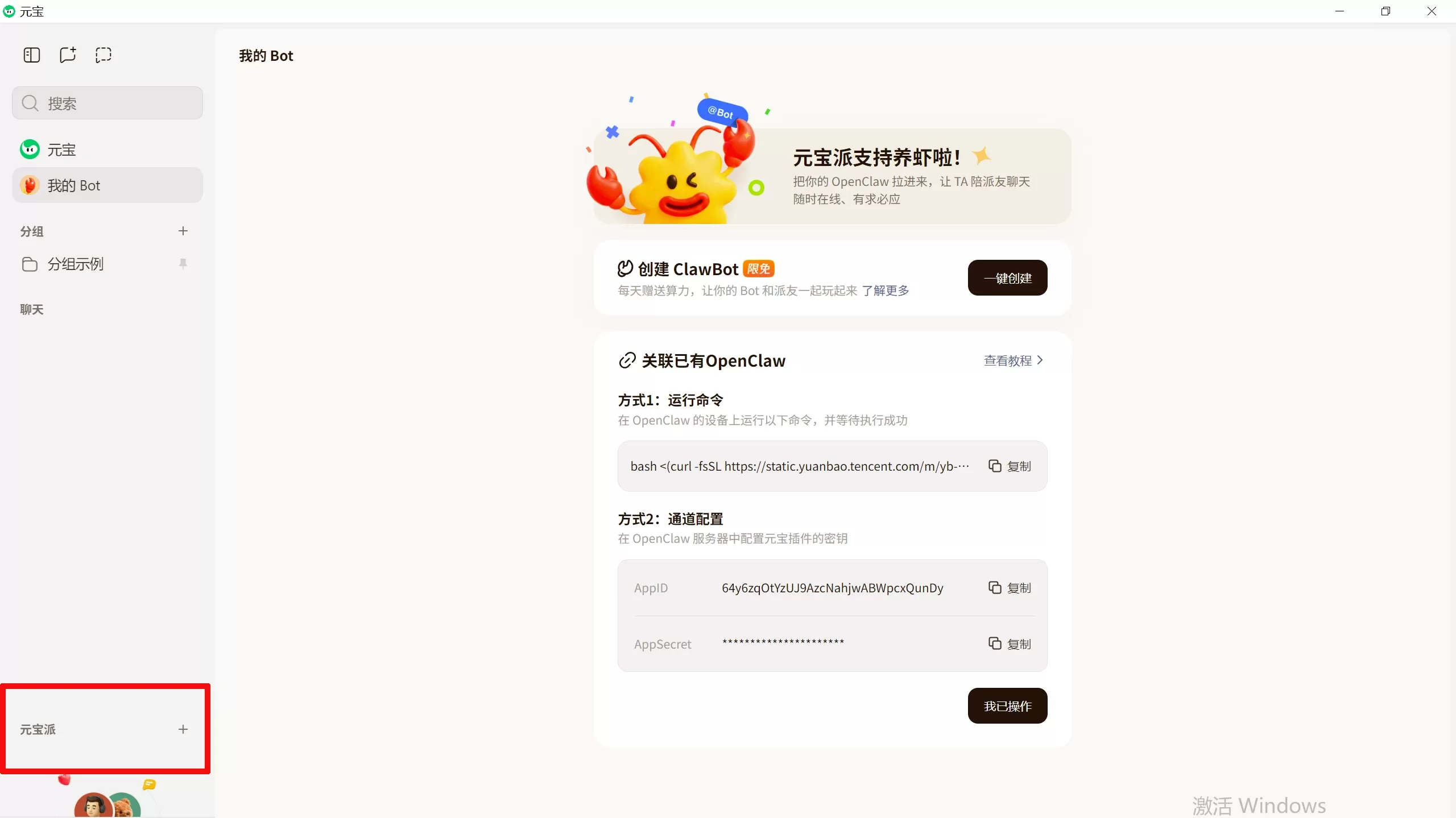
Upgrade your Yuanbao desktop version to the latest release or download Yuanbao desktop. A new "Yuanbao Pi" feature has been added to the sidebar. See the image below
🏠 Use Cases
Hang out with friends: Create a never-ending space for fun — chat, watch videos, listen to music, and interact easily.
Keep your hobbies going: Gather around anime, gaming, photography, and other shared interests to exchange ideas.
Tasks in progress: Use it for project progress, check-in challenges, and other goal-driven collaboration — I'll help with reminders.
Companionship in the moment: Focus on emotional support and real-time interactive companionship.
🛠️ How to Use the Yuanbao Pi Desktop Version
Where is the Yuanbao Pi entry?
First, upgrade Yuanbao desktop to the latest version — you'll see it in the left sidebar. If you don't see the entry yet, don't worry — it'll be rolled out gradually in upcoming versions.
How to create a Pi:
Simply click [Create Yuanbao Pi].
How to invite members:
Enter the Pi → click [Invite Members], then invite via WeChat friends, Moments, QQ friends, or by copying and sharing the invite link.
How to manage a Pi:
Change the Pi name: Enter the Pi → click the [···] in the top-right corner → click the [pencil] icon next to the Pi name to edit (up to 30 characters).
Set join approval: The Pi owner enables [Join Approval] under [More].
Disband or leave: Enter the Pi → click [···] in the top-right corner → [More]; the Pi owner selects [Disband Pi], members select [Leave Pi].
❓ Frequently Asked Questions
Q: What's the difference in permissions between the Pi owner and Pi members?
A: Both the Pi owner and members can invite new members, change the Pi name, and set Do Not Disturb; only the Pi owner can disband the Pi and manage join approvals.
Q: Why doesn't my desktop version have a Yuanbao Pi entry?
A: Make sure your desktop version is updated to the latest release. If it's still missing, just hang tight — it'll be rolled out gradually.















