Script Planner Assistant▸
 AI Apps
 AI News

QuantumBrush: AI Application Development Tools for Education, E-commerce, and Home Décor
QuantumBrush: AI Application Development Tools for Education, E-commerce, and Home DécorIntroduction
Introduction to Quantum Brush
Quantum Brush is an AI large model platform independently developed by Haixi Technology. It is mainly built on image models and relies on cloud computing to provide users with fast, personalized, and professionally-grade AI generation services. Even if your computer doesn't have a GPU, you can still use it to draw images and generate videos.
Quantum Brush follows the "large model + industry application" approach. Through its self-developed AI model training and generation engine, it provides ready-to-use AI application development tools for industries such as education, e-commerce, and home decoration.
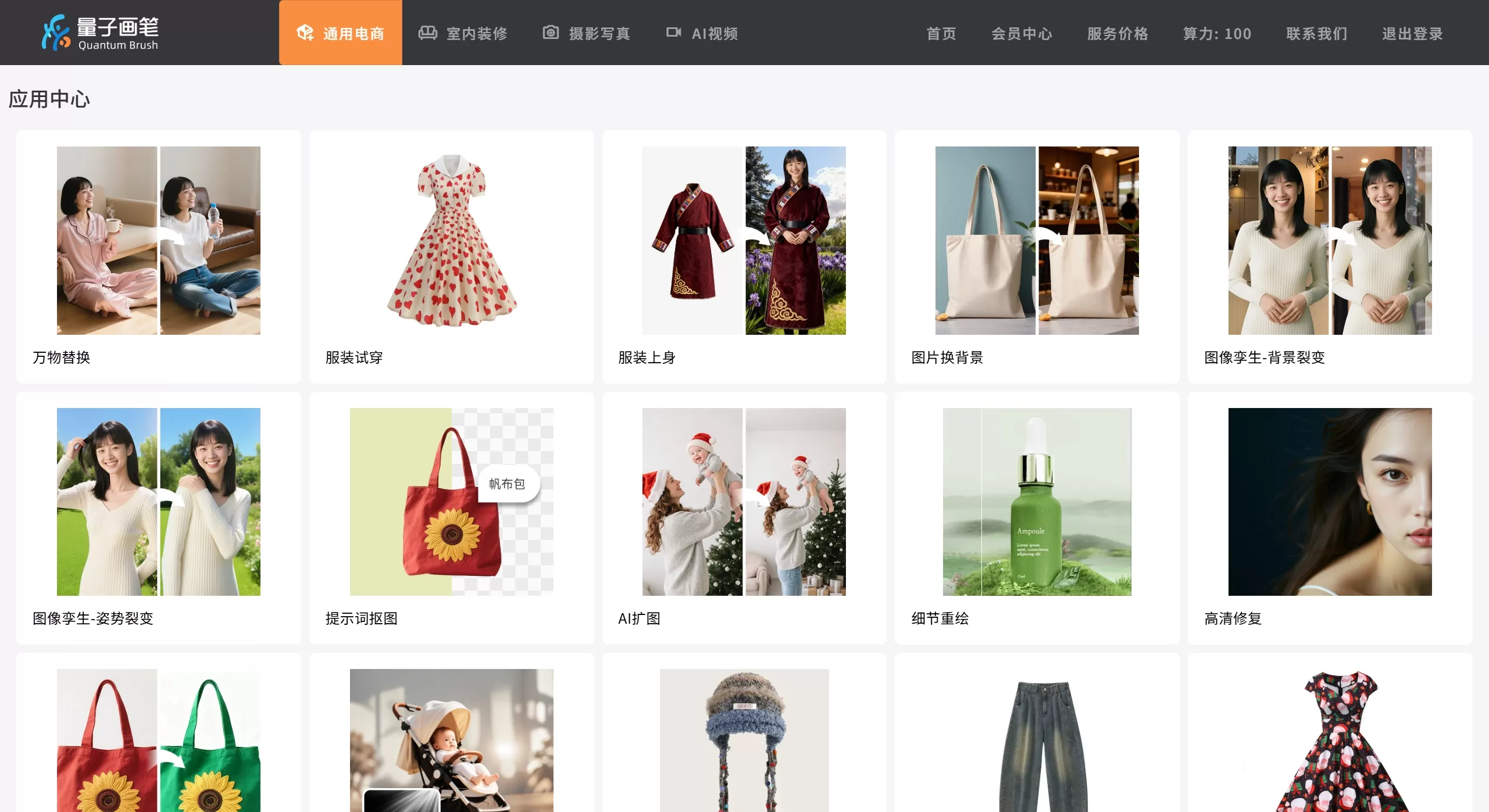
Features
Image generation: text-to-image, image-to-image, image repainting, smart filters, one-click matting, background replacement
Video generation: AI video generation, digital human, speech synthesis
E-commerce specific: product scene image generation, model outfit changing, batch image output, style transfer, lighting adjustment
Multi-mode operation: minimal mode (one-click generation), advanced mode, expert mode (supports custom workflows)
Model training: supports LoRA fine-tuning and custom model training
Deployment methods: local drawing, cloud drawing, API access, mini-program/official account integration
Core Highlights
Zero prompt generation: upload product images and reference style images to automatically generate without writing complex prompts
Universal replacement: paint to select an area and replace the product or element with one click
Batch generation: meets the needs of batch image output for e-commerce
Application Scenarios
E-commerce Field
Amazon/Taobao/Pinduoduo main images and detail page design
Product scene images and marketing poster generation
Clothing model outfit changing, saving shooting costs
Home Decoration & Architecture
Generate soft furnishing real-scene renderings in 1 minute
Quickly showcase design solutions, helping clients make decisions faster
Education & Training
AI application teaching and practical training platform
Supports AIGC course development and student project practice
Content Creation
Short video production (digital human + viral copywriting)
Social media images and advertising materials
Enterprise-level Applications
Internal AIGC platform building
Seamless integration with Feishu and DingTalk
Pros and Cons of Quantum Brush
Pros
Cloud computing power: no need to buy high-end GPUs, low hardware threshold
Difficulty grading: from minimal to expert mode, suitable for both beginners and experienced users
Strong industry focus: specially optimized for e-commerce, home decoration and other scenarios
Comprehensive features: integrates multimodal capabilities of image, video, voice, and digital human
Commercial license: supports commercial-grade image download and provides authentic material licensing
Cons
Subscription fee: commercial use requires purchasing a membership
Computing power limits: free version may have generation count or speed restrictions
How to Use Quantum Brush
Upload materials: upload product images on the left, and import style reference images on the right (if any)
Choose mode: select minimal/advanced/expert mode based on your needs
Select aspect ratio
Use the brush tool to select the area to be replaced (Universal Replacement feature)
Enter adjustment commands (e.g., adjust color and lighting)
Generate and download: one-click generation, supports batch download of commercial-grade images
FAQ
Q: Can the generated images be used commercially?
A: After purchasing a membership, they can be used commercially in scenarios such as e-commerce, new media, and film & television, but cannot be used for trademarks or outdoor advertising, nor printed on phone cases or T-shirts for resale.
Q: Can it generate celebrity likenesses?
A: No. Generated portraits cannot be used for inappropriate purposes such as political endorsements or illegal implications.
Q: Can I use it without a GPU?
A: Yes. The platform uses cloud computing and generates entirely in the cloud.
Q: Does it support batch generation?
A: Yes. Especially in e-commerce scenarios, main images and detail pages can be produced in batches.
Q: Can it be integrated with my own system?
A: The commercial version supports API access, and the enterprise version additionally supports Feishu and DingTalk integration.
Q: Can I get a refund?
A: Membership services are virtual products. Once purchased, they are non-refundable and non-exchangeable in principle.
Q: What's the difference between the personal and enterprise versions?
A: The personal version is only for natural persons. The enterprise version is for legal organizations and supports multi-person collaboration.
Q: Is it suitable for teaching?
A: The platform has cooperated with universities (such as Fujian Polytechnic of Information Technology), providing course systems and practical training projects. It's quite suitable for AI application teaching.