
 Script Planner Assistant▸
 AI Apps
 AI News

Deep Code: An AI Coding Extension for VS Code
Deep Code: An AI Coding Extension for VS CodeIntroduction
📌What is DeepCode
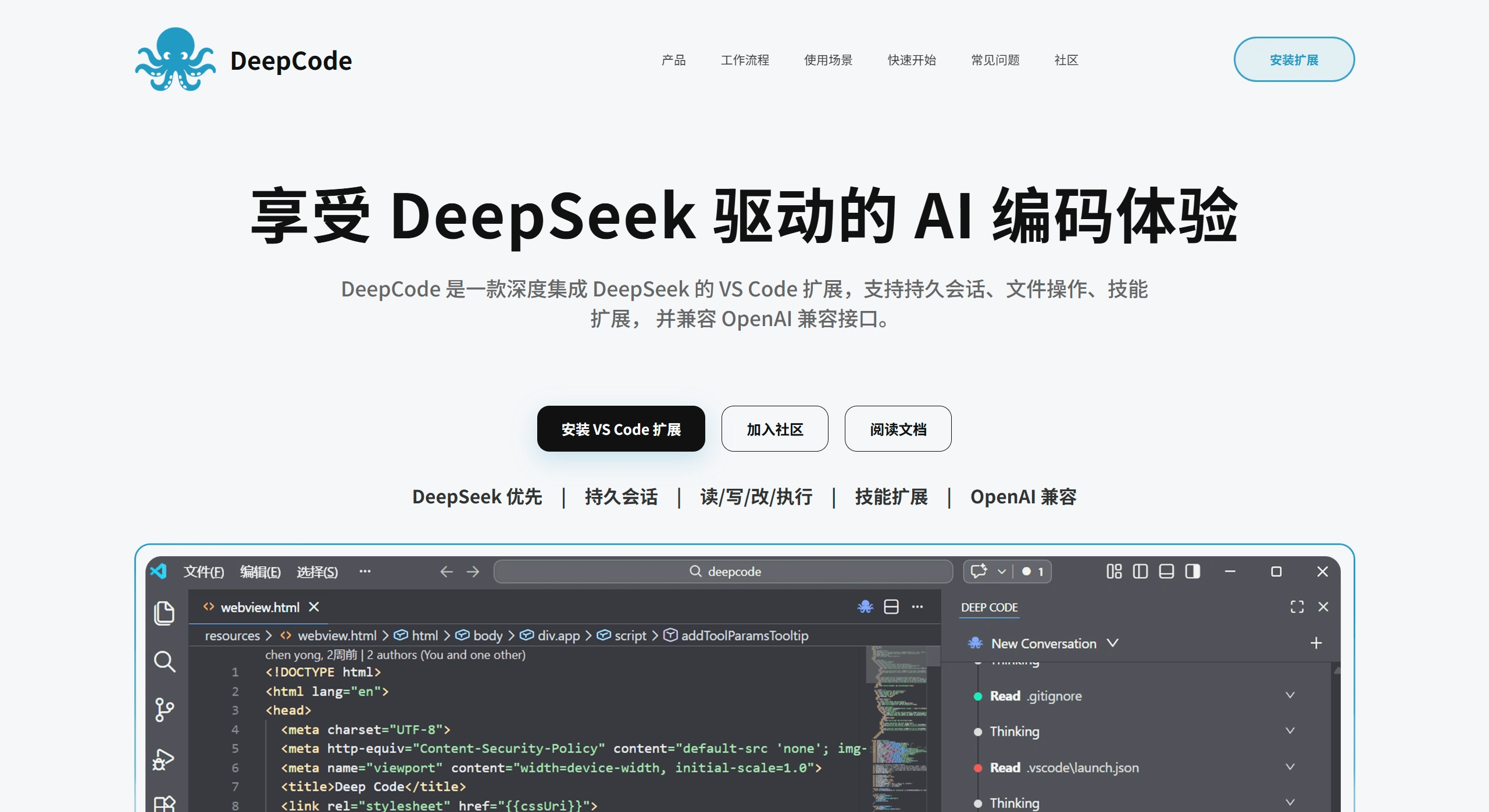
DeepCode is a VS Code plugin with deep integration of DeepSeek, mainly aimed at Chinese developers. It's not just a chat bot—it's more like a coding assistant Agent. You can ask questions, modify code, and run commands directly in the VS Code sidebar, without switching back and forth between windows.
🔧 Features
Core Features
🧠 DeepSeek Deep Optimization: Specifically tuned for the DeepSeek model, supporting advanced features like thinking mode and prefix caching
💬 Project-Level Persistent Sessions: Remembers context, continues tasks across days, saves conversation history by project
📁 File Read/Write & Modify: Actually reads and modifies files in your project, not just talk
⚡ Command Execution: Helps you run commands in the terminal to complete a series of tasks
🛠️ Skills Extension: Turn your team's common workflows into skills, tailored to real development scenarios
🔌 OpenAI API Compatible: Can switch to other OpenAI-compatible model services (e.g., self-hosted by your team)
🖥️ Immersive Sidebar: Fully embedded in the VS Code sidebar, code and assistant displayed on the same screen
Workflow
Dialogue → Chat back and forth with AI in the sidebar
Modify & Execute → AI helps you modify code and run commands
Results & Feedback → View results and keep iterating
Other Capabilities
Code Comprehension & Refactoring: Helps you understand unfamiliar code and optimize structure
Documentation Translation & Generation: Translate technical docs, generate project docs
Continuous Development Tasks: Multi-step tasks keep progressing, retaining context across sessions
Team Collaboration Standardization: Solidify team development workflows through skills
Rapid Prototyping: One-stop from requirements description to code, testing, and execution
Code Review Assistance: Check for security vulnerabilities and dependency issues
⚖️ Pros & Cons
✅ Pros
Native DeepSeek Optimization: Deep optimization for the DeepSeek model, unleashing potentials like thinking mode that regular tools can't match
A Real Coding Agent: Not just chat—reads/writes files, executes commands, and does actual development work
Project-Level Memory: Sessions saved by project, no need to re-explain context for tasks across days
Highly Extensible: Skills system allows customizing team workflows, adapting to different scenarios
Flexible Model Compatibility: Can use DeepSeek, also supports OpenAI-compatible APIs, making it easy for enterprises to connect their own models
Immersive Experience: Everything done in VS Code, no window switching, keeping you in flow
❌ Cons
VS Code Only: Currently only supports VS Code, other IDEs not supported
Configuration Barrier: Requires manually creating config file (~/.deepcode/settings.json), not very friendly for beginners
Dependent on DeepSeek: Best experience relies on the DeepSeek model, switching to other models may compromise results
Newer Ecosystem: Compared to mature plugins like Continue and Cline, community resources and ecosystem are still fewer
Enterprise Features To Be Improved: Team collaboration, permission management and other enterprise-level features are not as complete as commercial tools
🚀 How to Use DeepCode
Installation Steps
1. Install Extension: Search "DeepCode" in the VS Code Extension Marketplace and install
2. Create Configuration File: Create ~/.deepcode/settings.json in your user directory with the following content:
{
  "env": {
    "MODEL": "deepseek-reasoner",
    "BASE_URL": "https://api.deepseek.com",
    "API_KEY": "sk-..."
  }
}
3. Start Using: Click the DeepCode icon on the left side of VS Code and start chatting in the sidebar
Basic Operations
Ask Questions: Enter your question in the sidebar input box and press Enter to send
File Operations: AI will automatically read relevant files, you can also actively ask it to read/modify a specific file
Command Execution: Ask AI to help execute terminal commands, then view the results
Session Management: Sessions are automatically saved by project, you can resume previous tasks at any time
Skills Extension
Extend capabilities through the Skills feature: organize common workflows and specialized knowledge into skill files, so that DeepCode performs more stably in specific scenarios and aligns better with your team's working style.
❓ FAQ
1. What is the relationship between DeepCode and DeepSeek?
DeepCode has deep integration with DeepSeek and is specifically optimized for DeepSeek models (such as deepseek-reasoner), supporting features like thinking mode and prefix caching. However, DeepCode itself is an AI coding tool, not an official DeepSeek product.
2. Can I only use DeepSeek models?
No. Although the best experience is built around DeepSeek, it also supports other OpenAI-compatible model services. If your team has its own model or third-party service, you can configure BASE_URL and API_KEY to connect.
3. Where are conversation records saved?
Saved locally by project, making it convenient to continue working on the same task next time without re-explaining the project context every time.
4. How to adapt to team-specific workflows?
Use Skills to extend functionality. Organize common workflows, specialized knowledge, or fixed tasks into skill files. DeepCode will be more stable and better aligned with your team's working style in specific scenarios.
5. Does it support offline/local deployment?
The official website doesn't explicitly mention local deployment, but it does support configuring a custom BASE_URL. If your team has a local model service, you can connect it through this method.












