Script Planner Assistant▸
 AI Apps
 AI News

ImagePrompt.org: AI Image Prompt Generator and Optimizer
ImagePrompt.org: AI Image Prompt Generator and OptimizerIntroduction
What is ImagePrompt.org?
ImagePrompt.org is an online AI image prompt generation and optimization platform. You can hand it the idea in your head, or an image you have on hand, and let it generate and optimize prompts that suit various AI drawing models, ready for direct image generation. The whole workflow is simplified as much as possible, so you don't have to piece together parameters one bit at a time.
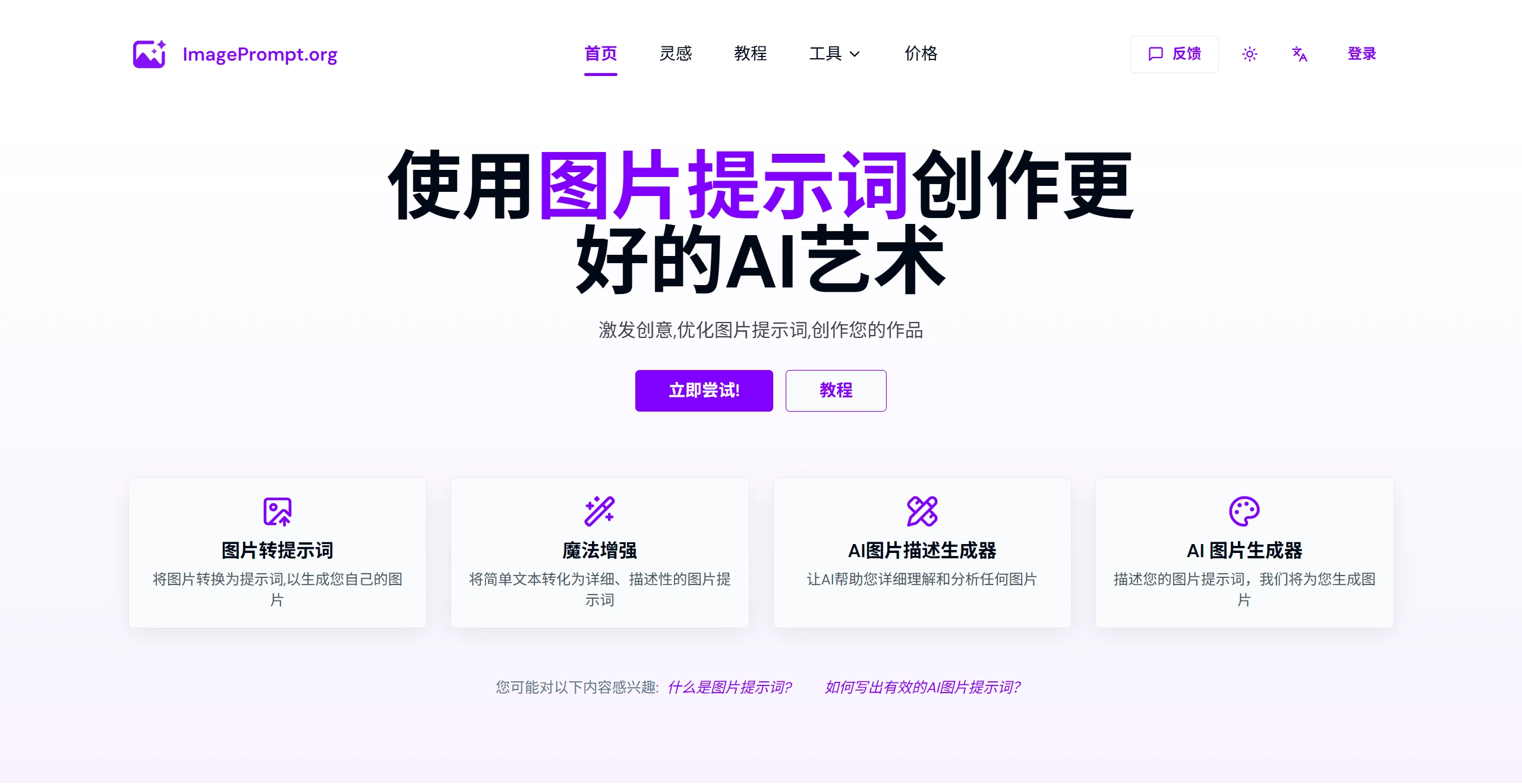
Main Features
Image to Prompt: Upload an image, and it will automatically analyze it and then provide detailed prompts that can be used in models like Midjourney, Stable Diffusion, and Flux.
Prompt Generator: Just input a simple description, such as "a cat in a spacesuit on the moon," and it will help you expand it into a professional prompt with details like style, lighting, and composition.
Direct AI Image Generation: Generate images directly on the site based on the prompt, supporting different styles and aspect ratios.
AI Image Description: Throw in an image, and it will help you break down what's in it, what style it is, what scene it depicts, and also answer detailed questions you have about the image.
Magic Enhance: If you already have a prompt, you can enhance it with details in one click and polish it, and it also supports multilingual translation.
Batch Image to Prompt: Throw in a bunch of images at once and convert them all into prompts uniformly, saving time.
Image to Video Prompt: Convert static images into dynamic descriptions suitable for making videos.
Pricing
It follows a free + subscription model:
Free Version: 5 image-to-prompt conversions per day (Image to Prompt and AI Describe Image share this quota), unlimited text prompt generation, and 2 free image generation chances on the site.
Standard Monthly: $14.99/month, 300 image-to-prompt conversions.
Pro Monthly: $24.99/month, 600 image-to-prompt conversions.
Ultimate Monthly: $39.99/month, unlimited conversions.
Ultimate Yearly: $249.9/year (an average of about $20.82 per month), also with unlimited conversions.
Advantages of ImagePrompt.org
In terms of privacy, uploaded images are processed in real-time and deleted as soon as the prompt is generated; they are not stored on the server.
The prompts are compatible with mainstream models such as Flux, Midjourney, and Stable Diffusion.
Multilingual support with real-time translation, so users abroad can also use it without barriers.
The interface is relatively clean, allowing both beginners and professional artists to get started quickly.
Target Audience
People who are new to AI drawing and want to learn how to write prompts from existing images.
People who work in digital art or design and need to quickly capture the style characteristics of an image to maintain consistency in their work.
People in content creation, operations, or social media who need to quickly generate images for illustrations.
People who play with prompt engineering and use it to expand, fine-tune, and adapt to different models.
How to Use ImagePrompt.org
1. Image to Prompt
Scenario: You see an image you really like but don't know how to describe it.
Steps:
Go to the official website and click "Image to Prompt".
Upload your image (JPG/PNG both work).
Select the AI model you want to use (such as Midjourney).
Click generate, and copy the resulting English text for use.
Tips: The higher the resolution of the image, the better it works. If the result isn't right, try switching models.
2. Prompt to Image
Scenario: You have an idea in your head but can't express it clearly.
Steps:
Enter your thought in the box on the homepage (such as "astronaut cat").
Click "Generate Prompt".
It will automatically add a bunch of details about lighting, composition, and style.
If you're still not satisfied, click that "Magic Enhance" to let it polish it further.
If you're currently stuck on the prompt step, the ImagePrompt.org site can serve as a handy tool.