
 Script Planner Assistant▸
 AI Apps
 AI News
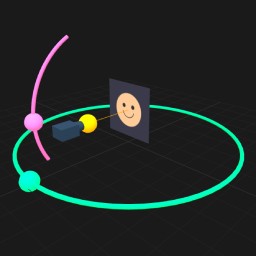
Qwen-Image-Edit-2511: 3D Camera Control
Qwen-Image-Edit-2511: 3D Camera ControlIntroduction
📝 Introduction to Qwen-Image-Edit-2511
Qwen-Image-Edit-2511 is an open-source image editing model released by Alibaba's Qwen team. It can be seen as an upgraded version of the previous release (Qwen-Image-Edit-2509). It mainly tackles a rather annoying problem—after many ai tools edit an image, the person in it ends up with a "different face," no longer resembling the original. The technical term for this is image drift.
This model combines a vision encoder with a large language model. You can simply tell it in natural language how to edit the image, and it will fix the picture for you while largely preserving the original lighting, textures, and background structure.
🚀 Core Features
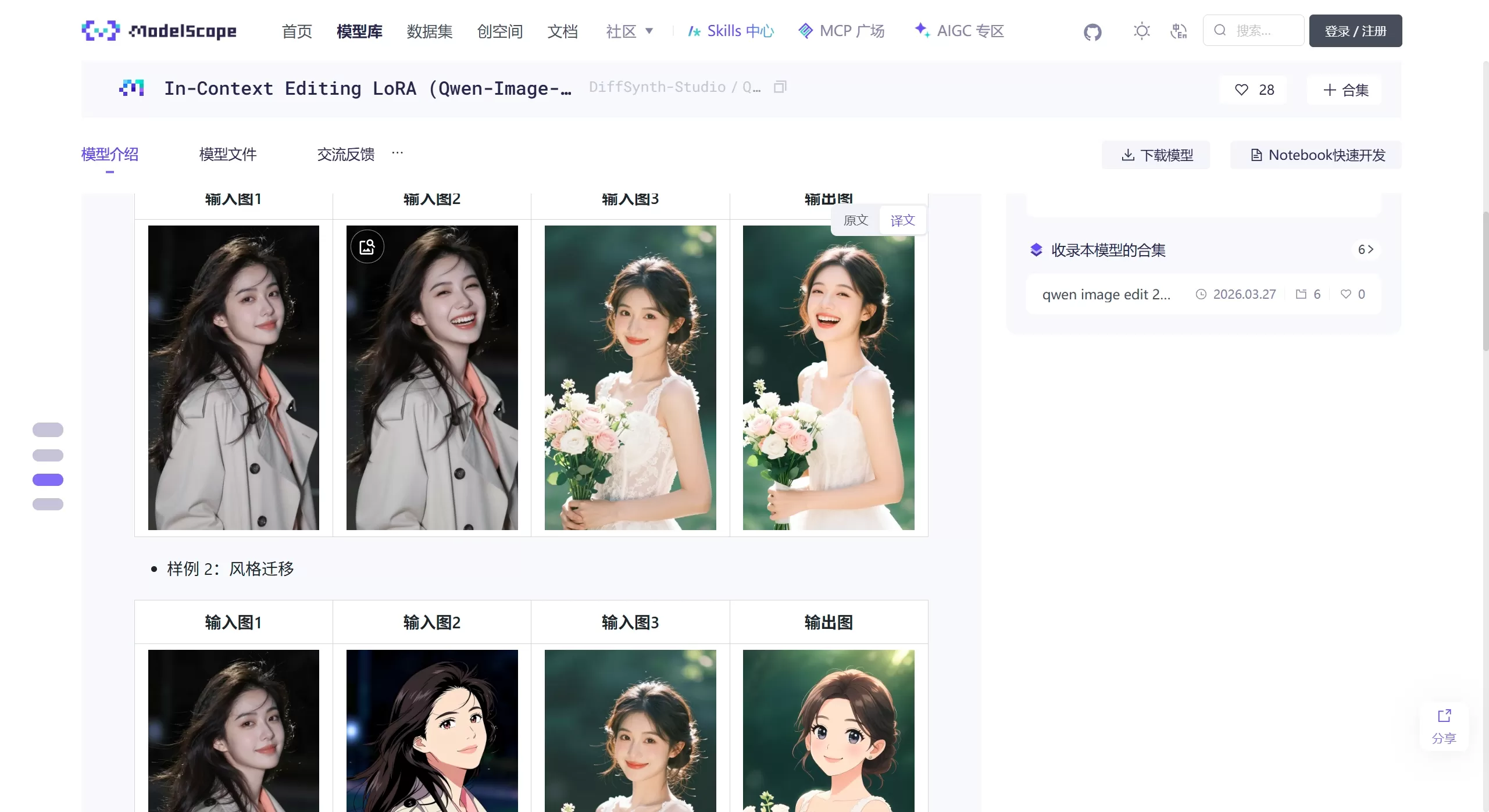
Strong character consistency
This is the most prominent upgrade in the 2511 version.
Single-person editing: whether you're changing clothes, backgrounds, or poses, the model keeps facial features (eyes, hairstyle, expression) stable, so you won't end up with someone you don't recognize.
Multi-person photo fusion: you can merge two single-person photos into one natural group shot. It automatically aligns the lighting, perspective, and interactive poses of both people, making the result look like it was actually taken at the same time.
Built-in "3D camera control" and LoRA capabilities
No need to add extra plugins—the model itself integrates several commonly used LoRA capabilities:
Multi-view generation: tell it things like "left side view," "low-angle shot," or "close-up," and it can change the angle like adjusting a camera.
Lighting re-rendering: you can change the light direction or type, such as "soft light" or "side backlight," to alter the atmosphere.
Improvements in geometric understanding and industrial design
Spatial understanding is better than the previous generation—it can automatically draw guide lines or perform simple structural annotations.
Material replacement is also reliable: you can change a wooden table to a metal one without altering the object's shape, and the reflections and lighting will follow accordingly.
🛠️ Use Cases
E-commerce design: virtual model outfit changes (face and pose stay the same, only the clothing changes); generating multiple-angle display shots from a single product image.
Creative photography: long-distance couple photos—combining two single-person shots into one natural group picture; style transfer, such as turning real-life photos into Pixar or pixel-art style while retaining the person's likeness.
Industrial design: quickly render sketches into different material effects (leather, metal, etc.); automatically add geometric guide lines to design drawings.
Content creation: character IP development—starting from a single character reference sheet, generate lifestyle photos of the character in different scenarios (office, snowy mountains, coffee shop) to help tell a story.
⚖️ Pros & Cons
✅ Pros
Strong consistency: among open-source models, it is one of the best at keeping facial features stable, basically solving the "new image, new face" problem.
Low barrier to entry: LoRA is built in, so you don't need to train or download extra weights. You can directly use prompts to control advanced features like lighting and viewpoints.
Good Chinese-language understanding: backed by Qwen, it generally understands Chinese instructions and can handle complex descriptions.
Open-source and free: it can be run locally in tools like ComfyUI—data stays on your machine, and there's no API cost.
❌ Cons
Struggles with extreme viewpoints: although it supports 3D viewpoint control, with very dramatic angles (such as extreme fisheye or tricky rotations), object structures may occasionally distort or appear in the wrong number.
Limited geometric precision: it has geometric reasoning capabilities but isn't at the precision level of professional CAD software, so it's not suitable for drawing precise engineering diagrams.
Hardware requirements are high: running it locally demands significant VRAM. For a smooth experience, an RTX 4090 or higher is recommended.
💻 How to Use Qwen-Image-Edit-2511
The mainstream approach now is local deployment via ComfyUI.
Environment setup: install ComfyUI and place the Qwen-Image-Edit-2511 model files (usually in .safetensors format) into the models/checkpoints directory.
Workflow setup: attach the Qwen2.5-VL node (used to understand image content), then connect a VAE Encoder (to control appearance), and then feed in the source image and a prompt—for example, "change the clothes in image 1 to those in image 2, keep the composition the same."
Advanced tip (LoRA): the model has LoRA built in, which can also be triggered through prompts. For example, writing lighting: soft or view: side will invoke the built-in lighting or viewpoint module. For e-commerce outfit changes, combining it with a dedicated clothing LoRA trained for the task yields more accurate results.
❓ FAQ
Q1: Why doesn't the person in my generated image still look like the original?
A: First, check whether your prompt accidentally includes descriptions that alter facial features. The 2511 version is quite sensitive to prompts—try to use limiting terms like "keep the original look" or "only change background/clothes." Also, keep CFG (prompt relevance) within the recommended range (e.g., 1.0–1.5); setting it too high can cause breakdowns.
Q2: Can it do video camera moves?
A: It cannot generate video directly—it only produces static images. However, you can use the same character to generate images from different angles (front, side, back) and then piece them together in video editing software to simulate a 3D camera movement effect.
Q3: Can it run on a phone?
A: Not realistically—the model is quite large (20B parameters), too big for a phone. The best option is local deployment on a computer with a high-performance GPU (such as an RTX 4090), or using a cloud-based GPU service.














