
 Script Planner Assistant▸
 AI Apps
 AI News

Writing Fish Web: Smart Writing Software for Every Scenario
Writing Fish Web: Smart Writing Software for Every ScenarioIntroduction
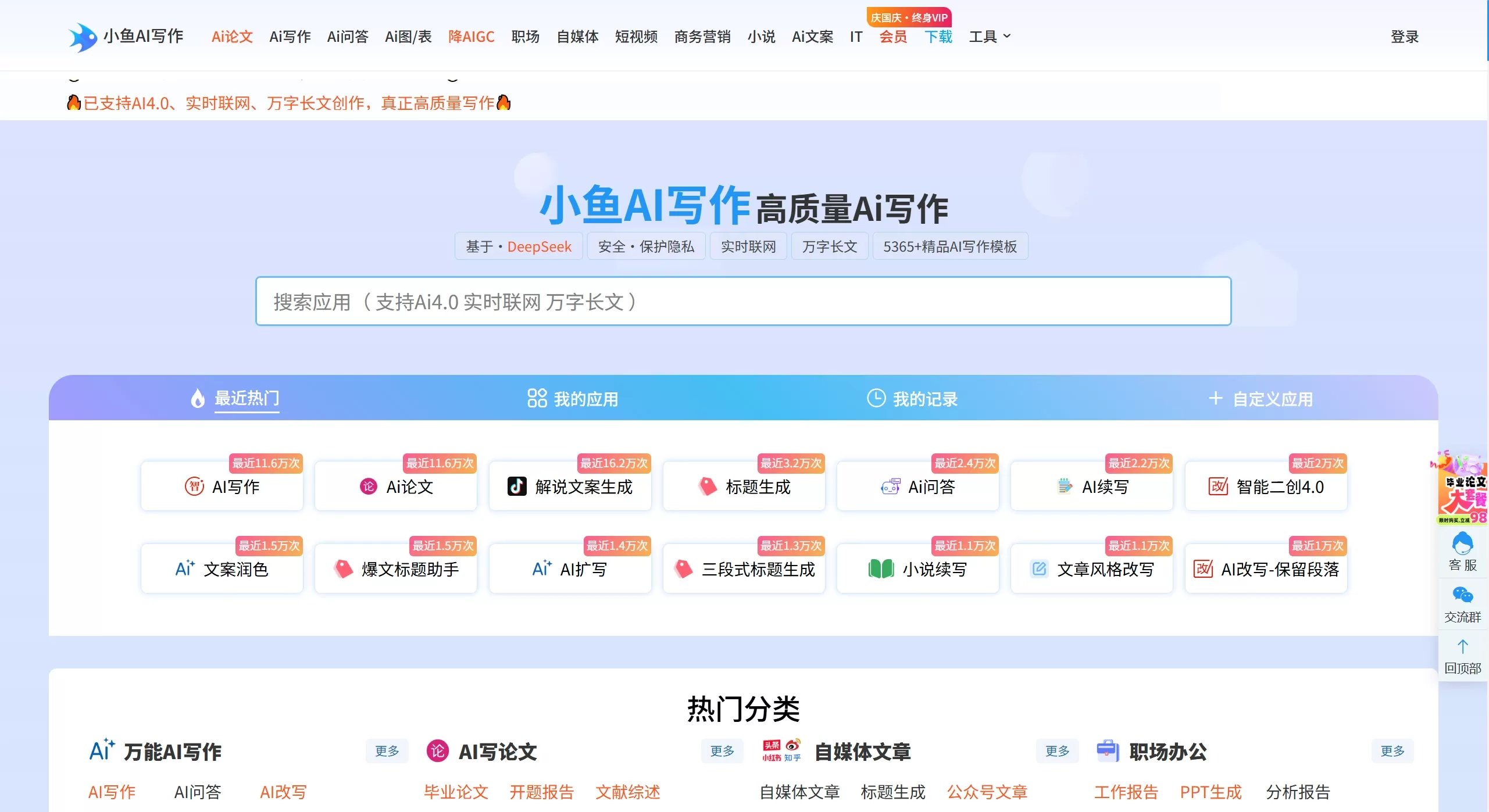
aiwriting Fish is an intelligent writing software that leverages AI to provide you with a variety of writing assistance services, such as intelligent creation, conversational Q&A, and content generation. Whether it's hassle in daily life, academic challenges, or workplace troubles, it supports a wide range of Q&A needs across various scenarios, all designed to offer you convenient and efficient writing ideas and inspiration.
Writing Fish Features
AI Creation: It can help you create new media viral copywriting, social media content, novels, love letters, couplets, summaries, reports, and many other writing styles.
AI ppt: You only need to enter the topic, keywords, and key points, and the system will automatically match templates and materials, handle the layout, and quickly generate a polished PPT.
Smart Rewriting: Enter the text content you need to rewrite, click once to polish it, easily achieving pseudo-original content, giving the article a more distinctive style and smoother reading experience.
Smart Chat: No matter what questions you ask, it will provide scientific answers.
Office Assistant: It offers official document writing features to help you quickly draft various official documents.
Multi-Domain Copywriting: It covers copywriting for short video scripts, live-streaming sales copy, advertising promotion, Xiaohongshu notes, and other new media scenarios.
Professional Consultants: It provides professional consulting services including learning consultants, medical consultants, legal consultants, travel advisors, food exploration, marketing planning, AI programming, and more.
Writing Fish Use Cases
Content Creation: Blog posts, news releases, social media posts, novels, scripts, and more can all be drafted with it.
New Media Operations: Short video scripts, Xiaohongshu seeding copy, live-streaming sales pitches, Zhihu answers, and more can all be generated through it.
Workplace Office: Work reports, summaries, emails, PPTs, official documents, and other office documents can be easily drafted with it.
Academic Writing: It can assist students and researchers in writing papers, reports, and academic articles.
Commercial Copywriting: Advertising copy, marketing emails, product descriptions, SEO-optimized content, and more can all be created.
E-commerce Operations: Amazon product descriptions, cross-border e-commerce copy, product SEO optimization, and more can all be handled.
Professional Consultation: Learning tutoring, medical consultation, legal consultation, travel planning, food recommendations, and more—all provide professional advice.
Writing Fish Advantages Analysis
Comprehensive Features: ai writing, conversation, PPT generation, rewriting and polishing are all integrated, covering a wide range of writing scenarios.
Rich Scenarios: It provides dedicated templates for popular fields such as new media, short videos, and live-streaming sales.
Easy to Use: The interface is friendly, the operations are simple and straightforward, and it's very easy to get started.
Multi-Platform Support: It offers a web version and mobile apps, so you can create anytime, anywhere.
Abundant Resources: The creation center offers rich resources, with a large selection of writing templates and materials.
Professional Consultants: Multi-domain professional consultant services meet your personalized consultation needs.
How to Use Writing Fish
Visit/Download: Visit the official website of Writing Fish web version.
Register and Log In: Follow the prompts to complete user registration or log in.
Select a Feature: Choose the appropriate feature based on your needs, such as intelligent writing, AI chat, pseudo-original content, PPT generation, etc.
Enter Instructions: Input the topic, keywords, or specific requirements in the input box.
Generate Content: Click the generate button and wait for the AI to complete the creation.
Edit and Adjust: Edit, polish, and adjust the generated content to ensure it meets your needs.
Export and Share: Once finished, you can download the document or share it to other platforms.
Writing Fish FAQ
Is AI Writing Fish suitable for all users?Yes, it's suitable for students, professional writers, business users, and all types of content creators.
Can it be used on mobile devices?Yes, you can use it on mobile devices after downloading the client, and there's also a web version.
How is the quality of the generated content?The content generated using advanced AI technology is of high quality, but manual editing and adjustment are still recommended.
How do I access professional consultant services?Select the corresponding consultant on the platform to chat and access professional consultant services.
Is free use supported?Basic features may be free, but advanced features require a paid membership to access.















