
 Script Planner Assistant▸
 AI Apps
 AI News

Yunwen IME: A Smart Input Method Based on the Zhongzhou Rime Engine
Yunwen IME: A Smart Input Method Based on the Zhongzhou Rime EngineIntroduction
What is Yunwen Input Method
Yunwen Input Method is an intelligent input method built on the Zhongzhouyun engine (Rime), emphasizing an input experience that "understands you better than you do." It integrates high-precision speech recognition, context-aware candidates, and Copilot-style intelligent completion. Built on top of the Rime engine, it supports local model deployment so that input data can stay on your device, providing strong privacy protection.
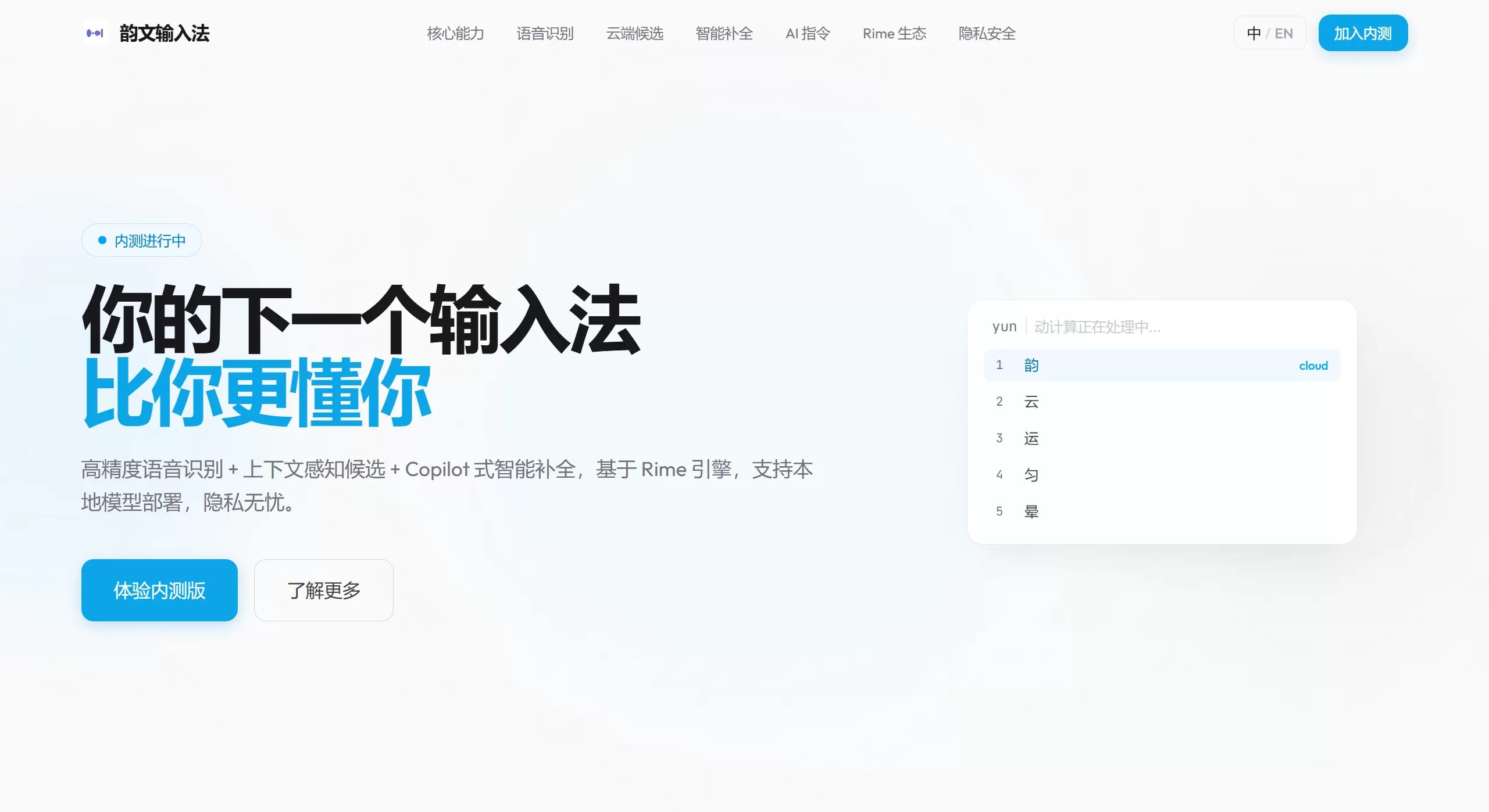
Features
Context-aware candidates: The same pinyin sequence adjusts its candidate order based on different contexts, reducing keystrokes by an average of about 40%.
Input Copilot: Combines context and personal habits to predict the next sentence; press Tab to accept the prediction directly, boosting input speed.
Speech recognition:
Leverages large models for polishing, delivering better error correction than traditional ASR.
Adapts to user habits—the more you use it, the more accurate it becomes.
Specifically optimized for scenarios such as meetings, chat, and writing.
Supports Volcano Engine cloud-based recognition as well as local ASR models.
Rime ecosystem compatibility: Supports common schemes such as full pinyin, double pinyin, and Wubi.
Personalization: Import Sogou skins, customize colors and layouts, and support automatic light/dark mode switching.
Privacy: Supports local model deployment so data does not have to be uploaded to the cloud.
Target Users
Long-form writers: Leverage prediction and contextual judgment to reduce repetitive typing.
Content creators: Voice input combined with polishing makes quick note-taking easy.
Programmers: Comprehensive support for double pinyin, Wubi, and other schemes, plus compatibility with Rime configurations.
Business users: Optimized speech input and terminology recognition for meeting scenarios.
Privacy-conscious users: Run voice models entirely locally.
Usage Instructions
Beta Application
You need to visit the official website https://vibeenter.com/ to submit a beta application.
Input Schemes
Built on Rime, supporting:
Pinyin: Full pinyin (Luna Pinyin), double pinyin (Nature Code, Microsoft, Xiaohe, Smart ABC)
Shape-based: Wubi (86/98/New Century), Cangjie (3rd/5th generation), Sucheng
Others: Zhuyin (Bopomofo), Cantonese pinyin, Wu dialect, and other dialect input methods
Voice Input
Choose between Volcano Engine cloud-based recognition or local ASR.
Automatically polishes and corrects text, adapting to different usage scenarios.
Shortcuts
Tab: Accept Copilot's next-sentence prediction
Shift: Switch between Chinese and English (default setting)
FAQ
Q: What is Zhongzhouyun (RIME)?
It is essentially an open-source input method algorithm framework, rather than a finished software product.
Features:
Highly customizable: Adjust input schemes, dictionaries, shortcuts, and more through YAML-formatted configuration files, without depending on a graphical interface.
Cross-platform: A consistent core engine, with different front-end names on each platform:
Windows: Weasel (小狼毫)
macOS: Squirrel (鼠须管)
Linux: ibus-rime / fcitx5-rime
Android: Trime (同文输入法)
iOS: Hamster (仓输入法) or iRime
Supports many input schemes: Pinyin, double pinyin (Xiaohe, Nature Code, etc.), Wubi, Cangjie, Zhuyin, Cantonese pinyin, Wu dialect, Middle Chinese, and more can all be built in.
Privacy and ads: Runs entirely locally, does not upload data, and contains no ads.
Q: What is the relationship between Yunwen Input Method and Rime?
A: Developed on top of the Rime engine, fully compatible with its input schemes and configurations. Rime is an open-source, cross-platform Chinese input framework—called "Weasel" on Windows, "Squirrel" on macOS, and "Zhongzhouyun" on Linux.
Q: How do I enable double pinyin/Wubi?
A: Simply modify the Rime configuration file. Locations:
Windows:%APPDATA%\Rime
macOS:~/Library/Rime
Linux:~/.config/ibus/rime
Add the corresponding scheme to schema_list in default.custom.yaml.
Q: Does speech recognition require an internet connection?
A: No. You can use a local model offline, which is suitable for privacy-sensitive scenarios.
Q: Can I import Sogou skins?
A: Yes. Customization of colors and layouts is also supported.
Q: Can I download it directly right now?
A: As of March 2026, it is still in beta and requires an application through the official website. The current page shows "0 users are experiencing it," and it has not been fully opened to the public.
Differences from FydeOS True Wenyun Input Method
| Comparison | Yunwen Input Method | FydeOS True Wenyun Input Method |
|---|---|---|
| Positioning | General-purpose ai input method (in beta) | Input method exclusive to FydeOS |
| AI Features | Context awareness, Copilot prediction, speech polishing | Basic word-frequency adjustment |
| Voice Input | Deep polishing with large models, supports local/cloud | Basic speech recognition |
| Supported Platforms | Windows/macOS/Linux (speculative) | FydeOS/ChromeOS only |
| Development Team | Independent team | Official FydeOS |
| Status | In beta | Released |















