
 Script Planner Assistant▸
 AI Apps
 AI News
Labnana: AI Drawing and Photo Editing Powered by Nano Banana
Labnana: AI Drawing and Photo Editing Powered by Nano BananaIntroduction
What is Labnana
Labnana is a professional-grade AI image generation and editing website built on Nano Banana. In short, it can turn your text descriptions into images, and also modify images based on references you provide. Its most powerful feature is "Character Consistency"—upload a few photos of the same person, and it will remember what that person looks like, keeping the same face in all subsequently generated images, which is especially handy for creating virtual influencers or series content. It also supports Chinese very well, so you don't have to rack your brain coming up with English prompts; just describe what you want in plain language.
Labnana is currently the world's first image generator to use Google's Nano Banana 2 technology, with output resolution reaching 4K and each image around 30MB, delivering impressive image quality.
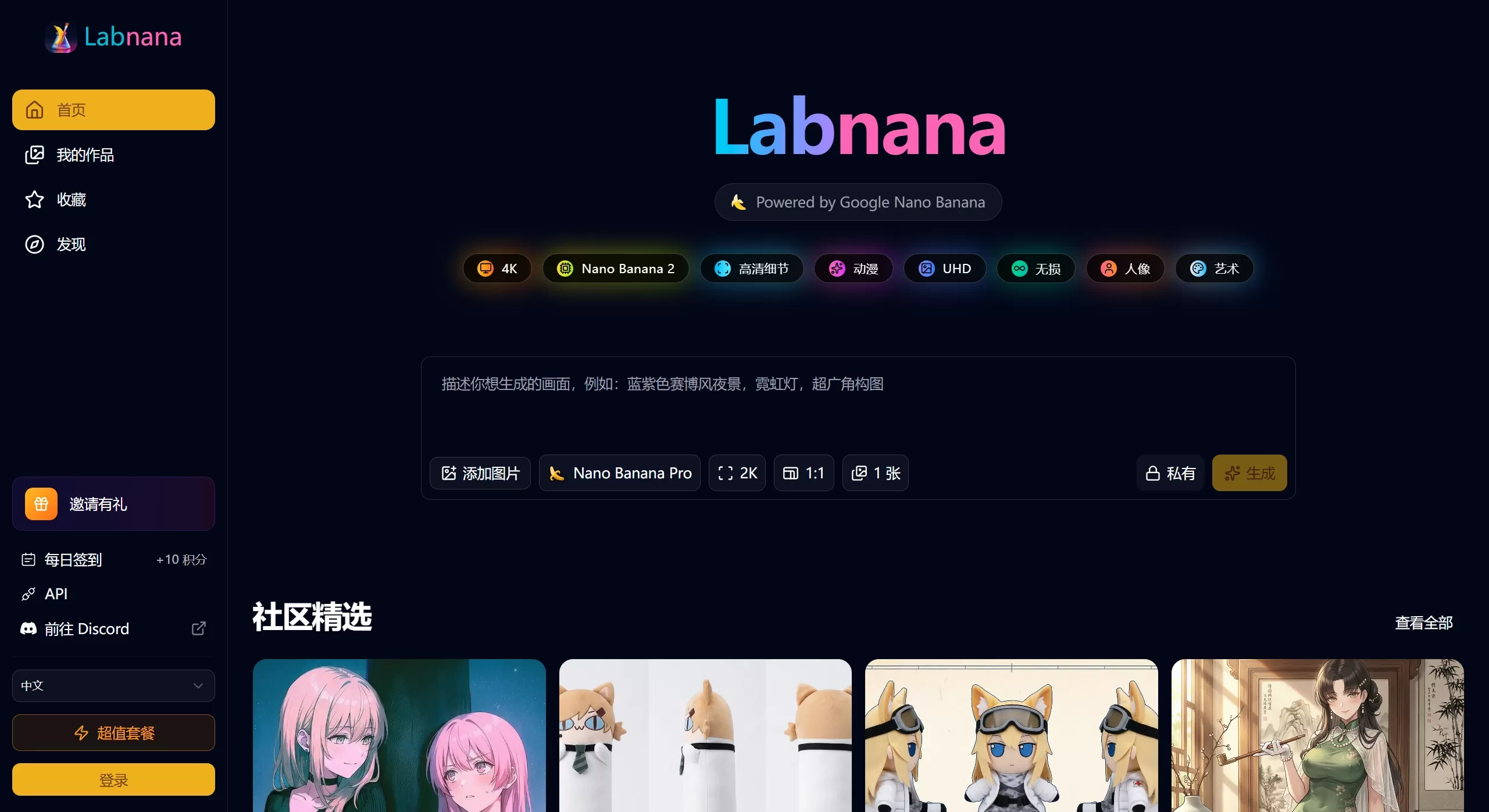
Key Features of Labnana
1. Text-to-Image & Image-to-Image
Type out a description of the image you want, and the AI draws it for you
Upload a reference image and modify specific elements with text commands, like "change the background to a beach"
2. Character Consistency
Upload up to 5 photos of a person, and the system locks in their facial features
All subsequently generated images maintain the same person, perfect for series content or virtual personas
3. Workflows
Save frequently used prompts, reference images, and model settings as templates
Next time, just call them up directly without re-configuring
4. Inspiration Library
Bookmark favorite prompts, style references, and outstanding community works
Gradually build up your own "creative asset library"
5. Text Embedding
Generates readable text and logos within images—great for posters
6. Dual Version Options
V1 version: fast output, 1-2 seconds per image, ideal for quick iteration
Pro version: better image quality, takes 2-5x longer than V1, suited for final deliverables
What Labnana Is Good For
Self-media/e-commerce: batch-create illustrations, product display images, virtual streamer personas
Advertising design: commercial posters, brand visual assets
Film/gaming: concept art, character designs
Technical content: illustrations for technical articles, such as architecture diagrams and flow charts
Personal creation: avatars, wallpapers, illustrations
How to Use Labnana
Basic Operations
Go to the Labnana official website and register with a Google account or email
Choose a model: you can pick Pro or Nano Banana 2 (latest release)
Upload reference images (optional), check "Consistent Character" to maintain character consistency
Write your prompt, recommended 100-200 characters; too short lacks detail, too long tends to go off-track
Choose resolution (1K, 2K, 4K) and aspect ratio (1:1, 16:9, 9:16 all available)
Wait 10-20 seconds, right-click or hit the download button to save
Prompt Tips
Just say what style you want directly: flat illustration, watercolor, cyberpunk, Chinese style
If you need text in the image, mark it in quotes, e.g., "Happy New Year"
Add quality keywords at the end: high resolution, rich detail, 8K, professional photography
Credits
Get a few free 4K generation credits daily
Check in daily or invite friends to earn credits
Upgrade to paid plan if running out
FAQ
Q: Can images generated by Labnana be used commercially?
A: Personal non-commercial use is fine. For commercial use, it's safer to add words like "commercial" in your prompt during generation.
Q: Why are my images blurry/low quality?
A: Check these points: did you add quality descriptions in your prompt, like high resolution, 8K, etc.; are reference images clear enough—1080p+ recommended; did you choose 2K or 4K output resolution.
Q: Why does the same person look different each time?
A: Use the reference image feature, upload multi-angle photos, and describe the character's features in detail in your prompt, like hairstyle, facial features, clothing, etc.
Q: Generation is very slow?
A: Pro version is inherently slower—this is normal. If it's especially slow, it might be peak hours; try a different time, or clear your browser cache.
Q: Getting a "rate limit exceeded" prompt?
A: You've used up your free quota; it auto-resets in 1-24 hours, or consider upgrading to a paid plan.
Q: Hands look weird?
A: AI hand-rendering is a known industry challenge. It's recommended to avoid hand close-ups, or have hands in pockets or behind the back—out of sight, out of mind.
Q: Text in the image is unreadable?
A: Keep it within 25 characters, use uppercase letters, choose simple fonts. If it's still not working, generate the image and add the text yourself using Photoshop.
Q: Can't find Thinking mode?
A: You need to log into your Labnana account first; it only shows up in the model selector after login.
Related News:
Nano Banana 2 vs the original Nano Banana: what are the differences and improvements?















