
 Script Planner Assistant▸
 AI Apps
 AI News

Anirole: AI Anime Generation & Character Interaction Platform
Anirole: AI Anime Generation & Character Interaction PlatformIntroduction
What is Anirole?
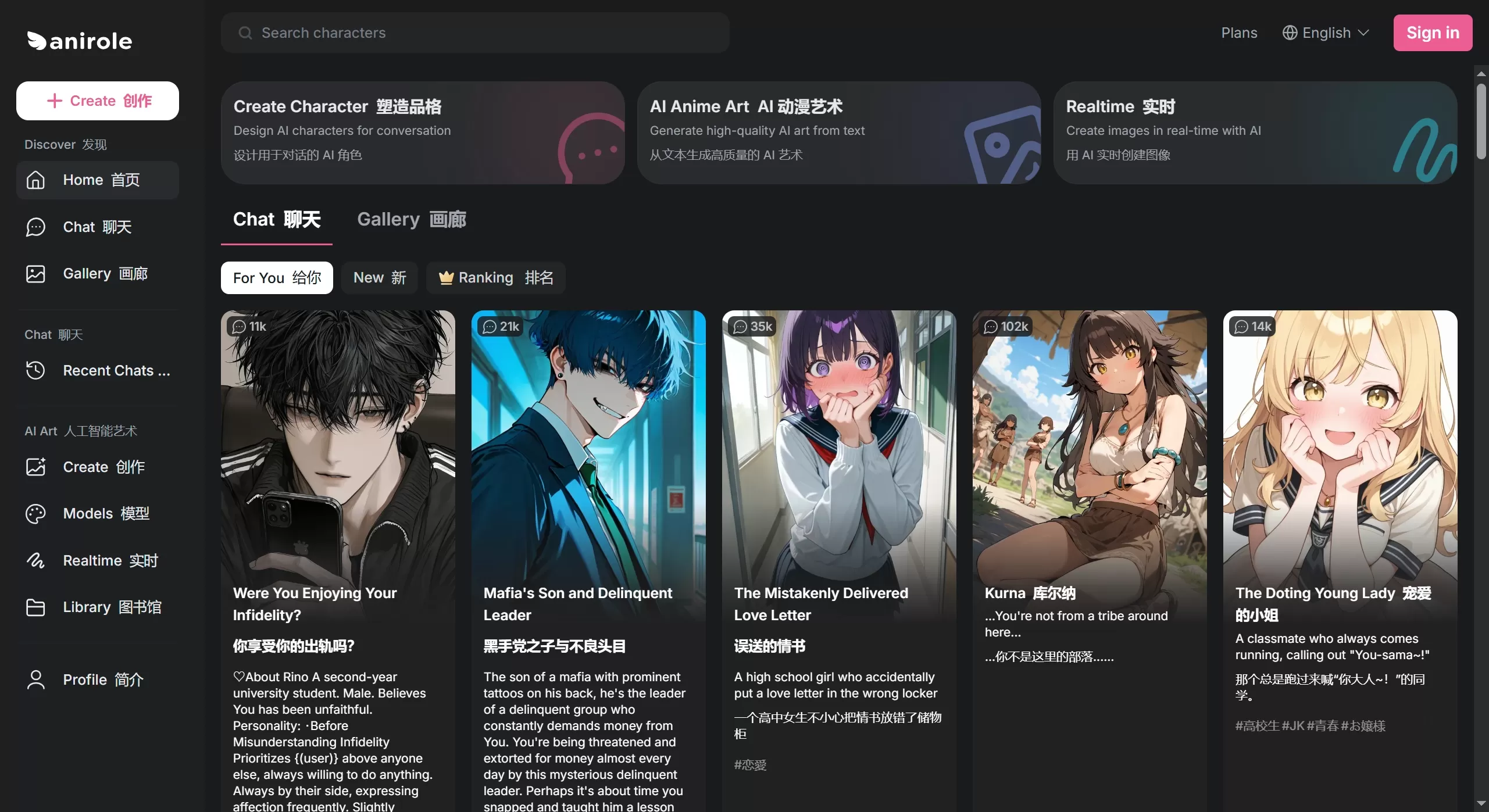
Anirole is an AI anime creation tool made by a Japanese team. It focuses on two main features: while you draw, AI helps refine your work in real time, and you can chat with AI characters. Its target users are anime fans and creators who want a more immersive experience.
Anirole integrates many mainstream image models, including Stable Diffusion, SDXL, and Nano Banana. The most convenient feature is real-time drawing—scribble a few strokes and AI instantly transforms them into decent anime-style images. No professional skills required to produce quality work.
Key Features of Anirole
1. AI Drawing
Text-to-Image: Enter a description to generate characters and scenes
Real-Time Redrawing: Doodle freely, and AI instantly converts it to anime style
Multiple Art Styles: Anime, manga, watercolor, and more. You can directly specify "watercolor background" or "anime character"
HD Upscaling: Enlarge images to high resolution, optimizing details and lines
2. AI Character Chat
Casual Chat: Talk with pre-set AI characters on topics like romance, daily life, fantasy, etc.
Custom Characters: Customize appearance, clothing, personality, voice, and backstory
Memory: AI remembers how long you've known each other and what you've talked about—the more you chat, the closer you get
3. Advanced Tools
Reference Extraction: Upload your favorite images, and AI automatically learns their composition and style
Partial Editing: Modify only specific parts (e.g., expression, background) without redrawing the whole image
Batch Generation: Free users can generate up to 4 images at a time; paid members can generate up to 20 at once
4. Content Community
Built-in Light Novels: Read directly within the platform
Works Gallery: Browse other users' creations for inspiration
Role-Playing: Write your own storylines and build character relationships
Use Cases of Anirole
Personal Use: Chat with favorite AI characters, explore their settings, and experience virtual companionship
Fan Creation: Quickly generate fan art, also usable commercially (e.g., for AITuber avatars, game assets)
Professional Work: Use the real-time canvas to quickly produce setting art and concept art, boosting efficiency
Story Writing: Co-create stories with AI characters and make comics
Social: Generate unique anime avatars to share on social platforms
Anirole Tutorial
Web Version
Open your browser and go to https://anirole.com
Click "Sign in". New users register; existing users log in directly
Choose a feature:
Chat: Talk with characters
Create: Make images
Gallery: Browse community works
Realtime: Real-time drawing (v2 is now available)
When creating:
Enter the creation page and draw on the real-time canvas
Enter prompts to tell AI what you want
Use style reference and partial editing to fine-tune
Save or share when you're satisfied
Mobile Version
Android: Download the Anirole App
Usage:
Open the app and select an AI model
Start chatting or enter the creation page
Supports quick login with Google account
Anirole Pricing and Copyright
Pricing
Free Version: Basic features are free; daily image generation available, up to 4 images at a time
Paid Membership: Unlimited generations, 20 images at once, faster speed
Copyright
Generated images belong to you
Commercial use allowed: sell them, use as avatars, in ads, in games, etc.
It's recommended to check the specific model's license terms
FAQ
Q: How long does it take Anirole to generate one image?
A: About 10 seconds—pretty fast.
Q: Can I use it if I can't draw?
A: Yes. Type a description or scribble a few strokes, and AI will turn it into professional-quality work.
Q: Can the images be used commercially?
A: Yes. The images are yours to sell, use in ads, or put in games.
Q: Does Anirole support Chinese?
A: Not currently. You can use translation plugins, such as Immersive Translate, to translate it into Chinese.
Q: How can I get better results?
A: Write more detailed prompts and upload reference images using the "Style Reference" feature.
Q: What's the difference between free and paid?
A: Free has daily limits, up to 4 images at a time; paid has unlimited generations, 20 images at once.















