
 Script Planner Assistant▸
 AI Apps
 AI News

ZiZi Donghua: AI Comic-Drama Production Software for Creators
ZiZi Donghua: AI Comic-Drama Production Software for CreatorsIntroduction
What is Zizi Animation?
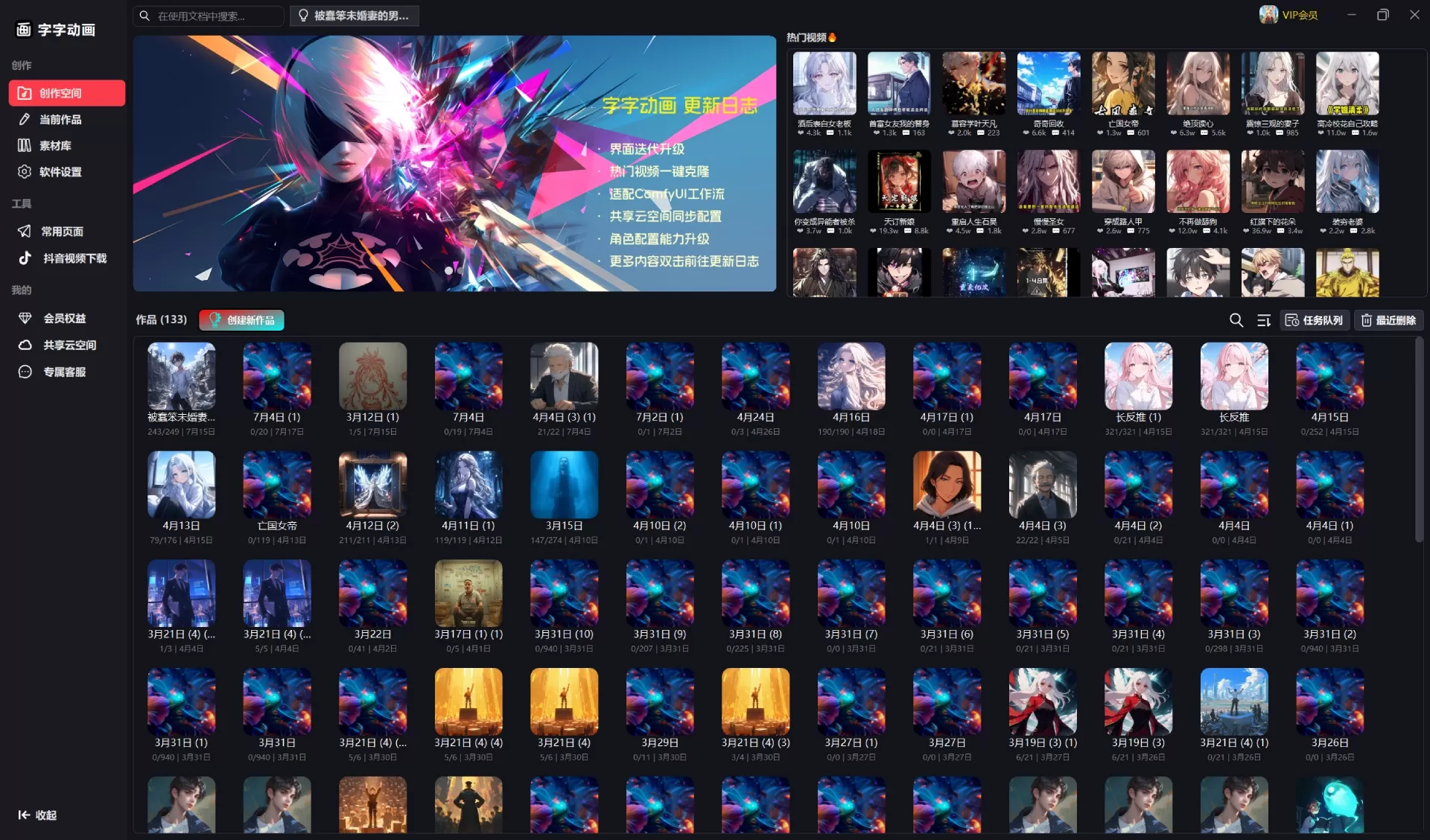
Zizi Animation is an AI tool for video creation designed for content creators, mainly used for making novel promotional videos, AI short dramas, and AI movies. It is currently completely free, and it promises that current features and all future basic features will remain free forever.
Zizi Animation integrates various mainstream AI capabilities, covering the entire workflow from processing copywriting, generating storyboards, creating images and videos, to exporting JianYing (CapCut) drafts, making video production much simpler.
Features
🤖 AI Capabilities
Image Generation: Supports StableDiffusion WebUI, ComfyUI, Midjourney, Nano Banana, Qwen, z-image, FLXU, and more
Video Generation: Supports Wan, Veo3, Sora2, Hailuo (海螺), Jimeng (即梦), vidu, etc. You can generate videos from text or images, and use first/last frame references for control
Audio Generation: EdgeTTS, GPTSoVITS, IndexTTS2
Language Models: Alibaba Cloud (阿里云), SiliconFlow (硅基流动), DeepSeek, OpenAI, Gemini, Claude
Vision Models: Alibaba Cloud (阿里云), OpenAI, Gemini
🔄 Full AIGC Workflow Support
Copywriting Processing: Create viral openings, expand, condense, and polish
Smart Storyboard: Automatically split popular videos into storyboards
Storyboard Reordering: Manually adjust the order, or use AI-powered smart reordering
Reverse Image Inference: Reverse-engineer storyboard frames into prompts for image generation
Prompt Reasoning: Automatically infer character information and image generation prompts within storyboards
Video Lip Sync: Automatically sync lip movements with audio so the video matches the sound
JianYing Export: One-click generation of JianYing (CapCut) drafts, with automatic keyframes and storyboard effects
🔧 Workflow System
Visually drag-and-drop to design workflows and customize the creation process
Supports conditional logic and branching for complex creation pipelines
Frequently used workflows can be saved as templates for direct reuse next time
🤖 AI Assistant Agent
Operate the software through natural language conversations
Understand what you want to do and automatically call the corresponding features
Provide creative suggestions and optimization plans
📚 Asset Library
Trending video assets, prompt tags, MidJourney reference images
Character assets, voice assets, viral opening knowledge base
What Can Zizi Animation Be Used For
Novel Promotional Videos: Automatically turn novel copy into videos, maintain character consistency, and auto-generate storyboards
AI Short Dramas: Quickly produce AI-driven short dramas, with lip sync and audio synchronization support
AI Movies: Create long-form videos, using the workflow system to achieve complex plots
Educational Content: Teaching videos, knowledge and science popularization
Marketing Videos: Ad films, product promotional videos
Personal Creation: Social media content, personal IP, lowering the barrier to entry
How to Use Zizi Animation
Quick Start:
Download and Install
Go to the official website to download the installer, or use the portable version that you can extract and use directly
You can also use complete pre-built images on Suanli Cloud (算力云) or Xiangong Cloud (仙宫云), ready to use out of the box
Create a Project
New Project → Set Parameters → Import Assets → Input Copy → Save
Process Copywriting
Enter the original copy
Select processing tools, such as viral opening, expand, condense, polish, etc.
Execute the process and apply the results
Create Storyboards
Use smart storyboarding to split the content
Manually or use AI to reorder the storyboard sequence
Reverse-infer prompts for image generation
Generate Assets
Use prompts to generate images
Generate audio, using EdgeTTS or local GPT-SoVITS
Generate video
Export and Publish
Batch export to JianYing (CapCut) drafts
Apply JianYing templates, automatically add watermarks and subtitle styles
Finalize editing in JianYing (CapCut) and publish
Advanced Usage:
Workflow: Select a workflow template → Configure nodes → Set parameters → Execute
Knowledge Base: Browse/Search assets → Use/Favorite → Import/Export management
AI Assistant: Use natural language conversations to write prompts, optimize copy, generate images, etc.
💻 System Requirements
Windows system
8GB or more of RAM recommended
Some features require a GPU with AI capabilities, but it also runs normally without one
Frequently Asked Questions
Animation laggy? Try slowing down the speed or reducing the amount of text
Want to add a line break? Simply press Enter while typing
Colors don't look good? The system comes with preset color schemes
Project generation failed? Click "Generate Project" and wait for it to fully generate before previewing
How to adjust video duration? Supports storyboard duration parameters; enable it in the view settings and adjust manually. You can also use audio duration or external subtitle duration for automatic control
How to use external audio? Import it on the work settings page; it can control video length and lip sync
How to merge long audio? Use the "Merge Audio" and "Merge Subtitles" tools in the toolbox, combined with the "Audio-Subtitle Sync Merge" tool
github:https://github.com/TypeTale/TypeTale
Related Information:
Full Analysis of AI Comics Production Process and Tools
ner">2026 AI Animation Production Generator Recommendations











