
 Script Planner Assistant▸
 AI Apps
 AI News

DirectorAI: Create Manga-Style Short Videos on Your Phone with AI
DirectorAI: Create Manga-Style Short Videos on Your Phone with AIIntroduction
📱 AI DirectorAI (AI Manga Director) Introduction
AI Manga Director is a mobile application built with Flutter. It uses an AI agent architecture that understands what you write, then coordinates several AI models to work together, and finally produces a complete manga-drama video.
Core philosophy: "Everyone can be a manga-drama director" — ordinary people don't need to learn professional skills; they can turn their ideas into manga-drama videos right from their phone.
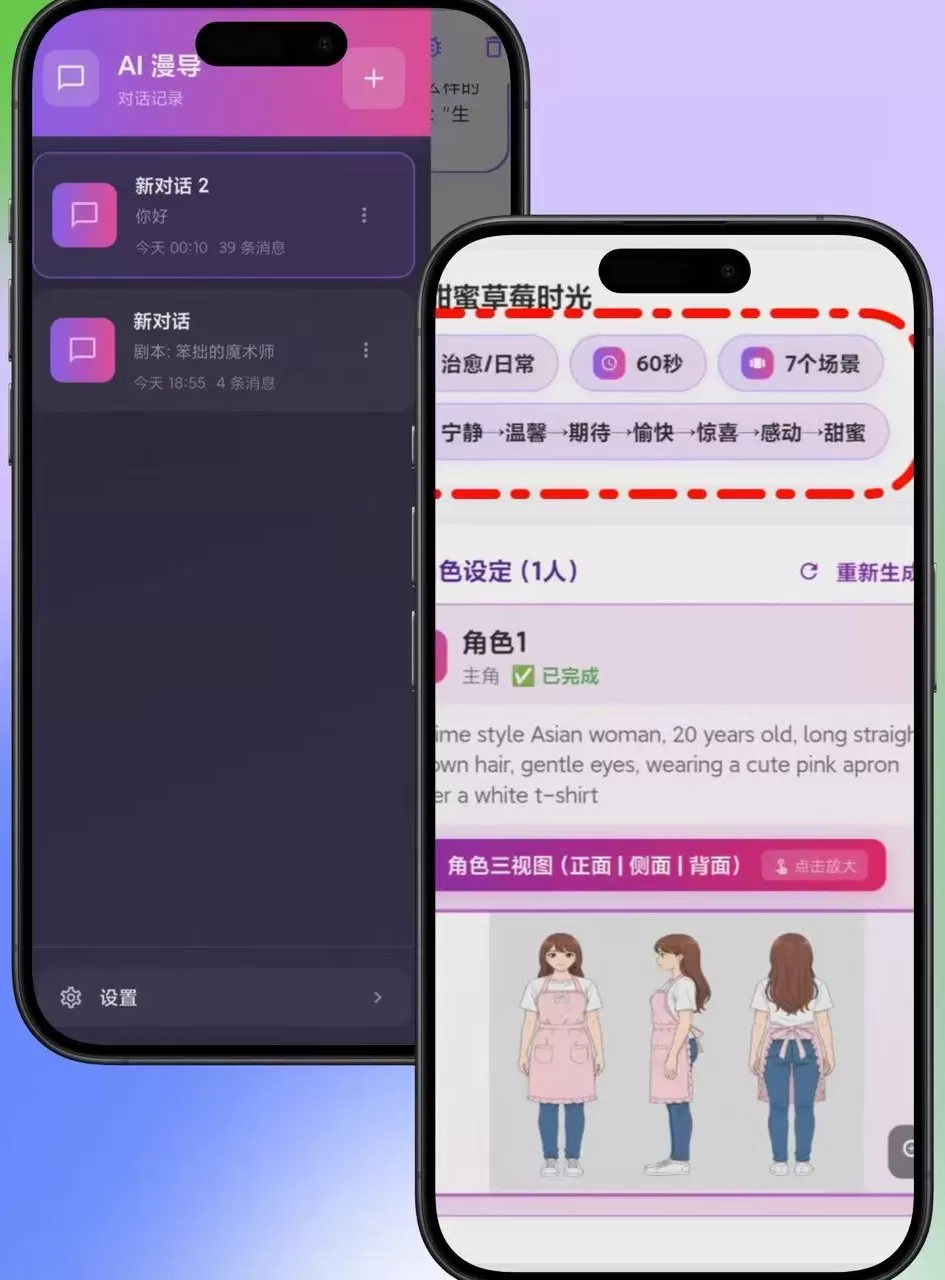
✨ Features
Intelligent Orchestration System
Uses a Reasoning + Acting loop architecture:
User input → GLM-4.7 understands intent → returns action commands → executes tool calls → feedback results → loop until completion
One-Click Complete Manga-Drama Generation
Script generation: automatically generate scripts from text descriptions
Storyboard generation: automatically plan scene storyboards
Image generation: turn text descriptions into scene images
Video synthesis: turn static images into dynamic videos
AI Model Integration
GLM-4.7 for intelligent orchestration and decision-making
Gemini-3-Pro-Image-Preview for text-to-image
Veo3.1 for image-to-video
Character Consistency Solution
Automatically generates three-view character reference sheets
Supports 7 configurable scenes and 2 configurable characters
Repeats core character features to prevent cross-scene "face-swapping"
UI Features
🌸 Anime-style pink theme — a cute and fresh visual style
💬 Chat interface — a natural conversational interaction experience
🎭 Material Design 3 — a modern design language
📱 Responsive layout — adapts to different screen sizes
🎯 Use Cases
Personal creation: record life, share creative stories
Content creation: short-video platform account operation, gaining followers
Education & training: create teaching manga-dramas, popularize knowledge
Marketing & promotion: product promotion, brand storytelling
Entertainment & leisure: quickly bring wild ideas to life, create fun videos
🚀 How to Use
Quick Start
# 1. Download the code
git clone https://github.com/freestylefly/director_ai
cd director_ai
# 2. Install dependencies
flutter pub get
# 3. Configure the API key, then run
# Fill in your Zhipu AI Token in lib/services/api_service.dart
flutter run
Creation Tips
Be specific with your prompts: style + details + emotion, such as: "Anime style, 20-year-old Asian girl wearing a pink apron, making a strawberry cake in a sunlit kitchen, warm and healing scene"
Maintain character consistency: repeat the character's core features in every scene's prompt, such as "long straight brown hair + pink apron + gentle eyes"
Optimize scene transitions: add transition keywords, such as "from kitchen to balcony, sunlight gradually shifts", "camera pulls back to reveal the entire cherry blossom forest"
Control video length: 15–30 seconds is recommended for short-video platforms; complete stories can be extended to 1–3 minutes
❓ FAQ
Q: I can't draw at all — can I use this AI Manga Director DirectorAI?
A: Yes. AI Manga Director is built for non-artists. Just provide a story and text description, and the AI will automatically handle all drawing and video production work.
Q: Can the generated videos be used commercially?
A: You'll need to review the terms of service of the specific AI models used. It's recommended to confirm intellectual property ownership through the API provider (such as Canghe API).
Q: How do I make sure characters stay consistent across different scenes?
A: In addition to relying on the AI-generated three-view sheets, repeat the character's core features (such as "long straight brown hair + pink apron + gentle eyes") in every scene's image-generation prompt to prevent cross-scene "face-swapping".
Q: What if the image looks blurry?
A: Add "high resolution + rich detail" to your prompt.
Q: How do I fix video stuttering?
A: Reduce the number of elements in a single scene, or shorten the video duration.
Q: How should I securely store API tokens?
A:
Don't commit tokens to version control systems
Use environment variables or Flutter secure storage
In production, use a backend proxy for API requests
Rotate API tokens regularly for better security
Q: How do I change the art style?
A: Add keywords to your prompt:
Healing style: "cel shaded + soft tones + warm light filter"
Cool/edgy style: "dark color palette + sharp lines + cold light effects"
Retro style: "low-saturation tones + film grain + rounded lens"
📦 Project Links
GitHub repository: https://github.com/freestylefly/director_ai
Recommended API service: Canghe API (https://api.canghe.ai/)
Tech stack: Flutter 3.0+, Dart 3.0+, Provider for state management, Dio HTTP client
AI Manga Director DirectorAI makes "everyone can be a manga-drama director" a reality. No need to learn professional software — you can quickly bring your inspiration to life with just a phone.
Related News:
AI Manga-Drama Production Tools
AI Manga Image Generation Tools
Full Analysis of AI Manga-Drama Production Process and Tools
HuanMan: An AI Manga-Drama Tool Made by Alibaba
Recommended AI Animation Production Generators for 2026
2026 Recommendation: Review of 5 AI Manga-Drama Production Tools













