
 Script Planner Assistant▸
 AI Apps
 AI News
SP-MangaEditor: A Free AI Web Comic Editor
SP-MangaEditor: A Free AI Web Comic EditorIntroduction
What is SP-MangaEditer?
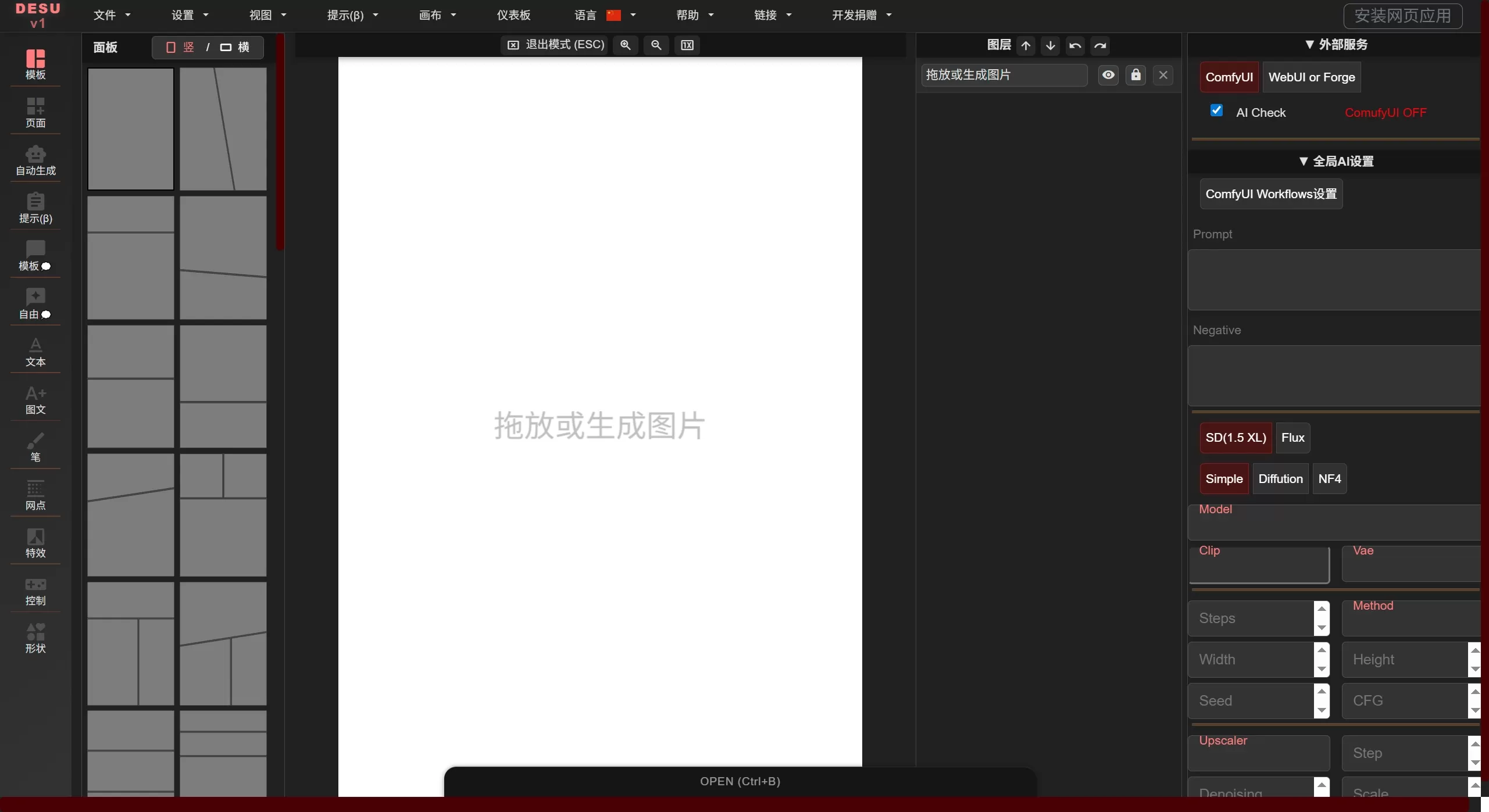
SP-MangaEditer, also called manga-editor-desu, is a free manga editing tool. It combines AI image generation with professional layout, and can be used directly in the browser, installed as local software, or used as a plugin for Stable Diffusion WebUI.
Online URL: https://new-sankaku.github.io/manga-editor-desu/
GitHub: https://github.com/new-sankaku/SP-MangaEditer
What can SP-MangaEditer do
AI Image Generation
Type a description to generate manga-style images
Upload sketches and let the AI refine or restyle them
Supports interfaces for Stable Diffusion WebUI, Forge, and ComfyUI
Generate multiple expressions or poses at once to speed up character design
Panel Management
Comes with preset column layouts, vertical and horizontal
Panel color and line thickness can be adjusted
A "knife" tool can be used to create diagonal split effects
Speech Bubbles
Over 40 styles, including round, pointed, and explosion shapes
Background color, border color, and opacity can all be changed
You can also hand-draw custom shapes
Image Processing
Drag images into a panel and they auto-fit the size
Layer position, angle, and size can be adjusted
25 blend modes plus glow effects
Filters include retro, black-and-white, blur, and pixelation
Text Layout
Supports both horizontal and vertical writing
Fonts can be bolded, given shadows, outlined, or set to neon effects
One-click generation of manga screentone backgrounds
Manga-style background tones can also be adjusted
Other Features
Undo and redo
Save and load projects
Settings can also be saved
Use Cases for SP-MangaEditer
Create 4-koma comics, short stories, or serializations
Batch character design with AI
Create professional manga storyboards and compositions
People who can't draw can quickly produce illustrations
Make doujinshi / fan-made comics
Teaching and demonstrations
How to use SP-MangaEditer
Easiest way: Just open the SP-MangaEditer online URL https://new-sankaku.github.io/manga-editor-desu/ and start using it.
Run locally:
git clone https://github.com/new-sankaku/SP-MangaEditer.git
cd SP-MangaEditer
start index.html
Install as a WebUI extension: Drop the folder into the extensions directory of Stable Diffusion WebUI and restart.
Connecting to Stable Diffusion:
Edit the webui-user.bat file and add:
COMMANDLINE_ARGS=--cors-allow-origins "*" --api
If you are using it as an extension, just add:
COMMANDLINE_ARGS=--api
If you use Stability Matrix, add the line above in Extra Launch Arguments.
Basic workflow:
Choose a panel layout, or create your own
Generate images with AI, or import your own assets
Drag images into panels and adjust position, size, and angle
Add speech bubbles, choose a style, and type text
Add effects, filters, and screentone backgrounds
Export the finished product
Frequently Asked Questions
1. Do I need to install any software?
SP-MangaEditor itself is a web page; just open it in your browser. To use the AI image generation feature, you'll additionally need to install Stable Diffusion WebUI, Forge, or ComfyUI, and enable API mode.
2. What if I can't connect to Stable Diffusion?
Check whether: the --api parameter was added when launching; CORS is set correctly; the firewall is blocking it.
3. Which browser should I use?
Chrome, Firefox, Edge, etc. are all fine, as long as they support HTML5 Canvas.
4. Can the generated images be used commercially?
It depends on the AI model you use. The tool itself has no usage restrictions, but the model may have its own requirements.
5. How do I save a project?
There are save and load functions, so you can save your progress at any time.
6. Does it support vertical Chinese text layout?
Yes, a dedicated vertical text layout feature is included.
7. Are the exported images clear?
You can export high-resolution images suitable for printing or posting online, depending on your panel settings.
Related articles:
AI Comic Drama Production Tools
AI Manga Image Generation Tools
2026 Recommendations: 5 AI Comic Drama Production Tools Reviewed















