Script Planner Assistant▸
 AI Apps
 AI News

Situation Monitor: Global Real-Time Hotspot Aggregator
Situation Monitor: Global Real-Time Hotspot AggregatorIntroduction
Situation Monitor is an open-source dashboard tool for information aggregation, built with SvelteKit and TypeScript. It brings together data from different sources—such as global real-time news, financial market quotes, and geopolitical hotspots—into a single view, helping users understand the overall picture instead of just reading the news.
Situation Monitor is well suited for people who need cross-market analysis, such as intelligence analysts, finance professionals, researchers, and tech enthusiasts who want to build their own personal "intelligence center."
Main Features of Situation Monitor
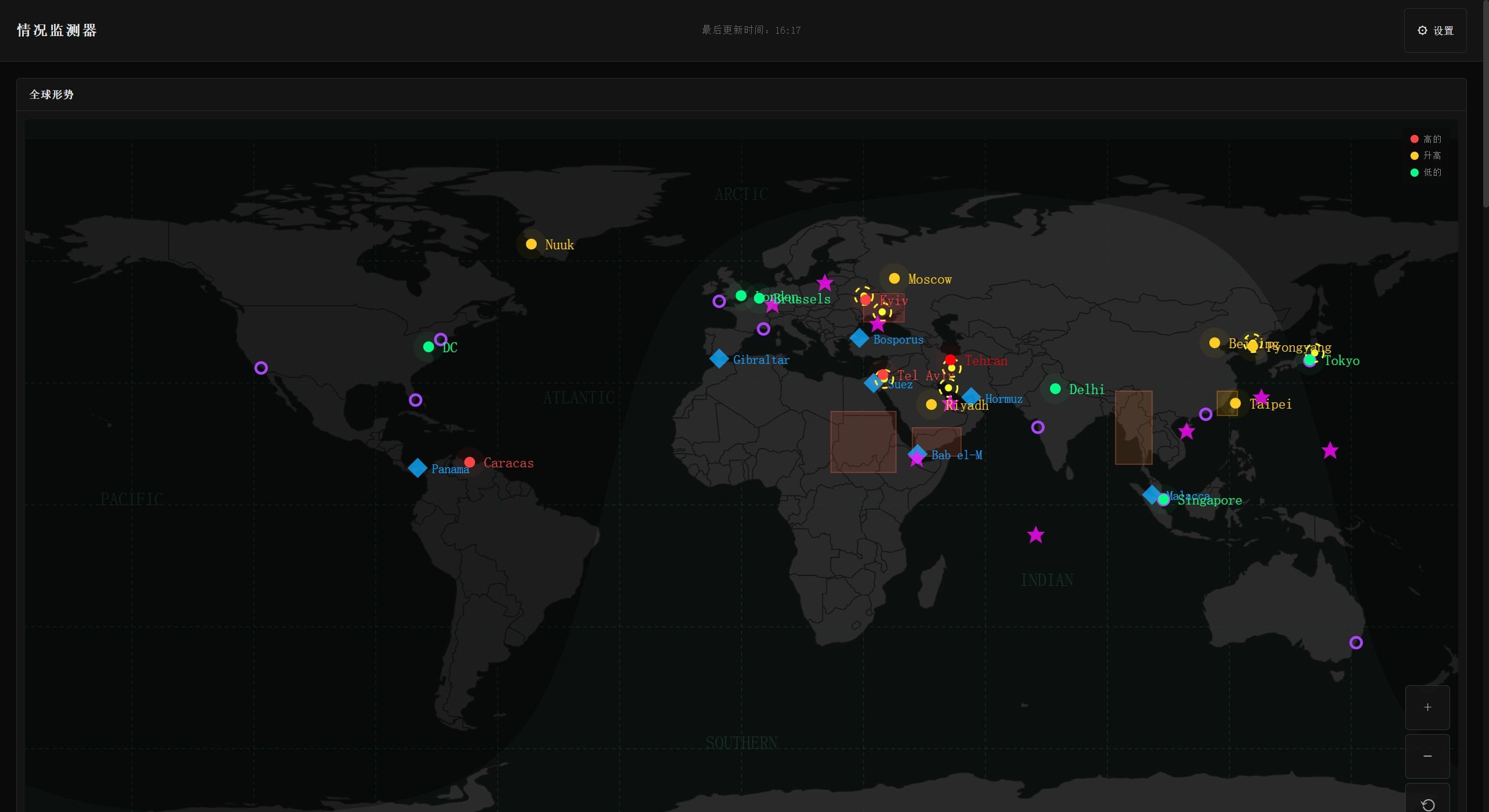
Global Situation View: Uses APIs to bring scattered global information together into a unified big picture, letting you directly see key developments across different regions.
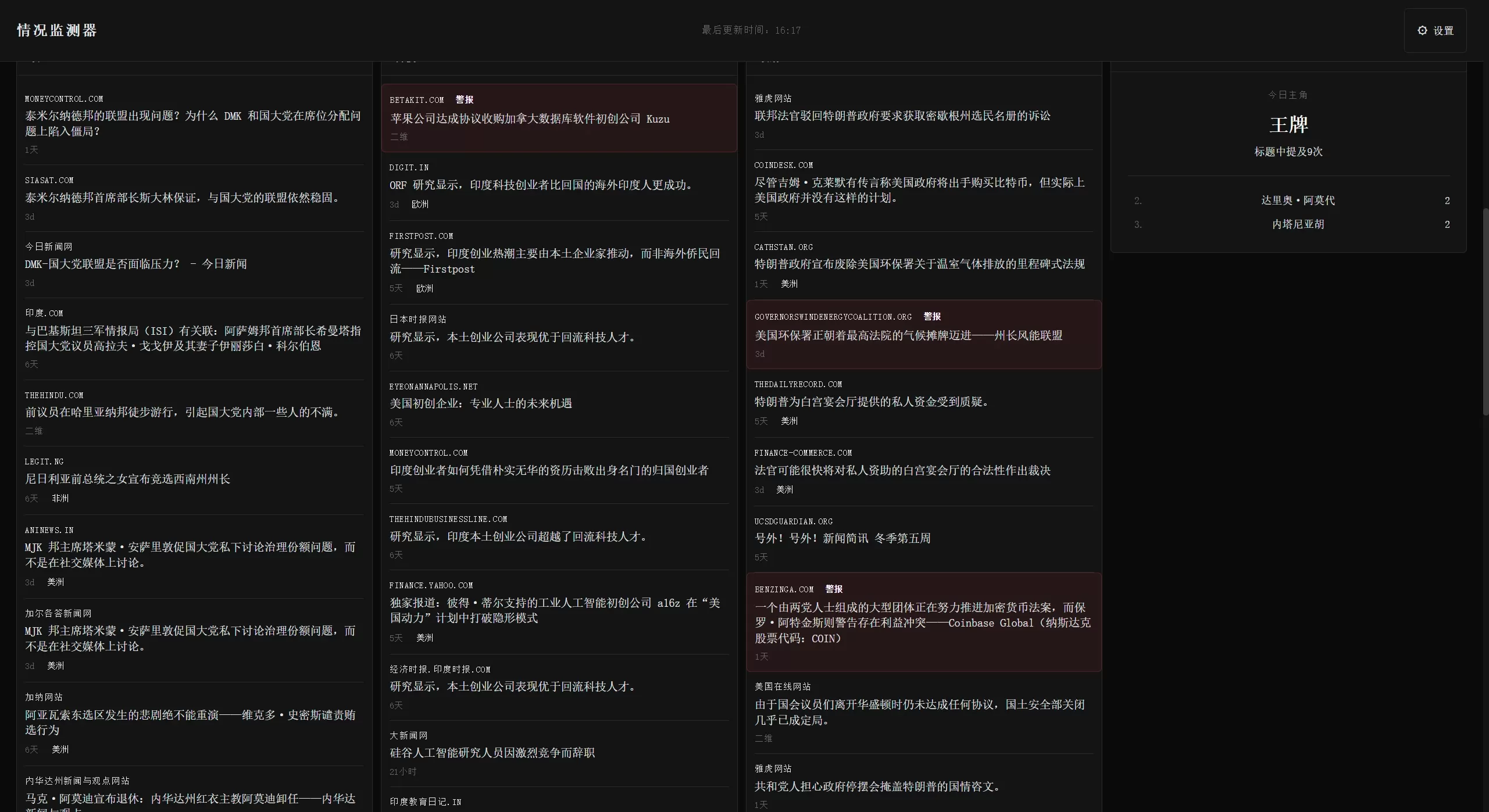
Multi-Source News Aggregation: Supports more than 30 RSS feeds, covering categories such as politics, technology, finance, government, AI, and intelligence.
Financial Market Monitoring: Watches stock markets, cryptocurrencies, and commodity prices in real time, catching "abnormal volatility signals."
Geospatial Visualization: Directly marks hotspots, conflict zones, and strategic locations on a map.
Intelligent Analysis: Includes "narrative tracking" (watching how a topic moves from the fringe to the mainstream) and "actor analysis" (measuring how present an entity is in the news).
Pattern Correlation Analysis: Checks whether multiple news items cover the same topic and finds connections between events.
Strong Performance: Built with Svelte's no-virtual-DOM approach, real-time refresh is smooth and uses few resources.
Technical Architecture Features
Stable Service: Includes TTL-based cache management, circuit breakers (to prevent cascading failures), and request deduplication.
Modular: Clear directory structure, with folders like analysis/, api/, config/, services/, and stores/.
Easy Edge Deployment: Works well with Serverless platforms like Vercel.
Use Cases for Situation Monitor
Investment Analysis Auxiliary Screen: Put the dashboard on a secondary monitor as a macro watcher; when multiple risk signals appear together, adjust your investment strategy.
Intelligence Analysis and Public Opinion Monitoring: Intelligence analysts can quickly understand the global picture and track how specific topics spread and evolve.
Content Creation Idea Library: Helps creators catch early signals from overseas markets earlier than mainstream algorithms, so they can write content with more depth.
Personal Knowledge Management Hub: Build a personal OSINT (Open Source Intelligence) system without switching back and forth between news apps and social media.
How to Use Situation Monitor
Deployment
Try It Right Away: Visit the online demo version.
Self-Host: Download the source code and set it up in minutes on a platform like Vercel.
Configuration
Edit config/feeds.ts to set RSS feeds (more than 30 are built in).
Edit config/keywords.ts to set keywords and region recognition rules.
Edit config/analysis.ts to adjust relevance judgment and narrative tracking rules.
Edit config/panels.ts to register and arrange the display order of panels.
Secondary Development
Modular design allows adding custom data sources (such as crypto APIs and server operations monitoring).
Use src/lib/api/ to manage data-fetching logic.
Use src/lib/analysis/ to add analysis algorithms.
Frequently Asked Questions
Is Situation Monitor's data accurate? It pulls from public APIs like GDELT and CoinGecko and only performs aggregation and display; you need to make your own judgments for investments.
Does Situation Monitor support mobile? Built with SvelteKit, it adapts to desktop, tablet, and mobile, but looks best on a large screen.
Can Situation Monitor be used commercially? It is open source, but you must comply with the relevant license terms—don't use it commercially without authorization.
How do I add a custom data source? Just edit the files under src/lib/api/.
Does it use many resources? Svelte's no-virtual-DOM approach keeps usage low, so it can stay running all the time.
Can Situation Monitor be used offline? It needs to be online to fetch real-time data, but the CacheManager can store local data for a while.
Notice
Situation Monitor is for study and research only. Financial markets carry risk, so invest with caution. The data comes from public APIs, and there is no guarantee as to the usefulness or completeness of third-party products and services.