
 Script Planner Assistant▸
 AI Apps
 AI News

Doubao Seedance 2.0
Doubao Seedance 2.0Introduction
What is Doubao Seedance 2.0?
Doubao is an ai assistant App made by ByteDance, and Seedance 2.0 is an AI video generation large model developed by ByteDance's Seed team. The two are a platform and model working together — Seedance 2.0 is embedded into the Doubao App, desktop client, and web version, becoming Doubao's built-in video generation feature.
Seedance 2.0 first launched on the Jimeng platform, and was later gradually added to ByteDance products like Doubao and Xiaoyunque, rolling out across multiple platforms.
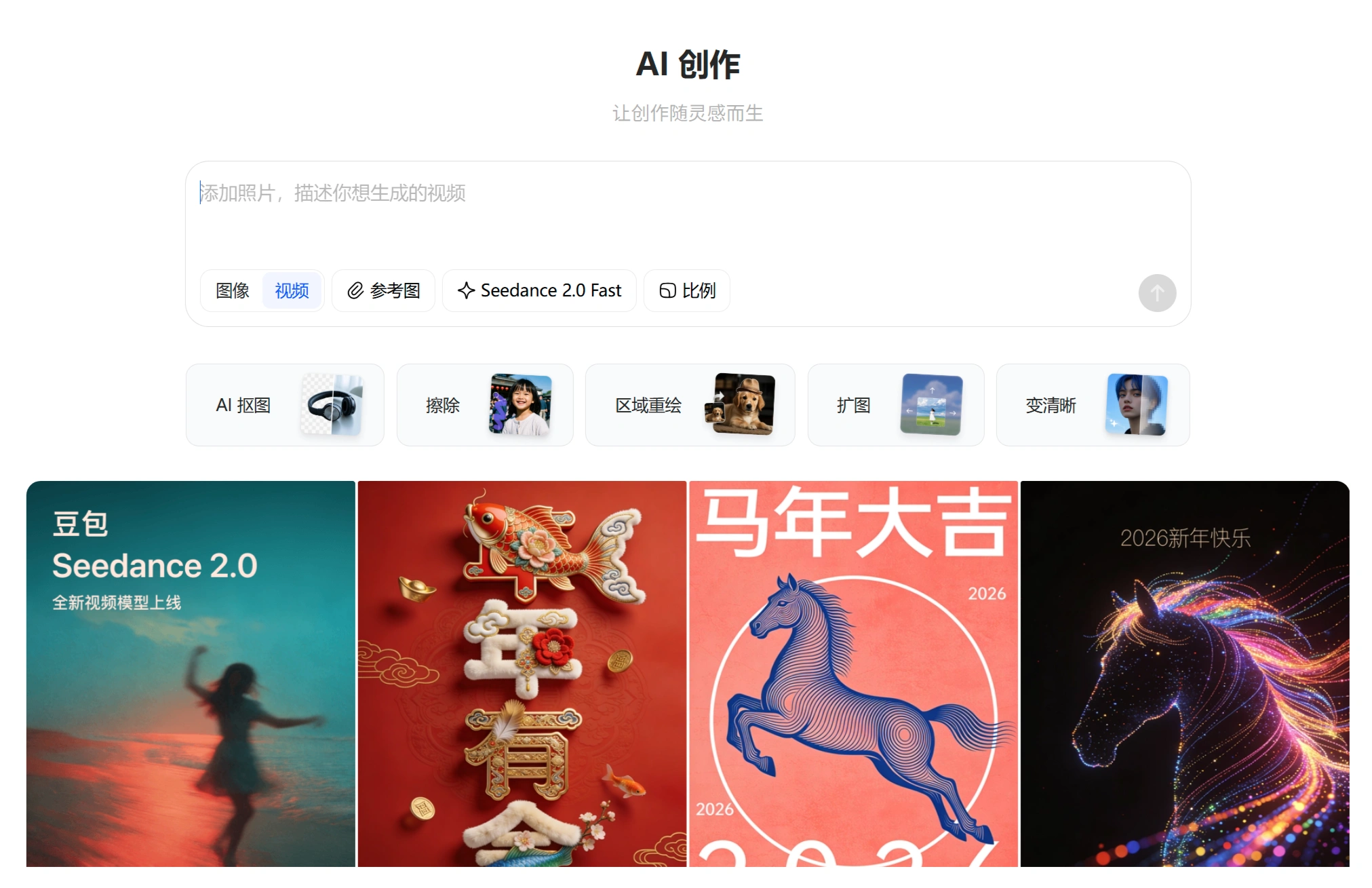
Core Features of Doubao Seedance 2.0
Multimodal Input: Supports four types of input — images, video, audio, and text — with up to 12 files at a time (9 images + 3 video/audio clips), enabling director-level precise control.
Native Audio-Visual Sync: Unlike the old approach of generating visuals first and then dubbing, it outputs video and audio simultaneously with millisecond-level synchronization, including:
Automatic lip-sync that follows speech (supports multiple languages)
On-screen actions automatically paired with corresponding sound effects (e.g., footsteps, door closing)
Camera movements driven by music rhythm
Multi-shot Long-form Narrative: Automatically uses cinematic shot language (e.g., opening wide shot, shot/reverse-shot, close-ups), and when switching shots, the characters, lighting, and style remain consistent — no need to film just one shot.
Avatar Video: After users record a clip of their voice and appearance for identity verification, they can build their own video avatar and create AI videos starring themselves.
How to Use Doubao Seedance 2.0
Where is the Doubao Seedance 2.0 entry point
Doubao App: Open the AI creation chat window and tap the newly added "Seedance 2.0" entry.
Desktop / Web Version: Go directly to the Doubao web version, open the 【AI Creation】 chat window, click 【Video】, and the default newly added entry is "Seedance 2.0 Fast."
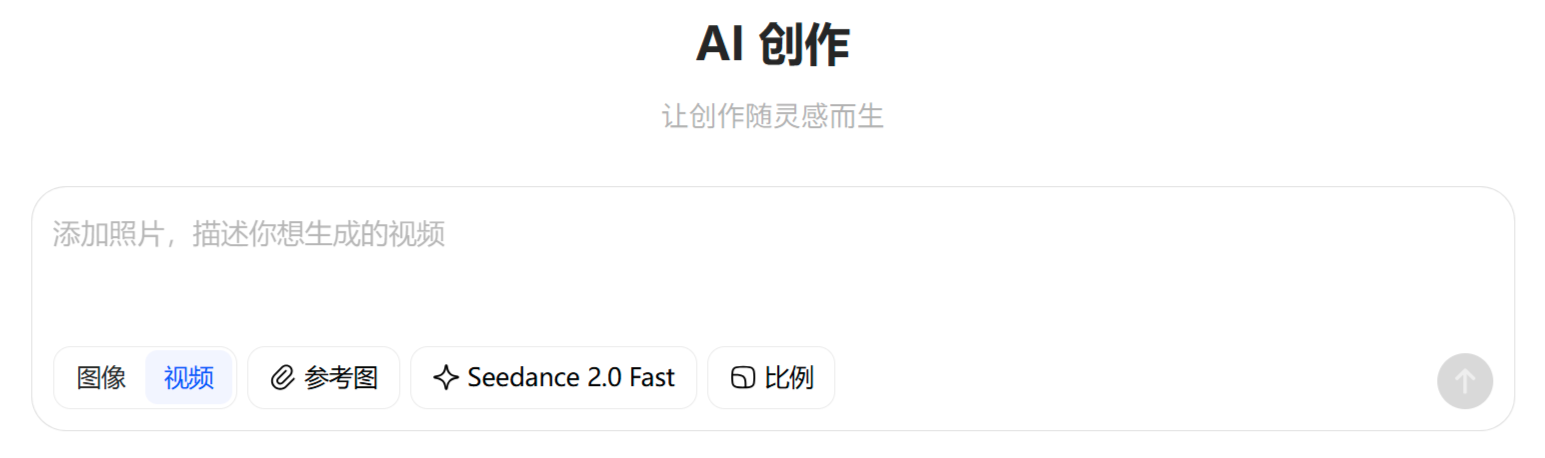
Operating Steps
Go to "AI Creation" in the Doubao App, select "Video Generation"; choose the "Seedance 2.0" model — visible to grayscale testing users; enter a prompt, optionally upload reference images (uploading real-person images is not supported for now); select 5-second or 10-second duration; wait for generation — during peak hours, the queue may take several hours.
Generation Parameters
| Platform | Duration Options | Credit Consumption | Daily Quota |
|---|---|---|---|
| Doubao App | 5 or 10 seconds | 10-second video = 2 credits | About 10 credits (20 points) |
| Jimeng Platform | 4–15 seconds | Billed per second | Paid subscription model |
Current Limitations and Notes
⚠️ Important Limitations
Real-person images cannot currently be uploaded as references: For now, if you want to use a real-person likeness, you must go through the "Avatar Video" feature — verify your identity first to build an AI avatar.
Reference image feature not yet enabled: Some users report that the App shows "Seedance 2.0 does not currently support reference image input; it will be enabled soon."
Server congestion: Too many users — during peak hours, the queue may exceed 1,000 people, and waits of up to 8 hours are possible.
Copyright and Compliance
Using a real-person likeness requires identity verification or authorization from the person — this is ByteDance's cautious approach to AI copyright. Generated content should ideally carry an AI label, in compliance with Cyberspace Administration requirements.
Market Reception
Feng Ji, producer of "Black Myth: Wukong," said: "The strongest on the planet, nothing else compares."
Elon Musk commented under overseas creators' comparison videos: "This is way too fast."
Industry impact: Overseas users are starting to research how to get a Chinese phone number so they can use this model.
Doubao's integration of Seedance 2.0 shows ByteDance is putting professional-grade AI video generation capabilities into the hands of ordinary users. The features currently available on Doubao are somewhat basic (e.g., reference images can't be uploaded yet, duration is limited), but the free quota is generous and it's easy to use — making it convenient for everyday users who want to experience "director-level AI." For professional users who need the full feature set (multimodal references, longer durations, 2K resolution), it's recommended to use the Jimeng platform instead.
Related News:
Seedance 2.5: 30-second native video, 4K quality — what's upgraded compared to 2.0?
Jimeng Seedance 2.0 Complete User Manual
Seedance 2.0 Entry Points — Complete Compilation
Seedance 2.0 @ Feature Usage Tutorial
Seedance 2.0 Basic Usage Guide
Seedance 2.0 vs. Kling 3.0 vs. Sora 2: Which is Better and How to Choose?












