
 Script Planner Assistant▸
 AI Apps
 AI News

KaTu AI: A Next-Gen Layered AI Graphic Design Workspace
KaTu AI: A Next-Gen Layered AI Graphic Design WorkspaceIntroduction
What is 咖图ai?
咖图AI is a layered AI graphic design platform,主打 "a leading layered AI graphic design tool". It mainly solves the problem that traditional AI-generated images cannot be modified. Using its own "layered" generation technology, AI-made designs can be deeply edited just like in Photoshop.
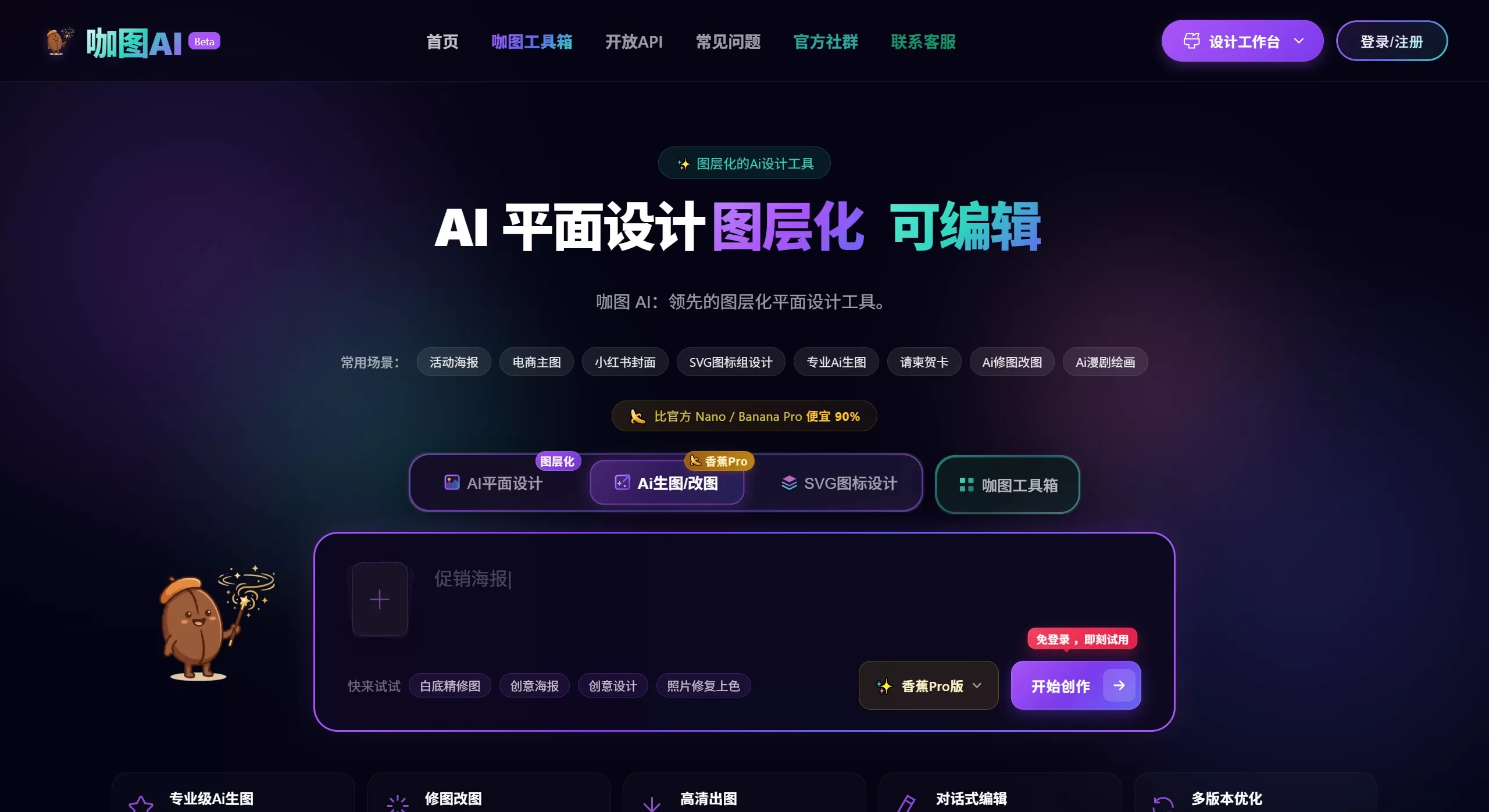
The 咖图AI platform has three main workspaces:
First, graphic design for images and text, such as posters, covers, and business cards;
Second, professional AI image generation and editing, using Banana Pro mode, supporting 2K/4K ultra-clear output;
Third, SVG path image generation, capable of batch vector icon design.
咖图AI Features
Layered design technology: AI-made posters and covers are automatically separated into different layers such as background, subject, decoration, and text. You can freely move, scale up or down, or replace any element without regenerating the entire image. This avoids the old AI problem of being unable to modify once the image is generated.
Banana Pro professional image generation mode: Uses a professional AI painting engine, capable of producing 2K/4K ultra-clear images. Describe in natural language to precisely control the image. Multiple versions can be generated at once, making it easy to pick a satisfactory one. You can also upload reference images so the AI can learn your desired style.
Smart layout system: Text is laid out separately rather than "drawn" by AI, avoiding garbled Chinese characters. There are many licensed fonts available. After generation, you can change the copy, font size, line spacing, and alignment.
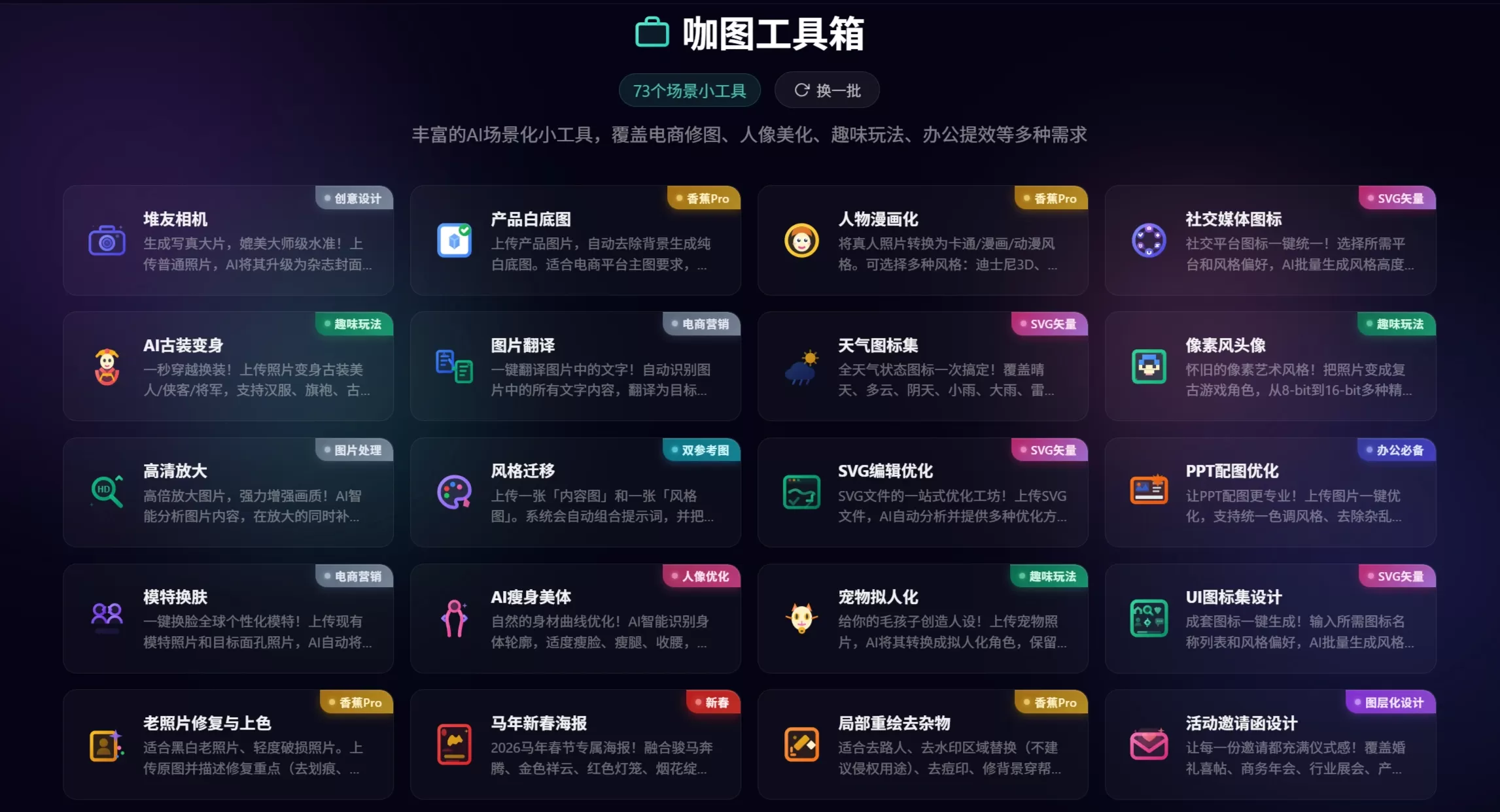
The toolbox offers 70+ scenario-based mini tools
E-commerce image editing: AI try-on, product white-background images, creative product scene images, e-commerce main image optimization;
Portrait beautification: ID photo suit change, acne removal and skin smoothing, body slimming, polished portraits;
Fun features: Soul Painter, pixel-style avatars, clay figures, AI ancient costume transformation, pet anthropomorphism;
Office efficiency: PPT image optimization, sketch-to-rendering, edit image to add text, AI image expansion, watermark removal.
SVG vector design: With one click, generate a set of icons in a unified style. Switch between outlined, filled, and two-color styles. Includes 30+ social platform icons such as WeChat, Weibo, Douyin, Xiaohongshu, and Bilibili.
咖图AI Application Scenarios
E-commerce operations: Create main images, banners, product white-background images, AI model try-on (upload a flat-lay clothing photo to generate model try-on effects), creative product scene images (add a description to automatically generate an atmospheric product image).
Social media operations: Xiaohongshu covers (3:4 ratio), WeChat official account covers (matching WeChat dimensions, primary image 900×383px, secondary image 200×200px), video covers (Douyin 9:16, Bilibili 16:9, YouTube 16:9, etc.), social media posters (WeChat Moments 1:1, Weibo long images).
Brand marketing: Create Logos (output as SVG vectors), product packaging (boxes, bags, bottle labels, etc.), event invitations or posters, business cards (following the 90×54mm print standard, using CMYK colors).
Personal/office: ID photo suit change, PPT visuals and templates, holiday or e-cards, old photo restoration and colorization.
Creative entertainment: Convert to oil painting, watercolor, Guochao illustration, and other styles; create Soul Painter, pixel art, Lego, clay figures, AI ancient costume transformation, pet anthropomorphism.
How to Use 咖图AI
The usage is very simple—generate images in three steps:
First, describe your need, e.g., type "Help me design a high-end skincare poster" in the dialog box;
Then the AI automatically comes up with the idea, lays out the composition, and draws the image;
Finally, export the 4K image with one click and use it directly for printing or posting on social platforms.
Toolbox usage: Select the mini tool you want to use, such as "ID photo optimization", upload an image or enter the information, and the system will help you compose the prompt and enter the workspace. Follow the steps to complete generation and editing.
Layered editing: After generation, enter the layered workspace, select the text layer, background layer, decoration layer, etc., freely adjust position, size, and content, and see the changes immediately.
咖图AI FAQ:
Q: Traditional AI-generated images cannot be modified—how does 咖图 handle this?
A: 咖图 uses "layered" technology. Posters and covers are split into different layers, so you can move and replace elements like in PS, without regenerating repeatedly, saving a lot of effort.
Q: What if I'm never satisfied with the high-quality images AI generates?
A: Use Banana Pro mode with a professional engine to output 2K/4K images. Describe the image clearly, get multiple versions at once, and upload reference images so AI can learn the style. You'll find a satisfactory result quickly.
Q: I want a set of uniformly styled SVG icons—doing them one by one is too slow?
A: SVG mode can generate an entire set of uniformly styled icons at once, with styles that can be switched anytime. Each icon can also be adjusted individually, and you can upload reference images so AI learns your brand style, ensuring visual consistency.
Q: AI-made Chinese posters always have garbled text—what should I do?
A: 咖图 lays out text separately instead of letting AI draw it, so there is no garbled text. After generation, you can change the copy, font size, line spacing, and alignment, and plenty of licensed fonts are available.
Q: How much does 咖图AI cost?
A: According to the 咖图AI official website, it is 90% cheaper than the official Nano/Banana Pro, offering great value for money.
Product Advantages
| Traditional AI drawing tools | 咖图AI |
|---|---|
| Cannot be modified after generation | ✅ Layered editing, freely adjust like in PS |
| Severe garbled Chinese text | ✅ Independent text layout, hundreds of licensed fonts |
| Low resolution, blurry printing | ✅ 2K/4K ultra-HD export |
| Low efficiency of single-image generation | ✅ Batch output, reusable templates |
| Difficult to maintain style consistency | ✅ Reference image learning for brand style |
| Single functionality | ✅ 73+ scenario toolbox for one-stop solutions |
咖图AI combines three technologies—"layered + conversational + professional engine"—to connect AI generation with manual editing, lowering the difficulty and cost of professional design. It is suitable for e-commerce operators, self-media bloggers, small and medium business owners, and anyone who needs to produce images quickly.















