
 Script Planner Assistant▸
 AI Apps
 AI News

Dujia Editing
Dujia EditingIntroduction
Dujia Editing (formerly Duka Editing) is an AI creation tool under Baidu. Dujia Editing aims to build a simple and easy-to-use video editing tool, dedicated to lowering the barrier to creation for knowledge-sharing authors and helping them produce high-quality works. Dujia Editing offers easy-to-use editing capabilities, efficient and accurate intelligent subtitle recognition, and integrates with Baidu Netdisk, supporting the download and import of your Netdisk materials.
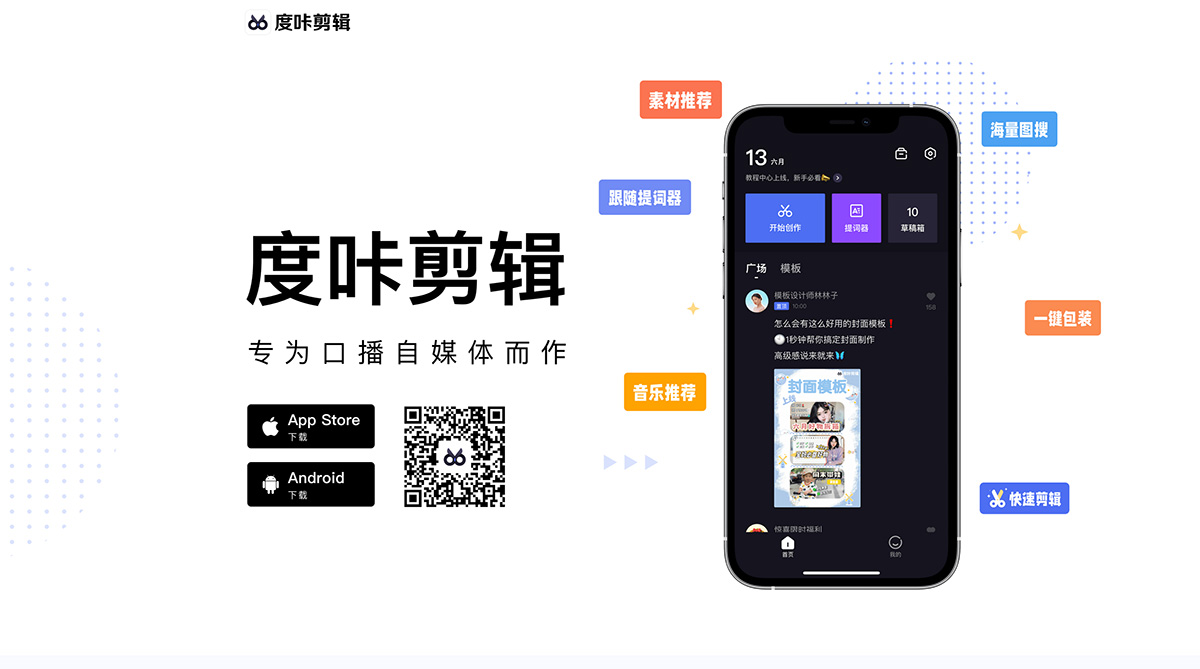
Dujia Editing integrates AI capabilities throughout the entire video creation process—including topic recommendations, subtitle processing, voice recognition and conversion, material selection, and text effects packaging—through features such as "AI Video Generation," "AI Rewriting," "Trending Topics," "AI Teleprompter," "Quick Editing," "One-Click Packaging," and "Material Recommendations." It aims to build an end-to-end AI creation tool that anyone can use, lowering the barrier to creation, improving creation efficiency, and helping creators efficiently produce high-quality works.
The main AI features of Dujia Editing include:
AI Video Generation — From inspiration to a hit, AI Video Generation takes only 1 minute
【Trending Topics】AI Video Generation supports trending topic recommendations, with over 500 topics updated daily, one-click generation of scripts from trending searches—stay ahead of the trends.
【AI Rewriting】Supports script polishing, shortening, and expansion, quickly generating around 800-word scripts and producing short videos of about 1 minute.
【AI Script】Select a script type, enter a creation topic and angle, and instantly generate a draft script. Review, edit, and produce a video with one click.
【Text-to-Video】Supports entering text or importing a Baijia图文 link. AI helps you find materials and converts text to video with one click.
Quick Editing — Automatically remove silent segments and add subtitles, AI quick editing in one minute
【Quick Editing】One-click recognition of silent, repetitive, and filler segments in your video. Edit the video and add subtitles directly from the transcript.
【Subtitle Recognition】Automatically recognizes video content based on voice algorithms and adds subtitles.
【Subtitle Import】Generates subtitles from imported scripts and matches them to the video, achieving audio-visual synchronization in one step.
【Batch Editing】Edit subtitles as easily as editing a Word document—simple and worry-free.
【Search & Replace】No need to modify sentence by sentence; batch-replace sensitive words with one click.
AI Beautification & Teleprompter — No fear of the camera; even beginners can speak with confidence
【Follow Mode】No need to manually flip pages or set speed—the script follows your speaking pace. Speak faster and it speeds up; pause and it pauses.
【Progress Adjustment】Use the "Previous" or "Next" buttons to skip or re-record any section of the script at any time.
【Beautified Shooting】Skin whitening, smoothing, eye enlargement, face slimming, and nose narrowing. Get a fresh look instantly and appear confident on camera.
【Custom Aspect Ratio Recording】Full screen, 9:16, 3:4, 1:1—switch freely between landscape and portrait to meet the requirements of different short-video platforms.
【Quick Text Import】Supports typing, copy-paste, and text scanning—quickly transform your inspiration into a teleprompter script.
Materials & Packaging — Smart recommendations for stickers and sound effects, instantly enhance the appeal of your video
【Material Recommendations】One-click addition of stickers, text effects, and sound effects, along with optimized subtitle styling.
【One-Click Packaging】Cover, title, subtitles, and mask—done in one click, with easy switching between landscape and portrait.
【Progress Bar】Simply mark and automatically generate a progress bar to boost completion rates.
【Text-to-Speech】Professional voiceover artists provide high-quality voice packs, offering free dubbing for you.
【Music Recommendations】Intelligently recommends suitable background music based on video style and content.
【Global Image Search】Massive Baidu image library—search and use instantly.
【Baike Cards】Every knowledge point can be linked to Baike at any time.
In short, from scriptwriting, shooting, and editing to packaging, Dujia Editing has everything ready for you. In the new era of AI creation, choose Dujia Editing and effortlessly light up your talent.















