
 Script Planner Assistant▸
 AI Apps
 AI News

80joy: Free Online Retro & Classic Games
80joy: Free Online Retro & Classic GamesIntroduction
What is 80joy Online Games?
80joy Online Games is a free online platform dedicated to playing nostalgic classic games, describing itself as a "treasure trove of classic games in your browser." No download required—play tens of thousands of classic games directly online, covering platforms such as Windows, DOS, Arcade, FC, SFC, MD, PS, GBA, NDS, OpenBOR, FLASH, and JAVA. It's especially ideal for those born in the 80s and 90s who want to relive their childhood anytime.
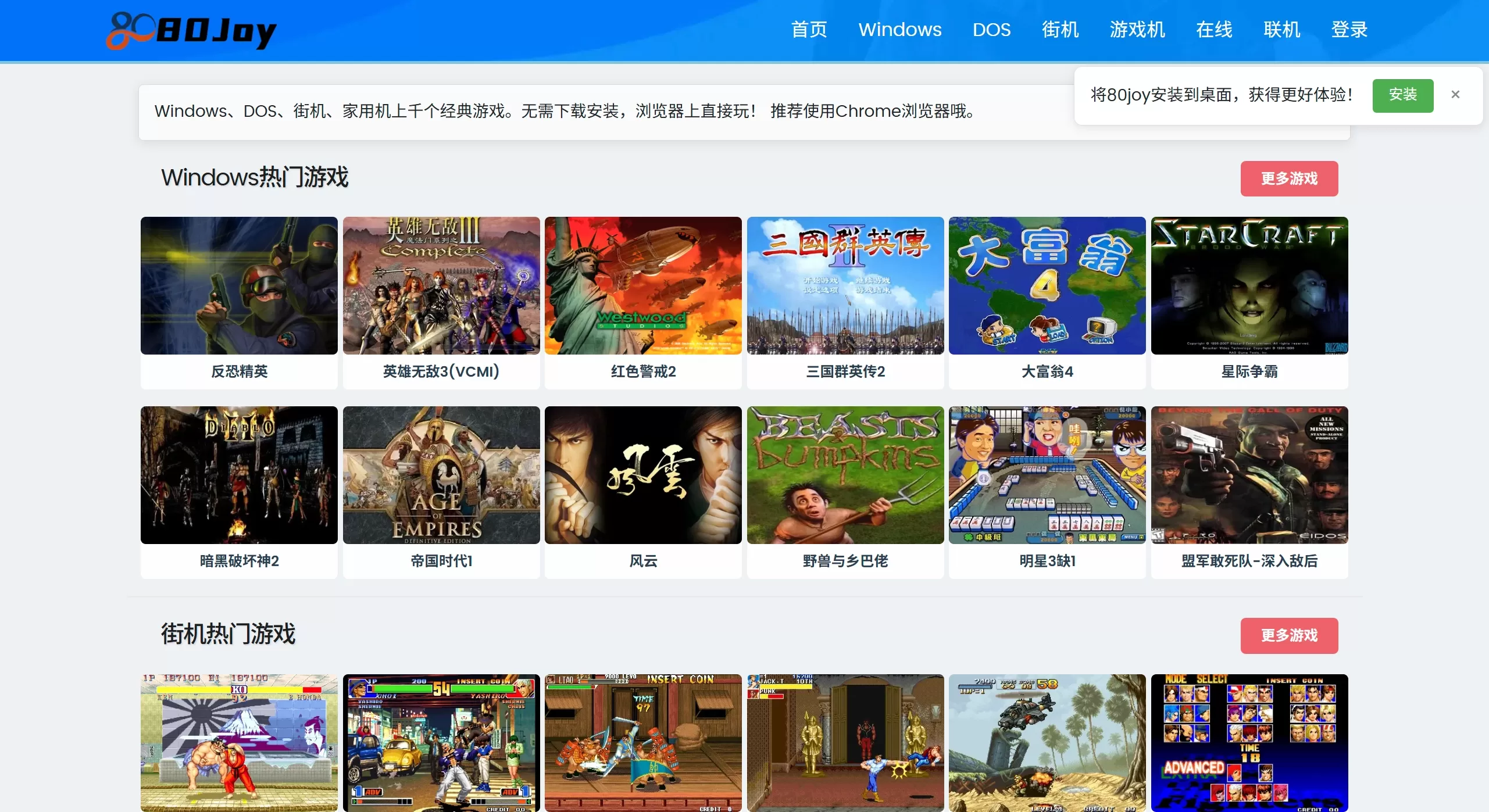
Main Features of 80joy Online Games
Browser-based games: Thousands of classic games can be opened directly in Chrome—no download or installation required.
Multi-platform categories: Covers Windows, DOS, arcade, console, and handheld platforms, including classic games from NES, SNES, MD, PS, GBA, NDS, Flash, Java, and more.
Membership and login: Offers membership services. After logging in, you can sync your progress and access more game resources. Registered members get exclusive perks such as game acceleration, ad blocking, and dedicated customer support. You can also play for free online without registering or logging in.
Language switching: Supports a multilingual interface for players from different regions.
Online battles: Some games support online multiplayer matches.
Core Features of 80joy Online Games
1. Massive Game Library
The 80joy online games platform offers thousands of classic games, spanning multiple gaming platforms and eras.
2. Instant Play Experience
Using WebAssembly and Emscripten technology, C/C++ emulator code is converted into a format that runs in web pages. No need to install emulators or download game ROMs. Supports modern browsers like Chrome, Edge, and Safari—with Chrome recommended for the best experience.
3. Powerful Functionality
Save feature: Save your game progress. Members can use cloud saves to sync across devices.
Online multiplayer: Some games (such as King of Fighters and Three Kingdoms Warriors) support online multiplayer, letting you battle friends remotely.
Multiple control methods: Supports keyboard, gamepad, and joystick, with customizable buttons and key combos.
Cheat codes: Built-in cheat codes to reduce game difficulty.
Visual filters: Retro filters such as CRT scanlines to recreate the feel of childhood arcade halls.
BIOS settings: Adjust game difficulty levels (levels 1-8).
4. Cross-platform Compatibility
Theoretically any device with a browser can use it:
Computer
Phone/Tablet
How to Use 80joy Online Games
Visit the 80joy Online Games official website
Select a category: On the homepage, choose categories like "Arcade," "Windows," "DOS," or "Console Games."
Click a game: Select the game cover you want to play and enter the details page.
Start playing: Click "Start Game" and wait for loading (the first load may need to cache resources).
Save progress: In the game, use the Tools bar's [Save] button to save. Registering as a member for cloud saves is recommended.
80joy Online Games Membership Service
The site operates on a free + membership model:
Free users: Can play most basic games, but may face restrictions during peak hours; saves are stored in the local browser.
Membership benefits: Cloud saves (progress won't be lost), game acceleration, ad blocking, dedicated customer support, and priority access to new games.















