Script Planner Assistant▸
 AI Apps
 AI News

Formy3D: Free Online 3D Model Generator
Formy3D: Free Online 3D Model GeneratorIntroduction
Formy3D is a free online 3D model generator that leverages AI technology to quickly turn text or images into high-quality 3D models. It mainly addresses the problems of traditional 3D modeling, which requires a long learning curve and expensive software, allowing people with no experience to create professional-level 3D works.
The Formy3D platform uses a 10-billion-parameter diffusion model, generating models with accurate shapes, realistic materials, and reasonable structures—quality that rivals manually crafted models.
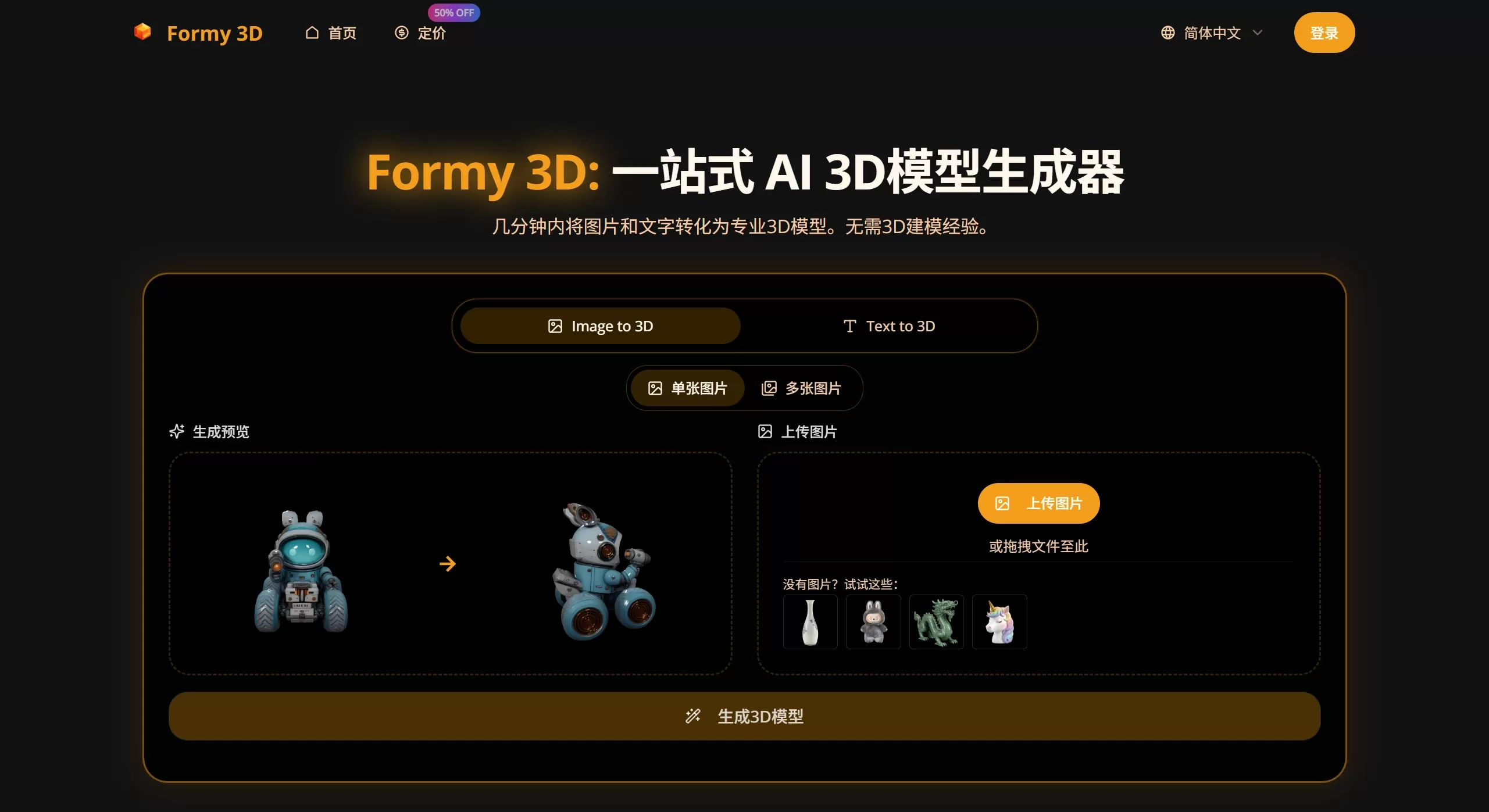
Formy3D Main Features
Text to 3D
Enter a description, for instance "a sci-fi helmet with a metallic finish."
The AI automatically generates a textured 3D model.
It supports all kinds of complex descriptions, whether it's an object, character, or scene.
Image to 3D
Upload a 2D photo, and the system automatically builds a 3D model.
It can analyze the shapes, colors, and structures in the image to generate a complete 3D file.
Perfect for turning sketches or real-life photos into 3D assets.
Ready-to-use output
Supports common formats like FBX, GLB/GLTF, OBJ, STL, etc.
Comes with high-resolution texture maps.
Can be directly imported into Unity, Unreal, Blender, Maya, and other software, or used for 3D printing.
Fast Output
Generally completed within 1-3 minutes.
Saves several weeks of time compared to manual modeling.
Easy to Use
No 3D modeling knowledge required.
Just three steps: input -> generate -> download.
Formy3D Use Cases
Game Development: Quickly create characters, props, and scenes, making it easy to prototype or put directly into production.
Product Design: Turn drafts or ideas into 3D images, speeding up the revision process.
Architectural Visualization: Generate furniture, decorations, or structural parts to make presentations more realistic.
VR/AR Content: Rapidly produce 3D assets for immersive experiences.
3D Printing: Directly generate STL files, ideal for makers and students.
Education and Personal Use: Students and hobbyists can create 3D projects without learning complex software.
Advertising and Marketing: Quickly create 3D product images for use in promotional materials.
Formy3D How-to Guide
Input: Choose text mode and write a detailed description; choose image mode and upload a clear 2D picture.
Generate: Click start, wait 1-3 minutes, and check the preview.
Download: Select the desired format (FBX, GLB, OBJ, STL, etc.), download the file with textures, and import it into other software.
Pricing
Free Version: $0. Has basic features, but may include watermarks and has limited credits.
Basic Version: $4.90/month (billed annually). 3,600 credits per year, includes commercial license, no watermarks, uses standard queue.
Enhanced Version: $9.90/month (billed annually). 14,400 credits per year, priority queue, supports batch generation.
Professional Version: $39.90/month (billed annually). 84,480 credits per year, includes API access and dedicated customer support.
Formy3D FAQ
Q1: Can I sell the models I create?
Yes. Subscribe to the Basic Version or above to get a commercial license, and you can use the models in games, animation, printing, and other projects. The Free Version does not allow commercial use.
Q2: What's the difference between text generation and image generation?
Text generation creates from scratch, ideal for imaginative concepts.
Image generation creates based on a given image, suitable when you already have a physical object or sketch.
Q3: How is the model quality?
It depends on how accurate the information you provide is. Simple, clearly-shaped objects produce great results. For very complex or blurry inputs, details may be insufficient.
Q4: Do I need to install software?
No, it's web-based. You just need a browser and an internet connection.
Q5: What formats are supported?
It supports mainstream formats like FBX, GLB/GLTF, OBJ, STL, etc., which are compatible with virtually all 3D software.
Q6: How long does it take to generate?
Usually 1-3 minutes. If the model is very complex, or you're a free user waiting in the queue, it may take longer.
Q7: What are the limitations of the Free Version?
There are limitations. For example, fewer credits, queue priority, watermarks, and no commercial use. Refer to the latest official website for specifics.